
1. ആമുഖം
Thank you for choosing the Renkforce RBP-ALC100 SBC Case. This robust aluminum enclosure is specifically designed for Raspberry Pi single-board computers, providing both protection and efficient active cooling. Its universal design ensures compatibility with various Raspberry Pi models, offering precise cutouts for all essential ports. This manual provides detailed instructions for assembly, operation, and maintenance to ensure optimal performance and longevity of your device.
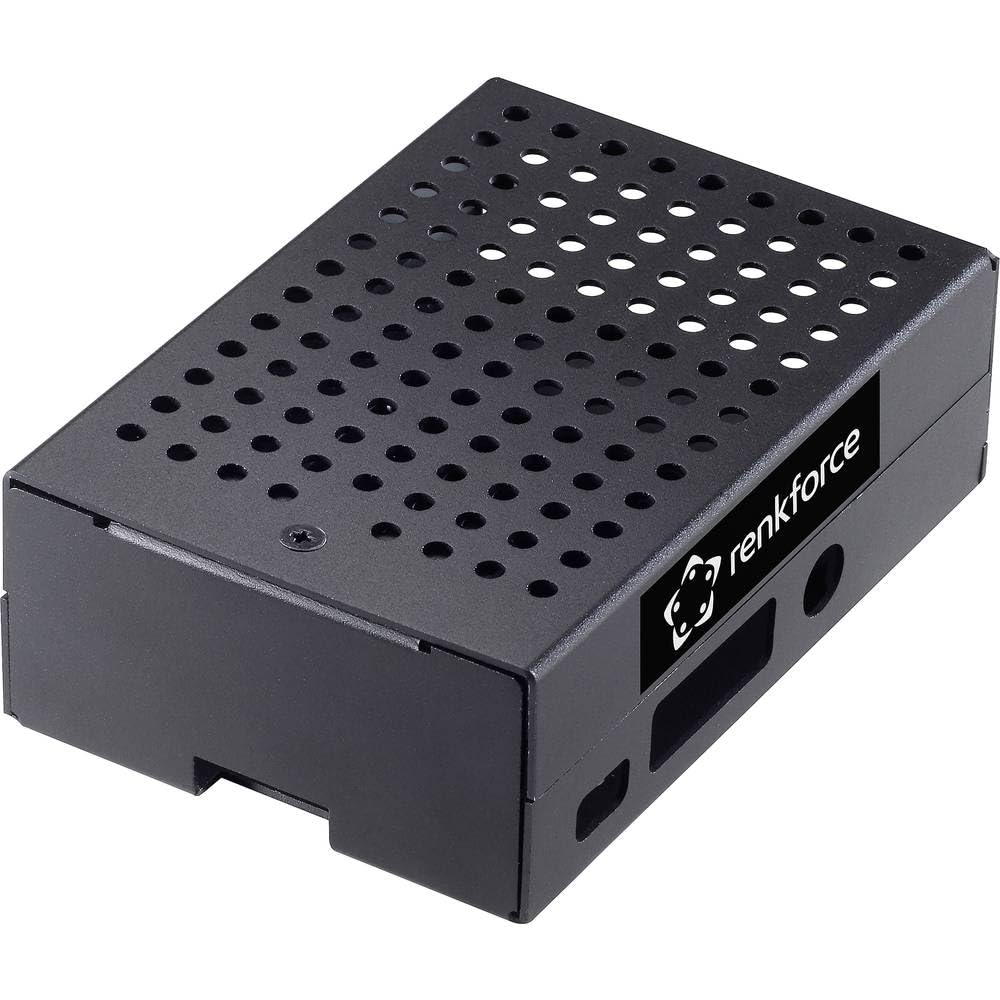
Figure 1: Renkforce RBP-ALC100 SBC Case, top-down view.
2 സുരക്ഷാ വിവരങ്ങൾ
- Always handle electronic components with care to prevent damage from static electricity.
- Ensure the Raspberry Pi is powered off and disconnected from all power sources before installation or removal from the case.
- Do not expose the case or your Raspberry Pi to moisture, extreme temperatures, or direct sunlight.
- ശ്വാസംമുട്ടൽ ഉണ്ടാകുന്നത് തടയാൻ ചെറിയ ഭാഗങ്ങൾ കുട്ടികൾക്ക് ലഭ്യമാകാതെ സൂക്ഷിക്കുക.
- Use only appropriate tools for assembly to avoid stripping screws or damaging components.
3. പാക്കേജ് ഉള്ളടക്കം
നിങ്ങളുടെ പാക്കേജിൽ എല്ലാ ഇനങ്ങളും ഉണ്ടെന്ന് ദയവായി പരിശോധിക്കുക:
- 1x Renkforce RBP-ALC100 SBC Case (Aluminum enclosure with integrated active cooling fan)
- 1x Set of assembly screws
- 1x Thermal pad (if included separately for CPU contact)
Note: Raspberry Pi board is not included and must be purchased separately.
4. സജ്ജീകരണവും ഇൻസ്റ്റാളേഷനും
Follow these steps for easy and quick assembly of your Raspberry Pi into the Renkforce RBP-ALC100 case.
- നിങ്ങളുടെ റാസ്ബെറി പൈ തയ്യാറാക്കുക: Ensure your Raspberry Pi is clean and free of any existing heatsinks that might interfere with the case's cooling system.
- Apply Thermal Pad (if applicable): If a thermal pad is provided separately, carefully peel off the protective films from both sides and place it onto the CPU of your Raspberry Pi. This ensures efficient heat transfer to the case's cooling mechanism.
- Position the Raspberry Pi: Gently slide your Raspberry Pi board into the bottom half of the case, aligning the mounting holes and the port cutouts. Ensure all ports (USB, Ethernet, HDMI, etc.) are correctly aligned with the case openings.

Figure 2: Case showing port cutouts for Raspberry Pi.
- ഫാൻ ബന്ധിപ്പിക്കുക: Locate the 2-pin fan connector on the active cooling fan within the case. Carefully connect this to the appropriate 5V and GND GPIO pins on your Raspberry Pi. Refer to your Raspberry Pi's documentation for exact pinout.
- Secure the Top Cover: Place the top half of the case onto the bottom half, ensuring it aligns perfectly.
- സ്ക്രൂകൾ ഉപയോഗിച്ച് ഉറപ്പിക്കുക: Use the provided screws to secure the two halves of the case together. Do not overtighten the screws.
Your Raspberry Pi is now securely housed and ready for operation with active cooling.
5. ഓപ്പറേഷൻ
Once assembled, the Renkforce RBP-ALC100 case provides continuous active cooling for your Raspberry Pi. The integrated fan will operate whenever the Raspberry Pi is powered on, drawing air through the ventilation holes to dissipate heat generated by the CPU and other components. This helps maintain optimal operating temperatures, especially during intensive tasks, preventing thermal throttling and ensuring stable performance.
6. പരിപാലനം
- കേസ് വൃത്തിയാക്കൽ: Periodically wipe the exterior of the aluminum case with a soft, dry cloth to remove dust and fingerprints.
- ഫാൻ പരിപാലനം: Over time, dust may accumulate on the fan blades. Use a can of compressed air to gently clear any dust from the fan and ventilation holes. Ensure the Raspberry Pi is powered off before performing this.
- ദ്രാവകങ്ങൾ ഒഴിവാക്കുക: Do not use liquid cleaners directly on the case or fan, as this can damage electronic components.
7. പ്രശ്നപരിഹാരം
- ഫാൻ കറങ്ങുന്നില്ല:
- Check if the fan's 2-pin connector is securely attached to the correct 5V and GND GPIO pins on the Raspberry Pi.
- Ensure the Raspberry Pi is powered on.
- Verify that the fan blades are not obstructed by any debris.
- അമിത ചൂടാക്കൽ പ്രശ്നങ്ങൾ:
- Confirm that the thermal pad (if used) is correctly placed between the Raspberry Pi's CPU and the case's cooling surface.
- വെൻ്റിലേഷൻ ദ്വാരങ്ങൾ തടഞ്ഞിട്ടില്ലെന്ന് ഉറപ്പാക്കുക.
- Check if the fan is spinning correctly.
8 സ്പെസിഫിക്കേഷനുകൾ
- ബ്രാൻഡ്: റെങ്ക്ഫോഴ്സ്
- മോഡലിൻ്റെ പേര്: RF-4507494
- കേസ് തരം: Raspberry Pi SBC Enclosure
- നിറം: കറുപ്പ്
- മെറ്റീരിയൽ: അലുമിനിയം
- തണുപ്പിക്കൽ രീതി: Active Air Cooling (Integrated Fan)
- ഉൽപ്പന്ന ഭാരം: 50 ഗ്രാം
- അളവുകൾ (ഏകദേശം): 14 സെ.മീ (നീളം) x 7 സെ.മീ (വീതി) x 3 സെ.മീ (ഉയരം)
- Accessible Ports: Provides cutouts for standard Raspberry Pi ports (e.g., USB, Ethernet, HDMI, Audio, MicroSD).
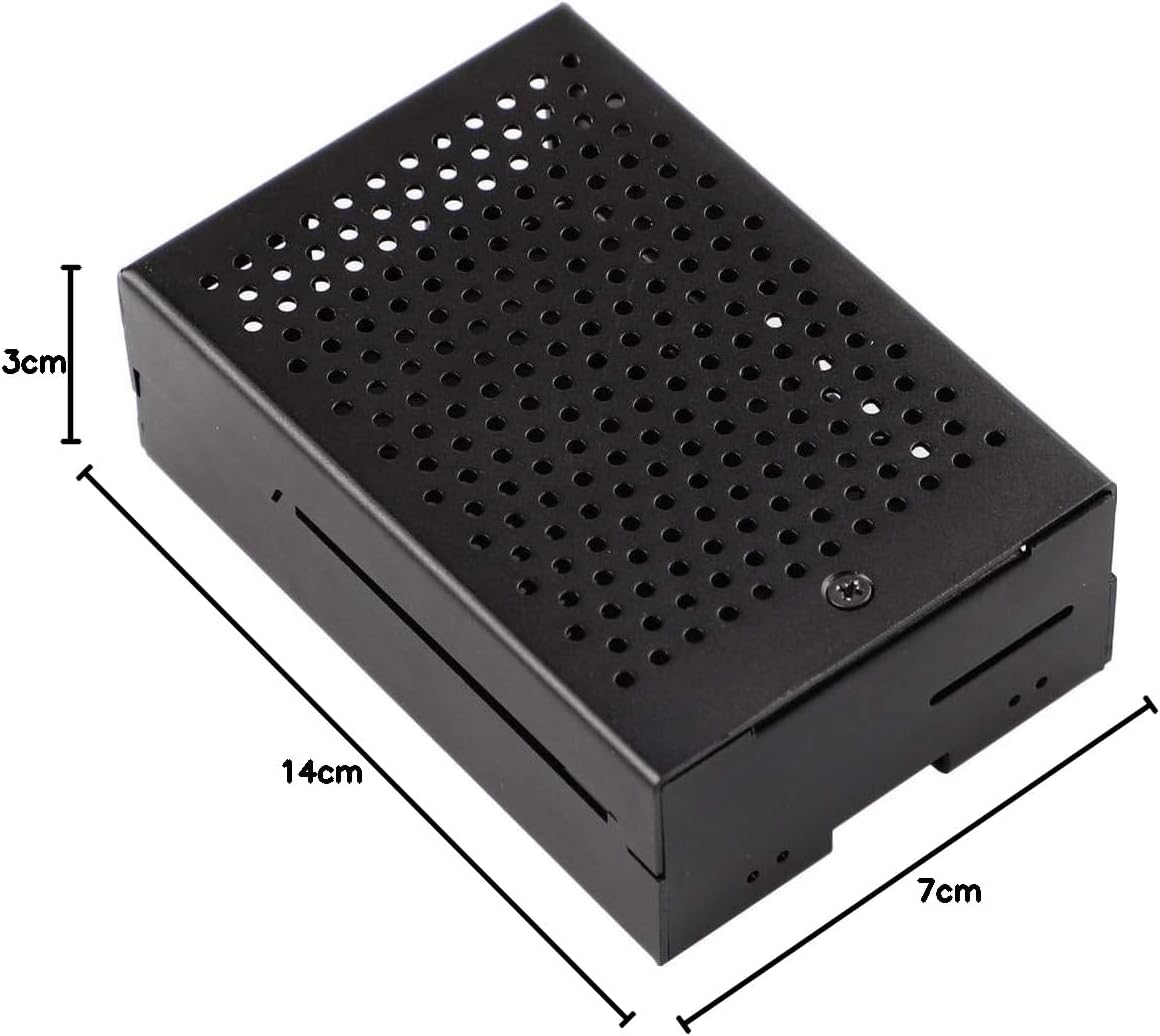
Figure 3: Renkforce RBP-ALC100 SBC Case with approximate dimensions.
9. വാറൻ്റിയും പിന്തുണയും
Renkforce provides a warranty for this product. Spare parts availability in the EU is guaranteed for 1 year from the date of purchase. For technical support, warranty claims, or further assistance, please contact your retailer or visit the official Renkforce webബന്ധപ്പെടാനുള്ള വിവരങ്ങൾക്കുള്ള സൈറ്റ്.