
മെറോസ് MSS560
Meross Smart Dimmer Switch (MSS560) User Manual
മോഡൽ: MSS560
ആമുഖം
The Meross Smart Dimmer Switch (MSS560) is designed to provide intelligent control over your lighting. This single-pole dimmer switch allows you to remotely control, dim, and schedule your lights using the Meross app, Apple HomeKit, Amazon Alexa, or Google Assistant. It requires a neutral wire for installation and operates on a 2.4GHz Wi-Fi network.
സുരക്ഷാ വിവരങ്ങൾ
- ന്യൂട്രൽ വയർ ആവശ്യമാണ്: Ensure your electrical box has a neutral wire (typically white) before installation. If unsure, consult a qualified electrician.
- ഇൻസ്റ്റാളേഷന് മുമ്പ് പവർ ഓഫ് ചെയ്യുക: Always turn off power at the circuit breaker before installing or servicing the switch to prevent electrical shock.
- Single Pole Setup Only: This switch is designed for single pole configurations only. It is not compatible with 3-way or multi-way switch setups.
- ബൾബ് അനുയോജ്യത: Works with non-smart dimming bulbs. Maximum wattage: 400W for incandescent (INC), 150W for CFL & LED bulbs. Do not use with smart bulbs.
- വൈഫൈ ആവശ്യകത: Supports 2.4GHz Wi-Fi networks only. 5GHz Wi-Fi is not supported. No hub is required.
- അഗ്നി പ്രതിരോധക വസ്തു: The switch housing is made of PC+ABS fire-retardant material for safety.
- ഓവർലോഡ് സംരക്ഷണം: Certified by FCC/ETL, the device includes protection against electrical overload.
ബോക്സിൽ എന്താണുള്ളത്
- Meross Smart Dimmer Switch (MSS560)
- ദ്രുത ഇൻസ്റ്റലേഷൻ ഗൈഡ്
- വയർ പരിപ്പ്
- മൗണ്ടിംഗ് സ്ക്രൂകൾ
- Faceplate (standard size)
സജ്ജമാക്കുക
പ്രീ-ഇൻസ്റ്റലേഷൻ ചെക്ക്ലിസ്റ്റ്
- Verify your electrical box has a neutral wire (white).
- Ensure you have a 2.4GHz Wi-Fi network.
- Confirm your setup is single pole (not 3-way).
- Check bulb compatibility (non-smart dimmable LED/CFL/INC).

Image: Diagram illustrating the necessity of a neutral wire and compatible bulb types (LED, CFL, INC) with wattage limits, and incompatibility with smart bulbs.

Image: Important notes on switch compatibility, including single pole setup, 2.4GHz Wi-Fi, neutral wire, and non-smart dimming bulb support.
ഹാർഡ്വെയർ ഇൻസ്റ്റാളേഷൻ
- പവർ ഓഫ് ചെയ്യുക: Locate your circuit breaker and turn off the power to the switch you are replacing. Verify power is off using a voltagഇ ടെസ്റ്റർ.
- പഴയ സ്വിച്ച് നീക്കം ചെയ്യുക: Carefully remove the faceplate and unscrew the existing switch from the electrical box. Pull the switch outward without touching any wires.
- വയറുകൾ തിരിച്ചറിയുക: Identify the Live (black/red), Load (brown/black), Neutral (white), and Ground (green/bare copper) wires. Label them if necessary.
- പുതിയ സ്വിച്ച് ബന്ധിപ്പിക്കുക: Use the provided wire nuts to connect the corresponding wires of the Meross Smart Dimmer Switch to your home's electrical wires. Ensure all connections are secure.
- സുരക്ഷിത സ്വിച്ച്: Carefully push the wires and the new switch into the electrical box. Screw the switch to the box and attach the faceplate.
- പവർ പുന ore സ്ഥാപിക്കുക: Turn on the power at your circuit breaker.
Video: Official Meross guide on how to install the HomeKit smart dimmer switch, demonstrating the wiring process and safety precautions.
ആപ്പ് സജ്ജീകരണവും ജോടിയാക്കലും
- Download Meross App: ആപ്പ് സ്റ്റോറിൽ നിന്നോ ഗൂഗിൾ പ്ലേയിൽ നിന്നോ മെറോസ് ആപ്പ് ഡൗൺലോഡ് ചെയ്യുക.
- ഉപകരണം ചേർക്കുക: Open the Meross app, tap the '+' icon to add a new device, and select the Smart Dimmer Switch. Follow the in-app instructions.
- വൈഫൈയിലേക്ക് കണക്റ്റുചെയ്യുക: Connect the switch to your 2.4GHz Wi-Fi network.
- HomeKit Setup (Optional): If using Apple HomeKit, scan the HomeKit setup code located on the device or its packaging. You may need to manually enter the 8-digit code.
- Calibrate Dimming Range: Use the app to set the maximum and minimum light levels for optimal dimming performance with your specific bulbs.
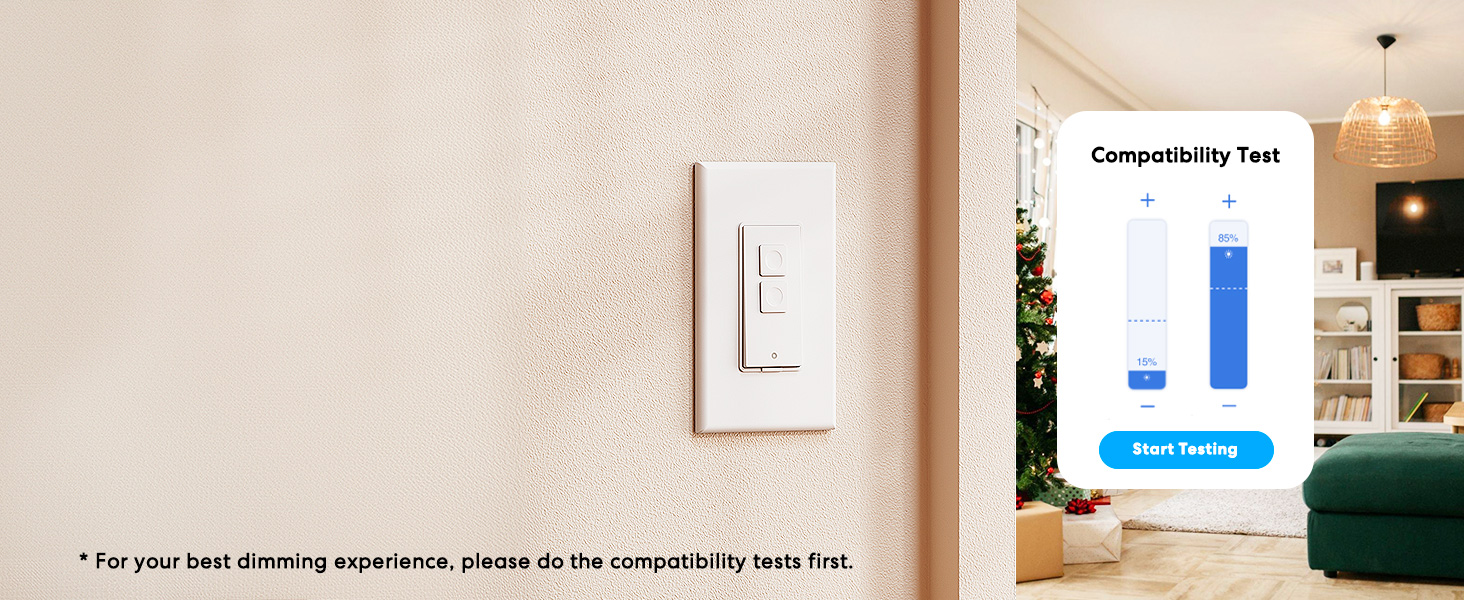
Image: Meross app interface demonstrating the dimming compatibility test to optimize light levels.
പ്രവർത്തന നിർദ്ദേശങ്ങൾ
മാനുവൽ നിയന്ത്രണം
The Meross Smart Dimmer Switch features physical buttons for direct control:
- ഓൺ/ഓഫ് ബട്ടൺ: Press the main button to turn lights on or off.
- Dimming Buttons: Use the smaller up/down buttons to adjust brightness levels.
അപ്ലിക്കേഷൻ നിയന്ത്രണം
Control your lights from anywhere with internet access using the Meross app:
- റിമോട്ട് ഓൺ/ഓഫ്: Tap the switch icon in the app to toggle lights.
- മങ്ങുന്നു: Use the slider in the app to precisely adjust brightness from 0% to 100%.

Image: A user controlling lights remotely via the Meross app on a smartphone.
ശബ്ദ നിയന്ത്രണം
The Meross Smart Dimmer Switch is compatible with leading voice assistants:
- Apple HomeKit/Siri: Say "Hey Siri, turn on the light" or "Hey Siri, dim the light to 50%".
- ആമസോൺ അലക്സ: Say "Alexa, turn on the light" or "Alexa, dim the light to 20%".
- Google അസിസ്റ്റൻ്റ്: Say "Hey Google, turn on the light" or "Hey Google, dim the light to 90%".

Image: Visual representation of voice commands for Siri, Alexa, and Google Assistant to control light brightness.
Scheduling & Scenes
Automate your lighting to suit your lifestyle:
- ഷെഡ്യൂളുകൾ: Set specific times for lights to turn on/off or dim automatically. Supports sunrise and sunset settings.
- രംഗങ്ങൾ: Create custom scenes for different moods or activities (e.g., "Movie Night" with dimmed lights).

Image: Meross app interface displaying options for setting scenes, timers, and schedules for automated lighting control.
മെയിൻ്റനൻസ്
- വൃത്തിയാക്കൽ: Wipe the switch and faceplate with a soft, dry cloth. Do not use liquid cleaners or aerosols.
- ഫേംവെയർ അപ്ഡേറ്റുകൾ: Regularly check the Meross app for firmware updates to ensure optimal performance and security.
ട്രബിൾഷൂട്ടിംഗ്
- പ്രതികരിക്കുന്നില്ല സ്വിച്ച്: If the switch is unresponsive or the indicator light is red, try pressing the small power reset button located at the bottom of the switch.
- Wi-Fi കണക്ഷൻ പ്രശ്നങ്ങൾ: Ensure your smartphone is connected to a 2.4GHz Wi-Fi network during setup. If the switch loses connection, verify your router is functioning correctly and the switch is within range.
- മങ്ങിക്കുന്ന പ്രശ്നങ്ങൾ: If lights flicker or do not dim correctly, re-calibrate the dimming range in the Meross app. Ensure you are using compatible non-smart dimmable bulbs.
- HomeKit Remote Control: For remote control via HomeKit, an additional networked Apple device (HomePod, Apple TV 4K/HD, or iPad) must be set up as a HomeKit bridge and remain online.
സ്പെസിഫിക്കേഷനുകൾ
| ഫീച്ചർ | സ്പെസിഫിക്കേഷൻ |
|---|---|
| ഓപ്പറേഷൻ മോഡ് | ഓൺ-ഓഫ് |
| നിലവിലെ റേറ്റിംഗ് | 4 Amps |
| ഓപ്പറേറ്റിംഗ് വോളിയംtage | 120 വോൾട്ട് |
| ബന്ധപ്പെടാനുള്ള തരം | സാധാരണയായി തുറന്നിരിക്കുന്നു |
| കണക്റ്റർ തരം | Clamp |
| അതിതീവ്രമായ | ബ്ലേഡ് |
| ഇനത്തിന്റെ അളവുകൾ (L x W x H) | 4.7 x 2.8 x 1.5 ഇഞ്ച് |
| സർക്യൂട്ട് തരം | വൺ-വേ (സിംഗിൾ പോൾ) |
| ആക്യുവേറ്റർ തരം | പുഷ് ബട്ടൺ |
| കോൺടാക്റ്റ് മെറ്റീരിയൽ | ചെമ്പ് |
| അന്താരാഷ്ട്ര സംരക്ഷണ റേറ്റിംഗ് | IP00 |
| സ്ഥാനങ്ങളുടെ എണ്ണം | 1 |
| ഉയർന്ന താപനില റേറ്റിംഗ് | 40 ഡിഗ്രി സെൽഷ്യസ് |
| കൺട്രോളർ തരം | ആമസോൺ അലക്സ, ആപ്പിൾ ഹോംകിറ്റ്, ഗൂഗിൾ അസിസ്റ്റന്റ് |
| നിയന്ത്രണ രീതി | വോയ്സ്, ആപ്പ് |
| കണക്റ്റിവിറ്റി പ്രോട്ടോക്കോൾ | വൈഫൈ (2.4GHz മാത്രം) |
| നിറം | വെള്ള |
| വാട്ട്tage | 400 watts (INC), 150 watts (CFL & LED) |
| മെറ്റീരിയൽ | Plastic (PC+ABS fire-retardant) |
വാറൻ്റിയും പിന്തുണയും
വാറൻ്റി
The Meross Smart Dimmer Switch typically comes with a 1-year warranty. Please refer to your product packaging or the Meross webനിർദ്ദിഷ്ട വാറന്റി നിബന്ധനകൾക്കും വ്യവസ്ഥകൾക്കും സൈറ്റ്.
പിന്തുണ
If you have any questions regarding your switch type, installation, or Wi-Fi connections, please contact Meross customer support. You can usually find contact information within the Meross app or on the official Meross webസൈറ്റ്.
അധിക വിവരം
വീഡിയോ: ഒരു ഓവർview of Meross smart home products, showcasing various features and benefits of integrating smart devices into your home.
Ask a question about this manual
Ask about setup, troubleshooting, compatibility, parts, safety, or missing instructions. Manuals+ will review the question and use this page’s manual context to help answer it.