
1. ഉൽപ്പന്നം കഴിഞ്ഞുview
The VENTION 3.5mm Stereo AUX Cable is designed to connect audio devices with a 3.5mm auxiliary port. It features gold-plated connectors for optimal signal transfer and a durable braided exterior for extended lifespan. This cable facilitates audio transmission between various devices such as smartphones, headphones, car stereos, laptops, and speakers.

Image 1.1: The VENTION 3.5mm Stereo AUX Cable.
2. സജ്ജീകരണവും കണക്ഷനും
Connecting the VENTION 3.5mm Stereo AUX Cable is a straightforward process. Ensure both devices you intend to connect have a standard 3.5mm audio input or output jack.
- തുറമുഖങ്ങൾ തിരിച്ചറിയുക: Locate the 3.5mm audio jack on your source device (e.g., smartphone, laptop) and your receiving device (e.g., headphones, car stereo, speaker). These ports are typically marked with a headphone icon or 'AUX'.
- കേബിൾ ബന്ധിപ്പിക്കുക: Insert one end of the VENTION 3.5mm Stereo AUX Cable into the audio output jack of your source device.
- Connect to Receiving Device: Insert the other end of the cable into the audio input jack of your receiving device.
- കണക്ഷൻ സ്ഥിരീകരിക്കുക: Ensure both connectors are fully inserted into their respective ports for a secure connection.
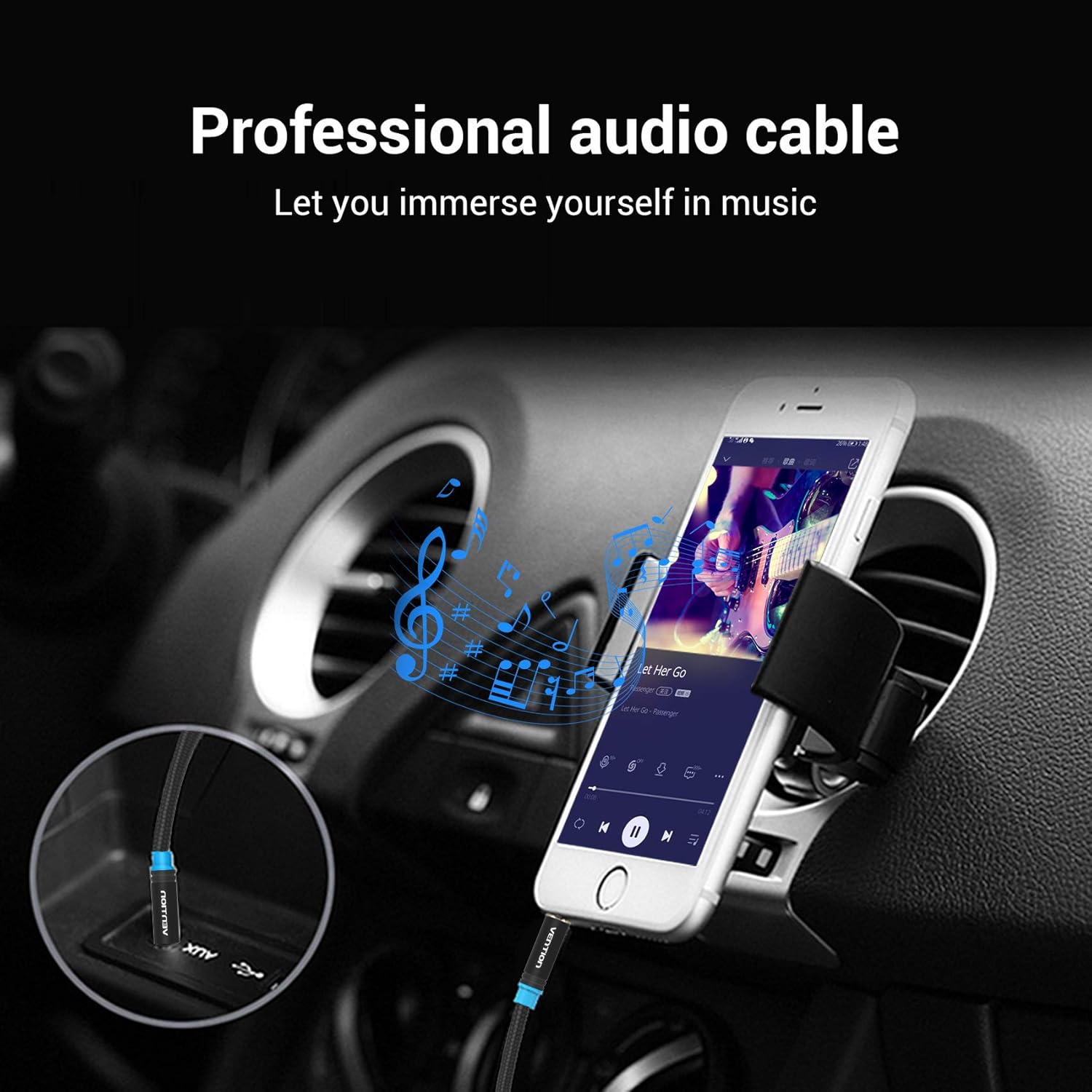
Image 2.1: Connecting the AUX cable to a car stereo for audio playback from a smartphone.

Image 2.2: Connecting a laptop to an external speaker using the AUX cable.
3. പ്രവർത്തന നിർദ്ദേശങ്ങൾ
Once the cable is connected, the operation is automatic. The cable transmits audio signals directly between the connected devices.
- ഓഡിയോ പ്ലേബാക്ക്: Begin playing audio on your source device. The sound will be routed through the VENTION 3.5mm Stereo AUX Cable to your receiving device.
- വോളിയം നിയന്ത്രണം: Adjust the volume using the controls on your source device or the receiving audio device (e.g., car stereo, speaker, headphones).
- അനുയോജ്യത: The cable is universally compatible with any device featuring a standard 3.5mm audio jack. This includes, but is not limited to, headphones, Hi-Fi systems, car stereos, tablets, laptops, smartphones, MP3 players, and speakers.

Image 3.1: User enjoying audio through headphones connected with the VENTION AUX cable.

Image 3.2: The VENTION AUX cable is compatible with smartphones, iPads, laptops, CD players, MP3 players, soundboxes, cars, and headphones.
4. പരിപാലനവും പരിചരണവും
To ensure the longevity and optimal performance of your VENTION 3.5mm Stereo AUX Cable, follow these maintenance guidelines:
- മൂർച്ചയുള്ള വളവുകൾ ഒഴിവാക്കുക: While the cable features a durable braided exterior, excessive or sharp bending can damage the internal wiring. Store the cable in a loose coil rather than tightly wound.
- ക്ലീൻ കണക്ടറുകൾ: Periodically inspect the gold-plated connectors for dust or debris. If necessary, gently clean them with a dry, lint-free cloth. Avoid using liquids or abrasive materials.
- ശരിയായ സംഭരണം: When not in use, store the cable in a clean, dry environment away from extreme temperatures and direct sunlight.
- ശ്രദ്ധയോടെ കൈകാര്യം ചെയ്യുക: കേബിൾ പ്ലഗ് ചെയ്യുമ്പോഴോ അൺപ്ലഗ് ചെയ്യുമ്പോഴോ, കേബിൾ തന്നെ വലിക്കുന്നതിനുപകരം, എല്ലായ്പ്പോഴും കണക്റ്റർ ഹൗസിംഗ് പിടിക്കുക.

Image 4.1: Detail of the gold-plated connectors and cotton braided cable, designed for durability and superior sound quality.

Image 4.2: The cable's design allows for flexibility while maintaining resistance to bending and wear.
5. പ്രശ്നപരിഹാരം
If you encounter issues with your VENTION 3.5mm Stereo AUX Cable, refer to the following troubleshooting steps:
- ശബ്ദമില്ല:
- Ensure both ends of the cable are fully and securely plugged into their respective ports.
- Check the volume levels on both the source device and the receiving audio device.
- Verify that the correct audio input/output is selected on your receiving device (e.g., 'AUX' input on a car stereo).
- Test the cable with different devices to rule out an issue with one of the connected devices.
- Poor Sound Quality (Static, Distortion, Intermittent Audio):
- Ensure connectors are clean and free of debris.
- Check for any physical damage to the cable, especially near the connectors.
- Avoid routing the cable near sources of electromagnetic interference (e.g., power cables, large electronic appliances).
- Test with another known-good 3.5mm audio cable to determine if the issue is with the VENTION cable or the devices.
- Cable Does Not Fit:
- Confirm that the ports on your devices are indeed 3.5mm audio jacks.
- If using a phone case, ensure it does not obstruct the headphone jack. The slim design of the cable's connector is intended to fit most cases.
6 സ്പെസിഫിക്കേഷനുകൾ
| ഫീച്ചർ | വിശദാംശങ്ങൾ |
|---|---|
| ബ്രാൻഡ് | വെൻഷൻ |
| കണക്റ്റർ തരം | സഹായക |
| കേബിൾ തരം | ഓക്സ് |
| അനുയോജ്യമായ ഉപകരണങ്ങൾ | Car Stereo, Laptop, PC, Smartphone, Speaker, Tablet |
| പ്രത്യേക ഫീച്ചർ | മെടഞ്ഞു |
| നിറം | കറുപ്പ് |
| കണക്റ്റർ ലിംഗഭേദം | പുരുഷൻ-ആൺ |
| ആകൃതി | വൃത്താകൃതി |
| യൂണിറ്റ് എണ്ണം | 1.0 എണ്ണം |
| സ്പെസിഫിക്കേഷൻ മെറ്റ് | CE |
| ഇൻഡോർ/ഔട്ട്ഡോർ ഉപയോഗം | ഇൻഡോർ, ഔട്ട്ഡോർ |
| നിർമ്മാതാവ് | വെൻഷൻ |
| യു.പി.സി | 616859493032 |
| പാക്കേജ് അളവുകൾ | 5.35 x 3.82 x 0.55 ഇഞ്ച് |
| ഇനത്തിൻ്റെ ഭാരം | 0.739 ഔൺസ് |
| ASIN | B08GS9N7XD |
| ആദ്യ തീയതി ലഭ്യമാണ് | ഓഗസ്റ്റ് 28, 2020 |
7. വാറൻ്റിയും പിന്തുണയും
The VENTION 3.5mm Stereo AUX Cable comes with a ആജീവനാന്ത വാറൻ്റി, അതിന്റെ ഗുണനിലവാരവും ഈടുതലും സംബന്ധിച്ച് മനസ്സമാധാനം ഉറപ്പാക്കുന്നു.
For any product-related inquiries, technical support, or warranty claims, please contact VENTION customer service. Refer to the official VENTION webനിർദ്ദിഷ്ട കോൺടാക്റ്റ് വിശദാംശങ്ങൾക്ക് സൈറ്റ് അല്ലെങ്കിൽ നിങ്ങളുടെ വാങ്ങൽ ഡോക്യുമെന്റേഷൻ.