
1. ആമുഖം
Thank you for choosing PowerLocus P6 Wireless Bluetooth Headphones. This manual provides essential information for setting up, operating, and maintaining your headphones to ensure optimal performance and longevity. Please read this manual thoroughly before using the product.

Image: PowerLocus P6 Wireless Bluetooth Headphones in Black/Silver Line Collection.
2. ഉൽപ്പന്നം കഴിഞ്ഞുview
2.1 ഉൾപ്പെടുത്തിയ ഘടകങ്ങൾ
- PowerLocus P6 Wireless Bluetooth Headphones
- 3.5 എംഎം ഓഡിയോ കേബിൾ
- യുഎസ്ബി ചാർജിംഗ് കേബിൾ
- Premium Carry Pouch
- ഉപയോക്തൃ മാനുവൽ (ഈ പ്രമാണം)

Image: Contents of the PowerLocus P6 headphone package.
2.2 പ്രധാന സവിശേഷതകൾ
- ബ്ലൂടൂത്ത് 5.3: Ensures stable and low-latency wireless connection up to 12m/39ft.
- Hi-Fi Audio & Deep Bass: Equipped with upgraded dynamic audio speakers for immersive sound.
- 50 മണിക്കൂർ കളിസമയം: Extended battery life for long listening sessions.
- Soft Earmuffs & Foldable Design: Premium, lightweight design with comfortable eco-leather earmuffs and a portable, foldable structure.
- ബിൽറ്റ്-ഇൻ HD മൈക്രോഫോൺ: For clear hands-free calls in both wireless and wired modes.
- വോയ്സ് അസിസ്റ്റന്റ് പിന്തുണ: Activate Siri/Google Assistant with a single click.

Image: PowerLocus P6 headphones showcasinജി പ്രധാന സവിശേഷതകൾ.
2.3. ഉൽപ്പന്ന വീഡിയോ
Video: An official product video demonstrating the PowerLocus P6 headphones and their features.
3. സജ്ജീകരണം
3.1. പ്രാരംഭ ജോടിയാക്കൽ
- Ensure your headphones are charged (refer to section 4.2 for charging instructions).
- Turn on the headphones by pressing and holding the power button until the indicator light flashes.
- നിങ്ങളുടെ ഉപകരണത്തിൽ (സ്മാർട്ട്ഫോൺ, ടാബ്ലെറ്റ്, പിസി), ബ്ലൂടൂത്ത് പ്രവർത്തനക്ഷമമാക്കി ലഭ്യമായ ഉപകരണങ്ങൾക്കായി തിരയുക.
- Select "PowerLocus P6" from the list of devices.
- Once connected, the indicator light will show a steady blue light or stop flashing.
3.2. മൾട്ടി-പോയിന്റ് കണക്ഷൻ
The PowerLocus P6 headphones support multi-point pairing, allowing you to connect to two devices simultaneously. This is useful for switching between a phone and a computer without re-pairing.
- വിഭാഗം 3.1-ൽ വിവരിച്ചിരിക്കുന്നതുപോലെ നിങ്ങളുടെ ആദ്യ ഉപകരണവുമായി ഹെഡ്ഫോണുകൾ ജോടിയാക്കുക.
- Disable Bluetooth on the first device. The headphones will enter pairing mode again.
- Pair the headphones with your second device.
- ആദ്യത്തെ ഉപകരണത്തിൽ ബ്ലൂടൂത്ത് വീണ്ടും പ്രവർത്തനക്ഷമമാക്കുക. ഹെഡ്ഫോണുകൾ രണ്ട് ഉപകരണങ്ങളിലേക്കും യാന്ത്രികമായി കണക്റ്റ് ചെയ്യണം.
- To switch between devices, simply pause audio on one and start playing on the other.

Image: Multi-point connection feature of PowerLocus P6 headphones.
4. പ്രവർത്തന നിർദ്ദേശങ്ങൾ
4.1. നിയന്ത്രണങ്ങൾ
The PowerLocus P6 headphones feature intuitive button controls for various functions. These controls are typically located on the earcup.
- പവർ ഓൺ/ഓഫ്: പവർ ബട്ടൺ അമർത്തിപ്പിടിക്കുക.
- പ്ലേ/താൽക്കാലികമായി നിർത്തുക: മൾട്ടി-ഫംഗ്ഷൻ ബട്ടൺ ഒറ്റത്തവണ അമർത്തുക.
- വോളിയം കൂട്ടുക/താഴ്ത്തുക: Press the volume + or - buttons.
- അടുത്തത് / മുമ്പത്തെ ട്രാക്ക്: Long press the volume + or - buttons.
- ഉത്തരം/അവസാന കോൾ: ഇൻകമിംഗ് കോൾ വരുമ്പോൾ മൾട്ടി-ഫംഗ്ഷൻ ബട്ടൺ ഒറ്റത്തവണ അമർത്തുക.
- കോൾ നിരസിക്കുക: ഇൻകമിംഗ് കോൾ സമയത്ത് മൾട്ടി-ഫംഗ്ഷൻ ബട്ടൺ ദീർഘനേരം അമർത്തുക.
- വോയ്സ് അസിസ്റ്റന്റ് (സിരി/ഗൂഗിൾ അസിസ്റ്റന്റ്) സജീവമാക്കുക: Single press the dedicated voice assistant button.
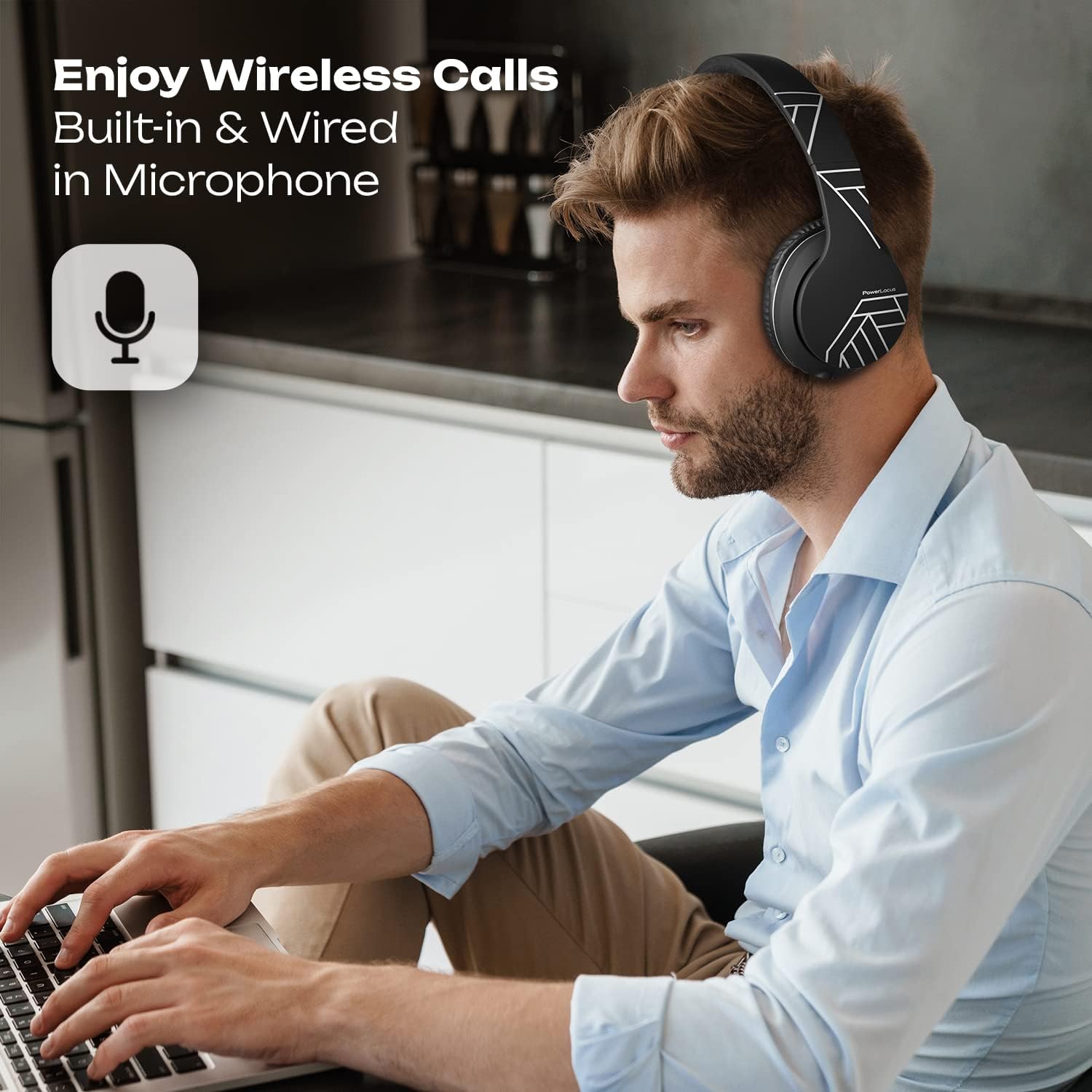
Image: User demonstrating hands-free calling with PowerLocus P6 headphones.
4.2. ചാർജിംഗ്
To charge your PowerLocus P6 headphones:
- ഹെഡ്ഫോണുകളിലെ ചാർജിംഗ് പോർട്ടിലേക്ക് USB ചാർജിംഗ് കേബിൾ ബന്ധിപ്പിക്കുക.
- USB കേബിളിന്റെ മറ്റേ അറ്റം അനുയോജ്യമായ ഒരു USB പവർ സ്രോതസ്സുമായി (ഉദാ: കമ്പ്യൂട്ടർ, വാൾ അഡാപ്റ്റർ) ബന്ധിപ്പിക്കുക.
- The LED indicator will typically show a red light during charging and turn off or change color when fully charged.
- ഒരു ഫുൾ ചാർജ് ഏകദേശം 2.5 മണിക്കൂർ എടുക്കും, 50 മണിക്കൂർ വരെ പ്ലേടൈം നൽകുന്നു.
4.3. വയേർഡ് മോഡ്
You can use your PowerLocus P6 headphones in wired mode even when the battery is depleted. This is ideal for situations where wireless connectivity is not available or preferred, such as on an airplane.
- Connect the included 3.5mm audio cable to the audio jack on the headphones.
- Connect the other end of the 3.5mm audio cable to your audio source.
- In wired mode, the headphone's battery is not used for audio playback, but the built-in microphone remains functional for calls.
5. പരിപാലനം
5.1. വൃത്തിയാക്കൽ
- മൃദുവായതും ഉണങ്ങിയതുമായ തുണി ഉപയോഗിച്ച് ഹെഡ്ഫോണുകൾ തുടയ്ക്കുക.
- അബ്രാസീവ് ക്ലീനറുകൾ, ആൽക്കഹോൾ, കെമിക്കൽ ലായകങ്ങൾ എന്നിവ ഉപയോഗിക്കരുത്.
- ചാർജിംഗ് പോർട്ടും ഓഡിയോ ജാക്കും പൊടിയിൽ നിന്നും അവശിഷ്ടങ്ങളിൽ നിന്നും മുക്തമായി സൂക്ഷിക്കുക.
5.2. സംഭരണം
When not in use, store your PowerLocus P6 headphones in the provided premium carry pouch. The foldable design allows for compact storage, protecting them from damage.

Image: PowerLocus P6 headphones demonstrating their foldable design for easy storage.
6. പ്രശ്നപരിഹാരം
- ശക്തിയില്ല: ഹെഡ്ഫോണുകൾ പൂർണ്ണമായും ചാർജ്ജ് ചെയ്തിട്ടുണ്ടെന്ന് ഉറപ്പാക്കുക.
- ജോടിയാക്കാൻ കഴിയില്ല: നിങ്ങളുടെ ഉപകരണത്തിൽ ബ്ലൂടൂത്ത് പ്രവർത്തനക്ഷമമാക്കിയിട്ടുണ്ടെന്നും ഹെഡ്ഫോണുകൾ ജോടിയാക്കൽ മോഡിലാണെന്നും ഉറപ്പാക്കുക. രണ്ട് ഉപകരണങ്ങളും പുനരാരംഭിക്കാൻ ശ്രമിക്കുക.
- ശബ്ദമില്ല: Check volume levels on both the headphones and your connected device. Ensure the headphones are correctly paired or the 3.5mm cable is securely connected.
- മോശം ശബ്ദ നിലവാരം: Move closer to your device to reduce interference. Ensure there are no obstructions between the headphones and the device.
- മൈക്രോഫോൺ പ്രവർത്തിക്കുന്നില്ല: Check if the microphone is enabled in your device's settings for calls or voice commands.
നിങ്ങൾക്ക് സ്ഥിരമായ പ്രശ്നങ്ങൾ നേരിടുകയാണെങ്കിൽ, സഹായത്തിനായി വാറന്റി, പിന്തുണ വിഭാഗം പരിശോധിക്കുക.
7 സ്പെസിഫിക്കേഷനുകൾ
| ഫീച്ചർ | വിശദാംശങ്ങൾ |
|---|---|
| മോഡലിൻ്റെ പേര് | P6 |
| കണക്റ്റിവിറ്റി ടെക്നോളജി | ബ്ലൂടൂത്ത് 5.3 |
| വയർലെസ് ശ്രേണി | 12 മീറ്റർ / 39 അടി വരെ |
| ചെവി പ്ലേസ്മെൻ്റ് | ചെവിക്ക് മുകളിൽ |
| ഓഡിയോ ഡ്രൈവർ വലിപ്പം | 40 മില്ലിമീറ്റർ |
| ശബ്ദ നിയന്ത്രണം | സൗണ്ട് ഐസൊലേഷൻ |
| ബാറ്ററി ലൈഫ് | Up to 50 Hours (Playtime) |
| ചാർജിംഗ് സമയം | 2.5 മണിക്കൂർ |
| ഹെഡ്ഫോണുകൾ ജാക്ക് | 3.5 mm ജാക്ക് |
| നിയന്ത്രണ തരം | വോയ്സ് കൺട്രോൾ, ബട്ടൺ കൺട്രോൾ |
| പ്രത്യേക സവിശേഷതകൾ | Foldable, Lightweight, Microphone Included, Multipoint Pairing |
| അനുയോജ്യമായ ഉപകരണങ്ങൾ | iPhone, iPad, Macbook, Android, Samsung Galaxy, S10, Laptop, TV, PS4, iOS, Nintendo Switch, Xbox S |
| ഇനത്തിൻ്റെ ഭാരം | 181 ഗ്രാം (ഏകദേശം 6.4 ഔൺസ്) |
| മെറ്റീരിയൽ | Eco-leather (earmuffs), Durable Aluminum Frame (headband) |
8. വാറൻ്റിയും പിന്തുണയും
PowerLocus P6 Wireless Bluetooth Headphones come with a 24 മാസ വാറൻ്റി covering manufacturing defects. We also offer USA-based customer service to assist you with any questions or issues.
For warranty claims or technical support, please contact PowerLocus customer service through the retailer where you purchased the product or visit the official PowerLocus webബന്ധപ്പെടാനുള്ള വിവരങ്ങൾക്കുള്ള സൈറ്റ്.
കൂടാതെ, എ Free 30-Day Return policy is available for your convenience.