
1. ആമുഖം
This manual provides instructions for the EBTOOLS Ultra Slim Bluetooth Keyboard with Touchpad. This device is designed for portability and compatibility with various operating systems, enhancing productivity across multiple devices.
2. ഉൽപ്പന്നം കഴിഞ്ഞുview
2.1 പാക്കേജ് ഉള്ളടക്കം
- EBTOOLS Ultra Slim Bluetooth Keyboard with Touchpad
- യുഎസ്ബി ചാർജിംഗ് കേബിൾ
- ഉപയോക്തൃ മാനുവൽ (ഈ പ്രമാണം)
2.2 പ്രധാന സവിശേഷതകൾ
- അൾട്രാ സ്ലിം ഡിസൈൻ: Measures 6.2mm (0.24 inches) thick for enhanced portability.
- ഇന്റഗ്രേറ്റഡ് ടച്ച്പാഡ്: Provides mouse functionality for navigation.
- വിശാലമായ അനുയോജ്യത: Supports Android, iOS, and Windows operating systems.
- നീണ്ട ബാറ്ററി ലൈഫ്: Built-in 280mAh rechargeable Li-polymer battery offers up to 90 hours of continuous working time on a full charge.
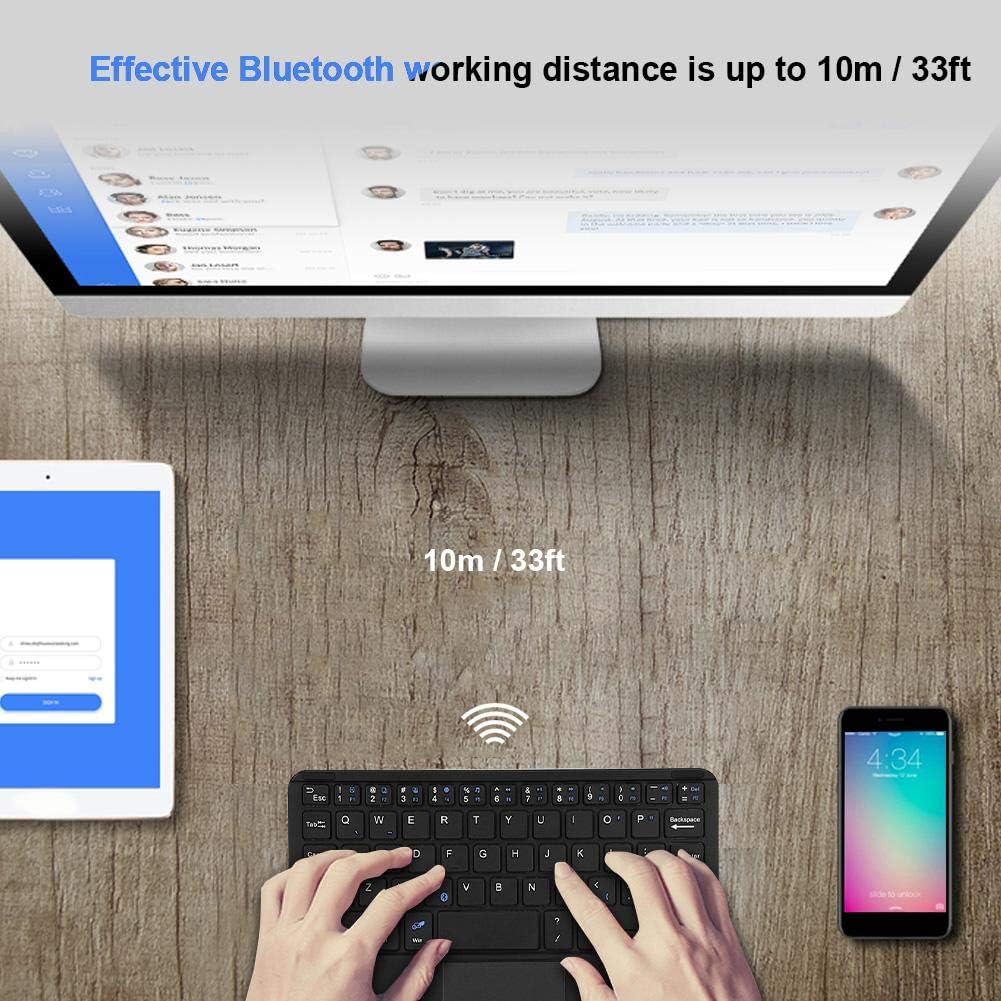
- ഫലപ്രദമായ ശ്രേണി: Operates wirelessly up to 10 meters (33 feet) via Bluetooth 3.0.
- "X" Scissor Switch Mechanism: Designed for quiet and comfortable typing with responsive keys.
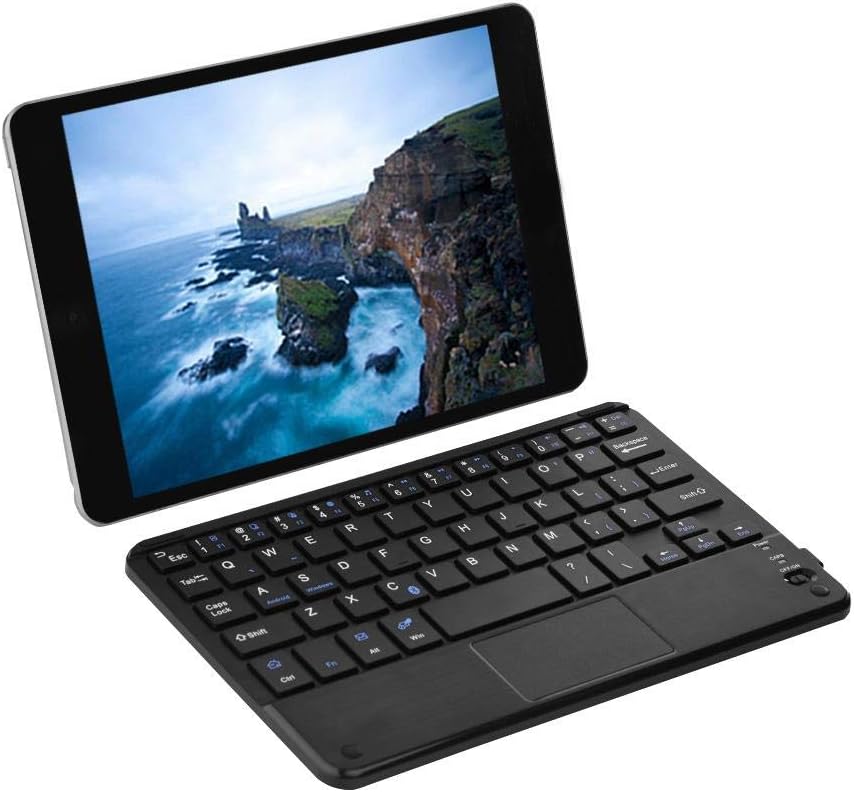
Figure 1: EBTOOLS Ultra Slim Bluetooth Keyboard paired with a tablet.
ചിത്രം 2: മുകളിൽ നിന്ന് താഴേക്ക് view of the EBTOOLS Bluetooth keyboard, highlighting the layout and integrated touchpad.

ചിത്രം 3: വശം view of the EBTOOLS Bluetooth keyboard showing its ultra-thin 6.2mm profile.
3. സജ്ജീകരണം
3.1 കീബോർഡ് ചാർജ് ചെയ്യുന്നു
- Locate the micro USB charging port on the keyboard.
- Connect the provided USB charging cable to the keyboard and a USB power source (e.g., computer USB port, USB wall adapter).
- ചാർജിംഗ് ഇൻഡിക്കേറ്റർ ലൈറ്റ് പ്രകാശിക്കും. പൂർണ്ണമായി ചാർജ് ചെയ്തുകഴിഞ്ഞാൽ, ലൈറ്റ് സാധാരണയായി നിറം മാറുകയോ ഓഫാകുകയോ ചെയ്യും.
- ഒരു ഫുൾ ചാർജ് ഏകദേശം 90 മണിക്കൂർ തുടർച്ചയായ ഉപയോഗം ഉറപ്പാക്കുന്നു.
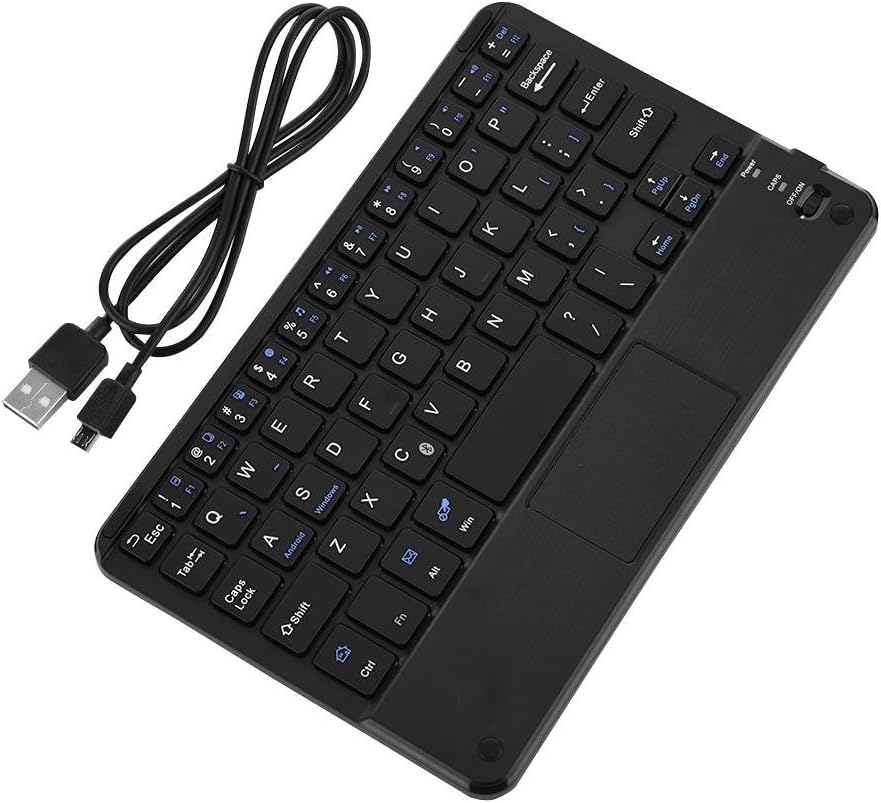
Figure 4: Keyboard battery and charging indication.
3.2 ബ്ലൂടൂത്ത് ജോടിയാക്കൽ
Follow these steps to pair your EBTOOLS Bluetooth Keyboard with your device:
- പവർ ഓൺ: Slide the power switch on the keyboard to the 'ON' position. The power indicator light will turn on briefly.
- ജോടിയാക്കൽ മോഡ് നൽകുക: അമർത്തുക Fn + C keys simultaneously. The Bluetooth indicator light will start blinking, indicating the keyboard is in pairing mode.
- നിങ്ങളുടെ ഉപകരണത്തിൽ ബ്ലൂടൂത്ത് പ്രവർത്തനക്ഷമമാക്കുക: On your PC, tablet, or smartphone, go to the Bluetooth settings and ensure Bluetooth is enabled.
- ഇതിനായി തിരയുക ഉപകരണങ്ങൾ: Your device will scan for available Bluetooth devices. Look for 'Bluetooth Keyboard' or a similar name in the list.
- ബന്ധിപ്പിക്കുക: Select the keyboard from the list. Your device may prompt you to enter a pairing code displayed on your screen. Type this code on the EBTOOLS keyboard and press നൽകുക.
- സ്ഥിരീകരണം: Once successfully paired, the Bluetooth indicator light on the keyboard will stop blinking and turn off, and your device will show the keyboard as connected.

Figure 5: Keyboard in use, demonstrating effective Bluetooth range.
4. പ്രവർത്തന നിർദ്ദേശങ്ങൾ
4.1 അടിസ്ഥാന ടൈപ്പിംഗ്
The keyboard functions like a standard QWERTY keyboard. Simply type as you would on any other keyboard.
4.2 ടച്ച്പാഡ് ഉപയോഗം
The integrated touchpad allows for cursor control. Use standard gestures for navigation:
- ഒറ്റ വിരൽ ടാപ്പ്: ഇടത് ക്ലിക്ക്.
- രണ്ട് വിരലുകൾ കൊണ്ട് ടാപ്പ് ചെയ്യുക: Right-click (functionality may vary by operating system).
- രണ്ട് വിരലുകളുടെ സ്ക്രോൾ: മുകളിലേക്കോ താഴേക്കോ സ്ക്രോൾ ചെയ്യുക.
4.3 ഫംഗ്ഷൻ കീകൾ
The keyboard includes function keys (F1-F12) and multimedia keys. To activate the secondary functions printed in blue on the keys, press and hold the Fn key, then press the desired function key.
4.4 സിസ്റ്റം സ്വിച്ചിംഗ്
The keyboard supports multiple operating systems. To optimize key functions for your specific OS, use the following combinations:
- Fn + Android: For Android devices.
- Fn + Windows: For Windows devices.
- Fn + iOS: For iOS devices (iPad, iPhone).

Figure 6: Compatibility with various operating systems and devices.
5 സ്പെസിഫിക്കേഷനുകൾ
| ഫീച്ചർ | സ്പെസിഫിക്കേഷൻ |
|---|---|
| മോഡൽ നമ്പർ | EBTOOLSrua15pxtdg |
| കണക്റ്റിവിറ്റി ടെക്നോളജി | ബ്ലൂടൂത്ത് 3.0 |
| പ്രവർത്തന ദൂരം | 10 മീറ്റർ വരെ (33 അടി) |
| ബാറ്ററി തരം | റീചാർജ് ചെയ്യാവുന്ന ലി-പോളിമർ |
| ബാറ്ററി ശേഷി | 280mAh |
| തുടർച്ചയായ ജോലി സമയം | ഏകദേശം 90 മണിക്കൂർ |
| അനുയോജ്യമായ സിസ്റ്റങ്ങൾ | Android, iOS, Windows |
| ഉൽപ്പന്ന അളവുകൾ | 7.87 x 4.96 x 0.24 ഇഞ്ച് (20 x 12.6 x 0.62 സെ.മീ) |
| ഇനത്തിൻ്റെ ഭാരം | 6.6 ഔൺസ് (187 ഗ്രാം) |
| മെറ്റീരിയൽ | പ്ലാസ്റ്റിക് |
6. പ്രശ്നപരിഹാരം
6.1 കീബോർഡ് കണക്റ്റുചെയ്യുന്നില്ല
- പവർ പരിശോധിക്കുക: കീബോർഡ് ഓണാണെന്നും ആവശ്യത്തിന് ബാറ്ററി ചാർജ് ഉണ്ടെന്നും ഉറപ്പാക്കുക.
- ജോടിയാക്കൽ മോഡ് വീണ്ടും നൽകുക: Turn off the keyboard, then turn it on and press Fn + C ജോടിയാക്കൽ മോഡിൽ വീണ്ടും പ്രവേശിക്കാൻ.
- ഉപകരണ ബ്ലൂടൂത്ത്: നിങ്ങളുടെ ഉപകരണത്തിൽ Bluetooth പ്രവർത്തനക്ഷമമാക്കിയിട്ടുണ്ടെന്നും അത് കണ്ടെത്താനാകുമെന്നും ഉറപ്പാക്കുക.
- ഉപകരണം മറക്കുക: If previously paired, try 'forgetting' or 'unpairing' the keyboard from your device's Bluetooth settings and then re-pair.
- ദൂരം: കീബോർഡ് നിങ്ങളുടെ ഉപകരണത്തിന്റെ 10 മീറ്റർ പ്രവർത്തന പരിധിക്കുള്ളിലാണെന്ന് ഉറപ്പാക്കുക.
6.2 കീകൾ പ്രതികരിക്കുന്നില്ല
- ബാറ്ററി നില: The battery might be low. Charge the keyboard fully.
- വീണ്ടും കണക്ഷൻ: ബ്ലൂടൂത്ത് കണക്ഷൻ വിച്ഛേദിച്ച് വീണ്ടും ബന്ധിപ്പിക്കുക.
- സിസ്റ്റം മോഡ്: Ensure the correct system mode (Android, Windows, iOS) is selected using Fn + OS key.
6.3 Touchpad Not Working
- സിസ്റ്റം അനുയോജ്യത: Touchpad functionality can sometimes be limited or behave differently on certain operating systems or applications.
- റീബൂട്ട്: കീബോർഡും ബന്ധിപ്പിച്ച ഉപകരണവും പുനരാരംഭിക്കാൻ ശ്രമിക്കുക.
7. പരിപാലനം
- വൃത്തിയാക്കൽ: കീബോർഡ് പ്രതലം വൃത്തിയാക്കാൻ മൃദുവായതും ഉണങ്ങിയതുമായ തുണി ഉപയോഗിക്കുക. കഠിനമായ അഴുക്കിന്, ചെറുതായി dampവെള്ളം അല്ലെങ്കിൽ നേരിയ ക്ലീനിംഗ് ലായനി ഉപയോഗിച്ച് തുണി തുടയ്ക്കുക. അമിതമായ ഈർപ്പം ഒഴിവാക്കുക.
- സംഭരണം: നേരിട്ടുള്ള സൂര്യപ്രകാശവും കടുത്ത താപനിലയും ഏൽക്കാത്ത തണുത്തതും വരണ്ടതുമായ സ്ഥലത്ത് കീബോർഡ് സൂക്ഷിക്കുക.
- ദ്രാവകങ്ങൾ ഒഴിവാക്കുക: Do not expose the keyboard to liquids, as this can cause damage.
- ശ്രദ്ധയോടെ കൈകാര്യം ചെയ്യുക: കീബോർഡ് താഴെയിടുകയോ ശക്തമായ ആഘാതങ്ങൾക്ക് വിധേയമാക്കുകയോ ചെയ്യുന്നത് ഒഴിവാക്കുക.
8. വാറൻ്റിയും പിന്തുണയും
EBTOOLS products are designed for reliability and performance. For any questions, technical support, or warranty inquiries, please refer to the contact information provided with your purchase or visit the official EBTOOLS webസൈറ്റ്. വാറന്റി ക്ലെയിമുകൾക്കായി നിങ്ങളുടെ വാങ്ങലിന്റെ തെളിവ് സൂക്ഷിക്കുക.