
ആമുഖം
വാങ്ങിയതിന് നന്ദി.asing the NUMSKULL NS2258 Braided Xbox Charging Cable. This manual provides essential information on how to set up, operate, and maintain your charging cable to ensure optimal performance and longevity. Please read this manual thoroughly before use.
ഉൽപ്പന്ന സവിശേഷതകൾ
- Officially Licensed Microsoft Product: Ensures full compatibility with all Xbox One accessories and games.
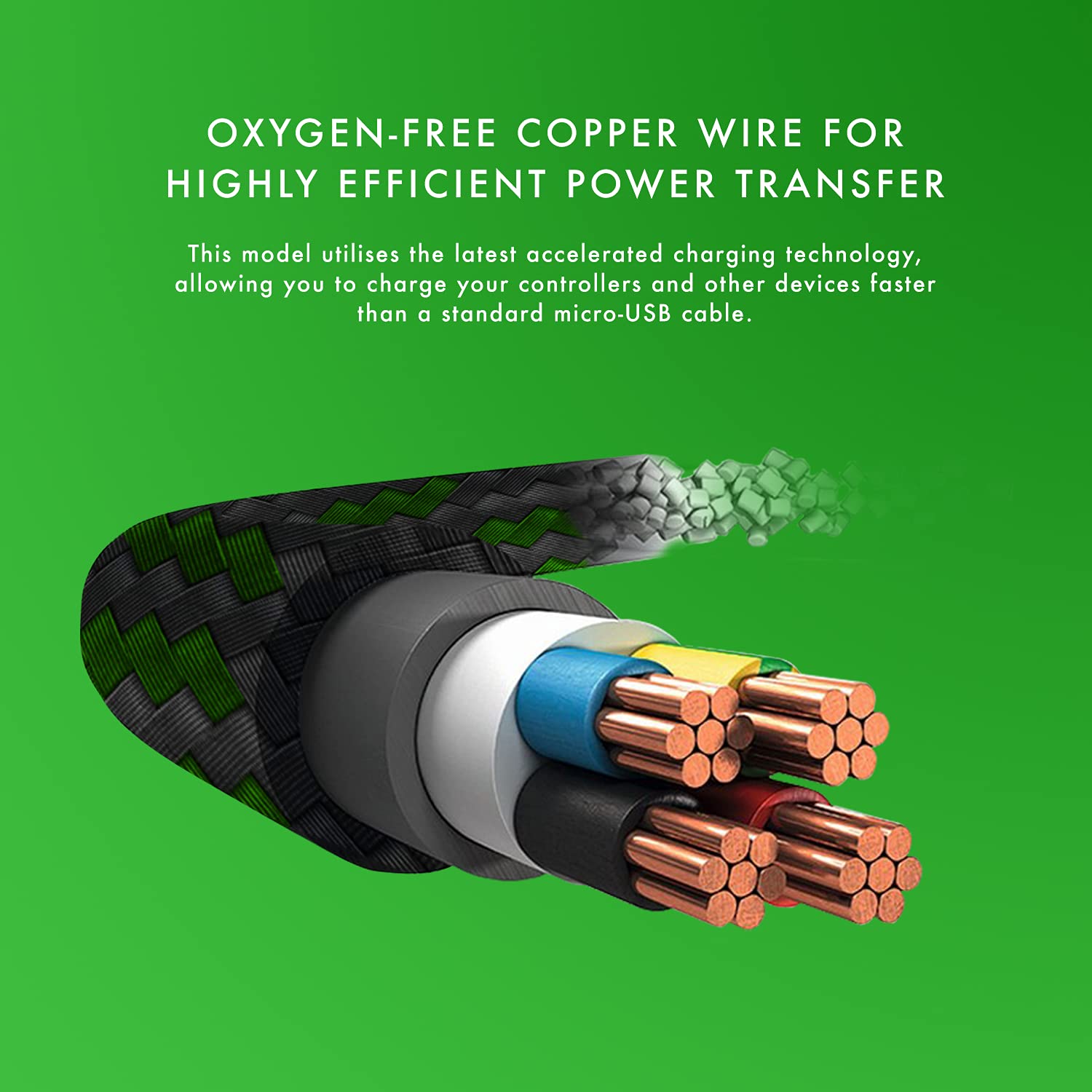
- Simultaneous Play and Charge: Efficiently recharges your Xbox One controllers and other micro USB devices using accelerated charging technology while you continue to play.
- Extended 4-Meter (13-Foot) Length: നൽകുന്നു ample reach, allowing you to charge your Xbox controller comfortably from across the room without interrupting your gaming experience.
- Unparalleled Durability: Features a sturdy nylon braided jacket that provides anti-aging, anti-twisting, moisture protection, and abrasion resistance. Designed to withstand over 8,000 bends.
- Charge-Only Functionality for PC: Please note that this cable is designed to charge controllers and micro USB devices. It cannot be used to connect a controller as an input device on a PC.
സജ്ജമാക്കുക
Setting up your NUMSKULL NS2258 Braided Xbox Charging Cable is straightforward:
- Locate the micro-USB port on your Xbox One controller or other compatible micro USB device.
- Insert the micro-USB end of the cable firmly into the device's port.
- Insert the standard USB-A end of the cable into an available USB port on your Xbox console, PC, or a compatible USB wall adapter.
- Ensure both connections are secure. The device should begin charging automatically.

പ്രവർത്തന നിർദ്ദേശങ്ങൾ
Once connected, the cable allows for seamless operation:
- ചാർജിംഗ്: The cable will automatically begin charging your connected Xbox One controller or micro USB device. An indicator light on your controller (if applicable) will typically show charging status.
- ചാർജ് ചെയ്യുമ്പോൾ പ്ലേ ചെയ്യുന്നു: The 4-meter length allows you to continue playing your Xbox One games comfortably while your controller charges, eliminating the need to pause or switch controllers due to low battery.
- Data Transfer (Limited): This cable is primarily designed for charging. While it may support minimal data transfer for charging protocols, it is not intended for high-speed data synchronization or for connecting controllers as input devices to a PC.

മെയിൻ്റനൻസ്
നിങ്ങളുടെ ചാർജിംഗ് കേബിളിന്റെ ദീർഘായുസ്സും ഒപ്റ്റിമൽ പ്രകടനവും ഉറപ്പാക്കാൻ, ഈ അറ്റകുറ്റപ്പണി മാർഗ്ഗനിർദ്ദേശങ്ങൾ പാലിക്കുക:
- സംഭരണം: When not in use, coil the cable loosely. Avoid tight coiling or sharp bends, especially near the connectors, to prevent internal wire damage.
- വൃത്തിയാക്കൽ: Wipe the cable and connectors with a soft, dry cloth. Do not use harsh chemicals or abrasive cleaners.
- സംരക്ഷണം: കേബിളിനെ ഉയർന്ന താപനില, നേരിട്ടുള്ള സൂര്യപ്രകാശം, ഈർപ്പം എന്നിവയിൽ നിന്ന് അകറ്റി നിർത്തുക. കേബിളിൽ ഭാരമുള്ള വസ്തുക്കൾ വയ്ക്കുന്നത് ഒഴിവാക്കുക.
- കൈകാര്യം ചെയ്യൽ: Always grasp the connector head when plugging or unplugging the cable. Do not pull on the cable itself, as this can damage the internal wiring.

ട്രബിൾഷൂട്ടിംഗ്
If you encounter issues with your charging cable, try the following:
- കേബിൾ ചാർജ് ചെയ്യുന്നില്ല:
- Ensure both ends of the cable are securely connected to the device and the power source (console, PC, or wall adapter).
- മറ്റൊരു USB പോർട്ട് അല്ലെങ്കിൽ പവർ സ്രോതസ്സ് ഉപയോഗിക്കാൻ ശ്രമിക്കുക.
- Test the cable with a different compatible device to determine if the issue is with the cable or the original device.
- ഇടവിട്ടുള്ള ചാർജിംഗ്:
- കേബിളിനോ കണക്ടറുകൾക്കോ ദൃശ്യമായ എന്തെങ്കിലും കേടുപാടുകൾ ഉണ്ടോയെന്ന് പരിശോധിക്കുക.
- Ensure the connections are not loose.
- Cable Not Recognized by PC as Input Device:
- This cable is designed primarily for charging. It does not support full data transfer for controller input on a PC. This is normal operation.
സ്പെസിഫിക്കേഷനുകൾ
| ഫീച്ചർ | സ്പെസിഫിക്കേഷൻ |
|---|---|
| ബ്രാൻഡ് | Numskull |
| മോഡൽ നമ്പർ | NUM-XBO-MUSB-4MB |
| ഉൽപ്പന്ന അളവുകൾ (L x W x H) | 400 x 1.5 x 1.5 സെ.മീ (157.5 x 0.6 x 0.6 ഇഞ്ച്) |
| ഭാരം | 30 ഗ്രാം |
| കണക്റ്റർ തരം | Micro USB (Male to Male) |
| കേബിൾ തരം | USB |
| പ്രത്യേക ഫീച്ചർ | ഫാസ്റ്റ് ചാർജിംഗ് |
| അനുയോജ്യമായ ഉപകരണങ്ങൾ | Xbox One Controllers, Micro USB Devices |
| നിറം | Xbox Braided (Black and Green) |
| മാതൃരാജ്യം | ചൈന |
വാറൻ്റിയും പിന്തുണയും
For warranty information and customer support, please refer to the packaging or contact Numskull directly through their official webസൈറ്റ്. ഏതെങ്കിലും വാറന്റി ക്ലെയിമുകൾക്ക് നിങ്ങളുടെ വാങ്ങലിന്റെ തെളിവ് സൂക്ഷിക്കുക.
For further assistance or inquiries, please visit the official Numskull webസൈറ്റ് അല്ലെങ്കിൽ അവരുടെ ഉപഭോക്തൃ സേവന വിഭാഗവുമായി ബന്ധപ്പെടുക.