
Nolan BNCOM00000039
Nolan N-Com B902X Helmet Single Bluetooth Intercom Communication Manual
Model: BNCOM00000039
1. ആമുഖം
Thank you for choosing the Nolan N-Com B902X Helmet Single Bluetooth Intercom Communication system. This manual provides essential information for the proper installation, operation, and maintenance of your device. The B902X is designed for seamless integration into compatible Nolan and X-lite helmets, offering advanced Bluetooth communication capabilities for motorcyclists.
Key features of the N-Com B902X include:
- Part number: BNCOM00000039
- Universal cut for broad helmet compatibility.
- ഒറ്റ ചാർജിൽ 15 മണിക്കൂർ വരെ സംസാര സമയം.
- Includes a Mini USB connection cable for PC management and updates.
- Engineered for simple, fast, and intuitive installation.
- Approved by FCC, IC, CE, RCM, and NOM NYCE standards.

Figure 1.1: The Nolan N-Com B902X communication system packaging, showcasinഉൽപ്പന്നവും അതിന്റെ ബ്രാൻഡിംഗും.
2. സജ്ജീകരണവും ഇൻസ്റ്റാളേഷനും
The N-Com B902X system is designed for integrated installation within compatible Nolan and X-lite helmets. Follow the specific instructions provided with your helmet model for precise placement of components.
2.1 അനുയോജ്യത
The B902X is compatible with a wide range of Nolan and X-lite helmets. Ensure your helmet model is listed below for optimal performance and fit:
- Nolan Helmets: N120-1, N100-6, N90-3, N80-8, N70-2 GT/X, N40-5/GT, N100-5/PLUS, N104/EVO/ABSOLUTE, N87/PLUS, N44/EVO, N40/FULL
- X-lite Helmets: X-1005 U.C., X-903 U.C., X-552 U.C., X-1005, X-1004/U.C., X-1003, X-1002, X-903, X-702/U.C., X-701, X-661/E.T., X-603, X-602, X-551/GT, X-403 GT/U.C., X-402/GT/T
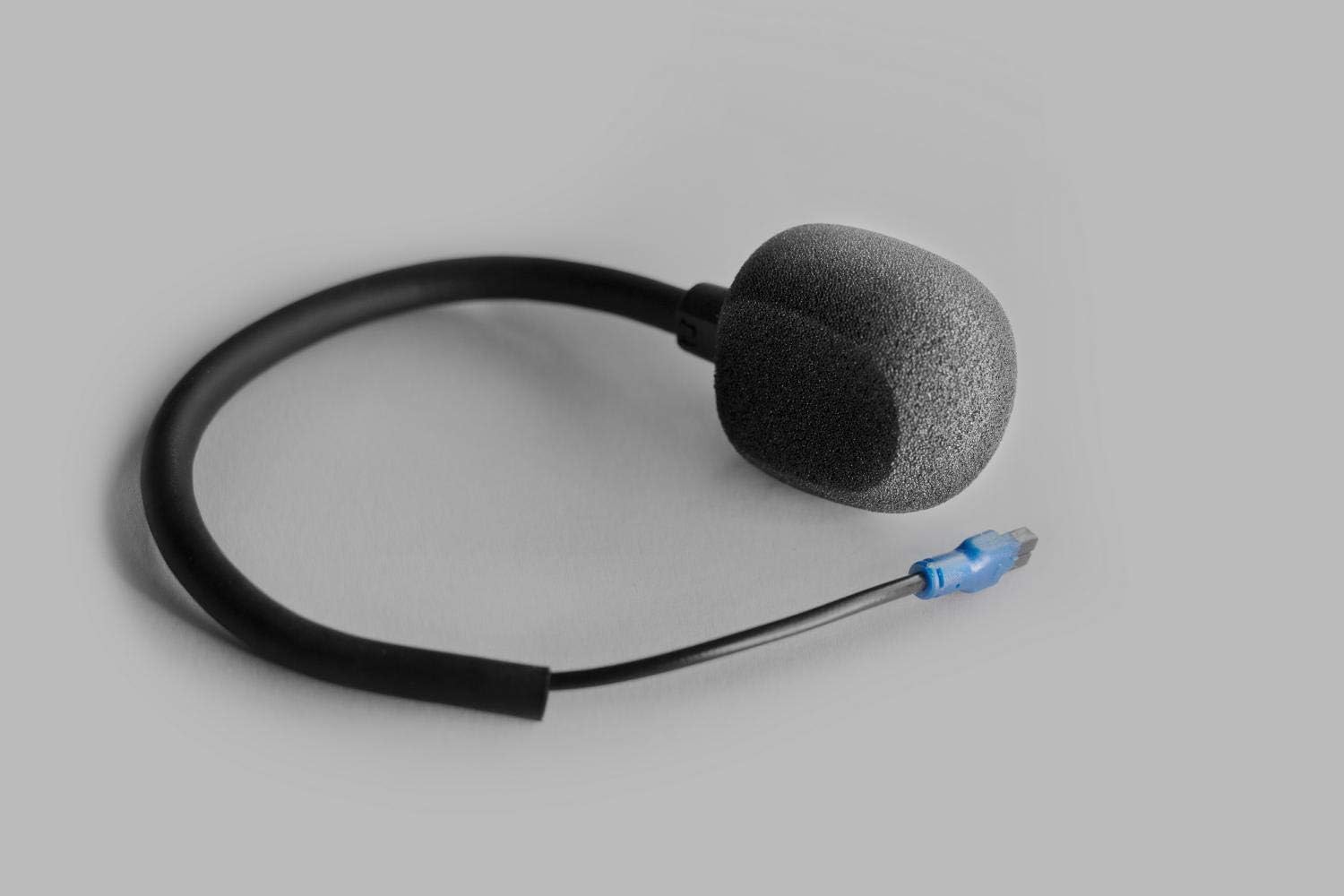
Figure 2.1: Visual representation of helmet compatibility for the N-Com B902X system.
2.2. ഘടക ഐഡന്റിഫിക്കേഷൻ
Familiarize yourself with the main components of your N-Com B902X system before installation.
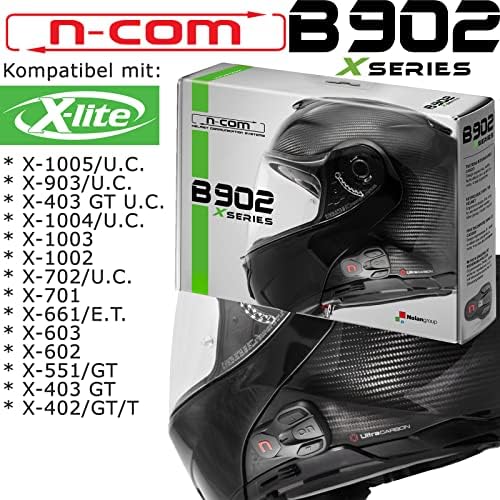
Figure 2.2: The external control panel with buttons for operation.
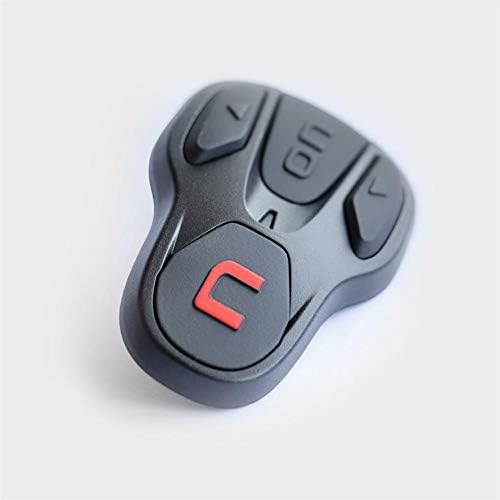
Figure 2.3: The microphone component, designed for clear voice transmission.
2.3 ഇൻസ്റ്റലേഷൻ ഘട്ടങ്ങൾ
- Carefully remove the helmet's internal padding as per your helmet's specific instructions.
- Position the speakers in the designated ear recesses within the helmet.
- Mount the microphone arm, ensuring it is securely placed for optimal voice pickup.
- Install the control unit on the exterior of the helmet, typically on the left side, aligning it with the pre-drilled holes or designated mounting area.
- Connect all cables, ensuring they are neatly tucked away and do not interfere with helmet comfort or safety.
- Reinstall the helmet's internal padding.

Figure 2.4: The N-Com B902X system fully integrated into a helmet, showing the external control unit.
2.4. Initial Charge and PC Management
Before first use, fully charge the N-Com B902X battery. Use the provided Mini USB cable to connect the unit to a PC for charging and to access the N-Com PC Assistant software for firmware updates and personalized settings. This software allows for advanced configuration of your intercom system.
3. പ്രവർത്തന നിർദ്ദേശങ്ങൾ
The N-Com B902X offers intuitive controls for managing calls, intercom communication, and music playback. Refer to the control panel (Figure 2.2) for button layout.
3.1. പവർ ഓൺ/ഓഫ്
- പവർ ഓണാക്കാൻ: Press and hold the 'ON' button until the indicator light illuminates.
- പവർ ഓഫ് ചെയ്യാൻ: Press and hold the 'ON' button until the indicator light turns off.
3.2. ബ്ലൂടൂത്ത് ജോടിയാക്കൽ
To pair with your mobile phone or another N-Com device:
- Ensure the B902X is powered on.
- Enter pairing mode (refer to the full user manual for specific button combinations, typically holding a button for several seconds until the light flashes rapidly).
- On your mobile device, search for Bluetooth devices and select "N-Com B902X".
- ആവശ്യപ്പെടുകയാണെങ്കിൽ ജോടിയാക്കൽ സ്ഥിരീകരിക്കുക.
3.3. ഇന്റർകോം ആശയവിനിമയം
The B902X allows for rider-to-passenger or bike-to-bike communication. Once paired, initiate intercom calls using the dedicated intercom button or voice commands (if supported).
3.4. Phone Calls and Music
When paired with a smartphone, you can:
- Answer/End Calls: Press the designated phone button.
- Redial: Double-press the phone button.
- Play/Pause Music: Press the play/pause button.
- Skip Tracks: Use the volume up/down buttons with a quick press.
The system provides up to 15 hours of talk time, ensuring long-lasting communication during your rides.
4. പരിപാലനം
Proper maintenance will extend the life and performance of your N-Com B902X system.
4.1. വൃത്തിയാക്കൽ
- Wipe the external control unit with a soft, damp തുണി. ഉരച്ചിലുകൾ ഉണ്ടാക്കുന്ന ക്ലീനറുകളോ ലായകങ്ങളോ ഒഴിവാക്കുക.
- Ensure no moisture enters the charging port or button crevices.
- Clean the microphone foam cover gently if necessary.
4.2. സംഭരണം
- Store the helmet with the N-Com system in a cool, dry place away from direct sunlight and extreme temperatures.
- ദീർഘനേരം സൂക്ഷിക്കുകയാണെങ്കിൽ, ബാറ്ററിയുടെ ആരോഗ്യം സംരക്ഷിക്കുന്നതിന് ബാറ്ററി ഭാഗികമായി (ഏകദേശം 50%) ചാർജ്ജ് ചെയ്തിട്ടുണ്ടെന്ന് ഉറപ്പാക്കുക.
4.3. ഫേംവെയർ അപ്ഡേറ്റുകൾ
Regularly check for firmware updates using the N-Com PC Assistant software. Updates can improve performance, add new features, and resolve potential issues.
5. പ്രശ്നപരിഹാരം
If you encounter issues with your N-Com B902X, try the following basic troubleshooting steps:
| പ്രശ്നം | സാധ്യമായ കാരണം | പരിഹാരം |
|---|---|---|
| ഉപകരണം പവർ ഓണാക്കുന്നില്ല. | Low battery or improper connection. | Charge the device fully. Ensure all internal connections are secure. |
| ഫോൺ/ഇന്റർകോമുമായി ജോടിയാക്കാൻ കഴിയില്ല. | Not in pairing mode, or device already paired. | Ensure the B902X is in pairing mode. Delete previous pairings on your phone and retry. |
| മോശം ഓഡിയോ നിലവാരം. | Improper speaker/microphone placement, or interference. | Adjust speaker and microphone positions. Move away from sources of strong electromagnetic interference. |
| ചെറിയ ബാറ്ററി ലൈഫ്. | Aging battery or frequent use of power-intensive features. | Ensure full charge cycles. If battery life significantly degrades, contact support. |
For more detailed troubleshooting or issues not listed here, please refer to the comprehensive user manual available on the Nolan N-Com webസൈറ്റ് അല്ലെങ്കിൽ ഉപഭോക്തൃ പിന്തുണയുമായി ബന്ധപ്പെടുക.
6 സ്പെസിഫിക്കേഷനുകൾ
| മോഡൽ നമ്പർ: | BNCOM00000039 |
| ബ്രാൻഡ്: | നോളൻ |
| നിർമ്മാതാവ്: | നോളൻ |
| നിറം: | കറുപ്പ് |
| മെറ്റീരിയൽ തരം: | പോളികാർബണേറ്റ് (PC) |
| ഉൽപ്പന്ന അളവുകൾ: | 10 x 10 x 10 സെ.മീ; 500 ഗ്രാം |
| ബാറ്ററികൾ ഉൾപ്പെടുത്തിയിട്ടുണ്ടോ?: | ഇല്ല (ആന്തരിക റീചാർജ് ചെയ്യാവുന്ന ബാറ്ററി) |
| സംസാര സമയം: | 15 മണിക്കൂർ വരെ |
| അംഗീകാരങ്ങൾ: | FCC, IC, CE, RCM, NOM NYCE |
7. വാറൻ്റിയും പിന്തുണയും
For detailed warranty information, please refer to the warranty card included with your product or visit the official Nolan N-Com webസൈറ്റ്. വാറന്റി നിബന്ധനകളും വ്യവസ്ഥകളും പ്രദേശത്തിനനുസരിച്ച് വ്യത്യാസപ്പെടാം.
If you require technical assistance, support, or have questions regarding your N-Com B902X system, please contact Nolan customer support through their official webസൈറ്റ് അല്ലെങ്കിൽ നിങ്ങളുടെ ഉൽപ്പന്ന പാക്കേജിംഗിൽ നൽകിയിരിക്കുന്ന ബന്ധപ്പെടാനുള്ള വിവരങ്ങൾ.
For the latest information, firmware updates, and comprehensive user guides, please visit: www.n-com.it
Ask a question about this manual
Ask about setup, troubleshooting, compatibility, parts, safety, or missing instructions. Manuals+ will review the question and use this page’s manual context to help answer it.