
ആമുഖം
The ANSTEN HDMI Over Coax Extender MS379-B is designed to transmit 1080p Full HD HDMI signals over long distances using a single coaxial cable. This system provides a reliable solution for extending HDMI signals in various environments without signal loss or delay, making it ideal for home theaters, security systems, and professional installations.
1. പാക്കേജ് ഉള്ളടക്കം
- HDMI Transmitter (TX) x1
- HDMI Receiver (RX) x1
- പവർ അഡാപ്റ്റർ x2
- ഉപയോക്തൃ മാനുവൽ x1

Please ensure all items are present and in good condition upon unpacking.
2 പ്രധാന സവിശേഷതകൾ
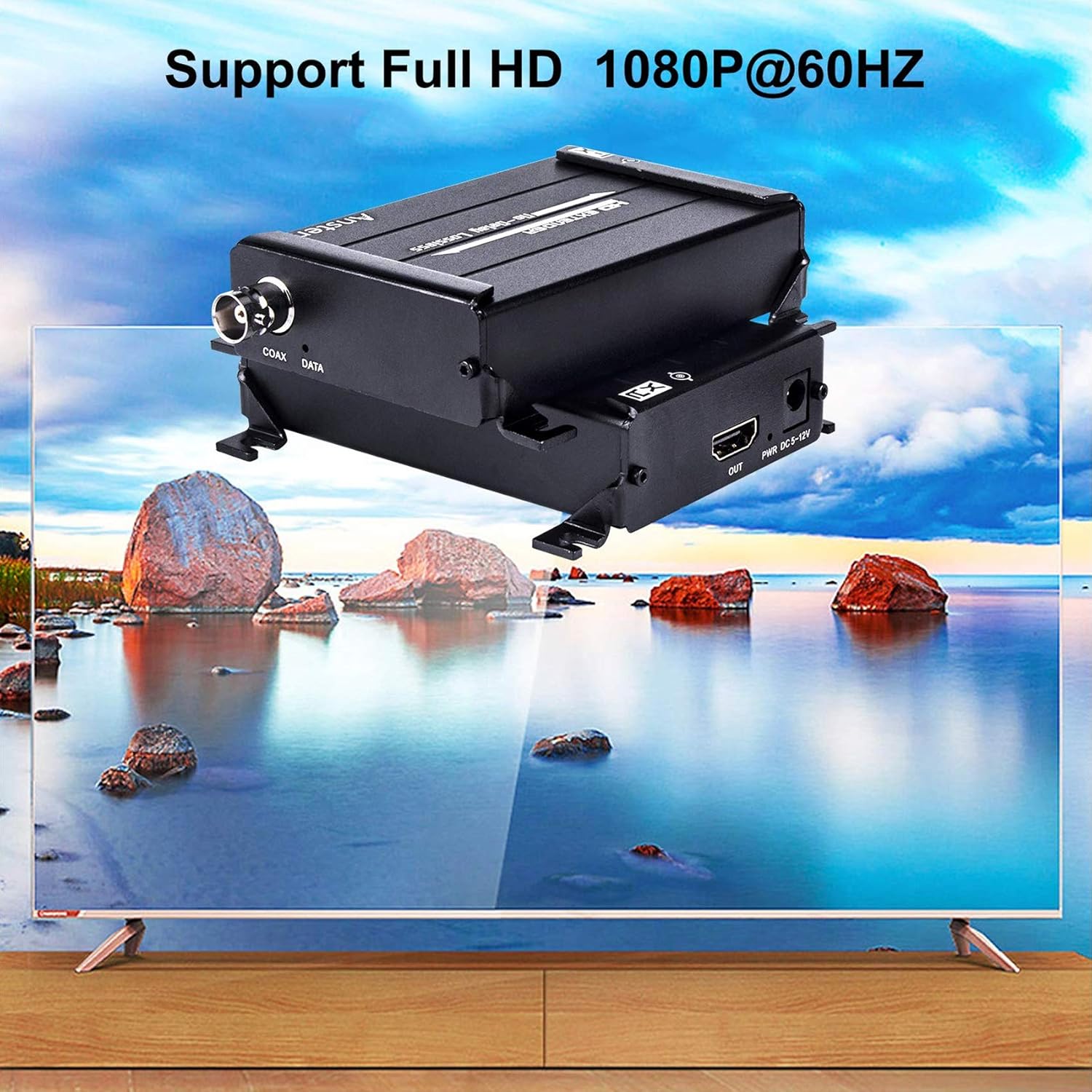
- Zero-Latency 1080P HD Transmission: Supports lossless 1080p@60Hz Full HD HDMI signals up to 984ft (300m) via RG59/RG-6U Coax cable.
- Wide Resolution Support: Compatible with 1080p@60Hz, 1080p@50Hz, 1080p@30Hz, 1080p@25Hz, 720p@60Hz, 720p@50Hz, and 480p@60Hz. Note: Interlaced signals (1080i/720i) are not supported.
- Robust Thermal Management: Features an aluminum alloy housing with 360° heat dissipation fins for optimal cooling and durability, ensuring long-lasting performance.
- ബഹുമുഖ ആപ്ലിക്കേഷൻ: Suitable for DVR systems, home theaters, bars, classrooms, meeting rooms, TV projects, lecture halls, and security systems.
- എളുപ്പമുള്ള ഇൻസ്റ്റാളേഷൻ: Compact design for simple setup and portability.
3. സജ്ജീകരണ നിർദ്ദേശങ്ങൾ
Follow these steps to set up your ANSTEN HDMI Over Coax Extender:
3.1 ട്രാൻസ്മിറ്റർ (TX) ബന്ധിപ്പിക്കുന്നു
- Connect your HDMI source device (e.g., PC, Notebook, Apple TV, PS4, Tablet PC) to the HDMI-IN port of the Transmitter (TX) unit using an HDMI cable.
- Connect one of the provided power adapters to the ഡിസി ക്സനുമ്ക്സ-ക്സനുമ്ക്സവ് port on the Transmitter (TX) unit and plug it into a power outlet.
- Connect one end of a coaxial cable (RG59/RG6u recommended) to the COAX DATA port on the Transmitter (TX) unit.
3.2 റിസീവർ (RX) ബന്ധിപ്പിക്കുന്നു
- Connect the other end of the coaxial cable from the Transmitter (TX) to the COAX DATA port on the Receiver (RX) unit.
- Connect your display device (e.g., Projector, Display, TV) to the HDMI ഔട്ട് port of the Receiver (RX) unit using an HDMI cable.
- Connect the second power adapter to the ഡിസി ക്സനുമ്ക്സ-ക്സനുമ്ക്സവ് port on the Receiver (RX) unit and plug it into a power outlet.
Official product video demonstrating the features and connectivity of the ANSTEN HDMI Over Coax Extender.
4. പ്രവർത്തന നിർദ്ദേശങ്ങൾ
Once all connections are securely made and both the Transmitter and Receiver units are powered on, the ANSTEN HDMI Over Coax Extender will automatically establish a connection and transmit the HDMI signal. No additional configuration is typically required.
- Ensure your input source provides a progressive signal (e.g., 1080p, 720p, 480p). Interlaced signals (1080i/720i) are not supported and will not display correctly.
- The system is designed for plug-and-play operation. If a signal is not immediately detected, verify all cable connections and power supplies.

5. പ്രശ്നപരിഹാരം
നിങ്ങൾക്ക് പ്രശ്നങ്ങൾ നേരിടുകയാണെങ്കിൽ, ഇനിപ്പറയുന്ന ട്രബിൾഷൂട്ടിംഗ് ഘട്ടങ്ങൾ പരിശോധിക്കുക:
5.1 No Signal or "Check TX's input signal" message
- Verify HDMI Cable: Disconnect and reconnect the HDMI cable from the source to the Transmitter (TX). Try using a different HDMI cable to rule out cable failure.
- Check HDMI Source: Ensure your HDMI source device is powered on and outputting a signal.
- ഇൻപുട്ട് സിഗ്നൽ തരം: Confirm that the HDMI source is outputting a progressive signal (1080p, 720p, 480p). This extender does not support interlaced signals (1080i/720i). If your source outputs interlaced signals, an upscaler may be required before connecting to the extender.
5.2 "Searching TX" message or no signal on Receiver (RX)
- വൈദ്യുതി വിതരണം: Check if both power adapters are correctly connected to the Transmitter (TX) and Receiver (RX) units and that their power indicator lights are on.
- കോക്സിയൽ കേബിൾ കണക്ഷൻ: Ensure the coaxial cable is securely connected to both the TX and RX units' COAX DATA ports. Try re-plugging the cable.
- Coaxial Cable Integrity: Test with a different coaxial cable if possible, especially for long runs, to rule out cable damage or poor quality.
- ഇൻ്റർഫേസ് തരം: Confirm you are using a BNC interface coaxial cable, not an RF interface.
- സിഗ്നൽ ലൈറ്റുകൾ: Observe the signal lights on both TX and RX units. If they are flashing quickly, it indicates a proper connection.
- Receiver HDMI Cable/Monitor: Try a different HDMI cable from the Receiver (RX) to the display, or test with another HDMI monitor/TV to isolate the issue.
6 സ്പെസിഫിക്കേഷനുകൾ

| ഫീച്ചർ | വിശദാംശങ്ങൾ |
|---|---|
| ബ്രാൻഡ് | ആൻസ്റ്റെൻ |
| മോഡലിൻ്റെ പേര് | MS379-B |
| കണക്റ്റർ തരം | HDMI |
| കേബിൾ തരം | HDMI, Coaxial (RG59/RG6u) |
| അനുയോജ്യമായ ഉപകരണങ്ങൾ | Projector, Television, DVR, PC, Notebook, Apple TV, PS4, Tablet PC |
| പ്രത്യേക ഫീച്ചർ | No Delay, Lossless Signal |
| കണക്റ്റർ ലിംഗഭേദം | ആൺ-പെൺ |
| ആവൃത്തി | 60 Hz |
| പരമാവധി വോളിയംtage | 12 വോൾട്ട് (DC) |
| കണക്റ്റിവിറ്റി ടെക്നോളജി | HDMI |
| ശുപാർശ ചെയ്യുന്ന ഉപയോഗങ്ങൾ | Extending HDMI signals in residential, commercial, and industrial environments |
| ഇൻഡോർ/ഔട്ട്ഡോർ ഉപയോഗം | ഇൻഡോർ, ഔട്ട്ഡോർ |
| നിറം | കറുപ്പ് |
| ബാഹ്യ മെറ്റീരിയൽ | അലുമിനിയം |
| ഇനത്തിൻ്റെ ഭാരം | 15 ഔൺസ് |
7. വാറൻ്റിയും പിന്തുണയും
ANSTEN products are designed for reliability. This product may include a lifetime warranty; please refer to your purchase documentation or contact ANSTEN customer support for specific warranty details.
For additional support and video user guides, please visit the official ANSTEN website or their YouTube channel for comprehensive resources.
For technical assistance, please contact ANSTEN customer support directly through the contact information provided with your product or on the official ANSTEN webസൈറ്റ്.