
ആമുഖം
Thank you for choosing the Portronics Harmonics Twins 33 ANC Truly Wireless Bluetooth Earbuds. This manual provides essential information for setting up, operating, and maintaining your earbuds to ensure optimal performance and longevity. Please read this manual carefully before use.
ബോക്സിൽ എന്താണുള്ളത്
അൺബോക്സിംഗ് ചെയ്യുമ്പോൾ, ഇനിപ്പറയുന്ന എല്ലാ ഇനങ്ങളും നിലവിലുണ്ടെന്ന് ദയവായി പരിശോധിക്കുക:
- 2 x Harmonics Twins 33 Earbuds (Left and Right)
- 1 x ചാർജിംഗ് കേസ്
- 1 x യുഎസ്ബി ടൈപ്പ്-സി ചാർജിംഗ് കേബിൾ
- 1 x ഉപയോക്തൃ ഡോക്യുമെന്റേഷൻ (ഈ മാനുവൽ)
- സുഖകരമായ ഫിറ്റിനായി ഒന്നിലധികം വലുപ്പത്തിലുള്ള ഇയർ ടിപ്പുകൾ

Image: Portronics Harmonics Twins 33 ANC Earbuds in their charging case.
ഉൽപ്പന്നം കഴിഞ്ഞുview
ഇയർബഡ് ഘടകങ്ങൾ
- ടച്ച് കൺട്രോൾ ഏരിയ: സംഗീതം, കോളുകൾ, വോയ്സ് അസിസ്റ്റന്റ് എന്നിവ കൈകാര്യം ചെയ്യുന്നതിന്.
- മൈക്രോഫോൺ: Quad Mic setup for Environmental Noise Cancellation (ENC).
- LED സൂചകം: Displays pairing status, charging, and battery level.
- സ്പീക്കർ: 13mm Dynamic Drivers for audio output.
- ചാർജിംഗ് കോൺടാക്റ്റുകൾ: കേസിനുള്ളിൽ ചാർജ് ചെയ്യുന്നതിന്.

ചിത്രം: ക്ലോസ്-അപ്പ് view of the earbuds, highlighting their design.
ചാർജിംഗ് കേസ് ഘടകങ്ങൾ
- ഇയർബഡ് ചാർജിംഗ് സ്ലോട്ടുകൾ: ഇയർബഡുകൾ സുരക്ഷിതമായി പിടിച്ച് ചാർജ് ചെയ്യുന്നു.
- Case LED Indicators: Shows charging status and battery level of the case.
- യുഎസ്ബി ടൈപ്പ്-സി പോർട്ട്: കേസെടുത്തതിന്.

Image: The charging case with its Type-C charging port visible.
സജ്ജീകരണ നിർദ്ദേശങ്ങൾ
1. പ്രാരംഭ ചാർജിംഗ്
- രണ്ട് ഇയർബഡുകളും ചാർജിംഗ് കേസിൽ വയ്ക്കുക.
- Connect the USB Type-C cable to the charging port on the case and plug the other end into a USB power adapter (not included).
- The LED indicators on the case will show charging progress. Ensure both earbuds and the case are fully charged before first use.
Image: The charging case being charged via a Type-C cable.
2. ഒരു ഉപകരണവുമായി ജോടിയാക്കൽ
- ചാർജിംഗ് കേസ് തുറക്കുക. ഇയർബഡുകൾ സ്വയമേവ ഓണാകുകയും ജോടിയാക്കൽ മോഡിലേക്ക് മാറുകയും ചെയ്യും. ഒരു ഇയർബഡിലെ LED ഇൻഡിക്കേറ്റർ മിന്നിമറയും, അത് ജോടിയാക്കാൻ തയ്യാറാണെന്ന് സൂചിപ്പിക്കുന്നു.
- നിങ്ങളുടെ സ്മാർട്ട്ഫോണിലോ ബ്ലൂടൂത്ത് പ്രവർത്തനക്ഷമമാക്കിയ ഉപകരണത്തിലോ, ബ്ലൂടൂത്ത് ക്രമീകരണങ്ങളിലേക്ക് പോകുക.
- ഇതിനായി തിരയുക available devices and select "Portronics Harmonics Twins 33".
- Once connected, the earbud LED indicators will stop flashing.

Image: A diagram illustrating the Bluetooth pairing process for the earbuds with a mobile device.
3. ഇയർബഡുകൾ ധരിക്കുന്നു
- Choose the ear tips that provide the most comfortable and secure fit for your ears. A good seal is crucial for optimal sound quality and Active Noise Cancellation.
- Gently insert the earbuds into your ear canals and twist slightly to secure them.

Image: Illustration of various ear tip sizes (Small, Medium, Large) to ensure a personalized and comfortable fit.
പ്രവർത്തന നിർദ്ദേശങ്ങൾ
ടച്ച് നിയന്ത്രണങ്ങൾ
The Harmonics Twins 33 ANC earbuds feature intuitive touch controls on each earbud. The specific functions may vary slightly depending on your device and application.

Image: The earbuds highlighting the touch control area for user interaction.
| ആക്ഷൻ | ഫംഗ്ഷൻ |
|---|---|
| ഒറ്റ ടാപ്പ് (ഇടത്/വലത്) | സംഗീതം പ്ലേ ചെയ്യുക/താൽക്കാലികമായി നിർത്തുക, കോൾ സ്വീകരിക്കുക/അവസാനിപ്പിക്കുക |
| ഡബിൾ ടാപ്പ് (വലത്) | അടുത്ത ട്രാക്ക് |
| ഡബിൾ ടാപ്പ് (ഇടത്) | മുമ്പത്തെ ട്രാക്ക് |
| ട്രിപ്പിൾ ടാപ്പ് (ഇടത്/വലത്) | വോയ്സ് അസിസ്റ്റൻ്റ് സജീവമാക്കുക |
| ദീർഘനേരം അമർത്തുക (ഇടത്/വലത്) | Toggle ANC/Transparency Mode, Reject Call |
Active Noise Cancellation (ANC) & Environmental Noise Cancellation (ENC)
The earbuds feature Active Noise Cancellation to reduce ambient noise for an immersive listening experience, and Environmental Noise Cancellation with Quad Mics for clear call quality.
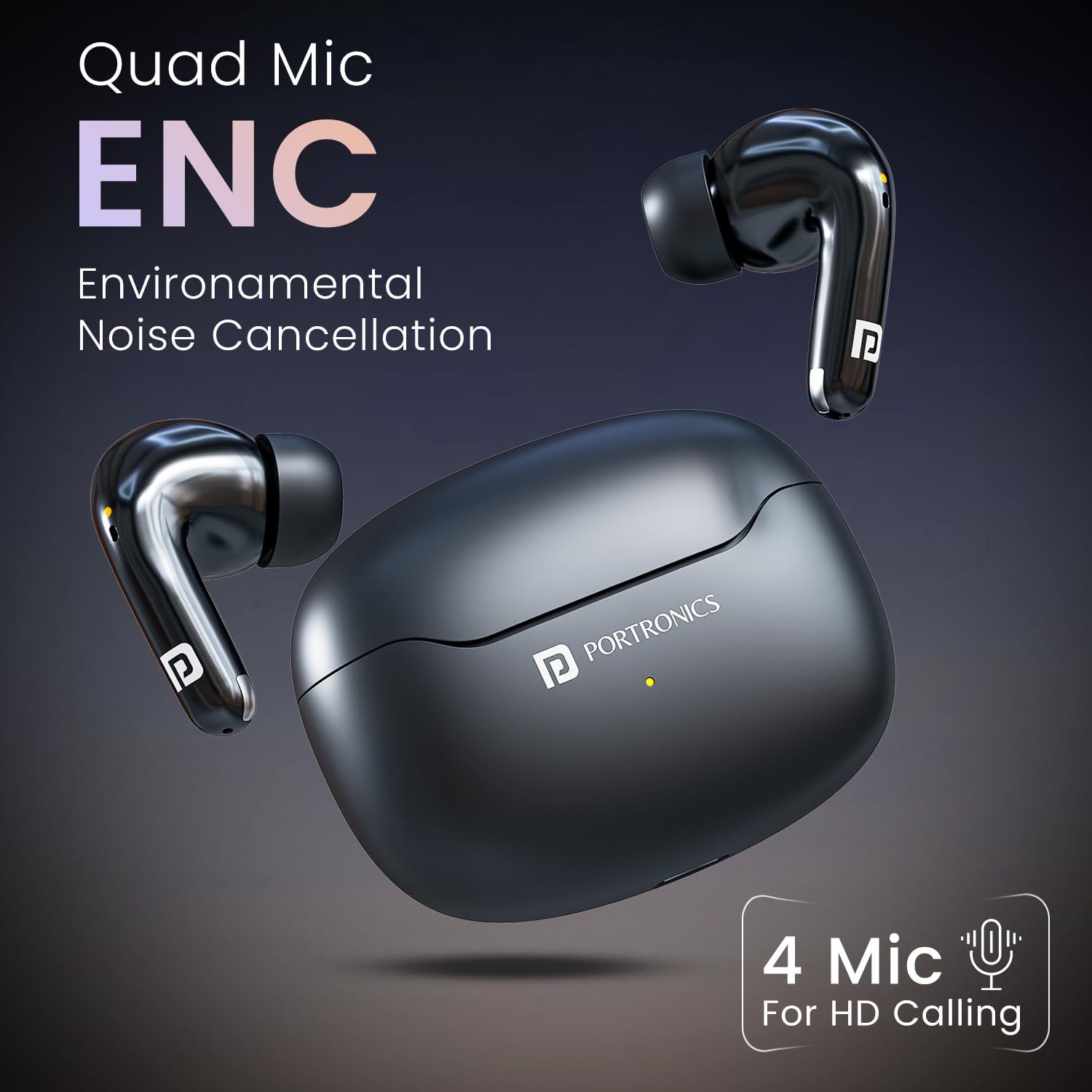
Image: An earbud illustrating the Active Noise Cancellation feature, isolating sound.

Image: The earbuds highlighting the Quad Mic setup for Environmental Noise Cancellation, ensuring clear voice during calls.
വോയ്സ് അസിസ്റ്റൻ്റ്
Activate your device's voice assistant (Siri, Google Assistant) with a triple tap on either earbud for hands-free control.
Image: A user interacting with the voice assistant feature on the earbuds.
മെയിൻ്റനൻസ്
- വൃത്തിയാക്കൽ: ഇയർബഡുകളും ചാർജിംഗ് കെയ്സും മൃദുവായതും ഉണങ്ങിയതുമായ തുണി ഉപയോഗിച്ച് പതിവായി വൃത്തിയാക്കുക. കഠിനമായ രാസവസ്തുക്കളോ ഉരച്ചിലുകളോ ഉള്ള വസ്തുക്കൾ ഉപയോഗിക്കുന്നത് ഒഴിവാക്കുക.
- ചെവി ടിപ്പുകൾ: Remove and clean the ear tips periodically with water and mild soap. Ensure they are completely dry before reattaching.
- ചാർജിംഗ് കോൺടാക്റ്റുകൾ: ശരിയായ ചാർജിംഗ് ഉറപ്പാക്കാൻ ഇയർബഡുകളിലെയും കേസിലെയും ചാർജിംഗ് കോൺടാക്റ്റുകൾ വൃത്തിയായും വരണ്ടതായും സൂക്ഷിക്കുക.
- സംഭരണം: ഉപയോഗത്തിലില്ലാത്തപ്പോൾ, ഇയർബഡുകൾ സംരക്ഷിക്കുന്നതിനും ചാർജ്ജ് ചെയ്ത നിലയിൽ നിലനിർത്തുന്നതിനും അവ ചാർജിംഗ് കേസിൽ സൂക്ഷിക്കുക.
- ജല പ്രതിരോധം: The earbuds are IPX5 water resistant, meaning they are protected against sweat and splashes. Do not submerge them in water.

Image: Earbuds being splashed with water, demonstrating their IPX5 water resistance.
ട്രബിൾഷൂട്ടിംഗ്
| പ്രശ്നം | സാധ്യമായ പരിഹാരം |
|---|---|
| ഇയർബഡുകൾ ജോടിയാക്കുന്നില്ല | ഇയർബഡുകൾ ചാർജ് ചെയ്തിട്ടുണ്ടെന്ന് ഉറപ്പാക്കുക. അവ വീണ്ടും കെയ്സിൽ വയ്ക്കുക, അടയ്ക്കുക, തുടർന്ന് ജോടിയാക്കൽ മോഡിലേക്ക് വീണ്ടും പ്രവേശിക്കാൻ വീണ്ടും തുറക്കുക. നിങ്ങളുടെ ഉപകരണത്തിന്റെ ബ്ലൂടൂത്ത് ക്രമീകരണം പരിശോധിക്കുക. |
| ഒരു ഇയർബഡ് മാത്രമേ പ്രവർത്തിക്കൂ | Ensure both earbuds are charged. Try resetting the earbuds by placing them in the case, closing it, and then opening it again. Re-pair with your device. |
| മോശം ശബ്ദ നിലവാരം | Check ear tip fit. Ensure earbuds are clean. Move closer to your connected device to avoid interference. |
| ഇയർബഡുകൾ ചാർജ് ചെയ്യുന്നില്ല | Ensure charging contacts on both earbuds and case are clean and dry. Try a different USB cable or power adapter. |
| Voice Assistant not responding | Ensure your device's voice assistant is enabled and the earbuds are properly connected. Check touch control settings. |
സ്പെസിഫിക്കേഷനുകൾ
| ഫീച്ചർ | വിശദാംശങ്ങൾ |
|---|---|
| മോഡലിൻ്റെ പേര് | ഹാർമോണിക്സ് ഇരട്ടകൾ 33 |
| മോഡൽ നമ്പർ | POR-1174 |
| ബ്ലൂടൂത്ത് പതിപ്പ് | 5.3 |
| ഡ്രൈവർ വലിപ്പം | 13 എംഎം ഡൈനാമിക് ഡ്രൈവർ |
| ശബ്ദ നിയന്ത്രണം | Active Noise Cancellation (ANC), Environmental Noise Cancellation (ENC) with Quad Mic |
| കളിസമയം | 50 മണിക്കൂർ വരെ (ചാർജിംഗ് കേസിനൊപ്പം) |
| ചാർജിംഗ് പോർട്ട് | യുഎസ്ബി ടൈപ്പ്-സി |
| ജല പ്രതിരോധം | IPX5 (വിയർപ്പിനെയും സ്പ്ലാഷിനെയും പ്രതിരോധിക്കുന്ന) |
| നിയന്ത്രണ തരം | ടച്ച് കൺട്രോൾ, വോയ്സ് കൺട്രോൾ |
| മെറ്റീരിയൽ | എബിഎസ് പ്ലാസ്റ്റിക് |
| മാതൃരാജ്യം | ചൈന |
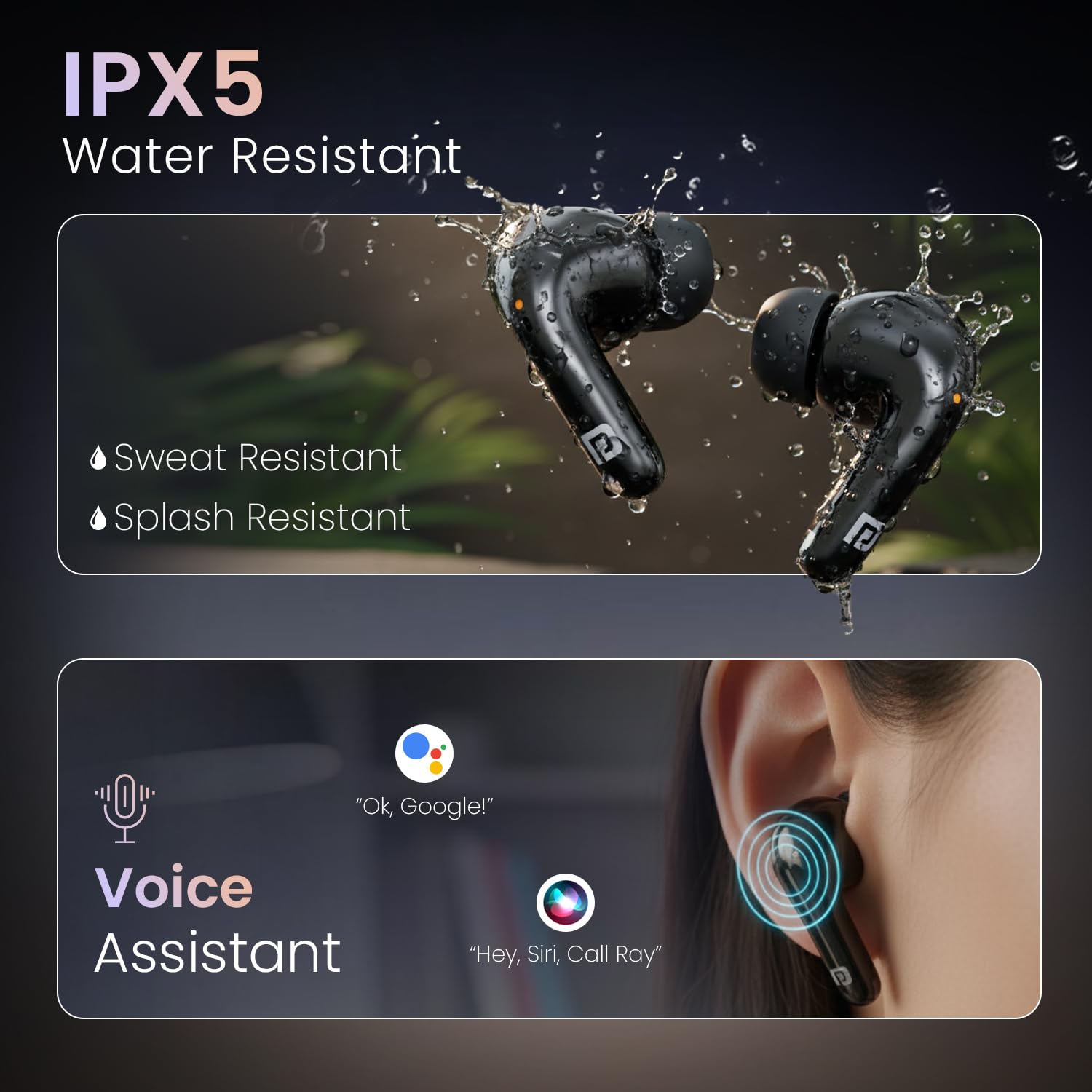
Image: Diagram illustrating the 13mm dynamic driver inside the earbud for powerful audio.
വീഡിയോ: ഒരു സംക്ഷിപ്ത വിവരണംview of the Portronics Harmonics Twins 33 ANC Earbuds, showcasing key features like low latency, ANC/ENC, 13mm dynamic drivers, voice assistant, touch control, Bluetooth 5.3, and up to 50 hours of playtime.
വാറൻ്റിയും പിന്തുണയും
The Portronics Harmonics Twins 33 ANC Earbuds come with a 1 വർഷത്തെ നിർമ്മാതാവിന്റെ വാറന്റി from the date of purchase. This warranty covers manufacturing defects. For warranty claims, technical support, or any product-related inquiries, please contact Portronics customer service.
- ഇമെയിൽ: help@portronics.com
- ഫോൺ: +91 9555-245-245
- നിർമ്മാതാവിൻ്റെ വിലാസം: പോർട്രോണിക്സ് ഡിജിറ്റൽ പ്രൈവറ്റ് ലിമിറ്റഡ്, ഒന്നാം നില പ്രോപ്പർട്ടി നമ്പർ ഡി 8 അപ്പർ ബേസ്മെന്റ് സെക്ടർ 8 നോയിഡ ഉത്തർപ്രദേശ് 201301, ഇന്ത്യ.