1. ആമുഖം
Thank you for choosing the Wireless WiFi Smart Home PIR Motion Sensor Detector. This device is designed to enhance your home security by detecting motion and sending real-time alerts to your smartphone. It operates without a dedicated hub, connecting directly to your WiFi network, and offers compatibility with popular smart home platforms and voice assistants. Please read this manual carefully before installation and use to ensure optimal performance and safety.
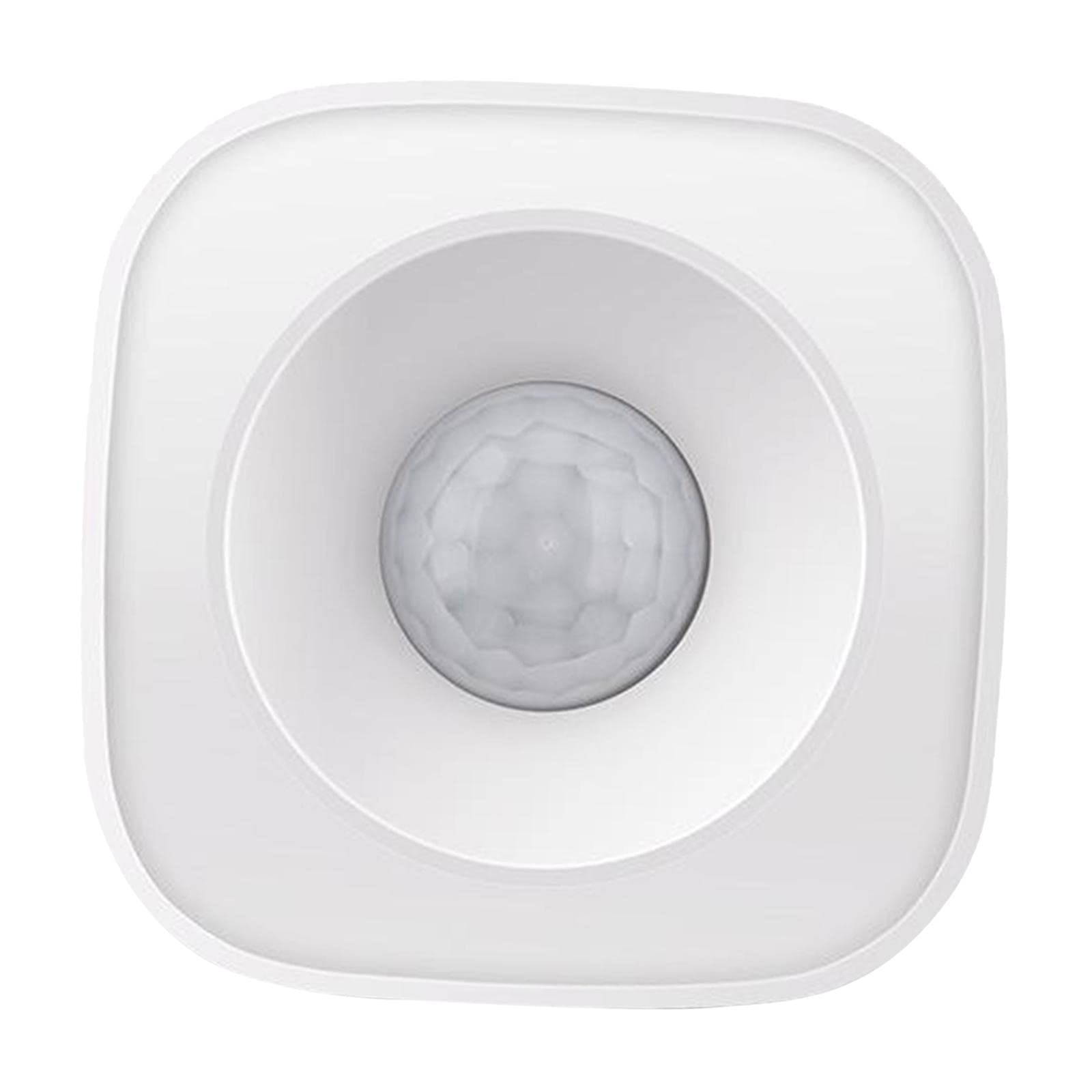
ചിത്രം 1.1: കഴിഞ്ഞുview of the PIR Motion Sensor Detector and its key features.
2 പ്രധാന സവിശേഷതകൾ
- ഹബ്-ഫ്രീ പ്രവർത്തനം: Connects directly to your 2.4GHz WiFi network without requiring an additional hub.
- Accurate Motion Detection: Utilizes Passive Infrared (PIR) technology to detect human movement.
- Adjustable Detection Modes: Choose between 2-minute and 4-minute detection intervals to prevent false alarms and conserve battery life.
- വോയ്സ് അസിസ്റ്റൻ്റ് അനുയോജ്യത: Works with Amazon Alexa and Google Home for convenient voice control.
- തത്സമയ അറിയിപ്പുകൾ: Receive instant push notifications on your smartphone within 3-10 seconds of detection.
- റിമോട്ട് മോണിറ്ററിംഗ്: Monitor your home's security status anytime, anywhere via the smartphone application.
- എളുപ്പമുള്ള ഇൻസ്റ്റാളേഷൻ: Simple DIY setup using the included double-sided adhesive tape.
- വൈഡ് ഡിറ്റക്ഷൻ ആംഗിൾ: Features a 120-degree sensitive angle and a detection range of up to 7 meters.
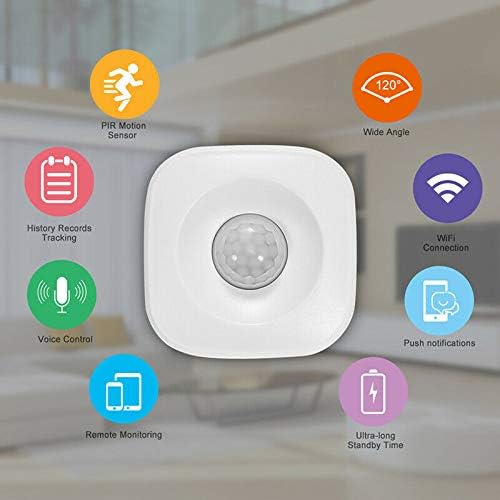
Image 2.1: Visual representation of the motion sensor's core functionalities.
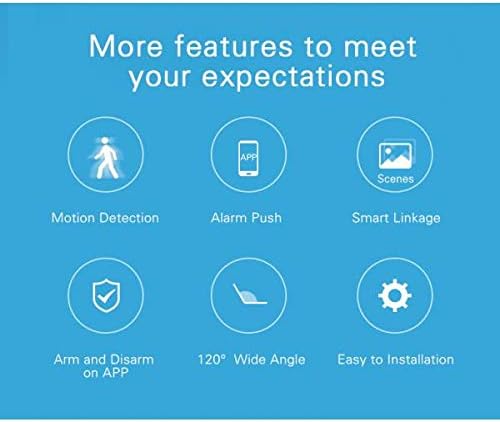
Image 2.2: Additional features for enhanced user experience.
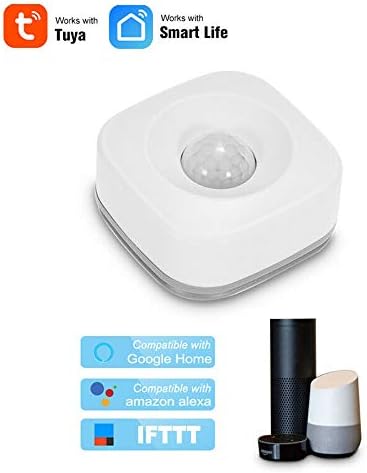
Image 2.3: Compatibility with various smart home platforms.
3. സജ്ജീകരണവും ഇൻസ്റ്റാളേഷനും
3.1 പാക്കേജ് ഉള്ളടക്കം
- 1x Smart Motion Detector
- 1x ഉപയോക്തൃ മാനുവൽ
- 1x Double-sided Adhesive Tape
3.2 ബാറ്ററി ഇൻസ്റ്റാളേഷൻ
- മോഷൻ സെൻസറിന്റെ പിൻ കവർ സൌമ്യമായി തുറക്കുക.
- Insert 3x AAA batteries (not included) into the battery compartment, ensuring correct polarity.
- പിൻ കവർ സുരക്ഷിതമായി അടയ്ക്കുക.
3.3 ആപ്പ് ഡൗൺലോഡും ഉപകരണ ജോടിയാക്കലും
- Download the "Tuya Smart" or "Smart Life" app from your smartphone's app store (Google Play for Android, App Store for iOS).
- നിങ്ങളുടെ അക്കൗണ്ടിലേക്ക് രജിസ്റ്റർ ചെയ്യുക അല്ലെങ്കിൽ ലോഗിൻ ചെയ്യുക.
- Ensure your smartphone is connected to a 2.4GHz WiFi network. The sensor does not support 5GHz WiFi.
- ആപ്പിൽ, ഒരു പുതിയ ഉപകരണം ചേർക്കാൻ "+" ഐക്കൺ ടാപ്പ് ചെയ്യുക.
- Select "Security & Video Surveillance" > "PIR Sensor" or search for the device type.
- Follow the on-screen instructions to put the sensor into pairing mode (usually by pressing and holding a button until an indicator light flashes).
- Confirm the indicator light is flashing rapidly in the app and proceed with network configuration.
- Once successfully added, you can rename the device and assign it to a specific room.
3.4 സെൻസർ ഘടിപ്പിക്കുന്നു
The sensor is designed for ceiling mount installation. Choose a location that provides the desired detection coverage, typically in a corner or central area of a room. Avoid placing it near heat sources, direct sunlight, or areas with strong air currents, as these can cause false detections.
- സെൻസർ സ്ഥാപിക്കാൻ ഉദ്ദേശിക്കുന്ന പ്രതലം വൃത്തിയാക്കുക.
- Peel off one side of the double-sided adhesive tape and apply it to the back of the sensor.
- Peel off the other side of the tape and firmly press the sensor onto the desired ceiling location for at least 30 seconds.
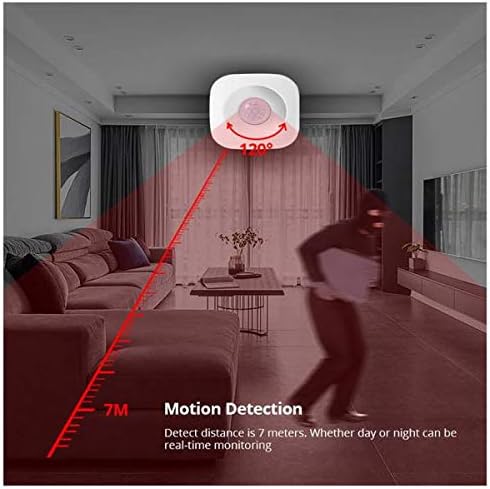
Image 3.1: Illustration of motion detection range and angle.
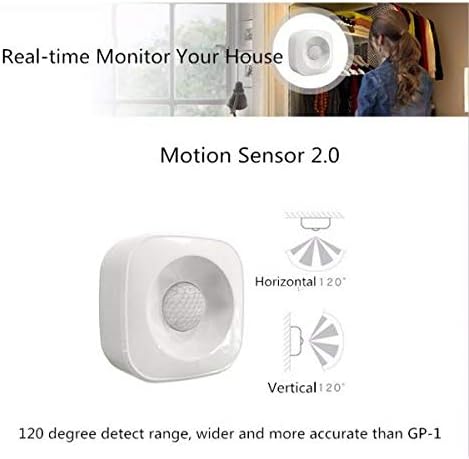
Image 3.2: Horizontal and vertical detection angles of the sensor.
4. പ്രവർത്തന നിർദ്ദേശങ്ങൾ
4.1 മോഷൻ ഡിറ്റക്ഷനും അറിയിപ്പുകളും
Once installed and paired, the sensor will automatically detect motion within its 120-degree, 7-meter range. When motion is detected, the device will send a push notification to your smartphone via the Tuya Smart or Smart Life app. This notification typically arrives within 3-10 seconds, depending on your network speed.
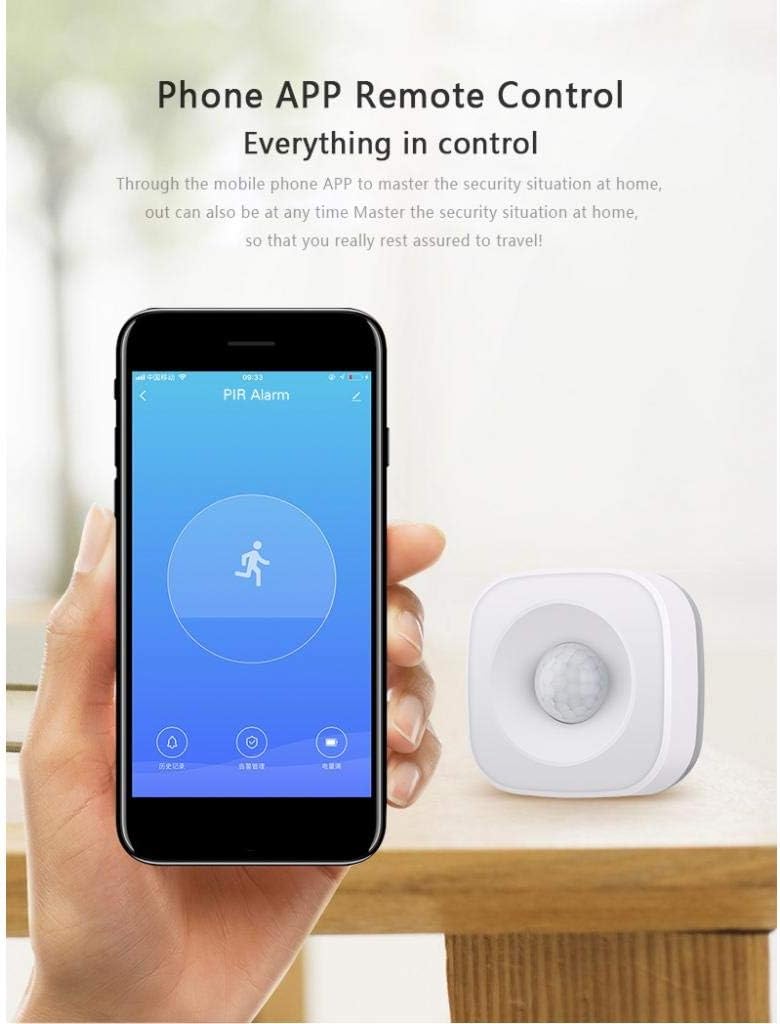
Image 4.1: Smartphone app interface for remote control and alarm notifications.

ചിത്രം 4.2: ഉദാamples of detection alarms and smart home linkages.
4.2 ഡിറ്റക്ഷൻ മോഡുകൾ
The sensor offers two detection modes to optimize performance and battery life:
- 2-Minute Mode: After detecting motion, the sensor will wait 2 minutes before detecting the next movement. This mode provides quicker re-detection.
- 4-Minute Mode: After detecting motion, the sensor will wait 4 minutes before detecting the next movement. This mode helps conserve battery and reduce frequent notifications in high-traffic areas.
You can switch between these modes within the Tuya Smart or Smart Life app settings for the device.
4.3 ശബ്ദ നിയന്ത്രണം
Integrate your motion sensor with Amazon Alexa or Google Home for hands-free control and status checks. Follow the instructions in your smart assistant's app to link your Tuya Smart/Smart Life account. Once linked, you can use voice commands such as "Alexa, turn on the PIR Motion Sensor" or "Hey Google, is there motion in the living room?" (specific commands may vary based on integration).
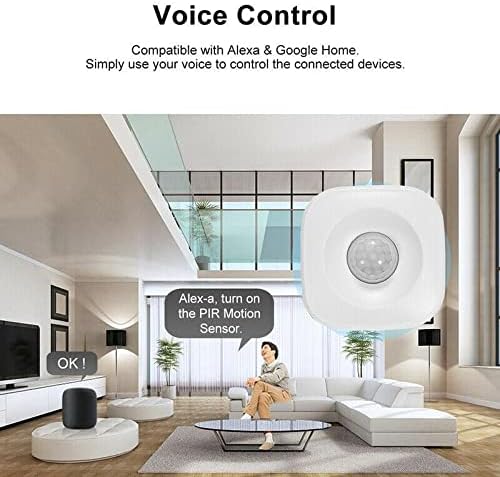
ചിത്രം 4.3: സ്മാർട്ട് അസിസ്റ്റന്റുകളുമായുള്ള ശബ്ദ നിയന്ത്രണ സംയോജനം.
4.4 Smart Linkage
The sensor can be linked with other smart devices within the Tuya Smart or Smart Life ecosystem to create automated scenes. For exampLe:
- Motion-triggered Lighting: When motion is detected, automatically turn on smart lights.
- Smart Siren Activation: If motion is detected in an armed state, trigger a smart siren.
- Camera Recording: Link with a smart camera to begin recording when motion is detected.
Configure these automation rules within the "Smart" or "Automation" section of your app.
Video 4.1: Demonstration of the motion sensor's detection capabilities and response time.
Video 4.2: Guide on connecting the motion sensor to a smart home system.
വീഡിയോ 4.3: കഴിഞ്ഞുview of the motion sensor's features and benefits.
Video 4.4: Short demonstration of the motion sensor's quick response.
Video 4.5: Detailed setup and configuration guide for the motion sensor.
Video 4.6: Vertical view demonstration of the motion sensor's detection.
Video 4.7: Demonstration of the motion sensor's integration with other smart devices.
Video 4.8: Comprehensive guide to setting up and using the motion sensor.
Video 4.9: Another vertical view demonstration of the motion sensor's functionality.
Video 4.10: Extended video showcasing various applications and features of the motion sensor.
5. പരിപാലനം
5.1 വൃത്തിയാക്കൽ
To maintain optimal performance, periodically clean the sensor's lens and body. Use a soft, dry cloth to wipe away dust and debris. Do not use liquid cleaners or abrasive materials, as these can damage the device.
5.2 ബാറ്ററി മാറ്റിസ്ഥാപിക്കൽ
The sensor has a standby time of approximately 1 year under normal usage (15 detections per day in standard mode). When the battery level is low, the app will typically notify you. Replace the 3x AAA batteries as described in Section 3.2. Always use new, high-quality batteries for best performance.
6. പ്രശ്നപരിഹാരം
- ഉപകരണം വൈഫൈയിലേക്ക് കണക്റ്റ് ചെയ്യുന്നില്ല:
- നിങ്ങളുടെ വൈഫൈ നെറ്റ്വർക്ക് 2.4GHz ആണെന്ന് ഉറപ്പാക്കുക. സെൻസർ 5GHz നെറ്റ്വർക്കുകളെ പിന്തുണയ്ക്കുന്നില്ല.
- Check if your WiFi password is correct.
- Make sure the sensor is within range of your WiFi router.
- Try resetting the sensor and re-pairing it with the app.
- അറിയിപ്പുകളൊന്നും ലഭിച്ചില്ല:
- Verify that the sensor has fresh batteries.
- അറിയിപ്പുകൾ പ്രവർത്തനക്ഷമമാക്കിയിട്ടുണ്ടെന്ന് ഉറപ്പാക്കാൻ, Tuya Smart/Smart Life ആപ്പിനായുള്ള നിങ്ങളുടെ സ്മാർട്ട്ഫോണിന്റെ അറിയിപ്പ് ക്രമീകരണങ്ങൾ പരിശോധിക്കുക.
- Ensure the sensor is properly connected to WiFi and visible in the app.
- Confirm the detection mode settings in the app.
- തെറ്റായ അലാറങ്ങൾ:
- Adjust the detection mode to a longer interval (e.g., 4 minutes).
- Relocate the sensor away from heat sources (e.g., vents, direct sunlight), strong air currents, or areas where pets might trigger it.
- Ensure the sensor lens is clean.
- ശബ്ദ നിയന്ത്രണം പ്രവർത്തിക്കുന്നില്ല:
- Ensure your Tuya Smart/Smart Life account is correctly linked to your Amazon Alexa or Google Home account.
- നിങ്ങളുടെ ഇൻ്റർനെറ്റ് കണക്ഷൻ പരിശോധിക്കുക.
- Verify the device name in the smart assistant app matches the name you are using in your voice commands.
7 സ്പെസിഫിക്കേഷനുകൾ
| ഫീച്ചർ | സ്പെസിഫിക്കേഷൻ |
|---|---|
| വൈദ്യുതി വിതരണം | 3x AAA ബാറ്ററികൾ (ഉൾപ്പെടുത്തിയിട്ടില്ല) |
| സ്റ്റാൻഡ്ബൈ കറൻ്റ് | 20uA |
| സ്റ്റാൻഡ്ബൈ സമയം | ഏകദേശം. 1 വർഷം |
| Standard Mode (15 detections/day) | ഏകദേശം 5 മാസം |
| കണ്ടെത്തൽ ആംഗിൾ | 120 ഡിഗ്രി |
| കണ്ടെത്തൽ പരിധി | 7 മീറ്റർ വരെ |
| വയർലെസ് കണക്റ്റിവിറ്റി | WiFi 2.4GHz (IEEE 802.11 b/g/n) |
| അപ്ലിക്കേഷൻ അനുയോജ്യത | തുയ സ്മാർട്ട് / സ്മാർട്ട് ലൈഫ് |
| വോയ്സ് അസിസ്റ്റൻ്റ് പിന്തുണ | ആമസോൺ അലക്സ, ഗൂഗിൾ ഹോം |
| മൗണ്ടിംഗ് തരം | സീലിംഗ് മൗണ്ട് |
| അളവുകൾ | 65 മിമി x 30 മിമി |
8. വാറൻ്റിയും പിന്തുണയും
8.1 വാറൻ്റി വിവരങ്ങൾ
ദയവായി ചില്ലറ വ്യാപാരിയുടെയോ നിർമ്മാതാവിന്റെയോ വിവരങ്ങൾ പരിശോധിക്കുക. website for specific warranty terms and conditions. Typically, electronic devices come with a limited warranty covering manufacturing defects for a specified period from the date of purchase.
8.2 ഉപഭോക്തൃ പിന്തുണ
If you encounter any issues not covered in the troubleshooting section or require further assistance, please contact the retailer or manufacturer's customer support. Have your product model and purchase information ready when contacting support.
For app-related issues, you can also refer to the help section within the Tuya Smart or Smart Life application.