
Acekool KF-1877
അസെക്കൂൾ ഡെസ്ക് ഫാൻ ടേബിൾ ND1 എയർ സർക്കുലേറ്റർ യൂസർ മാനുവൽ
ബ്രാൻഡ്: അസെക്കൂൾ | മോഡൽ: കെഎഫ്-1877
1. ആമുഖം
Thank you for choosing the Acekool Desk Fan Table ND1 Air Circulator. This manual provides important information regarding the safe operation, installation, maintenance, and troubleshooting of your new fan. Please read it thoroughly before use and retain it for future reference.
The Acekool ND1 is an 8-inch desk fan designed for efficient air circulation in your home or office. It features advanced turbocharger technology, 3D multi-directional oscillation, and a quiet operation, ensuring comfortable airflow distribution.
പ്രധാന സവിശേഷതകൾ:
- 3D Multi-Directional Oscillation: 80° left & right and 90° up & down oscillation for comprehensive air distribution.
- Smart Remote Control & 12 Speed Settings: Conveniently adjust settings from a distance with 12 independent fan speeds.
- Quieter Design & ECO Function: Operates at a low noise level (35dB) and includes an energy-saving ECO mode.
- Convenient 12h Timer & Memory Function: Set the fan to automatically turn off and recall previous settings.
- LED Display & Touch Control Panel: എളുപ്പത്തിലുള്ള പ്രവർത്തനത്തിനായി അവബോധജന്യമായ ഇന്റർഫേസ്.
2. സുരക്ഷാ നിർദ്ദേശങ്ങൾ
തീ, വൈദ്യുതാഘാതം അല്ലെങ്കിൽ പരിക്ക് എന്നിവ കുറയ്ക്കുന്നതിന്, എല്ലായ്പ്പോഴും ഈ അടിസ്ഥാന സുരക്ഷാ മുൻകരുതലുകൾ പാലിക്കുക:
- ഈ ഫാൻ ഉപയോഗിക്കുന്നതിന് മുമ്പ് എല്ലാ നിർദ്ദേശങ്ങളും വായിക്കുക.
- കേടായ കോർഡ് അല്ലെങ്കിൽ പ്ലഗ് ഉപയോഗിച്ച് ഒരു ഫാനും പ്രവർത്തിപ്പിക്കരുത്. ഫാൻ നിരസിക്കുക അല്ലെങ്കിൽ പരിശോധനയ്ക്കും/അല്ലെങ്കിൽ നന്നാക്കുന്നതിനുമായി അംഗീകൃത സേവന സൗകര്യത്തിലേക്ക് മടങ്ങുക.
- പരവതാനിയുടെ കീഴിൽ ചരട് ഓടരുത്. ത്രോ റഗ്ഗുകൾ, റണ്ണറുകൾ അല്ലെങ്കിൽ സമാനമായ കവറുകൾ എന്നിവ ഉപയോഗിച്ച് ചരട് മൂടരുത്. ഫർണിച്ചറുകൾക്കോ വീട്ടുപകരണങ്ങൾക്കോ കീഴിൽ ചരട് റൂട്ട് ചെയ്യരുത്. ട്രാഫിക് ഏരിയയിൽ നിന്നും അത് മറിഞ്ഞു വീഴാത്ത ഇടങ്ങളിൽ നിന്നും ചരട് ക്രമീകരിക്കുക.
- Always unplug the fan from the power outlet when not in use, when moving the fan from one location to another, and before cleaning.
- വെള്ളത്തിലോ മറ്റ് ദ്രാവകങ്ങളിലോ ഫാൻ മുക്കരുത്.
- Do not allow children to play with the fan. Close supervision is necessary when any appliance is used by or near children.
- ഫാൻ പ്രവർത്തിക്കുമ്പോൾ ഗ്രില്ലിലൂടെ വിരലുകളോ മറ്റ് വസ്തുക്കളോ കടത്തരുത്.
- ഫാൻ മറിഞ്ഞു വീഴുന്നത് തടയാൻ സ്ഥിരതയുള്ളതും പരന്നതുമായ ഒരു പ്രതലത്തിൽ സ്ഥാപിച്ചിട്ടുണ്ടെന്ന് ഉറപ്പാക്കുക.
- This fan is for indoor use only. Do not use outdoors or in wet locations.
3. പാക്കേജ് ഉള്ളടക്കം
പാക്കേജ് തുറക്കുമ്പോൾ, എല്ലാ ഇനങ്ങളും ഉണ്ടെന്നും നല്ല നിലയിലാണെന്നും ഉറപ്പാക്കുക:
- Acekool Desk Fan Table ND1 Air Circulator
- റിമോട്ട് കൺട്രോൾ
- ഉപയോക്തൃ മാനുവൽ (ഈ പ്രമാണം)
4. ഉൽപ്പന്നം കഴിഞ്ഞുview
Familiarize yourself with the components of your Acekool ND1 fan:

ചിത്രം 4.1: ഫ്രണ്ട് view of the Acekool ND1 fan with its remote control, illustrating airflow.

ചിത്രം 4.2: വശം view showing the portable artificial leather handle and product dimensions (32.5cm height, 24cm width, 20cm depth).

ചിത്രം 4.3: Diagram of the control panel icons: ECO mode, temperature display, oscillation, timer, power, and fan speed.
5. സജ്ജീകരണം
The Acekool ND1 fan comes pre-assembled and ready for use. Follow these simple steps to set it up:
- ഫാൻ ഒരു ഉറച്ച, നിരപ്പായ പ്രതലത്തിൽ വയ്ക്കുക.
- Ensure the power cord is not obstructed or tangled.
- ഒരു സാധാരണ ഇലക്ട്രിക്കൽ ഔട്ട്ലെറ്റിലേക്ക് പവർ കോർഡ് പ്ലഗ് ചെയ്യുക.
6. പ്രവർത്തന നിർദ്ദേശങ്ങൾ
Your Acekool ND1 fan can be operated using either the touch control panel on the base or the included remote control.
6.1 പവർ ഓൺ/ഓഫ്
- അമർത്തുക പവർ ബട്ടൺ (
 ) on the touch panel or remote control to turn the fan on or off.
6.2 Speed Adjustment (12 Speeds)
The fan offers 12 speed settings to customize your comfort level, from a gentle breeze to a strong wind.
- അമർത്തുക സ്പീഡ് ബട്ടൺ () on the touch panel or remote control to cycle through the speed levels.

ചിത്രം 6.1: Speed recommendations for various users: 1-3 for pregnant women, children, elderly; 4-8 for young people; 9-12 for general family use requiring strong wind.
6.3 Oscillation (3D Multi-Directional)
The fan features 3D oscillation for wide air distribution.
- അമർത്തുക ആന്ദോളനം ബട്ടൺ () on the touch panel or remote control to activate/deactivate horizontal (80°) and vertical (90°) oscillation.

ചിത്രം 6.2: Illustration of the fan's oscillation capabilities: 40° left/right and 2° to 62° up/down.
6.4 ടൈമർ പ്രവർത്തനം
ഒരു നിശ്ചിത കാലയളവിനു ശേഷം (12 മണിക്കൂർ വരെ) ഫാൻ യാന്ത്രികമായി ഓഫാകാൻ സജ്ജമാക്കുക.
- അമർത്തുക ടൈമർ ബട്ടൺ () to set the desired auto-off time. Each press increases the timer by one hour.
6.5 ECO ഫംഗ്ഷൻ
The ECO function helps save energy by automatically adjusting the fan speed based on the ambient temperature.
- അമർത്തുക ECO ബട്ടൺ () to activate or deactivate ECO mode.
6.6 മെമ്മറി പ്രവർത്തനം
The fan will remember your last used settings (speed, oscillation, mode) when turned off and resume them upon next power-on.
6.7 നിശബ്ദ പ്രവർത്തനം
Designed with ultra-quiet technology, the fan operates at a low noise level of 35dB, suitable for use during sleep or work.
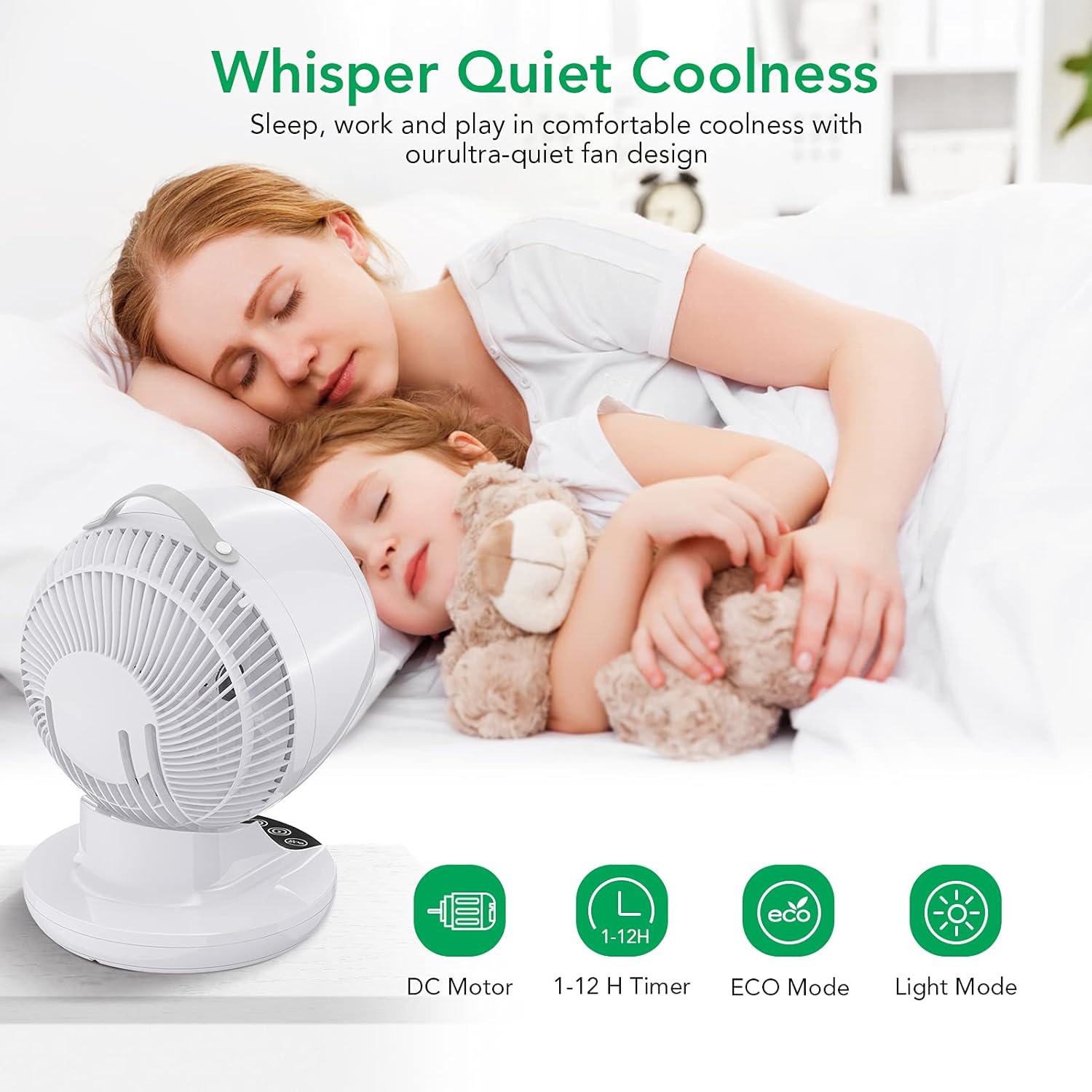
ചിത്രം 6.3: The fan's quiet operation ensures comfortable sleep and work environments.
6.8 Air Circulation Technology
The Acekool ND1 utilizes advanced air circulation technology to distribute air evenly throughout the room, enhancing comfort and efficiency, especially when used with air conditioning.

ചിത്രം 6.4: The 3D multi-directional oscillation ensures cool air reaches every corner of the room.

ചിത്രം 6.5: A circulating fan effectively distributes cool air from an air conditioner, unlike a normal fan which creates uneven temperatures.
7. പരിപാലനം
പതിവായി വൃത്തിയാക്കുന്നത് നിങ്ങളുടെ ഫാനിന്റെ പ്രകടനം നിലനിർത്താനും അതിന്റെ ആയുസ്സ് വർദ്ധിപ്പിക്കാനും സഹായിക്കും.
- വൃത്തിയാക്കുന്നതിന് മുമ്പ് എല്ലായ്പ്പോഴും ഫാൻ അൺപ്ലഗ് ചെയ്യുക.
- ഒരു സോഫ്റ്റ് ഉപയോഗിക്കുക, ഡിamp ഫാനിന്റെ പുറംഭാഗങ്ങൾ തുടയ്ക്കാൻ തുണി ഉപയോഗിക്കുക. അബ്രാസീവ് ക്ലീനറുകളോ ലായകങ്ങളോ ഉപയോഗിക്കരുത്.
- For dust accumulation on the fan blades or inside the grille, use a vacuum cleaner with a brush attachment or compressed air to gently remove dust.
- ഫാൻ വെള്ളത്തിൽ മുക്കുകയോ മോട്ടോർ ഭവനത്തിലേക്ക് വെള്ളം ഒഴുകാൻ അനുവദിക്കുകയോ ചെയ്യരുത്.
- ഉപയോഗത്തിലില്ലാത്തപ്പോൾ തണുത്തതും വരണ്ടതുമായ സ്ഥലത്ത് ഫാൻ സൂക്ഷിക്കുക.
8. പ്രശ്നപരിഹാരം
If you encounter issues with your Acekool ND1 fan, please refer to the following common problems and solutions:
| പ്രശ്നം | സാധ്യമായ കാരണം | പരിഹാരം |
|---|---|---|
| ഫാൻ ഓണാകുന്നില്ല. | പവർ സപ്ലൈ ഇല്ല; പവർ ബട്ടൺ അമർത്തിയിട്ടില്ല. | Ensure the fan is plugged into a working outlet. Press the Power button. |
| ദുർബലമായ വായുസഞ്ചാരം. | Low speed setting; Dust accumulation. | Increase the fan speed. Clean the fan grille and blades. |
| ഫാൻ മുഴങ്ങുന്നു. | Fan is on a high speed; Obstruction in fan blades. | Reduce the fan speed. Check for and remove any obstructions. |
| ഓസിലേഷൻ പ്രവർത്തിക്കുന്നില്ല. | ഓസിലേഷൻ ഫംഗ്ഷൻ ഓഫാണ്. | സജീവമാക്കാൻ ഓസിലേഷൻ ബട്ടൺ അമർത്തുക. |
| റിമോട്ട് കൺട്രോൾ പ്രവർത്തിക്കുന്നില്ല. | ബാറ്ററികൾ ഡെഡ് അല്ലെങ്കിൽ തെറ്റായി ഇൻസേർട്ട് ചെയ്തിരിക്കുന്നു; റിമോട്ടിനും ഫാനും ഇടയിലുള്ള തടസ്സം. | Replace batteries. Ensure clear line of sight to the fan's sensor. |
If the problem persists after trying these solutions, please contact Acekool customer support.
9 സ്പെസിഫിക്കേഷനുകൾ
| ഫീച്ചർ | സ്പെസിഫിക്കേഷൻ |
|---|---|
| ബ്രാൻഡ് | അസെക്കൂൾ |
| മോഡൽ നമ്പർ | കെഎഫ്-1877 |
| നിറം | വെള്ള |
| ഉൽപ്പന്ന അളവുകൾ | 29.5 x 39 x 27 സെ.മീ |
| ഇനത്തിൻ്റെ ഭാരം | 3.18 കി.ഗ്രാം |
| പവർ / വാട്ട്tage | 28 വാട്ട്സ് |
| ശബ്ദ നില | 35 ഡി.ബി |
| പ്രത്യേക സവിശേഷതകൾ | Oscillating, ECO Mode, Timer, Remote Control |
| വേഗതകളുടെ എണ്ണം | 12 |
| ഓസിലേഷൻ | 3D (80° horizontal, 90° vertical) |
10. വാറൻ്റിയും പിന്തുണയും
Acekool products are manufactured to the highest quality standards. For warranty information or technical support, please refer to the contact details provided on the product packaging or visit the official Acekool webസൈറ്റ്. വാറന്റി ക്ലെയിമുകൾക്കായി നിങ്ങളുടെ വാങ്ങലിന്റെ തെളിവ് സൂക്ഷിക്കുക.
Ask a question about this manual
Ask about setup, troubleshooting, compatibility, parts, safety, or missing instructions. Manuals+ will review the question and use this page’s manual context to help answer it.