
1. ആമുഖം
This manual provides instructions for the Arducam 16MP Autofocus USB Camera, Model B0290. This camera module features a 16-megapixel IMX298 sensor, offering sharp images and accurate color reproduction. It is designed for various applications including home surveillance, 3D printer monitoring, object recognition, and machine vision.

Figure 1: Arducam 16MP Autofocus USB Camera Module (Model B0290).
2 പ്രധാന സവിശേഷതകൾ
- ഉയർന്ന നിലവാരമുള്ള ഇമേജിംഗ്: Adopts a 16MP IMX298 sensor for sharp images and accurate color reproduction. Maximum still picture resolution: 4656 x 3496.
- ഓട്ടോഫോക്കസ്: Automatically adjusts focus for objects at various distances without manual lens adjustment.
- ഫ്രെയിം നിരക്കുകൾ: Supports MJPG 10fps@4656x3496/4160x3120/3264x2448/2592x1944; 30fps@2320x1744/1080P/720; YUY2 10fps@1024x768/800x600/640x480.
- പ്ലഗ് & പ്ലേ: UVC-compliant, requiring no additional drivers for installation on compatible operating systems.
- അപേക്ഷകൾ: Suitable for home surveillance, 3D printer monitoring, object recognition, tracking, and other machine vision tasks requiring high resolution.
3. ബോക്സിൽ എന്താണുള്ളത്?
- USB കേബിൾ
4. സജ്ജീകരണ നിർദ്ദേശങ്ങൾ
The Arducam 16MP Autofocus USB Camera is UVC-compliant, allowing for plug-and-play functionality on most compatible operating systems without the need for additional driver installations.
4.1 Connecting to a Computer (Windows, Linux, Mac OS)
- നിങ്ങളുടെ കമ്പ്യൂട്ടറിൽ ലഭ്യമായ USB പോർട്ട് കണ്ടെത്തുക.
- Connect the provided USB cable to the camera module.
- Plug the other end of the USB cable into your computer's USB port.
- ഓപ്പറേറ്റിംഗ് സിസ്റ്റം ആവശ്യമായ ഡ്രൈവറുകൾ യാന്ത്രികമായി കണ്ടെത്തി ഇൻസ്റ്റാൾ ചെയ്യണം.
- Open a camera application (e.g., Camera app on Windows, Guvcview on Linux, Photo Booth on Mac) to verify the camera's functionality.

Figure 2: Connecting the camera to a laptop via USB.
4.2 Connecting to a Raspberry Pi
- നിങ്ങളുടെ റാസ്പ്ബെറി പൈ ഓഫ് ചെയ്തിട്ടുണ്ടെന്ന് ഉറപ്പാക്കുക.
- Connect the provided USB cable to the camera module.
- Plug the other end of the USB cable into an available USB port on your Raspberry Pi.
- Power on your Raspberry Pi. The camera should be recognized as a standard UVC device.
- Use appropriate software (e.g., `fswebcam`, `motion`, or custom Python scripts) to access the camera feed.

Figure 3: Connecting the camera to a Raspberry Pi.
4.3 Connecting to an Android Device
For Android devices, a USB-C to USB-A adapter (not included) may be required if your device uses a USB-C port. Ensure your Android device supports USB OTG (On-The-Go) functionality.
- Connect the provided USB cable to the camera module.
- If necessary, connect the USB-A end of the cable to a USB-C to USB-A adapter.
- Plug the adapter (or USB-A end directly) into your Android device's USB port.
- Install a compatible USB camera application from the Google Play Store (e.g., 'USB Camera' by ShenYao).
- Open the application and select the Arducam camera as the input source.
4.4 ഉൽപ്പന്നം കഴിഞ്ഞുview വീഡിയോ
വീഡിയോ 1: ഒരു ഓവർview demonstrating the Arducam 16MP IMX298 Autofocus USB Camera (Model B0290) connected to various devices and showcasing its autofocus capabilities.
5. പ്രവർത്തന നിർദ്ദേശങ്ങൾ
Once connected, the Arducam 16MP Autofocus USB Camera operates as a standard webcam or camera module, depending on the host device and software used.
5.1 Autofocus Functionality
The camera features automatic autofocus. Simply point the camera at your desired subject, and the lens will adjust to achieve a clear image. This eliminates the need for manual focus adjustments, making it suitable for dynamic environments or varying object distances.
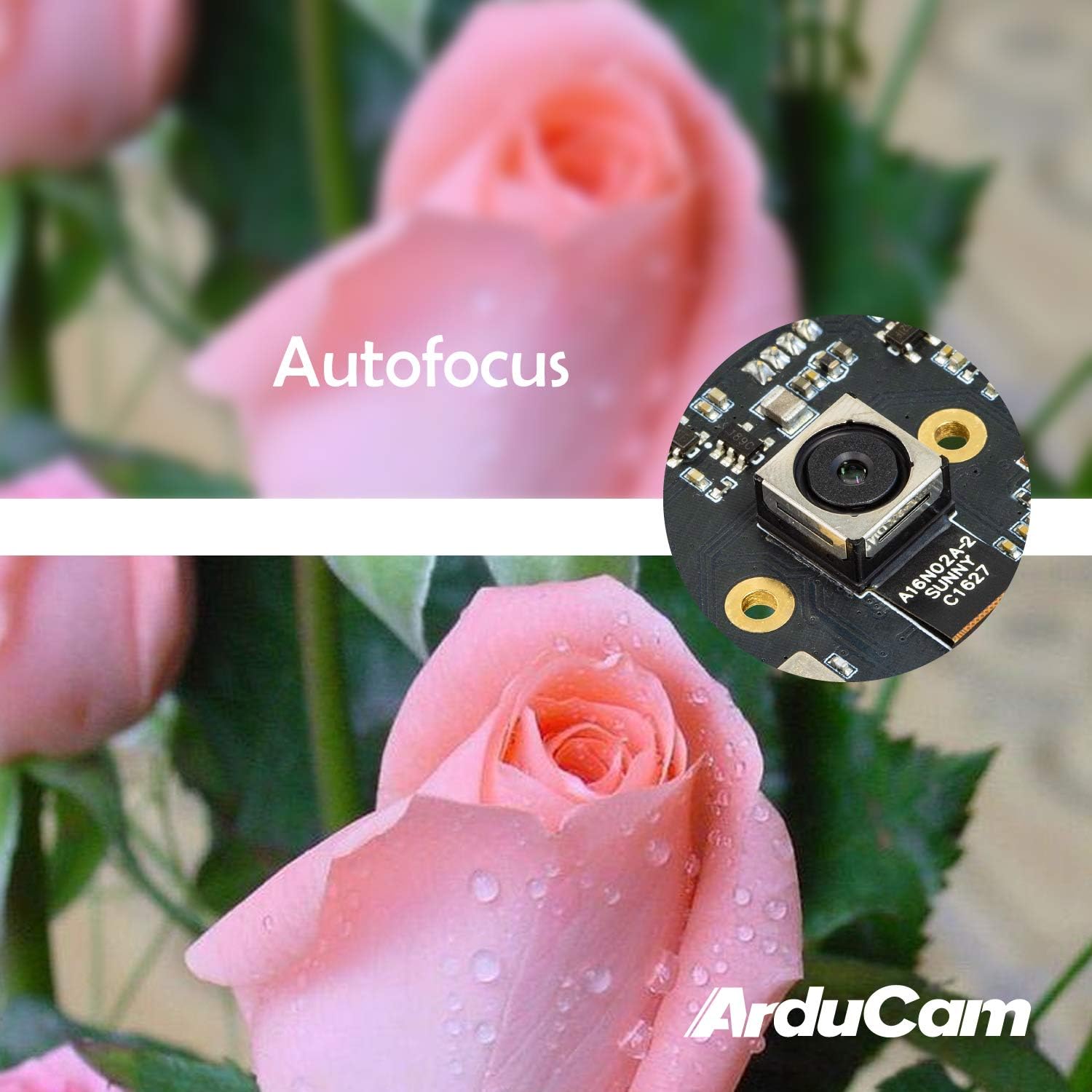
Figure 4: Demonstration of the camera's autofocus capability.
5.2 സോഫ്റ്റ്വെയർ അനുയോജ്യത
The camera is compatible with standard UVC (USB Video Class) software. On Windows, you can use the built-in Camera app or third-party webcam software. On Linux, applications like Guvcview or Cheese can be used. For Mac OS, Photo Booth or QuickTime Player can access the camera. For advanced applications, programming libraries such as OpenCV can be utilized.
6 സ്പെസിഫിക്കേഷനുകൾ
| ഫീച്ചർ | വിശദാംശങ്ങൾ |
|---|---|
| ബ്രാൻഡ് | അർഡുകാം |
| മോഡൽ നമ്പർ | B0290 |
| ഫോട്ടോ സെൻസർ ടെക്നോളജി | CMOS |
| ഫലപ്രദമായ സ്റ്റിൽ റെസല്യൂഷൻ | 16 എം.പി |
| വീഡിയോ ക്യാപ്ചർ റെസല്യൂഷൻ | 1080p |
| പരമാവധി ഫോക്കൽ ദൈർഘ്യം | 100 മില്ലിമീറ്റർ |
| കുറഞ്ഞ ഫോക്കൽ ലെങ്ത് | 100 മില്ലിമീറ്റർ |
| ഫോക്കസ് തരം | ഓട്ടോ ഫോക്കസ് |
| കണക്റ്റിവിറ്റി ടെക്നോളജി | USB |
| ഓപ്പറേറ്റിംഗ് സിസ്റ്റം അനുയോജ്യത | ലിനക്സ്, മാക്, വിൻഡോസ് |
| ഇനത്തിൻ്റെ ഭാരം | 0.07 കിലോഗ്രാം |
| ഫോട്ടോ സെൻസർ വലുപ്പം | 1/2.8-ഇഞ്ച് |
| പിന്തുണയ്ക്കുന്ന ഇമേജ് ഫോർമാറ്റ് | MJPG/YUY2 |
| പിന്തുണയ്ക്കുന്ന ഓഡിയോ ഫോർമാറ്റ് | AAC, MP3, or PCM |
| ഫീച്ചറുകൾ | കുറഞ്ഞ വെളിച്ചം |

ചിത്രം 5: മുകളിലും താഴെയും views of the camera module with dimensions.
7. പരിപാലനം
To ensure the longevity and optimal performance of your Arducam 16MP Autofocus USB Camera, follow these maintenance guidelines:
- വൃത്തിയാക്കൽ: Use a soft, dry, lint-free cloth to gently wipe the camera lens and module surface. Avoid using liquid cleaners or abrasive materials, as they can damage the lens or electronic components.
- സംഭരണം: When not in use, store the camera in a cool, dry place away from direct sunlight, extreme temperatures, and high humidity. Keep it protected from dust and physical impact.
- കൈകാര്യം ചെയ്യൽ: Handle the camera module by its edges to avoid touching the lens or sensitive electronic components.
8. പ്രശ്നപരിഹാരം
If you encounter issues with your Arducam 16MP Autofocus USB Camera, consider the following troubleshooting steps:
- ക്യാമറ കണ്ടെത്തിയില്ല:
- Ensure the USB cable is securely connected to both the camera and the host device.
- Try connecting the camera to a different USB port on your device.
- Test the camera on another computer or compatible device to rule out a device-specific issue.
- നിങ്ങളുടെ കമ്പ്യൂട്ടർ അല്ലെങ്കിൽ ഹോസ്റ്റ് ഉപകരണം പുനരാരംഭിക്കുക.
- ചിത്രമോ കറുത്ത സ്ക്രീനോ ഇല്ല:
- Verify that the correct camera is selected in your camera application settings.
- ക്യാമറ ആപ്ലിക്കേഷൻ അടച്ച് വീണ്ടും തുറക്കുക.
- Check if any other application is currently using the camera, as some systems only allow one application to access it at a time.
- Poor Image Quality / Focus Issues:
- ക്യാമറ ലെൻസ് വൃത്തിയുള്ളതും പൊടിയോ അഴുക്കോ ഇല്ലാത്തതുമാണെന്ന് ഉറപ്പാക്കുക.
- Provide adequate lighting for your subject.
- For autofocus, ensure there is sufficient contrast in the scene for the camera to lock focus.
- അനുയോജ്യത പ്രശ്നങ്ങൾ:
- Confirm that your operating system and software are compatible with UVC devices.
- For Android, ensure USB OTG is supported and enabled.
9. വാറൻ്റിയും പിന്തുണയും
For warranty information and technical support, please refer to the official Arducam website or contact the seller directly. Keep your purchase receipt for warranty claims.
നിങ്ങൾക്ക് സന്ദർശിക്കാം ആർഡുക്കാം സ്റ്റോർ കൂടുതൽ ഉൽപ്പന്ന വിവരങ്ങൾക്കും ഉറവിടങ്ങൾക്കും.