
ആമുഖം
The VENZ R4115 Doorbell Camera is designed to enhance your home security by providing a clear view of your doorstep. It captures a wide 180-degree diagonal viewing angle, allowing you to see visitors from head to toe and packages on the ground. Equipped with night vision, it ensures clear visibility even in low-light conditions. The two-way audio feature enables communication with visitors, and motion detection provides real-time alerts to your smartphone.
പാക്കേജ് ഉള്ളടക്കം
ഇൻസ്റ്റാൾ ചെയ്യുന്നതിനുമുമ്പ്, എല്ലാ ഘടകങ്ങളും ലഭ്യമാണെന്ന് ദയവായി പരിശോധിക്കുക:
- VENZ R4115 Doorbell Camera (Camera Body)
- മൌണ്ടിംഗ് ഹാർഡ്വെയർ
- ഉപയോക്തൃ മാനുവൽ (ഈ പ്രമാണം)
- Power Kit (if applicable for wired installation)
സജ്ജീകരണവും ഇൻസ്റ്റാളേഷനും
Follow these steps to set up and install your VENZ R4115 Doorbell Camera.
1. Download the Woox Security App
ഇതിനായി തിരയുക "Woox Security" in your smartphone's app store (iOS or Android) and download the application. This app is required for device configuration and operation.

Image: Steps for downloading the Woox Security APP, resetting the doorbell camera, connecting to Wi-Fi, and scanning a QR code for setup.
2. Install the Power Kit (if applicable)
If your installation requires a power kit, follow the instructions provided with the kit to connect it to your existing doorbell wiring. Ensure power is off before handling electrical connections.

Image: Step-by-step diagram illustrating the installation of the power kit, followed by mounting the smart doorbell and tightening security screws.
3. Mount Your Smart Doorbell
Securely mount the doorbell camera to your desired location using the provided mounting hardware. Ensure it is positioned to capture the optimal viewing ഏരിയ.
4. Reset and Connect to Wi-Fi
Power on the device. Follow the in-app instructions to reset the doorbell camera. Once reset, connect the device to your 2.4GHz Wi-Fi network through the Woox Security app. You may need to scan a QR code displayed on your phone with the doorbell camera.
പ്രവർത്തന നിർദ്ദേശങ്ങൾ
തത്സമയം View ഒപ്പം ടു-വേ ഓഡിയോയും
Open the Woox Security app to access the live video feed from your doorbell camera. Tap the microphone icon to enable two-way audio, allowing you to speak with visitors and hear their responses.
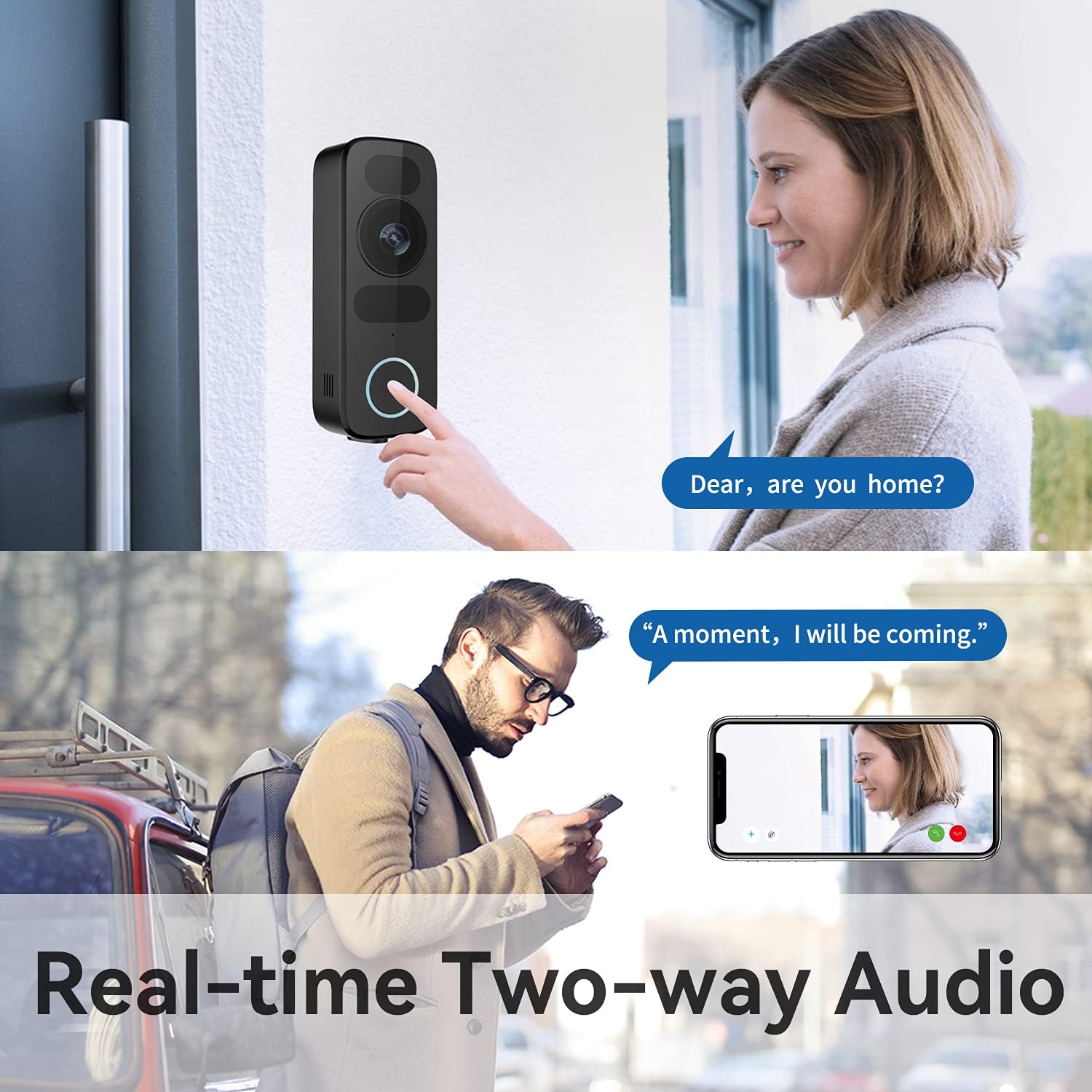
Image: A person pressing the doorbell button, while another person views the live feed and communicates using real-time two-way audio on a smartphone.
മോഷൻ ഡിറ്റക്ഷനും അലേർട്ടുകളും
The doorbell camera features improved motion detection. You will receive real-time notifications on your smartphone when motion is detected at your door. Sensitivity settings can be adjusted within the app to minimize false alerts.

Image: Comparison showing the doorbell detecting a person (checked) but not a dog (crossed out), demonstrating adjustable sensitivity.
നൈറ്റ് വിഷൻ
The VENZ R4115 is equipped with infrared night vision, providing clear video quality even in complete darkness. The camera automatically switches between day and night modes.
Image: A split image showing a person at the door in daylight (left) and the same scene in night vision (right), both displayed on a smartphone, highlighting 1080P and night vision features.
സ്റ്റോറേജ് ഓപ്ഷനുകൾ
The doorbell camera supports both cloud storage and local storage via a microSD card (up to 128GB, sold separately). Configure your preferred storage method within the app settings.

Image: The VENZ doorbell camera displayed alongside icons indicating support for Cloud Storage and a maximum of 128GB SD card storage.
മെയിൻ്റനൻസ്
- വൃത്തിയാക്കൽ: ഒരു സോഫ്റ്റ് ഉപയോഗിക്കുക, ഡിamp ക്യാമറ ലെൻസും ബോഡിയും വൃത്തിയാക്കാൻ തുണി ഉപയോഗിക്കുക. അബ്രസിവ് ക്ലീനറുകളോ ലായകങ്ങളോ ഒഴിവാക്കുക.
- ഫേംവെയർ അപ്ഡേറ്റുകൾ: Regularly check the Woox Security app for available firmware updates to ensure optimal performance and security.
- Wi-Fi കണക്ഷൻ: Ensure a stable Wi-Fi connection for uninterrupted operation.
ട്രബിൾഷൂട്ടിംഗ്
| പ്രശ്നം | സാധ്യമായ പരിഹാരം |
|---|---|
| ഉപകരണം വൈഫൈയിലേക്ക് കണക്റ്റ് ചെയ്യുന്നില്ല | Ensure your Wi-Fi network is 2.4GHz. Check Wi-Fi password. Move the doorbell closer to the router. Reset the device and try pairing again. |
| ചലനം കണ്ടെത്തൽ അലേർട്ടുകളൊന്നുമില്ല | Check motion detection settings in the app. Adjust sensitivity. Ensure the camera lens is clean and unobstructed. |
| മോശം വീഡിയോ നിലവാരം | Check your Wi-Fi signal strength. Clean the camera lens. Ensure adequate lighting for optimal night vision performance. |
| ടു-വേ ഓഡിയോ പ്രവർത്തിക്കുന്നില്ല | Check microphone and speaker permissions for the app on your phone. Ensure the doorbell's microphone and speaker are not obstructed. |
സ്പെസിഫിക്കേഷനുകൾ
| ഫീച്ചർ | വിശദാംശങ്ങൾ |
|---|---|
| മോഡൽ | R4115 |
| വീഡിയോ ക്യാപ്ചർ റെസല്യൂഷൻ | 1080p ഫുൾ എച്ച്ഡി |
| Viewing ആംഗിൾ | 180 ഡിഗ്രി |
| പ്രത്യേക സവിശേഷതകൾ | Night Vision, Motion Detection, Two-Way Audio |
| കണക്റ്റിവിറ്റി ടെക്നോളജി | വയർലെസ് (വൈ-ഫൈ) |
| സംഭരണം | Cloud Storage, Supports up to 128GB MicroSD Card |
| പവർ ഉറവിടം | AC (Wired) |
| മെറ്റീരിയൽ | ലോഹം |
| അളവുകൾ (L x W x H) | 5 x 2.4 x 13.3 സെ.മീ (ഏകദേശം 1.97 x 0.93 x 5.23 ഇഞ്ച്) |
| ഇൻഡോർ/ഔട്ട്ഡോർ ഉപയോഗം | ഔട്ട്ഡോർ |
| അനുയോജ്യമായ ഉപകരണങ്ങൾ | Smartphone, Tablet (via Woox Security App) |
വാറൻ്റിയും പിന്തുണയും
The VENZ R4115 Doorbell Camera comes with a 1 വർഷത്തെ വാറൻ്റി from the date of purchase. This warranty covers manufacturing defects and malfunctions under normal use. For warranty claims or technical support, please contact VENZ customer service through their official webനിങ്ങളുടെ വാങ്ങലിനൊപ്പം നൽകിയിരിക്കുന്ന സൈറ്റ് അല്ലെങ്കിൽ ബന്ധപ്പെടാനുള്ള വിവരങ്ങൾ.
For further assistance, refer to the Woox Security app's help section or visit the VENZ support page online.


