
ആമുഖം
This manual provides detailed instructions for the safe and efficient operation, maintenance, and troubleshooting of your ALONEFIRE X37 4-Color LED Flashlight. Please read this manual thoroughly before using the product and retain it for future reference.
സുരക്ഷാ വിവരങ്ങൾ
- Do not look directly into the LED light when it is on, as this may cause temporary vision impairment or eye damage.
- ഫ്ലാഷ്ലൈറ്റ് കുട്ടികൾക്ക് ലഭ്യമാകാതെ സൂക്ഷിക്കുക.
- Do not disassemble the flashlight, as this may void the warranty and cause damage.
- Use only the specified battery type and charging methods. Incorrect use can lead to fire, explosion, or injury.
- ഫ്ലാഷ്ലൈറ്റ് ദീർഘനേരം തീവ്രമായ താപനിലയിലോ നേരിട്ടുള്ള സൂര്യപ്രകാശത്തിലോ തുറന്നുകാട്ടുന്നത് ഒഴിവാക്കുക.
- Ensure the USB port cover is securely closed when not charging to maintain water resistance.
പാക്കേജ് ഉള്ളടക്കം
നിങ്ങളുടെ പാക്കേജിൽ എല്ലാ ഇനങ്ങളും ഉണ്ടെന്ന് ഉറപ്പാക്കുക:
- ALONEFIRE X37 4-Color LED Flashlight
- Rechargeable Lithium-ion Battery (pre-installed or separate)
- യുഎസ്ബി ചാർജിംഗ് കേബിൾ
- ലാനിയാർഡ്
- Battery Sleeve (if applicable)

Figure 1: Package Contents. The image displays the ALONEFIRE X37 flashlight, a USB charging cable, a lanyard, and a white battery sleeve, indicating what is included in the product package.
ഉൽപ്പന്നം കഴിഞ്ഞുview
The ALONEFIRE X37 is a versatile 4-color LED flashlight featuring White, Blue, Green, and Red light sources. It includes adjustable zoom, USB charging, and a reverse charging function to act as a power bank.

Figure 2: Flashlight Components. This diagram highlights key parts such as the lamp head, Micro USB charging port, USB-A reverse charging port, brass contactor, non-slip handle, power switch/charging indicator, and the RGBW 4-piece individual LED array.
സജ്ജമാക്കുക
1. ബാറ്ററി ഇൻസ്റ്റാളേഷൻ
- ഫ്ലാഷ്ലൈറ്റിന്റെ ടെയിൽ ക്യാപ്പ് അഴിക്കുക.
- Insert the included Lithium-ion battery with the positive (+) end facing towards the lamp തല.
- ടെയിൽ ക്യാപ് സുരക്ഷിതമായി തിരികെ സ്ക്രൂ ചെയ്യുക.
2. പ്രാരംഭ നിരക്ക്
Before first use, fully charge the flashlight battery. Refer to the "Charging the Flashlight" section for detailed instructions.
പ്രവർത്തന നിർദ്ദേശങ്ങൾ
പവർ ഓൺ/ഓഫ്, മോഡ് തിരഞ്ഞെടുക്കൽ
- പവർ ഓൺ/ഓഫ് ചെയ്യാൻ: Press the power switch button once to turn the flashlight on or off.
- To Change Colors: When the flashlight is on, press the power switch button repeatedly to cycle through the available colors: White, Blue, Green, Red.
- സ്ട്രോബ് മോഡ്: From any color mode, double-click the power switch button quickly to activate the strobe function. Double-click again to return to the previous steady light mode.

Figure 3: Multi-Color Output. This image illustrates the flashlight emitting white, blue, green, and red light, showcasing its four distinct color modes.
Adjustable Zoom Function
The flashlight features an adjustable zoom function to change the beam pattern.
- To Zoom In (Focused Beam): എൽ നീട്ടുകamp head forward. This narrows the beam for long-distance illumination.
- To Zoom Out (Flood Beam): Retract the lamp head backward. This widens the beam to illuminate a larger area at closer distances.

Figure 4: Zoom Function. The diagram demonstrates how to adjust the flashlight's beam from a focused spot to a wide flood by sliding the head, along with the corresponding length changes.
ട്രൈപോഡ് മൗണ്ടിംഗ്
The flashlight is equipped with a 1/4-inch threaded hole at the base, allowing it to be mounted on a standard tripod for stable, hands-free illumination.
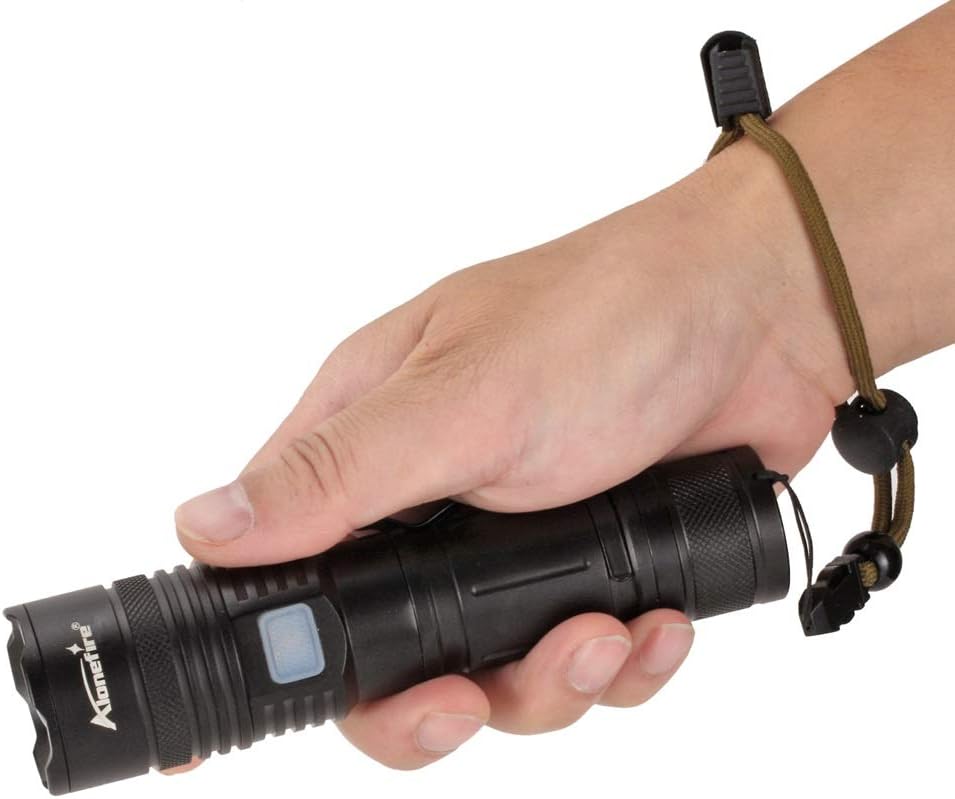
Figure 5: Tripod Mounting. This image illustrates the flashlight attached to a tripod, emphasizing the 1/4-inch threaded hole for stable positioning.
ചാർജിംഗും പവർ ബാങ്ക് പ്രവർത്തനവും
ഫ്ലാഷ്ലൈറ്റ് ചാർജ് ചെയ്യുന്നു
- Locate the Micro USB charging port on the flashlight body.
- Open the protective cover of the Micro USB port.
- Connect the provided USB charging cable to the Micro USB port on the flashlight and to a USB power source (e.g., computer, wall adapter).
- ചാർജ് ചെയ്യുമ്പോൾ ചാർജിംഗ് ഇൻഡിക്കേറ്റർ ലൈറ്റ് ചുവപ്പ് നിറത്തിൽ പ്രകാശിക്കും.
- Once fully charged (approximately 6-7 hours), the indicator light will turn green.
- Disconnect the cable and securely close the protective cover to prevent water ingress.

Figure 6: USB Charging. The image shows the flashlight being charged via a laptop's USB port, with visual cues for charging status (red for charging, green for full) and estimated charging/battery life.
Reverse Charging (Power Bank Function)
The ALONEFIRE X37 can also function as a power bank to charge other devices using its internal battery.
- Locate the USB-A reverse charging port on the flashlight body.
- Open the protective cover of the USB-A port.
- നിങ്ങളുടെ ഉപകരണത്തിന്റെ ചാർജിംഗ് കേബിൾ ഫ്ലാഷ്ലൈറ്റിലെ USB-A പോർട്ടിലേക്ക് ബന്ധിപ്പിക്കുക.
- ഫ്ലാഷ്ലൈറ്റ് നിങ്ങളുടെ ഉപകരണം ചാർജ് ചെയ്യാൻ തുടങ്ങും.
- നിങ്ങളുടെ ഉപകരണത്തിന്റെ ചാർജിംഗ് നില നിരീക്ഷിക്കുക. ചാർജിംഗ് പൂർത്തിയാകുമ്പോൾ വിച്ഛേദിക്കുക.
- Securely close the protective cover of the USB-A port after use.

Figure 7: Reverse Charging. This image illustrates the flashlight's capability to charge a smartphone using its USB-A output port, acting as a portable power bank.
മെയിൻ്റനൻസ്
- വൃത്തിയാക്കൽ: ഫ്ലാഷ്ലൈറ്റ് ബോഡി മൃദുവായ, ഡി ഉപയോഗിച്ച് തുടയ്ക്കുക.amp തുണി. ഉരച്ചിലുകളുള്ള ക്ലീനറുകളോ ലായകങ്ങളോ ഉപയോഗിക്കരുത്.
- ലൂബ്രിക്കേഷൻ: Periodically apply silicone grease to the O-rings and threads to maintain water resistance and smooth operation.
- ബാറ്ററി കെയർ: If storing the flashlight for an extended period, charge the battery to approximately 50% and recharge every 3-6 months to prolong battery life.
- സംഭരണം: Store the flashlight in a cool, dry place away from direct sunlight and corrosive materials.
ട്രബിൾഷൂട്ടിംഗ്
| പ്രശ്നം | സാധ്യമായ കാരണം | പരിഹാരം |
|---|---|---|
| ടോർച്ച് ഓണാകുന്നില്ല. | ബാറ്ററി തീർന്നിരിക്കുന്നു അല്ലെങ്കിൽ തെറ്റായി ഇൻസ്റ്റാൾ ചെയ്തിരിക്കുന്നു. | Charge the battery. Ensure the battery is inserted with the correct polarity (+/-). Check if the tail cap is fully tightened. |
| പ്രകാശ ഔട്ട്പുട്ട് മങ്ങിയതാണ്. | കുറഞ്ഞ ബാറ്ററി ചാർജ്. | ബാറ്ററി റീചാർജ് ചെയ്യുക. |
| ടോർച്ച് ചാർജ് ചെയ്യുന്നില്ല. | USB cable or power source issue; charging port obstruction. | മറ്റൊരു USB കേബിളോ പവർ സ്രോതസ്സോ പരീക്ഷിച്ചുനോക്കൂ. ചാർജിംഗ് പോർട്ട് വൃത്തിയുള്ളതും അവശിഷ്ടങ്ങൾ ഇല്ലാത്തതുമാണെന്ന് ഉറപ്പാക്കുക. |
| Reverse charging not working. | Flashlight battery too low; device cable issue. | Ensure the flashlight has sufficient charge. Try a different charging cable for your device. |
സ്പെസിഫിക്കേഷനുകൾ
| ഫീച്ചർ | വിശദാംശങ്ങൾ |
|---|---|
| മോഡൽ | X37 |
| പ്രകാശ സ്രോതസ്സ് | RGBW 4-in-1 LED (Red, Green, Blue, White) |
| Luminous Flux (White) | 1000 Lumens വരെ |
| ബീം ദൂരം | 100-200 meters (depending on zoom and color) |
| ബാറ്ററി തരം | 1x Lithium-ion (included) |
| ചാർജിംഗ് പോർട്ട് | മൈക്രോ യുഎസ്ബി |
| Reverse Charging Port | USB-A |
| ചാർജിംഗ് സമയം | ഏകദേശം 6-7 മണിക്കൂർ |
| ബാറ്ററി ലൈഫ് | Approx. 8.5-9 hours (depending on mode) |
| മെറ്റീരിയൽ | അലുമിനിയം അലോയ് |
| അളവുകൾ (ഏകദേശം) | 161mm (Zoom In) - 175mm (Zoom Out) length, 34mm head diameter |
| ഭാരം | 380 ഗ്രാം |
| പ്രത്യേക സവിശേഷതകൾ | Zoomable, Reverse Charging, 1/4-inch Threaded Hole |
വാറൻ്റിയും പിന്തുണയും
ALONEFIRE products are manufactured to high-quality standards. For warranty information or technical support, please refer to the contact details provided with your purchase or visit the official ALONEFIRE webസൈറ്റ്. വാറന്റി ക്ലെയിമുകൾക്കായി നിങ്ങളുടെ വാങ്ങലിന്റെ തെളിവ് സൂക്ഷിക്കുക.
സ്പെയർ പാർട്സ് ലഭ്യത: 5 വർഷം.