
1. ആമുഖം
The ARCTIC F12 Silent is a 120mm PC case fan designed for quiet and efficient cooling. This manual provides essential information for the proper installation, operation, and maintenance of your fan to ensure optimal performance and longevity.
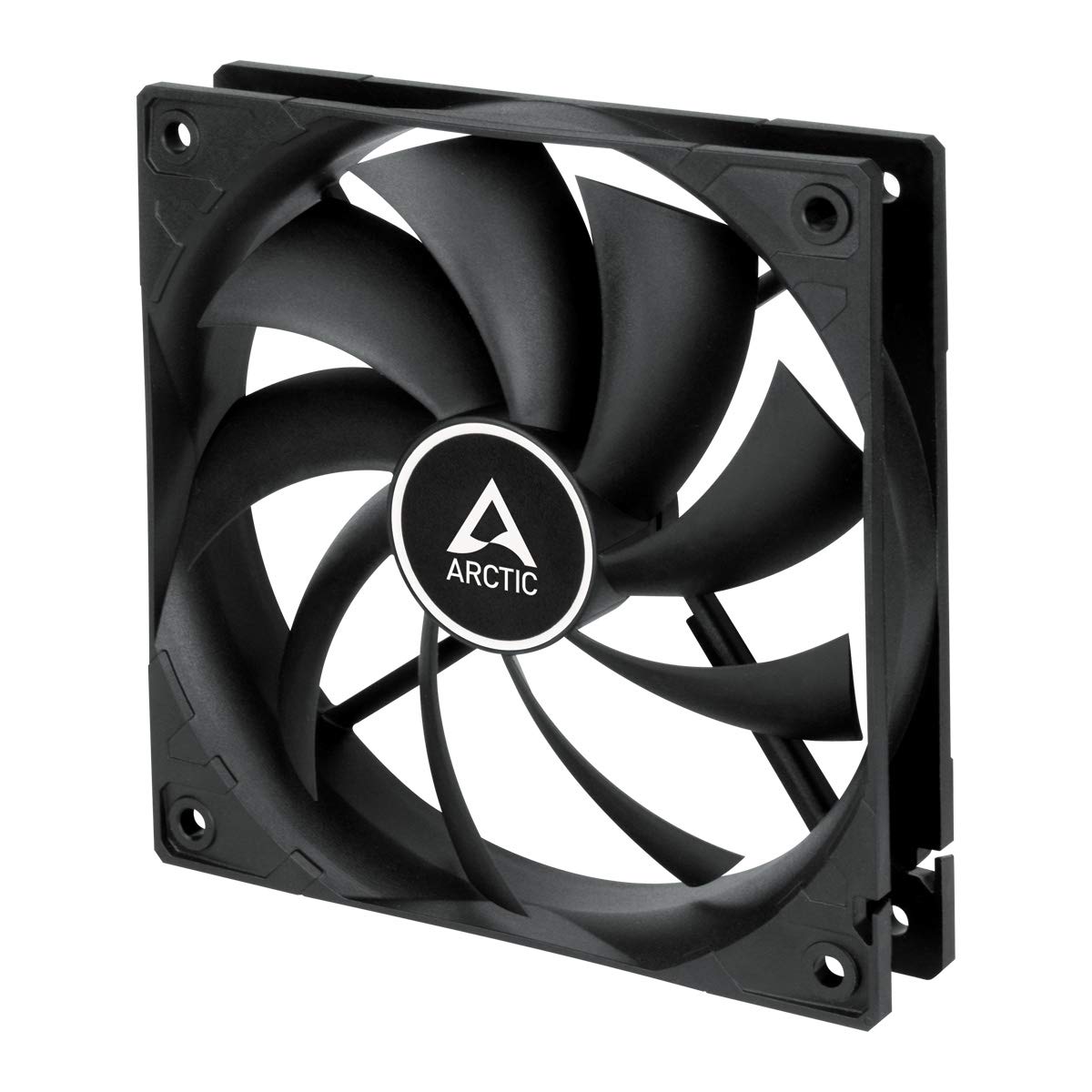
ചിത്രം 1.1: മുൻഭാഗം view of the ARCTIC F12 Silent 120mm PC Case Fan, showcasing its black frame and nine-blade impeller.
2 സുരക്ഷാ വിവരങ്ങൾ
- ഇൻസ്റ്റാളേഷൻ അല്ലെങ്കിൽ അറ്റകുറ്റപ്പണികൾ നടത്തുന്നതിന് മുമ്പ് നിങ്ങളുടെ കമ്പ്യൂട്ടർ സിസ്റ്റം പവർ ഓഫ് ചെയ്തിട്ടുണ്ടെന്നും വാൾ ഔട്ട്ലെറ്റിൽ നിന്ന് അൺപ്ലഗ് ചെയ്തിട്ടുണ്ടെന്നും ഉറപ്പാക്കുക.
- Handle the fan by its frame to avoid damaging the blades.
- Keep fingers and other objects away from the fan blades when the fan is operating.
- Do not attempt to disassemble or modify the fan. This will void the warranty.
- Use only the provided mounting screws to prevent damage.
3. പാക്കേജ് ഉള്ളടക്കം
നിങ്ങളുടെ പാക്കേജിൽ എല്ലാ ഇനങ്ങളും ഉണ്ടെന്ന് ഉറപ്പാക്കുക:
- 1x ARCTIC F12 Silent 120mm PC Case Fan
- 4x മൗണ്ടിംഗ് സ്ക്രൂകൾ

Image 3.1: The retail packaging for the ARCTIC F12 Silent fan, showing the fan and branding.
4. ഉൽപ്പന്ന സവിശേഷതകൾ
- ശാന്തമായ പ്രവർത്തനം: Engineered with a German-developed motor and an optimized alloy/lubricant combination to minimize friction and noise, ensuring almost inaudible performance at 800 RPM.
- ഒപ്റ്റിമൈസ് ചെയ്ത വായുപ്രവാഹം: The fan blade design is specifically crafted to improve air circulation and facilitate efficient ventilation, focusing on minimizing noise while delivering effective airflow and static pressure.
- Fluid Dynamic Bearing: Equipped with a Fluid Dynamic Bearing that includes an oil capsule to prevent lubricant leakage, offering a service life comparable to sleeve bearings but with enhanced quietness and durability.

Image 4.1: Diagram illustrating the internal structure of the fan motor, highlighting the quiet operation design.

Image 4.2: Cross-section diagram of the Fluid Dynamic Bearing, showing the lubricant capsule and precision components for extended service life.
5. സജ്ജീകരണവും ഇൻസ്റ്റാളേഷനും
The ARCTIC F12 Silent fan supports two-way installation for flexible airflow management within your PC case.
- വായുപ്രവാഹത്തിന്റെ ദിശ നിർണ്ണയിക്കുക: Decide whether you want the fan to draw cool air into the case (intake) or exhaust warm air out of the case (outtake). The fan's frame typically has arrows indicating airflow direction and blade rotation.
- ഫാൻ സ്ഥാപിക്കുക: Place the fan in the desired mounting location within your PC case (e.g., front, rear, top, bottom).
- ഫാൻ സുരക്ഷിതമാക്കുക: Use the four included mounting screws to firmly attach the fan to the case. Do not overtighten.
- പവർ ബന്ധിപ്പിക്കുക: Connect the fan's 3-pin connector to an available 3-pin fan header on your motherboard or a fan controller. Ensure the connector is properly aligned before pushing it in.

Image 5.1: Illustration demonstrating the two-way installation options: exhausting hot air out of the case (left) and drawing cool air into the case (right).
വീഡിയോ 5.1: ഒരു ഷോർട്ട് ഓവർview വീഡിയോ ഷോasing the ARCTIC F12 Silent fan from various angles, demonstrating its physical design and quiet operation.
6. പ്രവർത്തന നിർദ്ദേശങ്ങൾ
Once installed and connected, the ARCTIC F12 Silent fan will operate at a fixed speed of 800 RPM. This speed is optimized for a balance between quietness and effective airflow.
- തുടർച്ചയായ പ്രവർത്തനത്തിനായി ഫാൻ രൂപകൽപ്പന ചെയ്തിരിക്കുന്നു.
- Monitor your system's temperatures to ensure adequate cooling.
- The 3-pin connector provides constant power, meaning the fan speed is not controlled by PWM (Pulse Width Modulation).
7. പരിപാലനം
പതിവ് അറ്റകുറ്റപ്പണികൾ നിങ്ങളുടെ ഫാനിന്റെ ദീർഘായുസ്സും മികച്ച പ്രകടനവും ഉറപ്പാക്കാൻ സഹായിക്കുന്നു.
- വൃത്തിയാക്കൽ: ഫാൻ ബ്ലേഡുകളും ഫ്രെയിമും ഇടയ്ക്കിടെ വൃത്തിയാക്കി പൊടി നീക്കം ചെയ്യുക. കംപ്രസ് ചെയ്ത വായു അല്ലെങ്കിൽ മൃദുവായ ബ്രഷ് ഉപയോഗിക്കുക. വൃത്തിയാക്കുന്നതിന് മുമ്പ് ഫാൻ ഓഫ് ചെയ്തിട്ടുണ്ടെന്നും പ്ലഗ് ചെയ്തിട്ടുണ്ടെന്നും ഉറപ്പാക്കുക.
- പരിശോധന: Check for any obstructions around the fan that might impede airflow.
- No lubrication is required for the Fluid Dynamic Bearing as it is designed to be maintenance-free.
8. പ്രശ്നപരിഹാരം
- ഫാൻ കറങ്ങുന്നില്ല:
- Ensure the 3-pin connector is securely plugged into the motherboard or fan controller.
- Check if the fan header on the motherboard is supplying power. Try connecting the fan to a different header if available.
- Verify that your power supply unit (PSU) is functioning correctly.
- അമിതമായ ശബ്ദം:
- Ensure the fan is securely mounted and not vibrating against the PC case.
- Check for any cables or objects obstructing the fan blades.
- ഫാൻ ബ്ലേഡുകളിൽ അടിഞ്ഞുകൂടിയിരിക്കുന്ന പൊടി വൃത്തിയാക്കുക.
- മോശം വായുസഞ്ചാരം:
- Verify the fan is installed in the correct orientation for your desired airflow (intake or exhaust).
- Ensure there are no obstructions blocking the fan's intake or exhaust.
9 സ്പെസിഫിക്കേഷനുകൾ

Image 9.1: Diagram showing the dimensions of the ARCTIC F12 Silent fan: 120mm x 120mm x 25mm.
| ഫീച്ചർ | സ്പെസിഫിക്കേഷൻ |
|---|---|
| ഫാൻ വേഗത | 800 ആർപിഎം |
| എയർ ഫ്ലോ | 37 CFM | 62.9 m³/h |
| ശബ്ദ നില | 0.08 സോൺ |
| സ്റ്റാറ്റിക് പ്രഷർ | 0.3 mmH₂O |
| കണക്റ്റർ | 3-പിൻ |
| വാല്യംtage | 12 വോൾട്ട് |
| ഉൽപ്പന്ന അളവുകൾ (L x W x H) | 120 മിമി x 120 മിമി x 25 മിമി (4.72"L x 4.72"W x 0.98"H) |
| ഇനത്തിൻ്റെ ഭാരം | 107 ഗ്രാം |
| മെറ്റീരിയൽ | ലോഹം |
| ബെയറിംഗ് തരം | ഫ്ലൂയിഡ് ഡൈനാമിക് ബിയറിംഗ് |
10. വാറൻ്റിയും പിന്തുണയും
The ARCTIC F12 Silent fan comes with a 6 വർഷത്തെ വാറൻ്റി from the date of purchase. For warranty claims or technical support, please contact ARCTIC customer service through their official webസൈറ്റ്.
For additional information and resources, please visit the official ARCTIC webസൈറ്റ്: www.arctic.ac/f12silent