
ആമുഖം
വാങ്ങിയതിന് നന്ദി.asing the Hoco HC4 5.0 Wireless Bluetooth Sport Speaker. This manual provides detailed instructions for the proper setup, operation, and maintenance of your device. Please read this manual thoroughly before use to ensure optimal performance and to prevent damage.
ഉൽപ്പന്നം കഴിഞ്ഞുview
The Hoco HC4 is a portable wireless speaker designed for outdoor and sport use, featuring Bluetooth 5.0 connectivity, multiple playback options, and a robust design.
പാക്കേജ് ഉള്ളടക്കം:
- ഹോക്കോ HC4 വയർലെസ് ബ്ലൂടൂത്ത് സ്പീക്കർ
- യുഎസ്ബി ചാർജിംഗ് കേബിൾ
- ഉപയോക്തൃ മാനുവൽ
നിയന്ത്രണങ്ങളും തുറമുഖങ്ങളും:
Familiarize yourself with the speaker's buttons and connection ports:

ചിത്രം: Close-up of the Hoco HC4 speaker showing the AUX port, DC-5V charging port, USB port, TF card slot, and control buttons.
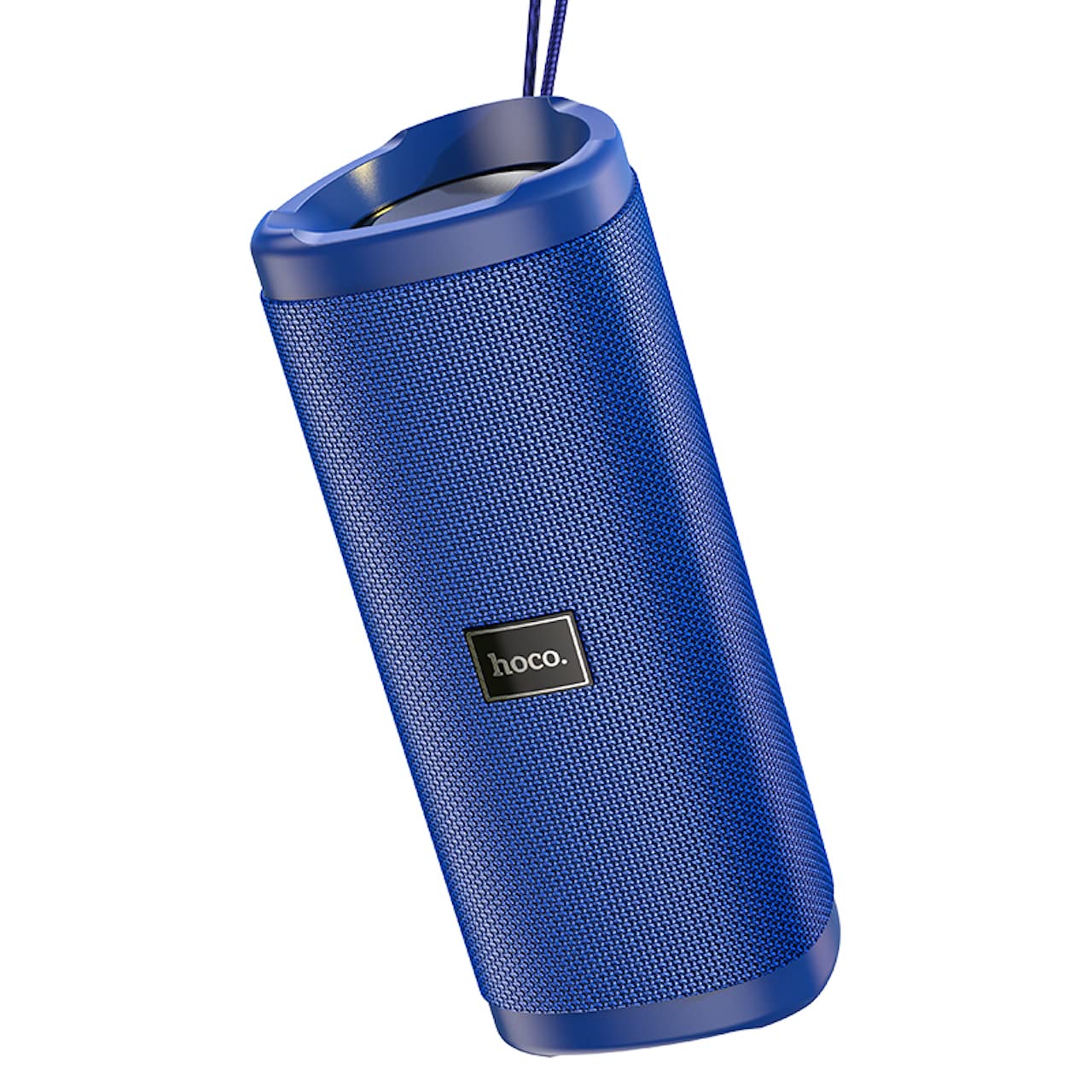
ചിത്രം: ഒരു കോണാകൃതിയിലുള്ള view of the Hoco HC4 blue wireless speaker, highlighting its cylindrical design and fabric mesh.
- പവർ ബട്ടൺ: പവർ ഓൺ/ഓഫ് ചെയ്യാൻ അമർത്തിപ്പിടിക്കുക. പ്ലേ/താൽക്കാലികമായി നിർത്താൻ ഹ്രസ്വമായി അമർത്തുക.
- മോഡ് ബട്ടൺ (M): Short press to switch between Bluetooth, FM Radio, TF Card, USB, and AUX modes.
- വോളിയം കുറയ്ക്കൽ / മുമ്പത്തെ ട്രാക്ക് ബട്ടൺ (-): മുമ്പത്തെ ട്രാക്കിനായി ഹ്രസ്വമായി അമർത്തുക, ശബ്ദം കുറയ്ക്കാൻ ദീർഘനേരം അമർത്തുക.
- വോളിയം കൂട്ടുക / അടുത്ത ട്രാക്ക് ബട്ടൺ (+): അടുത്ത ട്രാക്കിനായി ഷോർട്ട് പ്രസ്സ് ചെയ്യുക, വോളിയം കൂട്ടാൻ ദീർഘനേരം അമർത്തുക.
- ഓക്സ് പോർട്ട്: 3.5mm ഓഡിയോ കേബിൾ ഉപയോഗിക്കുന്ന വയർഡ് ഓഡിയോ കണക്ഷന്.
- DC-5V പോർട്ട്: നൽകിയിരിക്കുന്ന USB കേബിൾ ഉപയോഗിച്ച് സ്പീക്കർ ചാർജ് ചെയ്യുന്നതിന്.
- USB പോർട്ട്: ഒരു യുഎസ്ബി ഫ്ലാഷ് ഡ്രൈവിൽ നിന്ന് ഓഡിയോ പ്ലേ ചെയ്യുന്നതിന്.
- ടിഎഫ് കാർഡ് സ്ലോട്ട്: ഒരു TF (മൈക്രോ എസ്ഡി) കാർഡിൽ നിന്ന് ഓഡിയോ പ്ലേ ചെയ്യുന്നതിന്.
സജ്ജമാക്കുക
പ്രാരംഭ ചാർജിംഗ്:
- ആദ്യ ഉപയോഗത്തിന് മുമ്പ്, സ്പീക്കർ പൂർണ്ണമായും ചാർജ് ചെയ്യുക.
- Connect the small end of the USB charging cable to the DC-5V port on the speaker.
- Connect the larger end of the USB cable to a USB power adapter (5V/1A recommended) or a computer's USB port.
- ചാർജ് ചെയ്യുമ്പോൾ ചാർജിംഗ് ഇൻഡിക്കേറ്റർ ലൈറ്റ് പ്രകാശിക്കുകയും പൂർണ്ണമായി ചാർജ് ചെയ്യുമ്പോൾ ഓഫാകുകയും ചെയ്യും.
പ്രവർത്തന നിർദ്ദേശങ്ങൾ
പവർ ഓൺ/ഓഫ്:
- പവർ ഓണാക്കാൻ: പവർ ബട്ടൺ ഏകദേശം 3 സെക്കൻഡ് അമർത്തിപ്പിടിക്കുക. കേൾക്കാവുന്ന ഒരു നിർദ്ദേശം നിങ്ങൾ കേൾക്കും.
- പവർ ഓഫ് ചെയ്യാൻ: പവർ ബട്ടൺ ഏകദേശം 3 സെക്കൻഡ് അമർത്തിപ്പിടിക്കുക. കേൾക്കാവുന്ന ഒരു നിർദ്ദേശം നിങ്ങൾ കേൾക്കും.
ബ്ലൂടൂത്ത് ജോടിയാക്കൽ:
- Ensure the speaker is powered on and in Bluetooth mode (indicated by a flashing blue LED and an audible prompt). If not, short press the 'M' (Mode) button to switch to Bluetooth mode.
- നിങ്ങളുടെ മൊബൈൽ ഉപകരണത്തിൽ (സ്മാർട്ട്ഫോൺ, ടാബ്ലെറ്റ് മുതലായവ) ബ്ലൂടൂത്ത് പ്രവർത്തനക്ഷമമാക്കുക.
- ഇതിനായി തിരയുക available Bluetooth devices. Select "HC4" from the list.
- Once paired, the blue LED will stop flashing and remain solid, and you will hear a confirmation sound.
- ഇപ്പോൾ നിങ്ങളുടെ ഉപകരണത്തിൽ നിന്ന് സ്പീക്കറിലൂടെ ഓഡിയോ പ്ലേ ചെയ്യാൻ കഴിയും.
എഫ്എം റേഡിയോ മോഡ്:
- Short press the 'M' (Mode) button until you hear the FM radio prompt.
- To auto-scan and save available stations, short press the Power button. The speaker will scan and store stations automatically.
- Use the '-' and '+' buttons to navigate between saved stations.
TF Card / USB Playback:
- Insert a TF (MicroSD) card or USB flash drive into the respective slot.
- The speaker will automatically switch to TF card or USB mode and begin playing audio files. If not, short press the 'M' (Mode) button to select the correct mode.
- Use the Power button to play/pause, and the '-' and '+' buttons for track navigation and volume control.
ഓക്സ് മോഡ്:
- 3.5mm ഓഡിയോ കേബിളിന്റെ ഒരു അറ്റം (ഉൾപ്പെടുത്തിയിട്ടില്ല) സ്പീക്കറിലെ AUX പോർട്ടുമായി ബന്ധിപ്പിക്കുക.
- Connect the other end to the audio output of your device (e.g., laptop, MP3 player).
- Short press the 'M' (Mode) button to switch to AUX mode.
- Audio will now play through the speaker. Volume can be controlled via the speaker or your connected device.
ട്രൂ വയർലെസ് സ്റ്റീരിയോ (TWS) പ്രവർത്തനം:
ഒരു സ്റ്റീരിയോ ശബ്ദ അനുഭവത്തിനായി രണ്ട് ഹോക്കോ HC4 സ്പീക്കറുകൾ ഒരുമിച്ച് ജോടിയാക്കാൻ TWS ഫംഗ്ഷൻ നിങ്ങളെ അനുവദിക്കുന്നു.
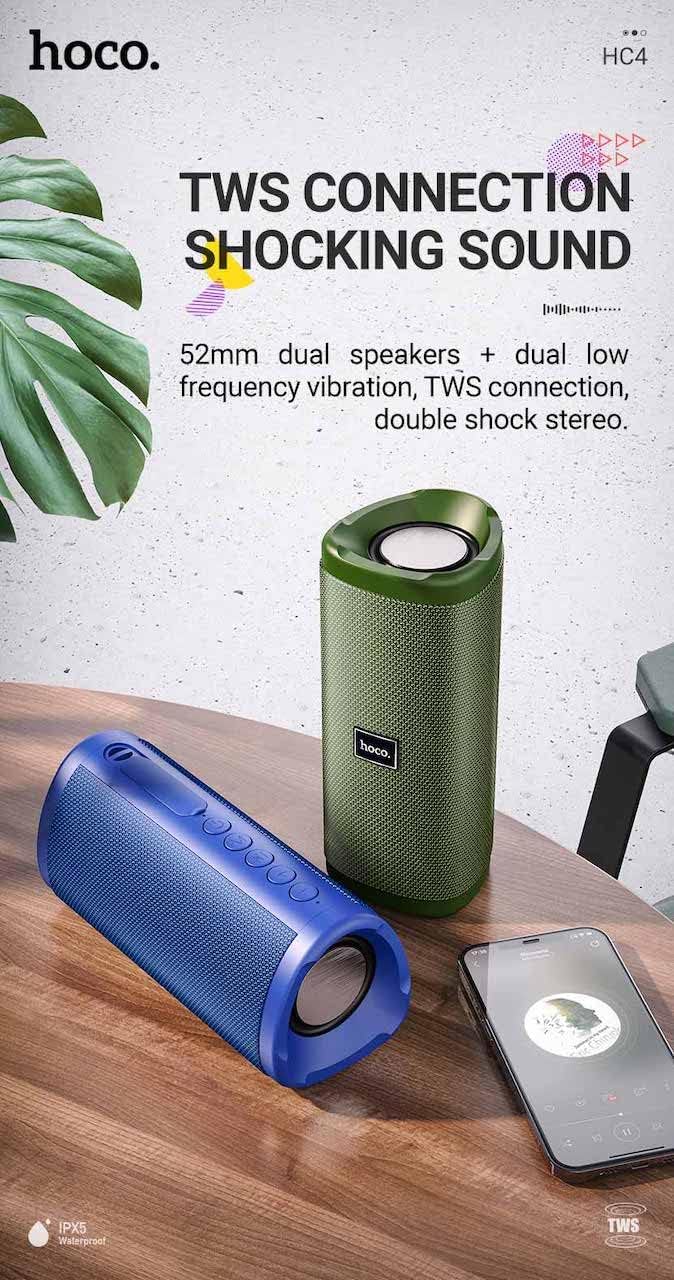
ചിത്രം: A promotional image showing two Hoco HC4 speakers (blue and green) connected via TWS, with a smartphone playing music. The image also highlights 'IPX5 Waterproof'.
- Ensure both HC4 speakers are powered on and in Bluetooth pairing mode (flashing blue LED).
- On one of the speakers (this will be the primary speaker), double-press the Power button. You will hear a tone indicating it is searching for another speaker.
- The two speakers will automatically connect to each other. Once connected, you will hear a confirmation sound, and the LED on the primary speaker will flash, while the secondary speaker's LED will be solid.
- Now, connect your mobile device to the primary speaker via Bluetooth as described in the "Bluetooth Pairing" section.
- രണ്ട് സ്പീക്കറുകളിലൂടെയും ഓഡിയോ ഇപ്പോൾ സ്റ്റീരിയോയിൽ പ്ലേ ചെയ്യും.
ചാർജിംഗ്
When the battery is low, the speaker will emit an audible warning. Connect the speaker to a power source using the provided USB cable to recharge. A full charge takes approximately 2-3 hours. The speaker provides up to 3 hours of playtime on a full charge, depending on volume level and usage.
മെയിൻ്റനൻസ്
വൃത്തിയാക്കൽ:
മൃദുവായതും ഉണങ്ങിയതുമായ തുണി ഉപയോഗിച്ച് സ്പീക്കർ തുടയ്ക്കുക. അബ്രാസീവ് ക്ലീനറുകൾ, ആൽക്കഹോൾ അല്ലെങ്കിൽ മറ്റ് കെമിക്കൽ ലായകങ്ങൾ എന്നിവ ഉപയോഗിക്കരുത്, കാരണം ഇവ ഉപരിതലത്തിന് കേടുവരുത്തും.
സംഭരണം:
Store the speaker in a cool, dry place away from direct sunlight and extreme temperatures. If storing for an extended period, charge the battery at least once every three months to prolong its lifespan.
ജല പ്രതിരോധം (IPX5):
The Hoco HC4 speaker features an IPX5 water resistance rating, meaning it is protected against low-pressure water jets from any direction. This makes it suitable for outdoor use and resistant to splashes and light rain. സ്പീക്കർ വെള്ളത്തിൽ മുക്കരുത്. Ensure the port cover is securely closed to maintain water resistance.
ട്രബിൾഷൂട്ടിംഗ്
| പ്രശ്നം | സാധ്യമായ കാരണം | പരിഹാരം |
|---|---|---|
| സ്പീക്കർ പവർ ഓൺ ചെയ്യുന്നില്ല | ബാറ്ററി ചാർജ് കുറവാണ്; പവർ ബട്ടൺ അധികം നേരം അമർത്തിയിട്ടില്ല. | സ്പീക്കർ ചാർജ് ചെയ്യുക; പവർ ബട്ടൺ 3 സെക്കൻഡ് അമർത്തിപ്പിടിക്കുക. |
| ശബ്ദമില്ല | Volume too low; Incorrect mode; Device not connected | Increase volume; Switch to correct mode (Bluetooth, AUX, etc.); Ensure device is paired/connected |
| ബ്ലൂടൂത്ത് ജോടിയാക്കൽ പരാജയപ്പെടുന്നു | Speaker not in pairing mode; Device Bluetooth off; Too far from speaker | Ensure speaker is in Bluetooth mode (flashing LED); Turn on device Bluetooth; Move device closer (within 10m) |
| TWS ജോടിയാക്കൽ പരാജയപ്പെട്ടു | Speakers not in TWS pairing mode; Too far apart | Ensure both speakers are in Bluetooth mode, then double-press Power button on one; Keep speakers close during TWS pairing |
സ്പെസിഫിക്കേഷനുകൾ

ചിത്രം: The Hoco HC4 speaker with its dimensions clearly marked: 20 cm in length, 8.8 cm in height, and 8.1 cm in width.
- ബ്രാൻഡ്: ഹോക്കോ
- മോഡൽ: HC4
- ബ്ലൂടൂത്ത് പതിപ്പ്: 5.0
- ഔട്ട്പുട്ട് പവർ: 10W
- സ്പീക്കർ വലിപ്പം: 52 മി.മീ
- ബാറ്ററി ശേഷി: 1500mAh
- കളിസമയം: ഏകദേശം 3 മണിക്കൂർ (80% അളവിൽ)
- ചാർജിംഗ് സമയം: ഏകദേശം 2-3 മണിക്കൂർ
- അളവുകൾ: 200 x 88 x 81 mm (Length x Height x Width)
- ഭാരം: 540 ഗ്രാം
- കണക്റ്റിവിറ്റി ഓപ്ഷനുകൾ: Bluetooth, FM Radio, TF Card, USB, AUX
- ജല പ്രതിരോധം: IPX5 (സ്പ്ലാഷ്-പ്രൂഫ്)
- നിയന്ത്രണ തരം: ബട്ടൺ
സുരക്ഷാ വിവരങ്ങൾ
- ഉയർന്ന താപനിലയിലോ നേരിട്ടുള്ള സൂര്യപ്രകാശത്തിലോ ദീർഘനേരം സ്പീക്കറിനെ തുറന്നുകാട്ടരുത്.
- സ്പീക്കറെ ശക്തമായ ആഘാതങ്ങൾക്ക് വിധേയമാക്കുകയോ താഴെയിടുകയോ ചെയ്യുന്നത് ഒഴിവാക്കുക.
- Keep the speaker away from water and liquids, especially when ports are open.
- സ്പീക്കർ സ്വയം ഡിസ്അസംബ്ലിംഗ് ചെയ്യാനോ നന്നാക്കാനോ പരിഷ്ക്കരിക്കാനോ ശ്രമിക്കരുത്. ഇത് വാറന്റി അസാധുവാക്കുകയും കേടുപാടുകൾക്ക് കാരണമാവുകയും ചെയ്തേക്കാം.
- നിർദ്ദിഷ്ട ചാർജിംഗ് വോളിയം മാത്രം ഉപയോഗിക്കുകtage (DC 5V) and the provided charging cable.
- കുട്ടികൾക്ക് ലഭ്യമാകാതെ സൂക്ഷിക്കുക.
വാറൻ്റിയും പിന്തുണയും
This product is covered by a standard manufacturer's warranty. For specific warranty terms and conditions, please refer to the warranty card included with your purchase or contact your local retailer. For technical support or service inquiries, please contact Hoco customer service or the authorized distributor in your region.