
1. ഉൽപ്പന്നം കഴിഞ്ഞുview
The Fookoo DY104 is a comprehensive 10-inch 1080P wired backup camera system designed for large vehicles such as trucks, RVs, semi-trailers, and box trucks. It features a quad split screen monitor, allowing simultaneous viewing of up to four cameras. The system includes recording capabilities and IP69 waterproof cameras with CCD sensors, ensuring clear images and reliable performance in various weather conditions. Integrated parking lines assist with safer and more efficient maneuvering.

Image: The Fookoo 10-inch HD monitor showing a truck from various camera angles, highlighting the quad split screen capability.
2. പാക്കേജ് ഉള്ളടക്കം
നിങ്ങളുടെ പാക്കേജിൽ എല്ലാ ഘടകങ്ങളും ഉണ്ടെന്ന് ഉറപ്പാക്കുക:
- 10-ഇഞ്ച് HD മോണിറ്റർ
- പിൻഭാഗം View Cameras (x2)
- വശം View Cameras (x2)
- റിമോട്ട് കൺട്രോൾ
- Installation Kits (screws, brackets)
- പവർ കോർഡ്
- Video Cables (x4)
- ഫാൻ ആകൃതിയിലുള്ള ബ്രാക്കറ്റ്
- യു ആകൃതിയിലുള്ള ബ്രാക്കറ്റ്
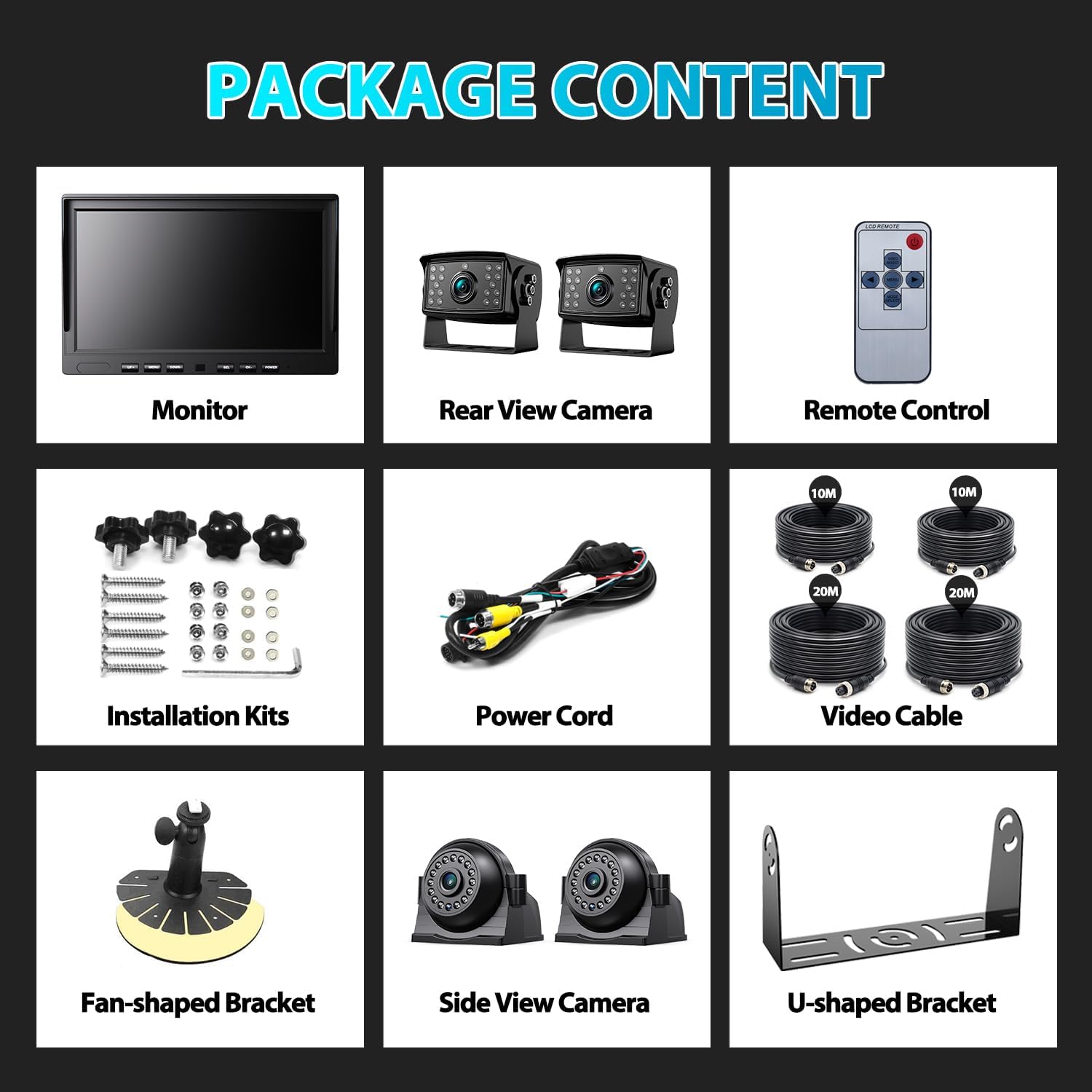
Image: A visual representation of all items included in the Fookoo backup camera system package.
3. സജ്ജീകരണവും ഇൻസ്റ്റാളേഷനും
Before permanent installation, it is recommended to test the system to ensure all components are functioning correctly.
3.1 വയറിംഗ് കണക്ഷനുകൾ
Follow the wiring diagram for proper connection:
- ബന്ധിപ്പിക്കുക ചുവന്ന വയർ to the ACC (Accessory) power source.
- ബന്ധിപ്പിക്കുക മഞ്ഞ വയർ to the battery positive terminal.
- ബന്ധിപ്പിക്കുക കറുത്ത വയർ to a metal ground point on the vehicle.
- Connect the 4-pin extension cables from the cameras to the corresponding inputs on the monitor.
- Trigger wires (Brown for CH1, Green for CH2, Blue for CH3, Grey for CH4) can be connected to specific vehicle signals (e.g., reverse light for a backup camera trigger) as needed.

Image: Detailed wiring diagram illustrating how to connect the monitor and cameras to the vehicle's power and trigger signals.
3.2 Camera and Monitor Placement
- Mount cameras in desired locations, ensuring a clear field of view and secure attachment.
- Align the notches in the connectors when installing to prevent damage to the pins.
- The monitor can be mounted on the dashboard or surface using the provided brackets.
3.3 Trailer Quick Connection/Disconnection
For trailers, additional cables can be run to allow for easy disconnection of the camera system when the trailer is not in use, eliminating the need for re-wiring each time.

Image: An illustration of the Fookoo camera system installed on a truck and trailer, demonstrating its use for large vehicles.
4. പ്രവർത്തന നിർദ്ദേശങ്ങൾ
The Fookoo DY104 monitor provides intuitive controls for managing camera views and recording functions.
4.1 മോണിറ്റർ നിയന്ത്രണങ്ങൾ
Use the buttons on the monitor or the remote control to navigate the system:
- UP / DOWN: Navigate menu options or adjust settings.
- മെനു: Access the main menu for system configuration.
- SEL (തിരഞ്ഞെടുക്കുക): Confirm selections or switch between camera views.
- CH (ചാനൽ): Cycle through individual camera channels or split-screen modes.
- പവർ: Turn the monitor on or off.
4.2 Quad Split Screen Functionality
The 10-inch monitor supports various display modes, including full screen, dual split, triple split, and quad split, allowing you to monitor multiple camera feeds simultaneously.

Image: Two Fookoo monitors demonstrating full screen and quad split screen views, showing multiple camera feeds.
4.3 റെക്കോർഡിംഗ് പ്രവർത്തനം
The system includes a recording function that captures video footage, providing evidence in case of incidents. Ensure a compatible SD card is inserted for recording.

Image: The Fookoo monitor showing a vehicle on the road with a recording indicator, illustrating the loop recording feature.
4.4 Parking Lines
Adjustable parking lines can be displayed on the monitor to assist with precise parking and reversing maneuvers.

Image: A Fookoo monitor showing parking assistance lines overlaid on a camera view, aiding in vehicle maneuvering.
4.5 Image Flip
The monitor supports image flip functions (Normal, Mirror, Flip, Mir-Flip) to adjust the camera view orientation as needed for different mounting positions.

Image: A Fookoo monitor demonstrating the various image flip options available for camera feeds.
5. സവിശേഷതകൾ
- 10-inch HD Quad Split Screen Monitor: Provides a large 1920x1080 pixel display, allowing simultaneous viewing of up to four cameras for enhanced situational awareness.
- High-Quality IP69 Waterproof Cameras: Equipped with CCD sensors for clear, color images. Cameras are resistant to high/low temperatures (-4℉ to 198℉) and are IP69 waterproof for reliable operation in extreme weather.
- വൃത്താകൃതിയിലുള്ള റെക്കോർഡിംഗ്: The monitor records video footage, serving as a dash cam to provide video evidence of events.
- പാർക്കിംഗ് ലൈനുകൾ: Integrated parking lines assist with safe and precise parking and reversing.
- വൈഡ് വോളിയംtagഇ ശ്രേണി: Operates on 9-36V DC power, compatible with a variety of large vehicles.
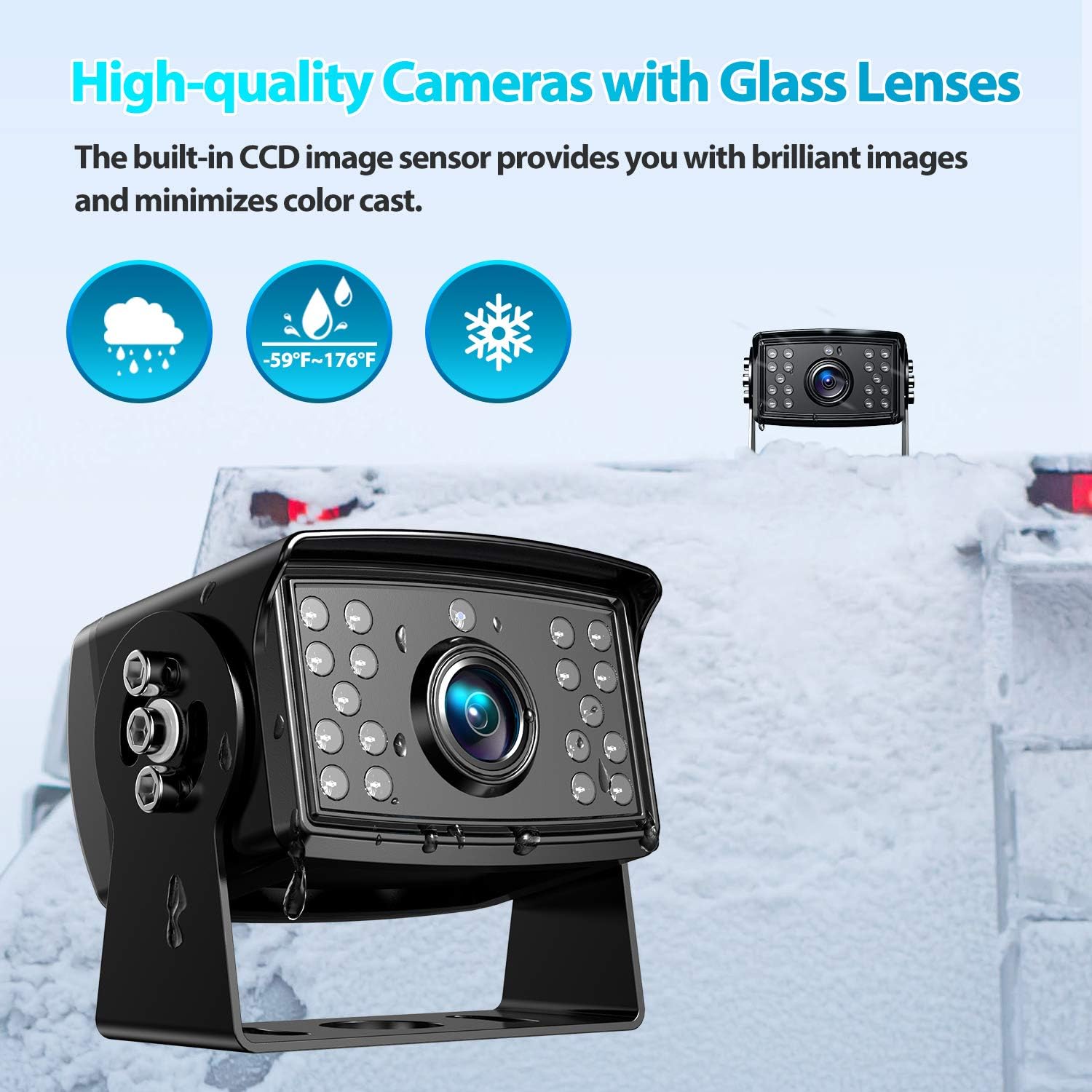
Image: A Fookoo camera with icons indicating its IP69 waterproof rating and temperature resistance, emphasizing its durability.
Video: An official Fookoo video demonstrating the wired 10-inch backup camera system kit in operation, showcasing its features and clarity.
6. പരിപാലനം
To ensure optimal performance and longevity of your Fookoo backup camera system, follow these maintenance guidelines:
- പതിവ് വൃത്തിയാക്കൽ: Keep camera lenses and the monitor screen clean from dirt, dust, and debris using a soft, damp തുണി. ഉരച്ചിലുകൾ ഉള്ള ക്ലീനറുകൾ ഒഴിവാക്കുക.
- കണക്ഷനുകൾ പരിശോധിക്കുക: Periodically inspect all wired connections for tightness and signs of wear or corrosion. Secure any loose connections.
- കേബിൾ മാനേജുമെന്റ്: Ensure all cables are properly routed and secured to prevent damage from vehicle movement or environmental factors.
- സോഫ്റ്റ്വെയർ അപ്ഡേറ്റുകൾ: Check the Fookoo website or contact support for any available firmware updates for your system.
7. പ്രശ്നപരിഹാരം
If you encounter issues with your Fookoo backup camera system, refer to the following common troubleshooting steps:
7.1 No Signal on Monitor
- Verify all camera cables are securely connected to the monitor.
- Check the power supply to the monitor and cameras. Ensure the red wire is connected to ACC, yellow to battery, and black to ground.
- Inspect cables for any damage or breaks.
- If only one camera shows 'No Signal', try swapping its connection with a working camera to isolate the issue to the camera or cable.
7.2 Monitor Not Powering On
- Ensure the power cable is correctly connected to the vehicle's power source (ACC, battery, ground).
- Check the vehicle's fuse box for any blown fuses related to the power connection.
- Confirm the vehicle's voltage is within the 9-36V DC operating range.
7.3 Intermittent Camera Image or Flickering
- Check for loose connections at both the camera and monitor ends.
- Ensure adequate power supply. Insufficient power, especially over long cable runs, can cause instability. Consider using thicker gauge wiring if experiencing issues with long cables.
- Inspect cables for damage or interference from other electrical components.
7.4 Trigger Wires Not Activating Correctly
- Verify the trigger wires are correctly connected to the intended signal source (e.g., reverse light).
- Ensure the signal source provides a stable voltage when activated. Some vehicle signals (like turn signals) may require a delay mechanism or voltage stabilizing circuit to prevent flickering or incorrect activation due to intermittent power.
If these steps do not resolve the issue, please contact Fookoo customer support for further assistance.
8 സ്പെസിഫിക്കേഷനുകൾ
| ബ്രാൻഡ് | Fookoo |
| സ്ക്രീൻ വലിപ്പം | 10 ഇഞ്ച് |
| അനുയോജ്യമായ ഉപകരണങ്ങൾ | മോണിറ്റർ |
| ഇൻസ്റ്റലേഷൻ തരം | ഡാഷ്ബോർഡ് മൗണ്ട്, സർഫേസ് മൗണ്ട് |
| വാല്യംtage | 9-36 വോൾട്ട് ഡിസി |
| ഒപ്റ്റിക്കൽ സെൻസർ ടെക്നോളജി | സിസിഡി |
| ലെൻസ് തരം | Fixed Wide Angle |
| യഥാർത്ഥ ആംഗിൾ View | 170 ഡിഗ്രി |
| കണക്റ്റർ തരം | RCA (4-pin) |
| ഒപ്റ്റിക്കൽ സെൻസർ വലുപ്പം | 1/3 ഇഞ്ച് |
| ലക്സ് റേറ്റിംഗ് | 0.1 ലക്സ് |
| ഡിസ്പ്ലേ ടെക്നോളജി | എൽസിഡി |
| വീഡിയോ ക്യാപ്ചർ റെസല്യൂഷൻ | 1080p |
| ഫലപ്രദമായ സ്റ്റിൽ റെസല്യൂഷൻ | 1920 പിക്സലുകൾ |
| വാട്ടർപ്രൂഫ് റേറ്റിംഗ് | IP69 |
| താപനില പ്രതിരോധം | -4℉ മുതൽ 198℉ വരെ |
9. വാറൻ്റിയും പിന്തുണയും
Fookoo provides an 18-month replacement support and lifetime after-sales service for this product. If you encounter any defective components, have questions, or require additional cables, please contact Fookoo customer support. Our team is available online 24 hours to assist you.
For support, please visit the official Fookoo store on Amazon or contact us directly through the platform.