
SLuB T16
SLuB Bluetooth Earphones T16 User Manual
Model: T16 | Brand: SLuB
1. ആമുഖം
വാങ്ങിയതിന് നന്ദി.asing the SLuB Bluetooth Earphones Model T16. These true wireless stereo earphones are designed to provide a high-quality audio experience with convenient features such as Bluetooth 5.1 connectivity, Hi-Fi sound, automatic pairing, and touch controls. This manual will guide you through the setup, operation, and maintenance of your new earphones to ensure optimal performance and longevity.
2 സുരക്ഷാ വിവരങ്ങൾ
- ഉൽപ്പന്നം വേർപെടുത്തുകയോ നന്നാക്കുകയോ പരിഷ്കരിക്കുകയോ ചെയ്യരുത്. ഇത് തീ, വൈദ്യുതാഘാതം, അല്ലെങ്കിൽ ഉൽപ്പന്നത്തിന് പൂർണ്ണമായ കേടുപാടുകൾ എന്നിവയ്ക്ക് കാരണമായേക്കാം.
- തീവ്രമായ താപനില, ഈർപ്പം, നശിപ്പിക്കുന്ന അന്തരീക്ഷങ്ങൾ എന്നിവയിൽ നിന്ന് ഉൽപ്പന്നത്തെ അകറ്റി നിർത്തുക.
- ഉൽപ്പന്നം ശക്തമായ ആഘാതങ്ങൾക്ക് വിധേയമാക്കുകയോ ഉപേക്ഷിക്കുകയോ ചെയ്യരുത്.
- കുട്ടികൾക്കും വളർത്തുമൃഗങ്ങൾക്കും ലഭ്യമാകാതെ സൂക്ഷിക്കുക.
- ചാർജ് ചെയ്യുന്നതിന് നൽകിയിരിക്കുന്ന ചാർജിംഗ് കേബിളോ സാക്ഷ്യപ്പെടുത്തിയ ടൈപ്പ്-സി കേബിളോ മാത്രം ഉപയോഗിക്കുക.
- ഉച്ചത്തിലുള്ള ശബ്ദങ്ങൾ ദീർഘനേരം കേൾക്കുന്നത് കേൾവിക്ക് കേടുപാടുകൾ വരുത്തിയേക്കാം. ശബ്ദം മിതമായ അളവിൽ ക്രമീകരിക്കുക.
3. പാക്കേജ് ഉള്ളടക്കം
എല്ലാ ഇനങ്ങളും ഉണ്ടെന്ന് ഉറപ്പാക്കാൻ പാക്കേജ് ഉള്ളടക്കങ്ങൾ പരിശോധിക്കുക:
- SLuB T16 Earbuds (Left and Right)
- ചാർജിംഗ് കേസ്
- യുഎസ്ബി ടൈപ്പ്-സി ചാർജിംഗ് കേബിൾ
- ഇൻസ്ട്രക്ഷൻ മാനുവൽ
4. ഉൽപ്പന്നം കഴിഞ്ഞുview
The SLuB T16 earphones feature a compact and lightweight design, making them easy to carry and comfortable for extended wear. The charging case provides additional battery life on the go.
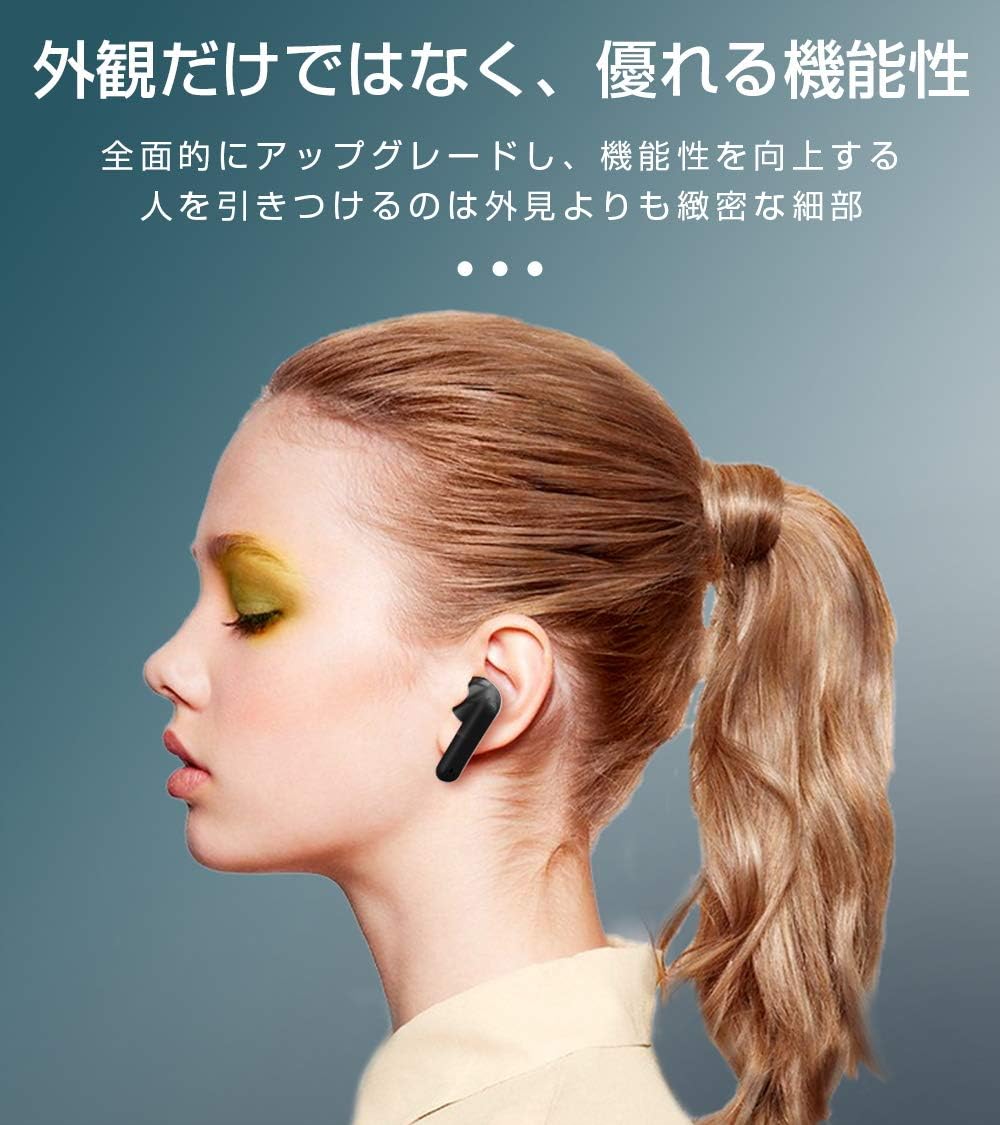
Image: SLuB T16 Earbuds securely placed in their charging case.
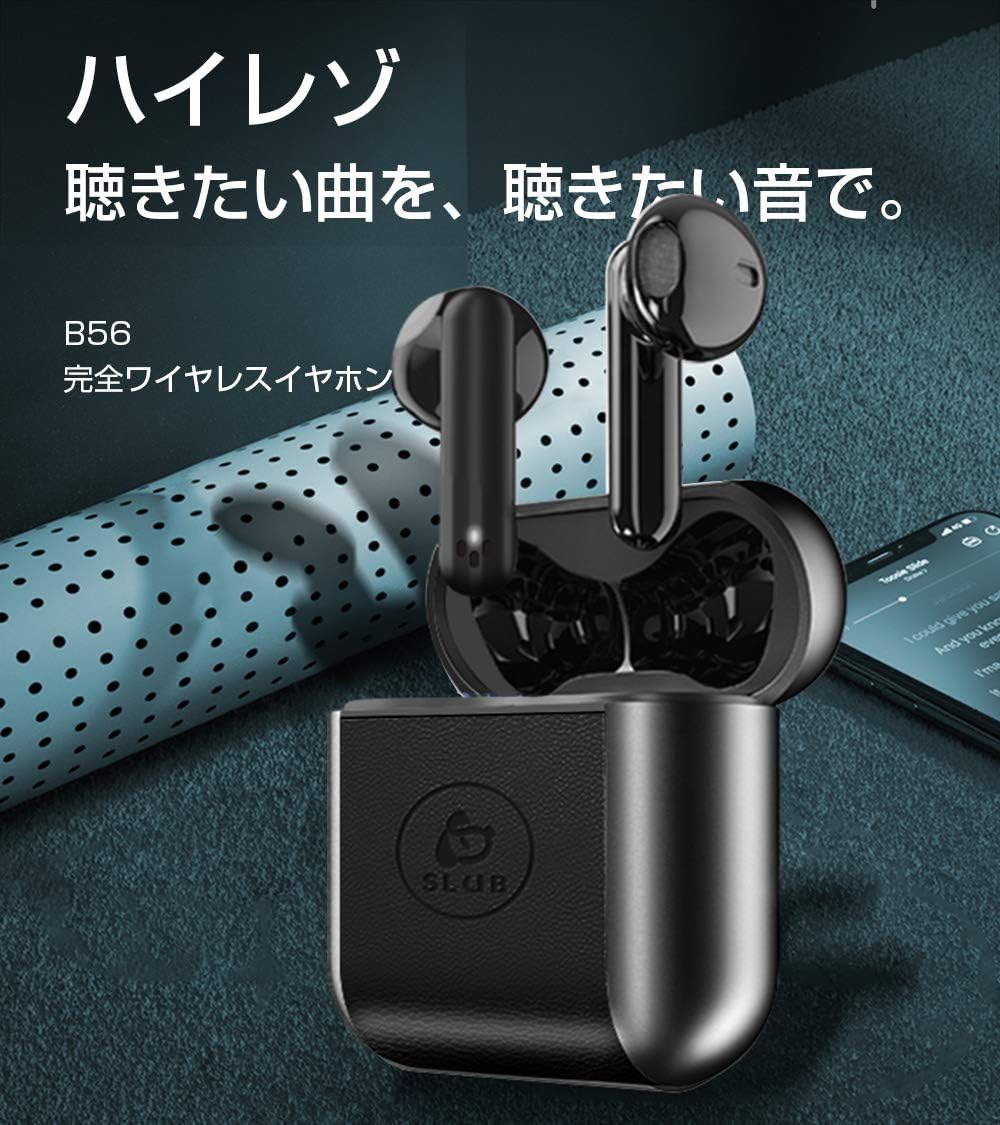
Image: A single SLuB T16 earbud comfortably fitted in a user's ear, highlighting its ergonomic design.
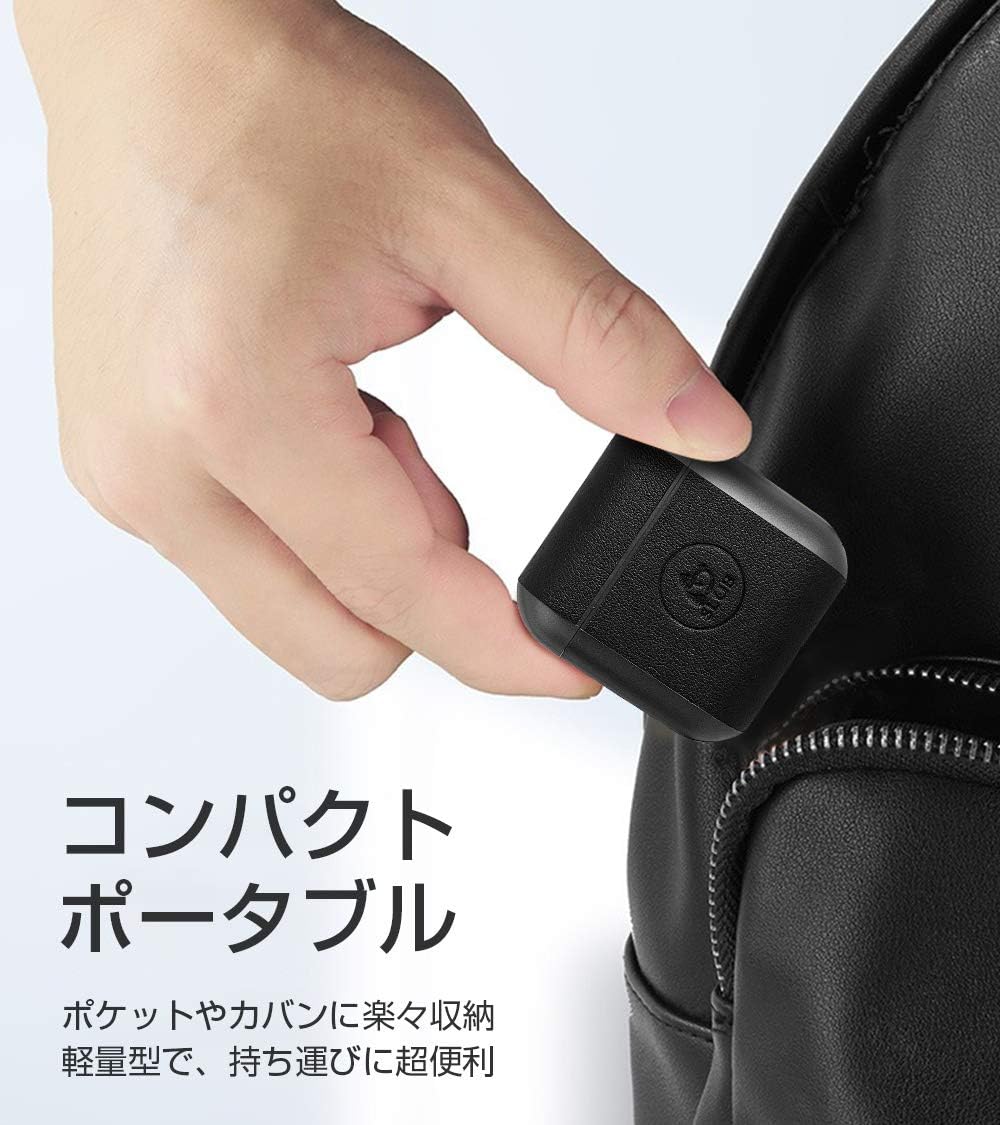
Image: A hand holding the compact SLuB T16 charging case, demonstrating its portability.
5. സജ്ജീകരണം
5.1. ഇയർബഡുകളും കേസും ചാർജ് ചെയ്യുന്നു
ആദ്യ ഉപയോഗത്തിന് മുമ്പ്, ഇയർഫോണുകളും ചാർജിംഗ് കേസും പൂർണ്ണമായും ചാർജ് ചെയ്യുക.
- ഇയർബഡുകൾ ചാർജിംഗ് കേസിൽ വയ്ക്കുക. അവ ശരിയായി സ്ഥാപിച്ചിട്ടുണ്ടെന്ന് ഉറപ്പാക്കുക.
- Connect the provided USB Type-C cable to the charging port on the case and plug the other end into a USB power adapter (not included) or a computer's USB port.
- കേസിലെ ഇൻഡിക്കേറ്റർ ലൈറ്റുകൾ ചാർജിംഗ് സ്റ്റാറ്റസ് കാണിക്കും. പൂർണ്ണമായി ചാർജ് ചെയ്തുകഴിഞ്ഞാൽ, ലൈറ്റുകൾ പൂർത്തിയായി അല്ലെങ്കിൽ ഓഫായി എന്ന് സൂചിപ്പിക്കും.
A full charge for the earbuds takes approximately 1.5 hours, providing 2-3 hours of playback. The charging case takes about 2 hours to fully charge and can provide 5-6 full charges for the earbuds.
5.2. പ്രാരംഭ ജോടിയാക്കൽ
The SLuB T16 earphones feature automatic pairing for ease of use.
- ചാർജിംഗ് കേസ് തുറക്കുക. ഇയർബഡുകൾ സ്വയമേവ ഓണാകുകയും ജോടിയാക്കൽ മോഡിലേക്ക് പ്രവേശിക്കുകയും ചെയ്യും.
- നിങ്ങളുടെ ഉപകരണത്തിൽ (സ്മാർട്ട്ഫോൺ, ടാബ്ലെറ്റ് മുതലായവ), ബ്ലൂടൂത്ത് പ്രവർത്തനക്ഷമമാക്കി ലഭ്യമായ ഉപകരണങ്ങൾക്കായി തിരയുക.
- Select "T16" from the list of found devices to connect.
- Once successfully paired, you will hear a confirmation sound, and the earbud indicator lights will change.
After the initial pairing, the earbuds will automatically reconnect to your last paired device when taken out of the charging case, provided Bluetooth is enabled on your device.
6. പ്രവർത്തന നിർദ്ദേശങ്ങൾ
6.1. ടച്ച് നിയന്ത്രണങ്ങൾ
The SLuB T16 earphones utilize touch-sensitive areas for various functions. Refer to the diagram below for specific actions:

Image: Visual guide detailing the touch control functions for the SLuB T16 earbuds.
- സംഗീതം പ്ലേ ചെയ്യുക/താൽക്കാലികമായി നിർത്തുക: Single touch on either earbud's touch area.
- ഉത്തരം/അവസാന കോൾ: Single touch on either earbud's touch area.
- കോൾ നിരസിക്കുക: Long press on either earbud's touch area.
- അടുത്ത ട്രാക്ക്: Double touch the right earbud's touch area.
- മുമ്പത്തെ ട്രാക്ക്: Double touch the left earbud's touch area.
- വോളിയം കൂട്ടുക: Triple touch the left earbud's touch area.
- വോളിയം താഴേക്ക്: Triple touch the right earbud's touch area.
- വോയ്സ് അസിസ്റ്റന്റിനെ സജീവമാക്കുക: Long press for 3 seconds on either earbud's touch area.
6.2. Single and Twin Earbud Mode
The SLuB T16 earphones support both single and twin earbud usage modes.
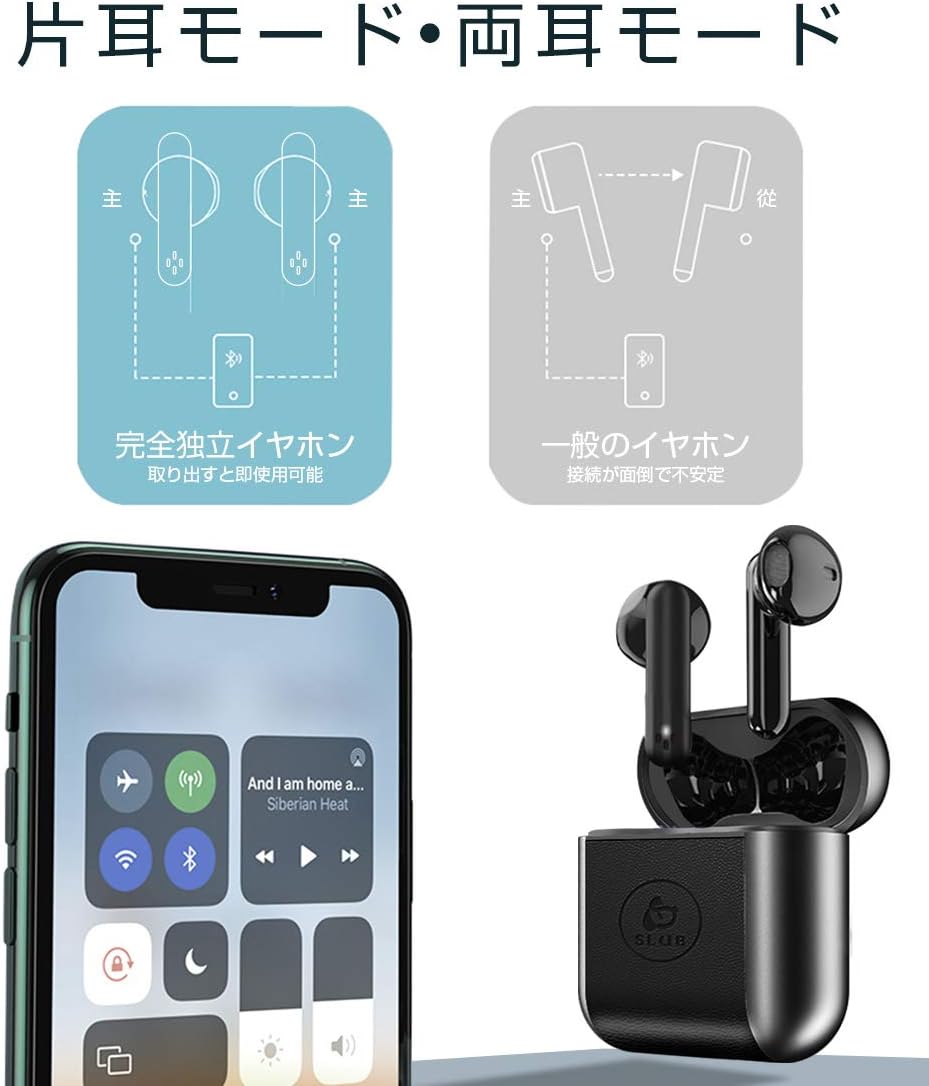
Image: Diagram showing how to use the earbuds in both single (mono) and twin (stereo) modes.
- ഇരട്ട മോഡ്: Take both earbuds out of the charging case. They will automatically connect to each other and then to your device for stereo sound.
- സിംഗിൾ മോഡ്: Take only one earbud out of the charging case. It will automatically connect to your device and function independently. The other earbud can remain in the case or be used later.
7. പരിപാലനം
- വൃത്തിയാക്കൽ: ഇയർബഡുകളും ചാർജിംഗ് കെയ്സും വൃത്തിയാക്കാൻ മൃദുവായതും ഉണങ്ങിയതും ലിന്റ് രഹിതവുമായ തുണി ഉപയോഗിക്കുക. കഠിനമായ രാസവസ്തുക്കളോ ഉരച്ചിലുകളുള്ള വസ്തുക്കളോ ഉപയോഗിക്കരുത്.
- സംഭരണം: ഉപയോഗത്തിലില്ലാത്തപ്പോൾ, ഇയർബഡുകൾ സംരക്ഷിക്കുന്നതിനും ചാർജ്ജ് ചെയ്ത് നിലനിർത്തുന്നതിനും അവ ചാർജിംഗ് കേസിൽ സൂക്ഷിക്കുക. തണുത്തതും വരണ്ടതുമായ സ്ഥലത്ത് സൂക്ഷിക്കുക.
- ബാറ്ററി കെയർ: ബാറ്ററി ലൈഫ് വർദ്ധിപ്പിക്കാൻ, ബാറ്ററി ഇടയ്ക്കിടെ പൂർണ്ണമായും ഡിസ്ചാർജ് ചെയ്യുന്നത് ഒഴിവാക്കുക. ദീർഘനേരം ഉപയോഗത്തിലില്ലെങ്കിൽ പോലും ഉപകരണം പതിവായി ചാർജ് ചെയ്യുക.
8. പ്രശ്നപരിഹാരം
| പ്രശ്നം | സാധ്യമായ കാരണം | പരിഹാരം |
|---|---|---|
| ഇയർബഡുകൾ പവർ ഓൺ ആകുന്നില്ല. | കുറഞ്ഞ ബാറ്ററി. | Charge the earbuds and charging case. |
| ഉപകരണവുമായി ജോടിയാക്കാൻ കഴിയില്ല. | Bluetooth is off on device; earbuds not in pairing mode; too far from device. | ബ്ലൂടൂത്ത് ഓണാണെന്ന് ഉറപ്പാക്കുക. ഇയർബഡുകൾ കേസിൽ വയ്ക്കുക, അടയ്ക്കുക, തുടർന്ന് ജോടിയാക്കൽ മോഡിലേക്ക് വീണ്ടും പ്രവേശിക്കാൻ തുറക്കുക. ഉപകരണത്തിന് അടുത്തേക്ക് നീക്കുക. |
| ഒരു ഇയർബഡ് മാത്രമേ പ്രവർത്തിക്കൂ. | Earbuds not properly connected to each other; one earbud has low battery. | രണ്ട് ഇയർബഡുകളും ചാർജിംഗ് കെയ്സിലേക്ക് തിരികെ വയ്ക്കുക, ലിഡ് അടയ്ക്കുക, തുടർന്ന് അത് വീണ്ടും തുറക്കുക. രണ്ട് ഇയർബഡുകളും ചാർജ് ചെയ്തിട്ടുണ്ടെന്ന് ഉറപ്പാക്കുക. |
| ശബ്ദ നിലവാരം മോശമാണ് അല്ലെങ്കിൽ ഇടവിട്ടുള്ളതാണ്. | ഇടപെടൽ; ഉപകരണം വളരെ അകലെയാണ്; ബാറ്ററി കുറവാണ്. | Move closer to your device. Avoid environments with strong Wi-Fi or other Bluetooth signals. Charge earbuds. |
9 സ്പെസിഫിക്കേഷനുകൾ
Detailed technical specifications for the SLuB T16 Bluetooth Earphones:

Image: A table displaying the detailed technical specifications of the SLuB T16 earphones and charging case.
| ഫീച്ചർ | വിശദാംശങ്ങൾ |
|---|---|
| ഉൽപ്പന്നത്തിൻ്റെ പേര് | യഥാർത്ഥ വയർലെസ് സ്റ്റീരിയോ ഇയർഫോണുകൾ |
| മോഡൽ നമ്പർ | T16 |
| ബ്ലൂടൂത്ത് പതിപ്പ് | 5.1 (Low Power Consumption) |
| Call/Playback Time | Approx. 2-3 hours (with one full charge) |
| ഇൻപുട്ട് | 5.0V / 200mA |
| പ്രവർത്തന പരിസ്ഥിതി | താപനില: -10°C മുതൽ 40°C വരെ, ഈർപ്പം: 10% മുതൽ 85% വരെ |
| ചാർജിംഗ് പോർട്ട് | ടൈപ്പ്-സി |
| ഇയർബഡ് ബാറ്ററി ശേഷി | 30mAh |
| ഇയർബഡ് ചാർജിംഗ് സമയം | ഏകദേശം 1.5 മണിക്കൂർ |
| സ്റ്റാൻഡ്ബൈ സമയം | ഏകദേശം 120 മണിക്കൂർ |
| ചാർജിംഗ് കെയ്സ് ബാറ്ററി കപ്പാസിറ്റി | 300mAh |
| ചാർജിംഗ് കേസ് ചാർജിംഗ് സമയം | ഏകദേശം 2 മണിക്കൂർ |
| സിംഗിൾ ഇയർബഡ് ഭാരം | ഏകദേശം 3.1 ഗ്രാം |
| ഇയർബഡ് അളവുകൾ | 34 x 16.9 x 16.7 മിമി |
| കേസ് അളവുകൾ ചാർജ് ചെയ്യുന്നു | 51 x 49.1 x 24 മിമി |
| ചാർജിംഗ് കേസ് ഭാരം | ഏകദേശം 31.6 ഗ്രാം |
| അനുയോജ്യമായ ഉപകരണങ്ങൾ | iOS and Android devices with Bluetooth functionality |
10. വാറൻ്റിയും പിന്തുണയും
വാറന്റി വിവരങ്ങൾക്കും ഉപഭോക്തൃ പിന്തുണയ്ക്കും, നിങ്ങളുടെ വാങ്ങലിനൊപ്പം ഉൾപ്പെടുത്തിയിരിക്കുന്ന ഡോക്യുമെന്റേഷൻ പരിശോധിക്കുകയോ റീട്ടെയിലറെ ബന്ധപ്പെടുകയോ ചെയ്യുക. ഏതെങ്കിലും വാറന്റി ക്ലെയിമുകൾക്കായി നിങ്ങളുടെ വാങ്ങിയതിന്റെ തെളിവ് സൂക്ഷിക്കുക.
Ask a question about this manual
Ask about setup, troubleshooting, compatibility, parts, safety, or missing instructions. Manuals+ will review the question and use this page’s manual context to help answer it.