
1 സുരക്ഷാ വിവരങ്ങൾ
Please read this safety information carefully before using your AW T28 Bluetooth Wireless Earbuds to ensure proper operation and to prevent damage or injury.
- ശ്രവണ സംരക്ഷണം: കേൾവിക്ക് കേടുപാടുകൾ സംഭവിക്കുന്നത് തടയാൻ ദീർഘനേരം ഉയർന്ന ശബ്ദത്തിൽ കേൾക്കുന്നത് ഒഴിവാക്കുക.
- ബാറ്ററി സുരക്ഷ: Do not disassemble, crush, or expose the battery to extreme temperatures or fire. Dispose of batteries according to local regulations.
- ജല പ്രതിരോധം: The earbuds feature IPX4 water repellency, protecting against splashes and sweat. Do not submerge them in water or expose them to heavy rain.
- വൃത്തിയാക്കൽ: വൃത്തിയാക്കാൻ മൃദുവായതും ഉണങ്ങിയതുമായ തുണി ഉപയോഗിക്കുക. കഠിനമായ രാസവസ്തുക്കളോ ഉരച്ചിലുകളോ ഉള്ള വസ്തുക്കൾ ഉപയോഗിക്കുന്നത് ഒഴിവാക്കുക.
- ശ്വാസംമുട്ടൽ അപകടം: Keep earbuds and small parts away from children and pets to prevent accidental ingestion.
2. പാക്കേജ് ഉള്ളടക്കം
നിങ്ങളുടെ പാക്കേജിൽ എല്ലാ ഇനങ്ങളും ഉണ്ടെന്ന് ഉറപ്പാക്കുക:
- AW T28 Bluetooth Wireless Earbuds (Left and Right)
- ചാർജിംഗ് കേസ്
- യുഎസ്ബി ചാർജിംഗ് കേബിൾ
- Ear Tips (various sizes, if included)
- ഉപയോക്തൃ മാനുവൽ (ഈ പ്രമാണം)
3. ഉൽപ്പന്നം കഴിഞ്ഞുview
Familiarize yourself with the components of your AW T28 earbuds and charging case.
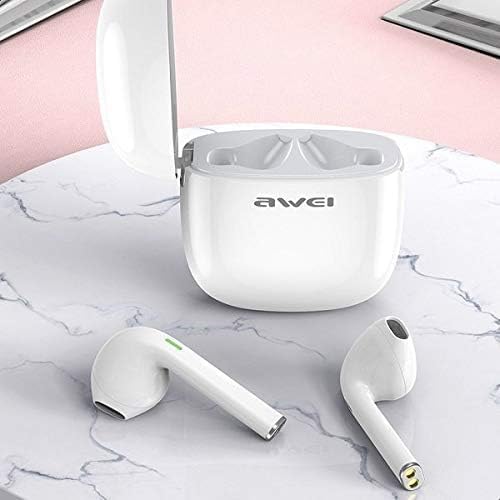
Image: The AW T28 earbuds resting inside their open white charging case, ready for use or charging.

Image: The AW T28 earbuds displayed outside their open charging case, highlighting their individual design.
ഇയർബഡ് സവിശേഷതകൾ:
- ടച്ച് നിയന്ത്രണം: Manage music playback, calls, and voice assistant with simple taps.
- മൈക്രോഫോൺ: ഹാൻഡ്സ്-ഫ്രീ കോളുകൾക്കായി സംയോജിപ്പിച്ചിരിക്കുന്നു.
- ചാർജിംഗ് കോൺടാക്റ്റുകൾ: ഇയർബഡ് സ്റ്റെമിന്റെ അടിയിൽ സ്ഥിതിചെയ്യുന്നു.
- LED സൂചകം: Provides status updates (pairing, charging, battery).
ചാർജിംഗ് കേസ് സവിശേഷതകൾ:
- ചാർജിംഗ് പോർട്ട്: യുഎസ്ബി ചാർജിംഗ് കേബിൾ ബന്ധിപ്പിക്കുന്നതിന്.
- LED സൂചകം: കേസിന്റെയും ഇയർബഡുകളുടെയും ചാർജിംഗ് നില കാണിക്കുന്നു.
- ഇയർബഡ് സ്ലോട്ടുകൾ: ഇയർബഡുകൾ സുരക്ഷിതമായി പിടിച്ച് ചാർജ് ചെയ്യുക.
4. സജ്ജീകരണം
4.1 പ്രാരംഭ ചാർജിംഗ്
ആദ്യ ഉപയോഗത്തിന് മുമ്പ്, ഇയർബഡുകളും ചാർജിംഗ് കേസും പൂർണ്ണമായും ചാർജ് ചെയ്യുക.
- ഇയർബഡുകൾ ചാർജിംഗ് കേസിൽ വയ്ക്കുക, അവ ശരിയായി ഇട്ടിട്ടുണ്ടെന്ന് ഉറപ്പാക്കുക.
- യുഎസ്ബി ചാർജിംഗ് കേബിൾ കേസിലെ ചാർജിംഗ് പോർട്ടിലേക്കും ഒരു പവർ സ്രോതസ്സിലേക്കും (ഉദാ: യുഎസ്ബി വാൾ അഡാപ്റ്റർ, കമ്പ്യൂട്ടർ യുഎസ്ബി പോർട്ട്) ബന്ധിപ്പിക്കുക.
- കേസിലെ LED ഇൻഡിക്കേറ്റർ ചാർജിംഗ് സ്റ്റാറ്റസ് കാണിക്കും. പൂർണ്ണമായി ചാർജ് ചെയ്തുകഴിഞ്ഞാൽ, ഇൻഡിക്കേറ്ററിന്റെ നിറം മാറുകയോ ഓഫാകുകയോ ചെയ്യാം.
- Charging time is approximately 1 hour for the earbuds.
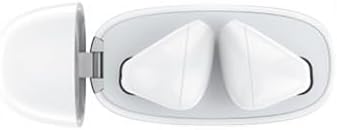
ചിത്രം: മുകളിൽ നിന്ന് താഴേക്ക് view of the AW T28 earbuds securely placed within their charging case, illustrating proper seating for charging.
4.2 ഒരു ബ്ലൂടൂത്ത് ഉപകരണവുമായി ജോടിയാക്കൽ
The earbuds use Bluetooth 5.0 for a stable and efficient connection.

Image: A graphic illustrating the Bluetooth 5.0 core upgrade, emphasizing high speed and signal stability for improved communication.
- പവർ ഓൺ: Open the charging case, or take the earbuds out of the case. They will automatically power on and enter pairing mode. The LED indicator on the earbuds will flash, indicating they are ready to pair.
- ബ്ലൂടൂത്ത് സജീവമാക്കുക: നിങ്ങളുടെ ഉപകരണത്തിൽ (സ്മാർട്ട്ഫോൺ, ടാബ്ലെറ്റ്, കമ്പ്യൂട്ടർ), ബ്ലൂടൂത്ത് പ്രവർത്തനക്ഷമമാക്കുക.
- ഉപകരണം തിരഞ്ഞെടുക്കുക: In your device's Bluetooth settings, search for available devices and select "AW T28" from the list.
- ജോടിയാക്കൽ സ്ഥിരീകരിക്കുക: Once connected, the earbud LED indicators will stop flashing or turn off, and you will hear an audible confirmation.
- വീണ്ടും ബന്ധിപ്പിക്കുക: After initial pairing, the earbuds will automatically connect to the last paired device when taken out of the case and within range.
Note: If pairing fails, ensure the earbuds are charged and within range of your device. Try turning Bluetooth off and on again on your device.
5. പ്രവർത്തന നിർദ്ദേശങ്ങൾ
The AW T28 earbuds feature touch controls for easy operation.
5.1 പവർ ഓൺ/ഓഫ്
- പവർ ഓൺ: ചാർജിംഗ് കെയ്സ് തുറക്കുക, അല്ലെങ്കിൽ ഇയർബഡുകൾ കെയ്സിൽ നിന്ന് പുറത്തെടുക്കുക. അവ സ്വയമേവ പവർ ചെയ്യും.
- പവർ ഓഫ്: Place the earbuds back into the charging case and close the lid. They will power off automatically and begin charging. Alternatively, if disconnected from a device for several minutes, they may power off automatically.
5.2 മ്യൂസിക് പ്ലേബാക്ക്
- പ്ലേ/താൽക്കാലികമായി നിർത്തുക: ഒന്നുകിൽ ഇയർബഡിൽ ഒരിക്കൽ ടാപ്പ് ചെയ്യുക.
- അടുത്ത ട്രാക്ക്: വലത് ഇയർബഡിൽ രണ്ടുതവണ ടാപ്പ് ചെയ്യുക.
- മുമ്പത്തെ ട്രാക്ക്: ഇടത് ഇയർബഡിൽ രണ്ടുതവണ ടാപ്പ് ചെയ്യുക.
- വോളിയം നിയന്ത്രണം: (Specific touch gestures for volume are not detailed in provided data, typically long press or triple tap. Refer to quick start guide if included for exact gestures.)
5.3 കോൾ മാനേജ്മെന്റ്
- ഉത്തരം/അവസാന കോൾ: ഒന്നുകിൽ ഇയർബഡിൽ ഒരിക്കൽ ടാപ്പ് ചെയ്യുക.
- കോൾ നിരസിക്കുക: ഏതെങ്കിലും ഇയർബഡിൽ 2 സെക്കൻഡ് അമർത്തിപ്പിടിക്കുക.
5.4 വോയ്സ് അസിസ്റ്റന്റ്
- വോയ്സ് അസിസ്റ്റന്റിനെ സജീവമാക്കുക: Triple-tap either earbud (e.g., Siri, Google Assistant).
6. പരിപാലനം
ശരിയായ അറ്റകുറ്റപ്പണി നിങ്ങളുടെ ഇയർബഡുകളുടെ ദീർഘായുസ്സും മികച്ച പ്രകടനവും ഉറപ്പാക്കുന്നു.
- ഇയർബഡുകൾ വൃത്തിയാക്കൽ: Gently wipe the earbuds with a soft, dry, lint-free cloth. Do not use liquids or sprays. Regularly clean the ear tips and charging contacts to prevent debris buildup.
- ക്ലീനിംഗ് ചാർജിംഗ് കേസ്: Wipe the exterior of the charging case with a soft, dry cloth. Keep the charging port free of dust and debris.
- സംഭരണം: ഉപയോഗത്തിലില്ലാത്തപ്പോൾ, ഇയർബഡുകൾ ചാർജിംഗ് കേസിൽ സൂക്ഷിക്കുക, അതുവഴി അവയെ സംരക്ഷിക്കുകയും ചാർജ്ജ് ചെയ്ത് നിലനിർത്തുകയും ചെയ്യുക. നേരിട്ടുള്ള സൂര്യപ്രകാശത്തിൽ നിന്നും ഉയർന്ന താപനിലയിൽ നിന്നും അകന്ന് തണുത്തതും വരണ്ടതുമായ സ്ഥലത്ത് സൂക്ഷിക്കുക.
- വാട്ടർ എക്സ്പോഷർ: While IPX4 rated for sweat and splash resistance, avoid prolonged exposure to water. If they get wet, dry them thoroughly before placing them back in the charging case.

Image: An illustration demonstrating the IPX4 water repellency of the AW T28 earbuds, showing them resistant to splashes and sweat.
7. പ്രശ്നപരിഹാരം
നിങ്ങൾക്ക് പ്രശ്നങ്ങൾ നേരിടുകയാണെങ്കിൽ, ഇനിപ്പറയുന്ന പൊതുവായ പ്രശ്നങ്ങളും പരിഹാരങ്ങളും പരിശോധിക്കുക:
| പ്രശ്നം | പരിഹാരം |
|---|---|
| ഇയർബഡുകൾ ഉപകരണവുമായി ജോടിയാക്കുന്നില്ല. |
|
| ഒരു ഇയർബഡ് മാത്രമാണ് പ്രവർത്തിക്കുന്നത്. |
|
| ഇയർബഡുകൾ ചാർജ് ചെയ്യുന്നില്ല. |
|
| മോശം ശബ്ദ നിലവാരം അല്ലെങ്കിൽ ഇടയ്ക്കിടെയുള്ള കണക്ഷൻ. |
|
8 സ്പെസിഫിക്കേഷനുകൾ
| മോഡലിൻ്റെ പേര്: | T28 |
| ബ്രാൻഡ്: | AW |
| ബ്ലൂടൂത്ത് പതിപ്പ്: | V5.0 |
| ആശയവിനിമയ ദൂരം: | 10 മീറ്റർ (33 അടി) |
| ഇയർബഡ് ബാറ്ററി ശേഷി: | 35 mAh (ഓരോ ഇയർബഡും) |
| ചാർജ്ജ് കേസ് ബാറ്ററി ശേഷി: | 500 mAh |
| സംഗീത പ്ലേബാക്ക് സമയം: | ഏകദേശം 3 മണിക്കൂർ |
| സംസാര സമയം: | ഏകദേശം 3.5 മണിക്കൂർ |
| സ്റ്റാൻഡ്ബൈ സമയം: | ഏകദേശം 300 മണിക്കൂർ |
| ചാർജിംഗ് സമയം (ഇയർബഡുകൾ): | ഏകദേശം 1 മണിക്കൂർ |
| ബ്ലൂടൂത്ത് ആവൃത്തി: | 2.402 G - 2.480 G |
| ജല പ്രതിരോധം: | IPX4 (വിയർപ്പിനെയും തെറിക്കലിനെയും പ്രതിരോധിക്കുന്നത്) |
| നിയന്ത്രണ രീതി: | സ്പർശിക്കുക |
| മെറ്റീരിയൽ: | പ്ലാസ്റ്റിക് |
9. വാറൻ്റിയും പിന്തുണയും
Your AW T28 Bluetooth Wireless Earbuds come with a standard manufacturer's warranty. For detailed warranty information, please refer to the warranty card included in your package or contact the retailer where you purchased the product.
If you experience any issues not covered in the troubleshooting section or require further assistance, please contact AW customer support or your authorized dealer.