

ചിത്രം: EARISE D51 speaker banner highlighting its compact size and powerful sound.
ആമുഖം
വാങ്ങിയതിന് നന്ദി.asing the EARISE D51 Portable Wireless Bluetooth Speaker. This manual provides essential information for setting up, operating, and maintaining your speaker. Please read it thoroughly before use to ensure optimal performance and longevity of your device.
പാക്കേജ് ഉള്ളടക്കം
പാക്കേജിൽ എല്ലാ ഇനങ്ങളും ഉണ്ടെന്ന് ഉറപ്പാക്കുക:
- EARISE D51 Bluetooth Speaker
- ചാർജിംഗ് കേബിൾ
- ഉപയോക്തൃ മാനുവൽ
- (Optional: Microphone, if included with your specific purchase)
ഉൽപ്പന്നം കഴിഞ്ഞുview
സ്പീക്കറിന്റെ ഘടകങ്ങളും നിയന്ത്രണങ്ങളും സ്വയം പരിചയപ്പെടുത്തുക.

ചിത്രം: മുകളിൽ view of the EARISE D51 speaker showing the control panel with numbered buttons.
- Mode/Light Button: Press to switch between input modes (Bluetooth, FM Radio, TF Card, USB, AUX). Long press to change or turn off LED light modes.
- മുമ്പത്തെ ട്രാക്ക്/വോളിയം ഡൗൺ ബട്ടൺ: മുമ്പത്തെ ട്രാക്കിനായി ഹ്രസ്വമായി അമർത്തുക. ശബ്ദം കുറയ്ക്കാൻ ദീർഘനേരം അമർത്തുക.
- പ്ലേ/താൽക്കാലികമായി നിർത്തുക/TWS ബട്ടൺ: Press to play or pause audio. Long press to initiate TWS (True Wireless Stereo) pairing.
- അടുത്ത ട്രാക്ക്/വോളിയം അപ്പ് ബട്ടൺ: അടുത്ത ട്രാക്കിനായി ഷോർട്ട് പ്രസ്സ് ചെയ്യുക. വോളിയം കൂട്ടാൻ ദീർഘനേരം അമർത്തുക.

ചിത്രം: ഫ്രണ്ട് view of the EARISE D51 speaker with icons highlighting its features: TF Card slot, TWS Function, Bluetooth 5.0, USB port, FM Radio, and Microphone input.

ചിത്രം: A hand holding the EARISE D51 speaker, illustrating its portable size and dimensions (5.9 in x 4.3 in x 7 in).
സജ്ജമാക്കുക
1. സ്പീക്കറിൽ നിന്ന് നിരക്ക് ഈടാക്കുന്നു
Before first use, fully charge the speaker. Connect the provided charging cable to the speaker's charging port and a compatible USB power adapter (not included). The charging indicator will illuminate during charging and turn off when fully charged.
2. പവർ ഓൺ/ഓഫ്
To power on the speaker, press and hold the Power button (usually integrated with the Mode/Light button or a separate switch). Repeat to power off.
3. ബ്ലൂടൂത്ത് ജോടിയാക്കൽ
- Turn on the EARISE D51 speaker. It will automatically enter Bluetooth pairing mode, indicated by a flashing LED light.
- നിങ്ങളുടെ ഉപകരണത്തിൽ (സ്മാർട്ട്ഫോൺ, ടാബ്ലെറ്റ് മുതലായവ), ബ്ലൂടൂത്ത് പ്രവർത്തനക്ഷമമാക്കി ലഭ്യമായ ഉപകരണങ്ങൾക്കായി തിരയുക.
- Select "D51" from the list of devices.
- Once connected, the speaker will emit an audible confirmation, and the LED light will stop flashing.
വീഡിയോ: This video demonstrates the EARISE D51 Portable Bluetooth Speaker with RGB Lights, showcasing its various light modes and sound. It provides a visual guide to the speaker's appearance and functionality.
4. True Wireless Stereo (TWS) Pairing (Optional)
To achieve a stereo sound experience, you can pair two EARISE D51 speakers together:
- Ensure both D51 speakers are powered on and not connected to any Bluetooth device.
- On one speaker (this will be the primary speaker), long press the പ്ലേ/താൽക്കാലികമായി നിർത്തുക/TWS ഒരു സ്ഥിരീകരണ ടോൺ കേൾക്കുന്നത് വരെ ബട്ടൺ അമർത്തുക.
- The two speakers will automatically connect to each other. Once connected, you will hear another confirmation tone.
- Now, connect your device to the primary speaker via Bluetooth as described in "Bluetooth Pairing" above. The audio will play in stereo through both speakers.
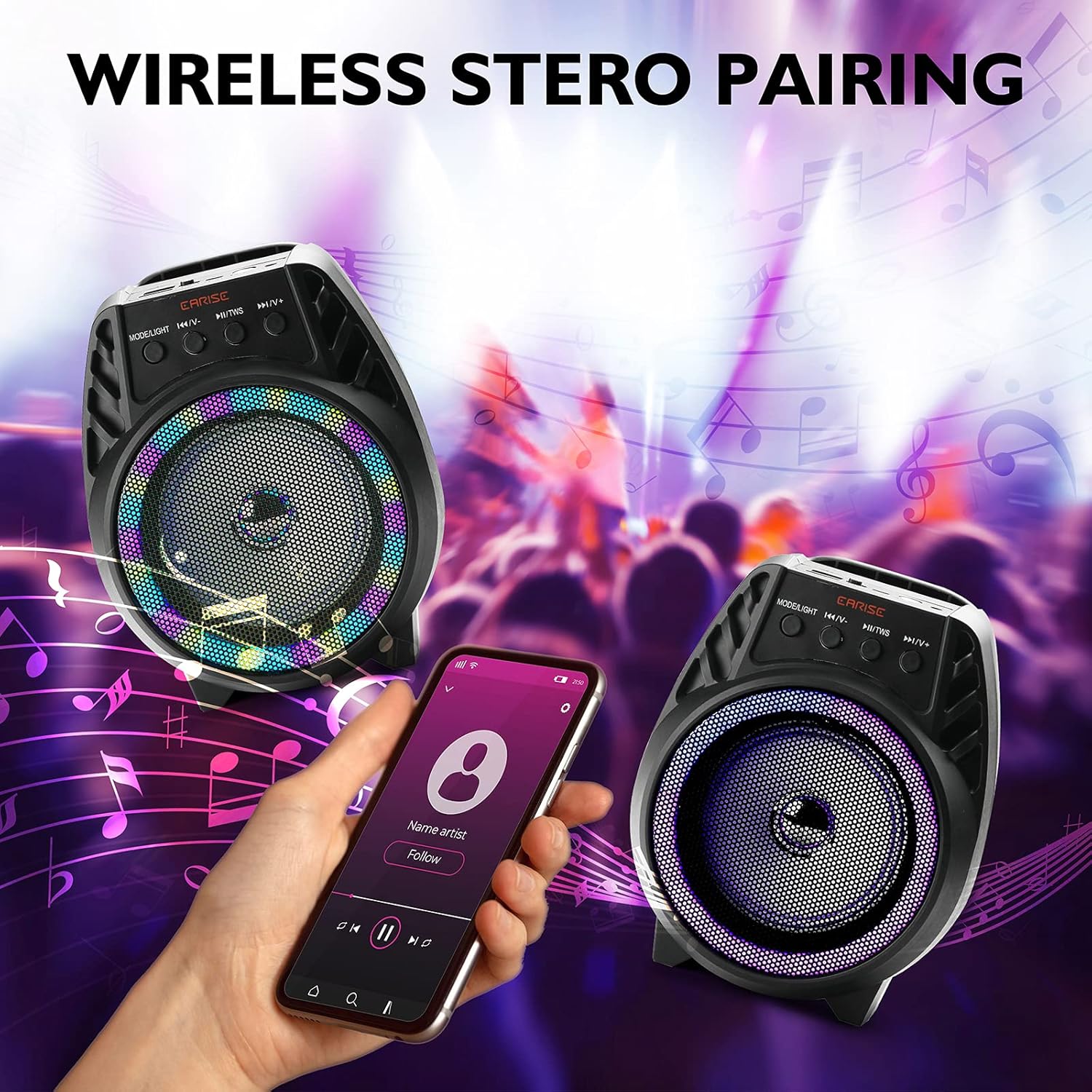
ചിത്രം: Two EARISE D51 speakers positioned for wireless stereo pairing, with a smartphone displaying music playback, illustrating the TWS feature.
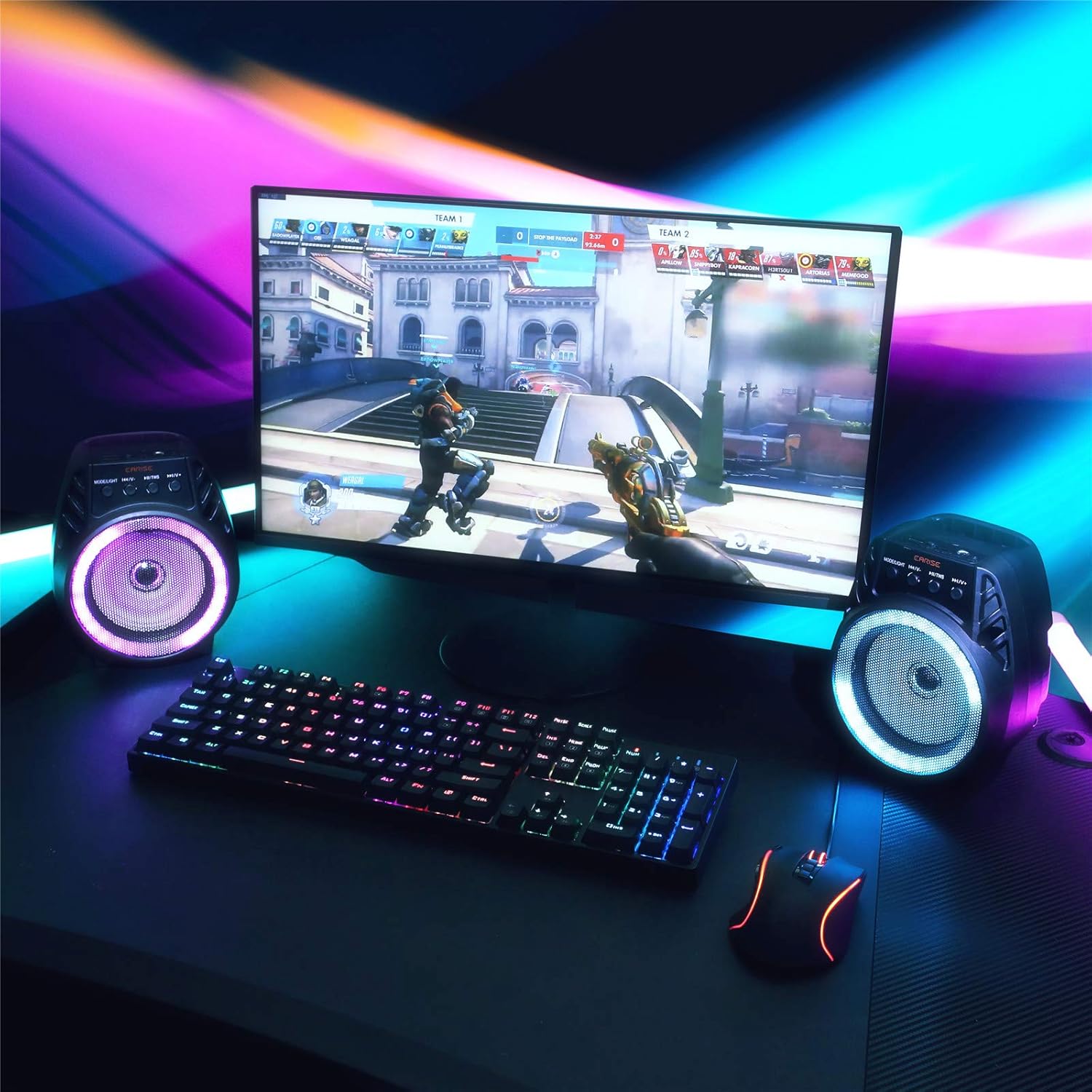
ചിത്രം: Two EARISE D51 speakers set up on a desk next to a laptop, demonstrating the True Wireless Stereo (TWS) pairing for an enhanced audio experience.
പ്രവർത്തന നിർദ്ദേശങ്ങൾ
1. Changing Playback Modes
അമർത്തുക മോഡ്/ലൈറ്റ് button (1) repeatedly to cycle through available input modes: Bluetooth, FM Radio, TF Card, USB, and AUX.
2. Adjusting Volume and Tracks
- വോളിയം കൂട്ടുക: ദീർഘനേരം അമർത്തുക അടുത്ത ട്രാക്ക് / വോളിയം അപ്പ് ബട്ടൺ (4).
- വോളിയം താഴേക്ക്: ദീർഘനേരം അമർത്തുക മുമ്പത്തെ ട്രാക്ക് / വോളിയം താഴേക്ക് ബട്ടൺ (2).
- അടുത്ത ട്രാക്ക്: ഷോർട്ട് അമർത്തുക അടുത്ത ട്രാക്ക് / വോളിയം അപ്പ് ബട്ടൺ (4).
- മുമ്പത്തെ ട്രാക്ക്: ഷോർട്ട് അമർത്തുക മുമ്പത്തെ ട്രാക്ക് / വോളിയം താഴേക്ക് ബട്ടൺ (2).
- പ്ലേ/താൽക്കാലികമായി നിർത്തുക: ഷോർട്ട് അമർത്തുക പ്ലേ/താൽക്കാലികമായി നിർത്തുക/TWS ബട്ടൺ (3).
3. എഫ്എം റേഡിയോ ഉപയോഗിക്കുന്നത്
In FM Radio mode, short press the പ്ലേ/താൽക്കാലികമായി നിർത്തുക/TWS button (3) to auto-scan and save available radio stations. Use the മുമ്പത്തെ ട്രാക്ക് / വോളിയം താഴേക്ക് (2) ഒപ്പം അടുത്ത ട്രാക്ക് / വോളിയം അപ്പ് (4) buttons to navigate between saved stations.
4. TF കാർഡും USB പ്ലേബാക്കും
Insert a TF card or USB drive with MP3 audio files into the respective slot. The speaker will automatically switch to the corresponding mode and begin playback.
5. AUX ഇൻപുട്ട്
Connect an external audio device using a 3.5mm AUX cable (not included) to the AUX port. Switch the speaker to AUX mode using the മോഡ്/ലൈറ്റ് ബട്ടൺ (1).
6. എൽഇഡി ലൈറ്റ് മോഡുകൾ
The EARISE D51 features multiple RGB light modes. Long press the മോഡ്/ലൈറ്റ് button (1) to cycle through different light patterns or to turn the lights off.

ചിത്രം: The EARISE D51 speaker emitting a bright purple RGB light, highlighting its visual effects.
വീഡിയോ: This video showcases the EARISE D51 Bluetooth Speaker's various RGB light modes and how they synchronize with music, providing a dynamic visual experience.
മെയിൻ്റനൻസ്
- മൃദുവായതും ഉണങ്ങിയതുമായ തുണി ഉപയോഗിച്ച് സ്പീക്കർ വൃത്തിയാക്കുക. അബ്രസീവ് ക്ലീനറുകളോ ലായകങ്ങളോ ഉപയോഗിക്കരുത്.
- സ്പീക്കർ വെള്ളം, ഈർപ്പം, കടുത്ത താപനില എന്നിവയിൽ നിന്ന് അകറ്റി നിർത്തുക.
- ഉപയോഗിക്കാത്തപ്പോൾ തണുത്തതും വരണ്ടതുമായ സ്ഥലത്ത് സ്പീക്കർ സൂക്ഷിക്കുക.
- സ്പീക്കറെ ശക്തമായ ആഘാതങ്ങൾക്ക് വിധേയമാക്കുകയോ താഴെയിടുകയോ ചെയ്യുന്നത് ഒഴിവാക്കുക.
ട്രബിൾഷൂട്ടിംഗ്
| പ്രശ്നം | സാധ്യമായ കാരണം | പരിഹാരം |
|---|---|---|
| സ്പീക്കർ ഓണാക്കുന്നില്ല. | കുറഞ്ഞ ബാറ്ററി. | സ്പീക്കർ പൂർണ്ണമായും ചാർജ് ചെയ്യുക. |
| ബ്ലൂടൂത്ത് വഴി ജോടിയാക്കാൻ കഴിയില്ല. | Bluetooth not enabled on device; speaker too far; speaker already connected to another device. | Ensure Bluetooth is on and the speaker is in pairing mode. Move speaker closer to device. Disconnect from other devices. |
| ശബ്ദമില്ല. | ശബ്ദം വളരെ കുറവാണ്; തെറ്റായ മോഡ് തിരഞ്ഞെടുത്തു; ഉപകരണം പ്ലേ ചെയ്യുന്നില്ല. | Increase volume on both speaker and device. Ensure correct input mode is selected. Check if the audio source is playing. |
| TWS ജോടിയാക്കൽ പരാജയപ്പെടുന്നു. | സ്പീക്കറുകൾ മറ്റ് ഉപകരണങ്ങളുമായി ഇതിനകം ബന്ധിപ്പിച്ചിരിക്കുന്നു; തെറ്റായ ജോടിയാക്കൽ നടപടിക്രമം. | Ensure both speakers are disconnected from all devices before initiating TWS pairing. Follow TWS pairing steps carefully. |
സ്പെസിഫിക്കേഷനുകൾ
| മോഡലിൻ്റെ പേര്: | D51 |
| ബ്രാൻഡ്: | EARISE |
| സ്പീക്കർ തരം: | സറൗണ്ട് സൗണ്ട് |
| പ്രത്യേക സവിശേഷത: | പോർട്ടബിൾ |
| കണക്റ്റിവിറ്റി ടെക്നോളജി: | ഓക്സിലറി, ബ്ലൂടൂത്ത്, യുഎസ്ബി |
| വയർലെസ് കമ്മ്യൂണിക്കേഷൻ: | ബ്ലൂടൂത്ത് |
| സ്പീക്കർ വലിപ്പം: | 4 ഇഞ്ച് |
| സ്പീക്കർ പരമാവധി ഔട്ട്പുട്ട് പവർ: | 5 വാട്ട്സ് |
| ഊർജ്ജ സ്രോതസ്സ്: | ബാറ്ററി പവർ |
| ഓഡിയോ putട്ട്പുട്ട് മോഡ്: | സ്റ്റീരിയോ |
| ഉൽപ്പന്ന അളവുകൾ: | 6 x 4 x 5 ഇഞ്ച് |
| ഇനത്തിൻ്റെ ഭാരം: | 1.3 പൗണ്ട് |
| ഉൾപ്പെടുത്തിയ ഘടകങ്ങൾ: | LED ലൈറ്റുകൾ |
| വാട്ടർപ്രൂഫ്: | തെറ്റായ |
| നിയന്ത്രണ രീതി: | ആപ്പ് |
സുരക്ഷാ വിവരങ്ങൾ
ദയവായി ഈ സുരക്ഷാ മാർഗ്ഗനിർദ്ദേശങ്ങൾ വായിച്ച് പിന്തുടരുക:
- സ്പീക്കറിനെ തീവ്രമായ താപനിലയിലോ, നേരിട്ടുള്ള സൂര്യപ്രകാശത്തിലോ, ഉയർന്ന ആർദ്രതയിലോ തുറന്നുകാട്ടരുത്.
- Avoid using the speaker near water or in wet conditions, as it is not waterproof.
- സ്പീക്കർ സ്വയം ഡിസ്അസംബ്ലിംഗ് ചെയ്യുകയോ നന്നാക്കുകയോ പരിഷ്കരിക്കുകയോ ചെയ്യരുത്. ഏതെങ്കിലും അറ്റകുറ്റപ്പണികൾക്ക് യോഗ്യതയുള്ള സേവന ഉദ്യോഗസ്ഥരെ ബന്ധപ്പെടുക.
- കുട്ടികളിൽ നിന്നും വളർത്തുമൃഗങ്ങളിൽ നിന്നും സ്പീക്കർ അകറ്റി നിർത്തുക.
- നൽകിയിരിക്കുന്ന ചാർജിംഗ് കേബിളോ സാക്ഷ്യപ്പെടുത്തിയ തത്തുല്യമായതോ മാത്രം ഉപയോഗിക്കുക.
- പ്രാദേശിക നിയന്ത്രണങ്ങൾ അനുസരിച്ച് സ്പീക്കറും അതിന്റെ ബാറ്ററിയും ഉത്തരവാദിത്തത്തോടെ നിർമാർജനം ചെയ്യുക.
വാറൻ്റിയും പിന്തുണയും
The EARISE D51 Bluetooth Speaker comes with a limited warranty. Please refer to the warranty card included in your package for specific terms and conditions. For technical support or customer service, please contact EARISE customer support through their official webനിങ്ങളുടെ വാങ്ങലിനൊപ്പം നൽകിയിരിക്കുന്ന സൈറ്റ് അല്ലെങ്കിൽ ബന്ധപ്പെടാനുള്ള വിവരങ്ങൾ.
For more information, visit the official EARISE webസൈറ്റ്: www.earise.com