
ആമുഖം
This manual provides detailed instructions for the proper use and maintenance of your WISE TIGER USB Conference Microphone. Please read this guide thoroughly before operating the device to ensure optimal performance and longevity. Keep this manual for future reference.
ഉൽപ്പന്നം കഴിഞ്ഞുview
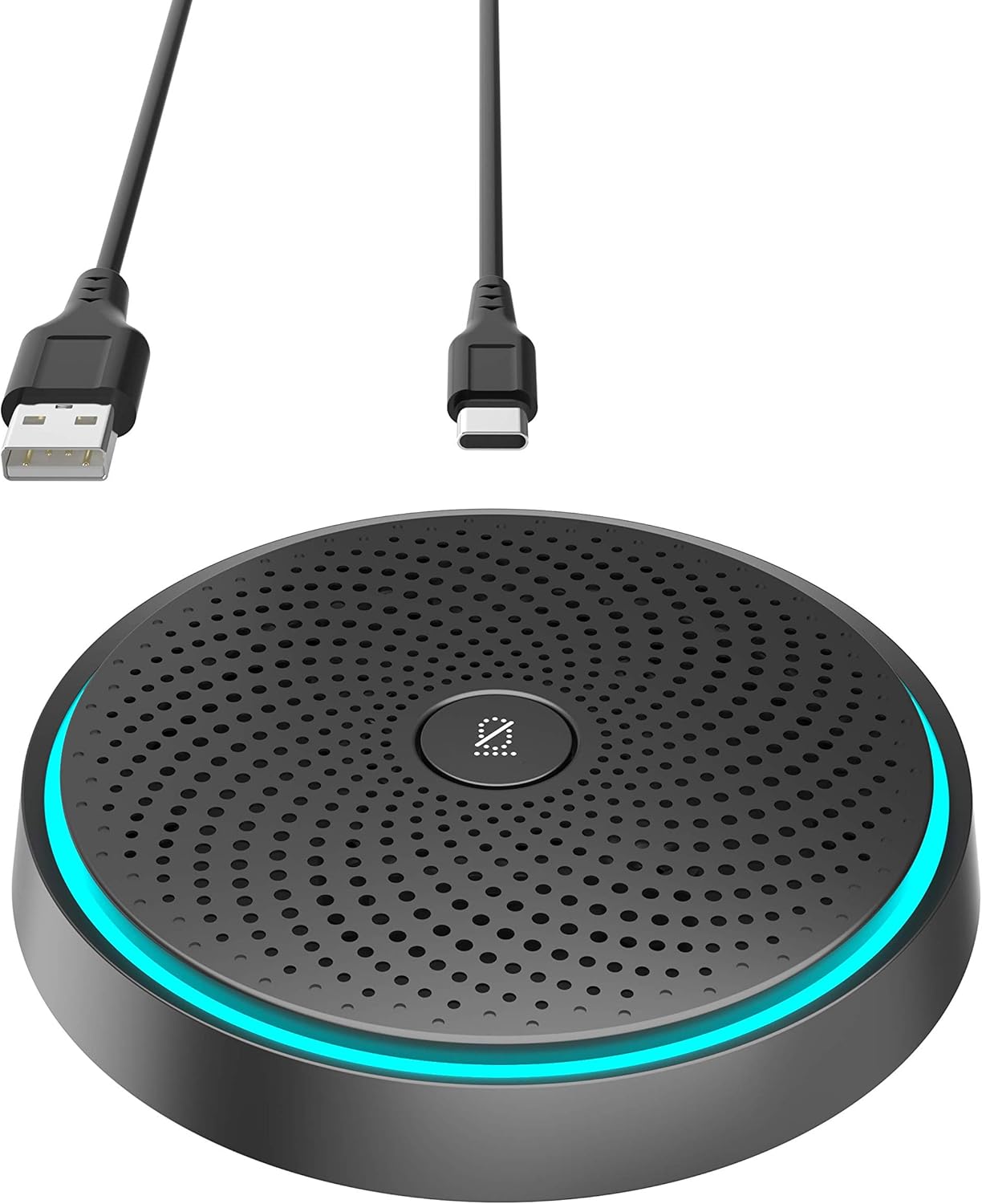
Image: WISE TIGER USB Conference Microphone, showcasing its compact design and included USB-A and USB-C cables for versatile connectivity.
പ്രധാന സവിശേഷതകൾ
- 360° Omnidirectional Condenser Design: Captures sound from all directions for comprehensive audio coverage.
- High-Density Noise-Absorbing Cotton: Enhances sound clarity by reducing ambient noise.
- One-Key Mute Function: Allows for instant muting and unmuting of the microphone.
- Plug & Play Connectivity: Requires no additional drivers or software for installation.
- Extended Voice Pickup Range: Capable of picking up voices up to 10 feet away.
- ഒതുക്കമുള്ളതും പോർട്ടബിൾ ഡിസൈൻ: Easily fits into pockets or briefcases for on-the-go use.
- ബഹുമുഖ ആപ്ലിക്കേഷൻ: Suitable for online meetings, gaming, video/audio chats, Skype, and Zoom.
പാക്കേജ് ഉള്ളടക്കം
- 1 x WISE TIGER USB Conference Microphone
- 1 x USB കേബിൾ
- 1 x Battery (pre-installed or included for operation)
സജ്ജമാക്കുക
മൈക്രോഫോൺ ബന്ധിപ്പിക്കുന്നു
The WISE TIGER USB Conference Microphone is designed for simple plug-and-play operation. Follow these steps to connect your microphone:
- നിങ്ങളുടെ കമ്പ്യൂട്ടറിൽ (ലാപ്ടോപ്പ് അല്ലെങ്കിൽ ഡെസ്ക്ടോപ്പ്) ലഭ്യമായ ഒരു യുഎസ്ബി പോർട്ട് കണ്ടെത്തുക.
- Connect the provided USB cable to the microphone and then to your computer's USB port.
- Your operating system (Windows, macOS, Chrome OS) should automatically detect and install the necessary drivers. This process typically takes a few seconds.
- Once detected, the microphone will be ready for use. You may need to select it as the default input device in your system's sound settings or within your communication application (e.g., Zoom, Skype, gaming software).

Image: The microphone connected to a laptop, illustrating the simple plug-and-play setup process.
പ്രവർത്തന നിർദ്ദേശങ്ങൾ
മ്യൂട്ട് ഫംഗ്ഷൻ ഉപയോഗിക്കുന്നു
The microphone features a convenient one-key mute button located on its top surface. This allows you to quickly control your audio input during calls or recordings.
- നിശബ്ദമാക്കാൻ: Press the mute button once. The LED indicator light on the microphone will change color (e.g., from blue to red) to indicate that the microphone is muted.
- അൺമ്യൂട്ട് ചെയ്യാൻ: Press the mute button again. The LED indicator light will return to its active color, signifying that the microphone is now active and picking up sound.

Image: A hand pressing the central mute button on the microphone, with an illuminated ring indicating its status.
ഓമ്നിഡയറക്ഷണൽ പിക്കപ്പ്
The microphone utilizes a 360° omnidirectional pickup pattern, meaning it captures sound equally from all directions around the device. This makes it ideal for:
- Conference calls with multiple participants around a table.
- Group discussions or presentations.
- Environments where sound needs to be captured from various points.
The microphone is equipped with built-in noise reduction technology to minimize background noise and echo, ensuring clear voice transmission.

Image: A visual representation of the microphone's 360-degree omnidirectional sound pickup, distinguishing between noisy and clear voice capture.

Image: A conference room setup showing multiple individuals participating in a virtual meeting, with the microphone centrally placed to capture all voices.
ആപ്ലിക്കേഷൻ സാഹചര്യങ്ങൾ
The WISE TIGER USB Conference Microphone is versatile and suitable for various environments:

Image: A collage depicting the microphone being used in different settings: home, dormitory, company meeting rooms, and outdoor group discussions.
മെയിൻ്റനൻസ്
പരിചരണവും ശുചീകരണവും
To ensure the longevity and optimal performance of your microphone, follow these simple maintenance guidelines:
- വൃത്തിയാക്കൽ: Use a soft, dry cloth to gently wipe the surface of the microphone. Avoid using harsh chemicals, abrasive cleaners, or solvents, as these can damage the device.
- സംഭരണം: When not in use, store the microphone in a cool, dry place, away from direct sunlight and extreme temperatures.
- കൈകാര്യം ചെയ്യൽ: മൈക്രോഫോൺ ശ്രദ്ധയോടെ കൈകാര്യം ചെയ്യുക. താഴെയിടുകയോ ശക്തമായ ആഘാതങ്ങൾക്ക് വിധേയമാക്കുകയോ ചെയ്യരുത്.
- കണക്റ്റിവിറ്റി: Always grasp the USB connector, not the cable, when plugging or unplugging the microphone to prevent damage to the cable or port.
ട്രബിൾഷൂട്ടിംഗ്
പൊതുവായ പ്രശ്നങ്ങളും പരിഹാരങ്ങളും
| ഇഷ്യൂ | സാധ്യമായ പരിഹാരം |
|---|---|
| കമ്പ്യൂട്ടർ മൈക്രോഫോൺ കണ്ടെത്തിയില്ല. |
|
| No sound or low sound pickup. |
|
| ശബ്ദ നിലവാരം മോശമാണ് അല്ലെങ്കിൽ വികലമാണ്. |
|
| Cannot control output volume from the microphone. | This device is a microphone for audio input only, not a speaker for audio output. Output volume control is managed through your computer's system settings or the application you are using for playback. |
സ്പെസിഫിക്കേഷനുകൾ
സാങ്കേതിക വിശദാംശങ്ങൾ
| ഫീച്ചർ | വിശദാംശങ്ങൾ | |
|---|---|---|
| ബ്രാൻഡ് | ബുദ്ധിയുള്ള കടുവ | |
| മോഡൽ നമ്പർ | B08YJD9TTZ | |
| മൈക്രോഫോൺ ഫോം ഫാക്ടർ | മിനി | |
| കണക്റ്റിവിറ്റി ടെക്നോളജി | USB | |
| കണക്റ്റർ തരം | USB | |
| പോളാർ പാറ്റേൺ | ഓമ്നിഡയറക്ഷണൽ | |
| ഓഡിയോ സെൻസിറ്റിവിറ്റി | 38 ഡെസിബെൽ | |
| സിഗ്നൽ-ടു-നോയിസ് അനുപാതം | 88 ഡി.ബി | |
| ഫ്രീക്വൻസി പ്രതികരണം | 20 KHz | |
| ഹാർഡ്വെയർ പ്ലാറ്റ്ഫോം | ഗെയിമിംഗ് കൺസോൾ, ലാപ്ടോപ്പ്, പിസി | |
| ഇനത്തിൻ്റെ ഭാരം | പാക്കേജ് അളവുകൾ | 4.76 x 4.53 x 1.77 ഇഞ്ച് |
| നിർമ്മാതാവ് | WISE TIGER CREATIVITY IS UNLIMITED | |
| യു.പി.സി | 793420185074 |
വാറൻ്റിയും പിന്തുണയും
വാറൻ്റി വിവരങ്ങൾ
Your WISE TIGER USB Conference Microphone comes with a 3-year manufacturer replacement warranty.
തിരികെ നൽകൽ നയം
A 90 ദിവസത്തെ ചോദ്യങ്ങളില്ലാത്ത റിട്ടേൺ പോളിസി is also provided for your peace of mind.
ഉപഭോക്തൃ പിന്തുണ
For any support needs, questions, or warranty claims, please reach out to us anytime via Amazon message. Our customer service team is ready to assist you.