
Forever ForeVigo 2 SW-330
Forever Smartwatch ForeVigo 2 SW-330 User Manual
Model: ForeVigo 2 SW-330
1. ആമുഖം
Welcome to your new Forever Smartwatch ForeVigo 2 SW-330. This manual provides essential information for setting up, operating, and maintaining your device. Please read it carefully to ensure proper use and to maximize the features of your smartwatch.
The ForeVigo 2 SW-330 is designed to be your daily companion, offering a range of features including sports tracking, health monitoring, and smart notifications. Its durable design and long-lasting battery make it suitable for various activities.
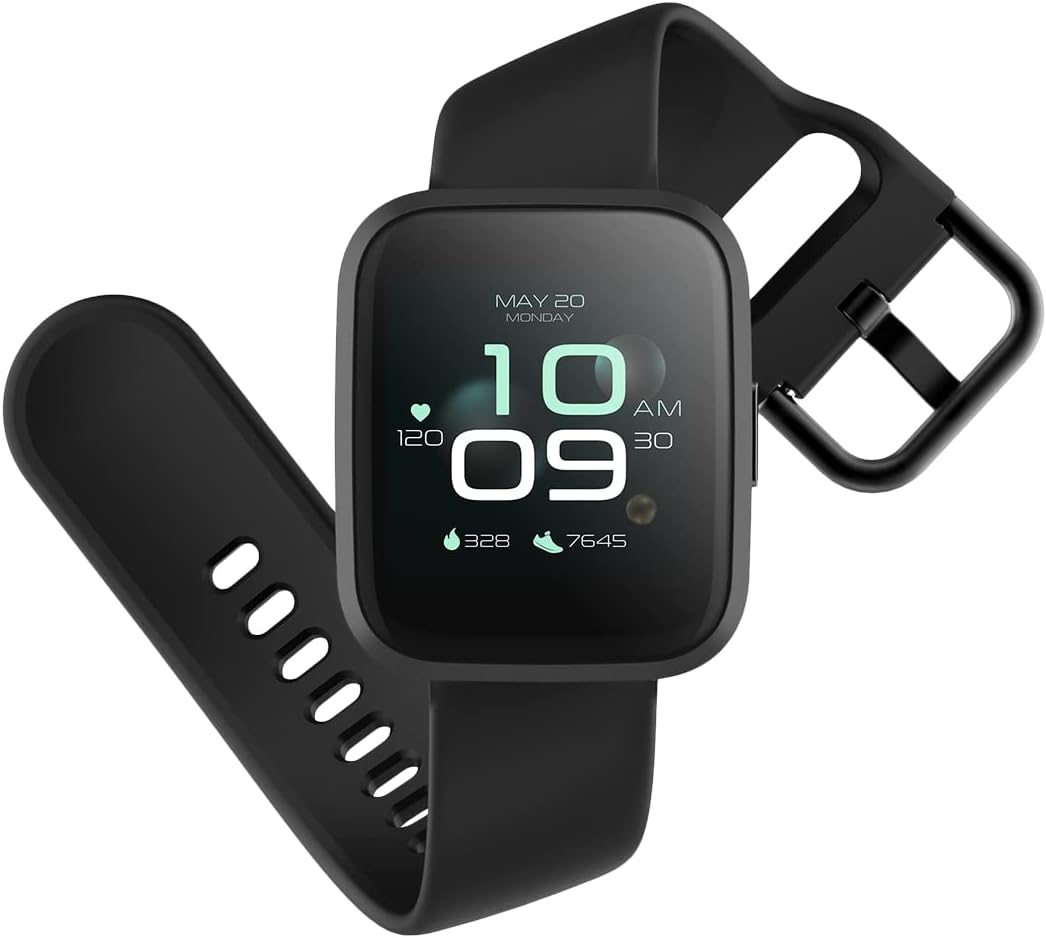
Image: The ForeVigo 2 SW-330 smartwatch with its main display showing the time, heart rate, and step count.
2. സജ്ജീകരണം
2.1. സ്മാർട്ട് വാച്ച് ചാർജ് ചെയ്യുന്നു
Before first use, fully charge your smartwatch. The device features a 180 mAh battery, providing up to 12 days of usage on a single charge. A quick charge function is available.
- സ്മാർട്ട് വാച്ചിന്റെ പിൻഭാഗത്തുള്ള ചാർജിംഗ് പോർട്ടിലേക്ക് ചാർജിംഗ് കേബിൾ ബന്ധിപ്പിക്കുക.
- കേബിളിന്റെ USB അറ്റം ഒരു സ്റ്റാൻഡേർഡ് USB പവർ അഡാപ്റ്ററിലേക്ക് (ഉൾപ്പെടുത്തിയിട്ടില്ല) അല്ലെങ്കിൽ ഒരു കമ്പ്യൂട്ടറിന്റെ USB പോർട്ടിലേക്ക് പ്ലഗ് ചെയ്യുക.
- The screen will display a charging indicator.
- പൂർണ്ണമായി ചാർജ് ചെയ്യാൻ ഏകദേശം 2 മണിക്കൂർ അനുവദിക്കുക.

Image: The smartwatch screen showing a battery icon with a lightning bolt, indicating it is charging.
2.2. പവർ ഓൺ/ഓഫ്
- പവർ ഓണാക്കാൻ: സ്ക്രീൻ പ്രകാശിക്കുന്നത് വരെ സൈഡ് ബട്ടൺ അമർത്തിപ്പിടിക്കുക.
- പവർ ഓഫ് ചെയ്യാൻ: Navigate to the 'Settings' menu on the smartwatch, then select 'Power Off' or press and hold the side button and confirm power off.
2.3. ആപ്പ് ഇൻസ്റ്റാളേഷനും ജോടിയാക്കലും
To unlock the full potential of your smartwatch, download the companion application on your smartphone. The ForeVigo 2 SW-330 is compatible with both Android and iOS devices.
- ഇതിനായി തിരയുക the official 'Forever Smart' or 'ForeVigo' app in your smartphone's app store (Google Play Store for Android, Apple App Store for iOS).
- ആപ്ലിക്കേഷൻ ഇൻസ്റ്റാൾ ചെയ്യുക.
- ഒരു അക്കൗണ്ട് സൃഷ്ടിക്കുന്നതിനോ ലോഗിൻ ചെയ്യുന്നതിനോ ആപ്പ് തുറന്ന് ഓൺ-സ്ക്രീൻ നിർദ്ദേശങ്ങൾ പാലിക്കുക.
- നിങ്ങളുടെ സ്മാർട്ട്ഫോണിൽ ബ്ലൂടൂത്ത് പ്രവർത്തനക്ഷമമാക്കുക.
- In the app, select 'Add Device' or 'Pair Smartwatch' and choose 'ForeVigo 2 SW-330' from the list of available devices.
- നിങ്ങളുടെ സ്മാർട്ട്ഫോണിലും സ്മാർട്ട് വാച്ചിലും പെയറിംഗ് അഭ്യർത്ഥന സ്ഥിരീകരിക്കുക.
3. സ്മാർട്ട് വാച്ച് പ്രവർത്തിപ്പിക്കൽ
3.1. നാവിഗേഷൻ
The ForeVigo 2 SW-330 features a 1.4-inch high-quality touchscreen for intuitive navigation. Swipe left, right, up, or down to access different functions and menus. Press the side button to return to the home screen or wake the device.

Image: The smartwatch screen showing a grid of application icons, including Goals, Heart rate, Sleep, and Messages.
3.2. Sports Functions
The smartwatch supports various sports modes to track your physical activity:
- നീന്തൽ: Track your performance during water activities.
- നടത്തം: Monitor steps, distance, and calories burned.
- ഓടുന്നത്: Record your runs with detailed metrics.
- കാൽനടയാത്ര: Track outdoor adventures.
- സൈക്ലിംഗ്: Monitor your bike rides.
Access these modes through the 'Sports' menu on your smartwatch. The device includes a calorie counter, distance tracker, stopwatch, and pedometer.

Image: The smartwatch screen displaying a list of application icons, including Goals, Heart rate, Messages, and Sports.
3.3. ആരോഗ്യ നിരീക്ഷണം
- ഉറക്ക നിരീക്ഷണം: The smartwatch monitors your sleep patterns, including light and deep sleep stages. View കമ്പാനിയൻ ആപ്പിലെ വിശദമായ റിപ്പോർട്ടുകൾ.
- ഹൃദയമിടിപ്പ് നിരീക്ഷണം: The integrated heart rate sensor continuously tracks your heart rate. Access real-time data on the watch or historical data in the app.

Image: The smartwatch screen showing sleep tracking data, including light sleep, deep sleep, and total sleep time.
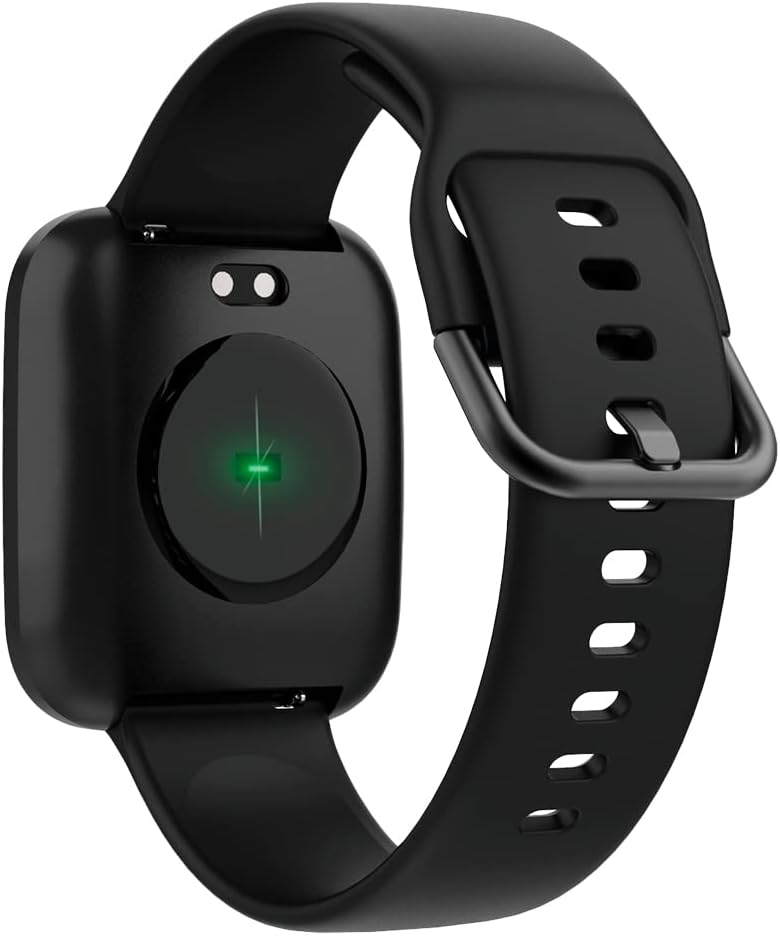
Image: The back of the smartwatch, highlighting the green light of the optical heart rate sensor.
3.4. സ്മാർട്ട് ഫീച്ചറുകൾ
- ഫോൺ അറിയിപ്പുകൾ: Receive alerts for calls, messages, and app notifications directly on your wrist. Configure notification settings in the companion app.
- സംഗീത നിയന്ത്രണം: Control music playback on your smartphone (play, pause, skip tracks) directly from your smartwatch.
- ക്യാമറ വിദൂര: Use your smartwatch as a remote shutter for your smartphone's camera.
- Daily Goals & Activity Reminders: Set daily activity goals and receive reminders to stay active throughout the day.
- Device Locator: Use the app to locate your smartwatch if it's within Bluetooth range.
4. പരിപാലനം
4.1. ജല പ്രതിരോധം
The ForeVigo 2 SW-330 is waterproof according to the IP68 standard, meaning it can withstand total immersion in water. This allows for tracking swimming activities. However, it is not recommended for hot water activities (e.g., hot showers, saunas) as steam can damage the seals.
4.2. വൃത്തിയാക്കലും പരിചരണവും
- നിങ്ങളുടെ സ്മാർട്ട് വാച്ചും സ്ട്രാപ്പും ഒരു സോഫ്റ്റ്, ഡി ക്ലീനർ ഉപയോഗിച്ച് പതിവായി വൃത്തിയാക്കുക.amp തുണി.
- കഠിനമായ രാസവസ്തുക്കളോ ഉരച്ചിലുകളോ ഉപയോഗിക്കുന്നത് ഒഴിവാക്കുക.
- ചാർജ് ചെയ്യുന്നതിനുമുമ്പ് ചാർജിംഗ് കോൺടാക്റ്റുകൾ വൃത്തിയുള്ളതും വരണ്ടതുമാണെന്ന് ഉറപ്പാക്കുക.
4.3. Interchangeable Straps
The smartwatch features elegant and interchangeable straps made of silicone and metal. To change the strap, locate the quick-release pins on the underside of the strap and gently slide them to detach. Attach new straps by aligning the pins and sliding them into place.
5. പ്രശ്നപരിഹാരം
If you encounter issues with your ForeVigo 2 SW-330, try the following solutions:
- സ്മാർട്ട് വാച്ച് ഓണാക്കുന്നില്ല: ഉപകരണം പൂർണ്ണമായും ചാർജ് ചെയ്തിട്ടുണ്ടെന്ന് ഉറപ്പാക്കുക. കുറഞ്ഞത് 30 മിനിറ്റെങ്കിലും ചാർജറുമായി ബന്ധിപ്പിക്കുക.
- സ്മാർട്ട്ഫോണുമായി ജോടിയാക്കാൻ കഴിയില്ല:
- നിങ്ങളുടെ സ്മാർട്ട്ഫോണിൽ ബ്ലൂടൂത്ത് പ്രവർത്തനക്ഷമമാക്കിയിട്ടുണ്ടെന്ന് ഉറപ്പാക്കുക.
- സ്മാർട്ട് വാച്ച് നിങ്ങളുടെ സ്മാർട്ട്ഫോണിന്റെ പരിധിയിലാണെന്ന് ഉറപ്പാക്കുക.
- സ്മാർട്ട് വാച്ചും നിങ്ങളുടെ സ്മാർട്ട്ഫോണും പുനരാരംഭിക്കുക.
- കമ്പാനിയൻ ആപ്പ് ഏറ്റവും പുതിയ പതിപ്പിലേക്ക് അപ്ഡേറ്റ് ചെയ്തിട്ടുണ്ടോയെന്ന് പരിശോധിക്കുക.
- കൃത്യമല്ലാത്ത ആരോഗ്യ ഡാറ്റ: Ensure the smartwatch is worn snugly on your wrist, but not too tight. Clean the heart rate sensor regularly.
- അറിയിപ്പുകൾ ദൃശ്യമാകുന്നില്ല: Check notification settings in the companion app and your smartphone's system settings to ensure the app has necessary permissions.
- സ്ക്രീൻ പ്രതികരിക്കുന്നില്ല: Try restarting the smartwatch. If the issue persists, ensure the screen is clean and dry.
For further assistance, refer to the support section of the companion app or contact customer support.
6 സ്പെസിഫിക്കേഷനുകൾ
| ഫീച്ചർ | വിശദാംശങ്ങൾ |
|---|---|
| ബ്രാൻഡ് | എന്നേക്കും |
| മോഡൽ നമ്പർ | അങ്ങിനെ-310 |
| നിറം | കറുപ്പ് |
| ഓപ്പറേറ്റിംഗ് സിസ്റ്റം അനുയോജ്യത | ആൻഡ്രോയിഡ്, ഐഒഎസ് |
| സ്ക്രീൻ വലിപ്പം | 1.4 ഇഞ്ച് |
| പ്രത്യേക സവിശേഷതകൾ | Lightweight, Stopwatch |
| അനുയോജ്യമായ ഉപകരണങ്ങൾ | സ്മാർട്ട്ഫോൺ |
| ബാറ്ററി ശേഷി | 180 mAh |
| ബാറ്ററി ലൈഫ് | 12 ദിവസം വരെ |
| വയർലെസ് കമ്മ്യൂണിക്കേഷൻ | ബ്ലൂടൂത്ത് |
| ജിപിഎസ് | സംയോജിത ജിപിഎസ് |
| ജല പ്രതിരോധം | IP68 |
| ഭാരം | 34 ഗ്രാം |
| അളവുകൾ | 36 x 42 x 11 മിമി |
7. വാറൻ്റിയും പിന്തുണയും
Your Forever Smartwatch ForeVigo 2 SW-330 comes with a manufacturer's warranty. Please refer to the warranty card included in your product packaging for specific terms and conditions. For technical support, product inquiries, or warranty claims, please contact your retailer or the official Forever customer service through their website or the companion application.
വാറന്റി ആവശ്യങ്ങൾക്കായി നിങ്ങളുടെ വാങ്ങിയതിന്റെ തെളിവ് സൂക്ഷിക്കുക.
Ask a question about this manual
Ask about setup, troubleshooting, compatibility, parts, safety, or missing instructions. Manuals+ will review the question and use this page’s manual context to help answer it.