
1. ആമുഖം
Thank you for choosing the HBN Digital Timer Plug. This device is designed to automatically control the power supply to your indoor appliances, helping you save energy and enhance convenience. It features weekly programming with up to 8 ON/OFF programs per day and a random function for added security. Please read this manual carefully before use to ensure proper operation and safety.
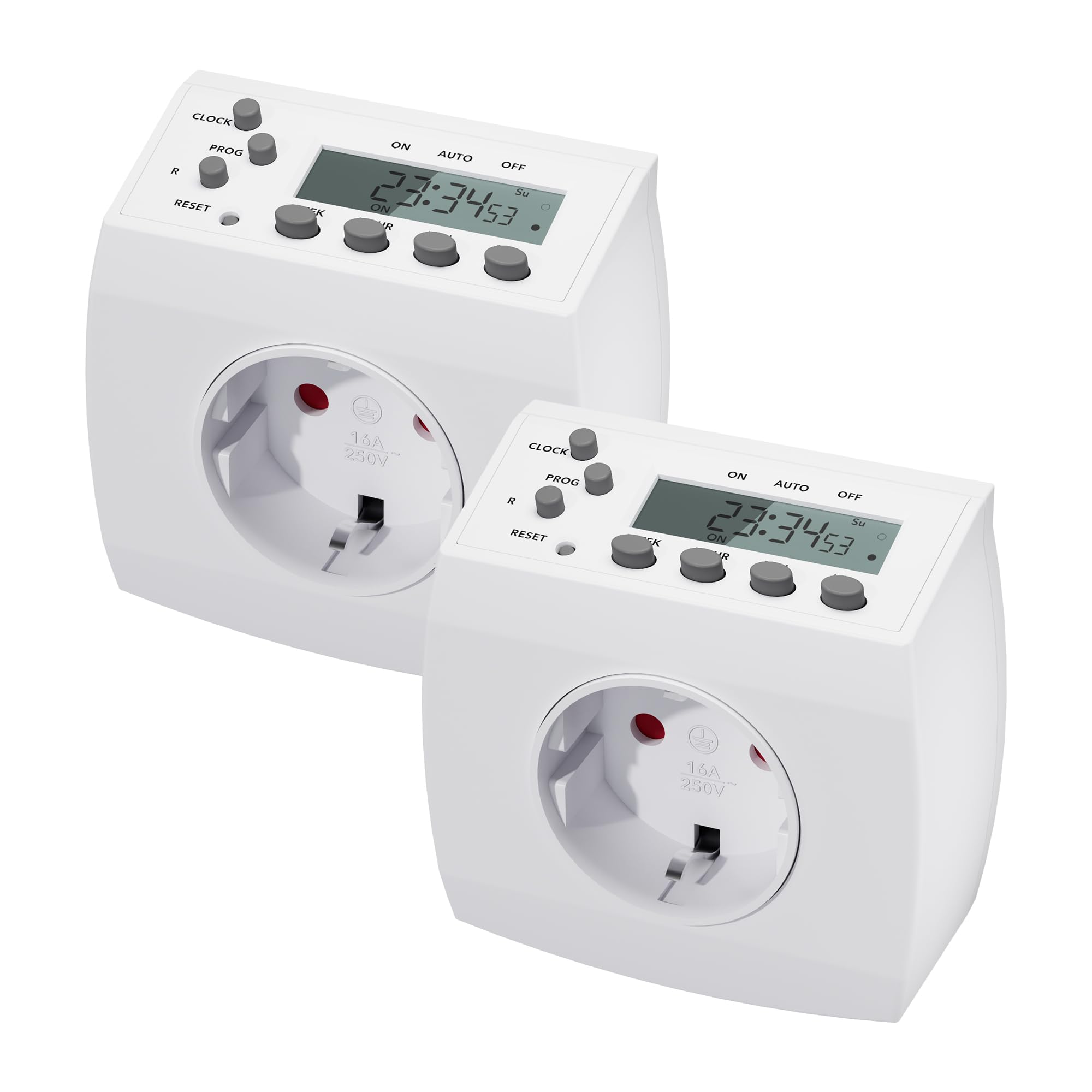
Image 1.1: HBN Digital Timer Plug in use with a coffee machine, highlighting key features.
2. സുരക്ഷാ നിർദ്ദേശങ്ങൾ
- ഇൻഡോർ ഉപയോഗത്തിന് മാത്രം. ഈർപ്പമോ തീവ്രമായ താപനിലയോ ഏൽക്കരുത്.
- പരമാവധി ലോഡ് 16A / 3680W കവിയരുത്.
- ടൈമർ പൂർണ്ണമായും വാൾ സോക്കറ്റിൽ ഘടിപ്പിച്ചിട്ടുണ്ടെന്ന് ഉറപ്പാക്കുക.
- Do not connect multiple timers in series.
- Always unplug the timer from the wall socket before cleaning.
- കുട്ടികൾക്ക് ലഭ്യമാകാതെ സൂക്ഷിക്കുക.
3. ഉൽപ്പന്നം കഴിഞ്ഞുview
3.1 ഘടകങ്ങളും ഡിസ്പ്ലേയും
The HBN Digital Timer Plug features a clear LCD display and intuitive buttons for easy programming. The device is compact and designed for discreet integration into your home.

ചിത്രം 3.1: മുൻവശവും വശവും view of the timer, highlighting buttons and display.
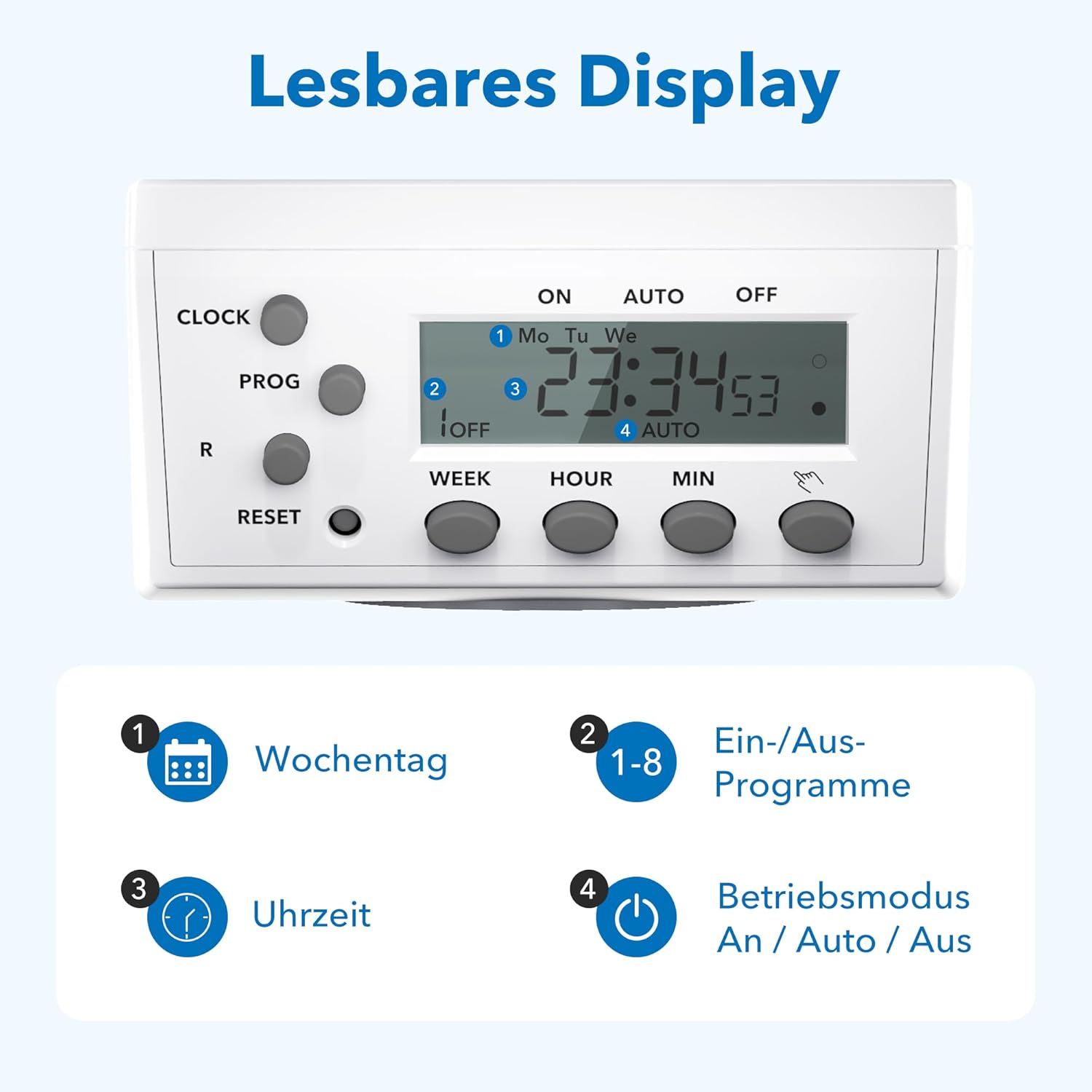
ചിത്രം 3.2: വിശദമായത് view of the readable display, showing weekday, program, time, and mode indicators.
3.2 സാങ്കേതിക ഡാറ്റയും അളവുകളും

Image 3.3: Technical specifications and dimensions of the timer.
- അളവുകൾ: ഏകദേശം 7.5cm x 7.5cm x 8cm
- Max. Programs: 8 ON/OFF programs per day
- Weekly Combinations: 15 different weekly settings
- പരമാവധി. ലോഡ്: 3680W / 16 എ
- Min. Switching Time: 1 മിനിറ്റ്
- ഫീച്ചറുകൾ: Manual ON/OFF, Summer/Winter time, Power failure memory
4. സജ്ജീകരണം
4.1 പ്രാരംഭ സജ്ജീകരണവും ചാർജിംഗും
- Plug the timer into a wall socket for at least 30 minutes to charge the internal battery. This battery maintains settings during power outages.
- അമർത്തുക പുനഃസജ്ജമാക്കുക button with a pointed object (e.g., a pen tip) to clear all previous settings. The display will show "0:00" and all segments will flash.
4.2 നിലവിലെ സമയം ക്രമീകരിക്കുന്നു
- അമർത്തുക ക്ലോക്ക് button and hold it.
- പിടിക്കുമ്പോൾ ക്ലോക്ക്, അമർത്തുക ആഴ്ച button repeatedly to select the current day of the week (Mo, Tu, We, Th, Fr, Sa, Su).
- പിടിക്കുമ്പോൾ ക്ലോക്ക്, അമർത്തുക മണിക്കൂർ button repeatedly to set the current hour (0-23).
- പിടിക്കുമ്പോൾ ക്ലോക്ക്, അമർത്തുക MIN button repeatedly to set the current minute (0-59).
- റിലീസ് ചെയ്യുക ക്ലോക്ക് button. The current time is now set.
5. പ്രവർത്തന നിർദ്ദേശങ്ങൾ
5.1 Programming ON/OFF Times
The timer allows for up to 8 ON/OFF programs. Each program can be set for specific days or combinations of days.
- അമർത്തുക PROG button once. The display will show "1 ON" and the time will flash.
- അമർത്തുക ആഴ്ച to select the desired day(s) for the first ON program. Options include individual days, weekdays, weekends, or all days.
- അമർത്തുക മണിക്കൂർ ഒപ്പം MIN to set the desired ON time.
- അമർത്തുക PROG again. The display will show "1 OFF" and the time will flash.
- അമർത്തുക ആഴ്ച to select the desired day(s) for the first OFF program (usually the same as the ON program).
- അമർത്തുക മണിക്കൂർ ഒപ്പം MIN to set the desired OFF time.
- Repeat steps 1-6 for programs 2 through 8.
- ആവശ്യമുള്ള എല്ലാ പ്രോഗ്രാമുകളും സജ്ജീകരിച്ച ശേഷം, അമർത്തുക ക്ലോക്ക് നിലവിലെ സമയ പ്രദർശനത്തിലേക്ക് മടങ്ങാൻ ബട്ടൺ.
5.2 മാനുവൽ ഓവർറൈഡ് (ഓൺ/ഓട്ടോ/ഓഫ്)
അമർത്തുക മാനുവൽ button (often labeled with a hand icon or similar) to cycle through the operating modes:
- ഓൺ: കണക്റ്റുചെയ്ത ഉപകരണം എല്ലാ പ്രോഗ്രാമുകളെയും മറികടന്ന് തുടർച്ചയായി ഓണായിരിക്കും.
- സ്വയമേവ: The timer will operate according to the programmed ON/OFF times.
- ഓഫാണ്: കണക്റ്റുചെയ്ത ഉപകരണം എല്ലാ പ്രോഗ്രാമുകളെയും മറികടന്ന് തുടർച്ചയായി ഓഫായിരിക്കും.
5.3 റാൻഡം ഫംഗ്ഷൻ
The random function can simulate presence in your home by turning appliances ON and OFF at irregular intervals, typically between 6:00 PM and 6:00 AM. This feature is useful for deterring potential intruders when you are away.
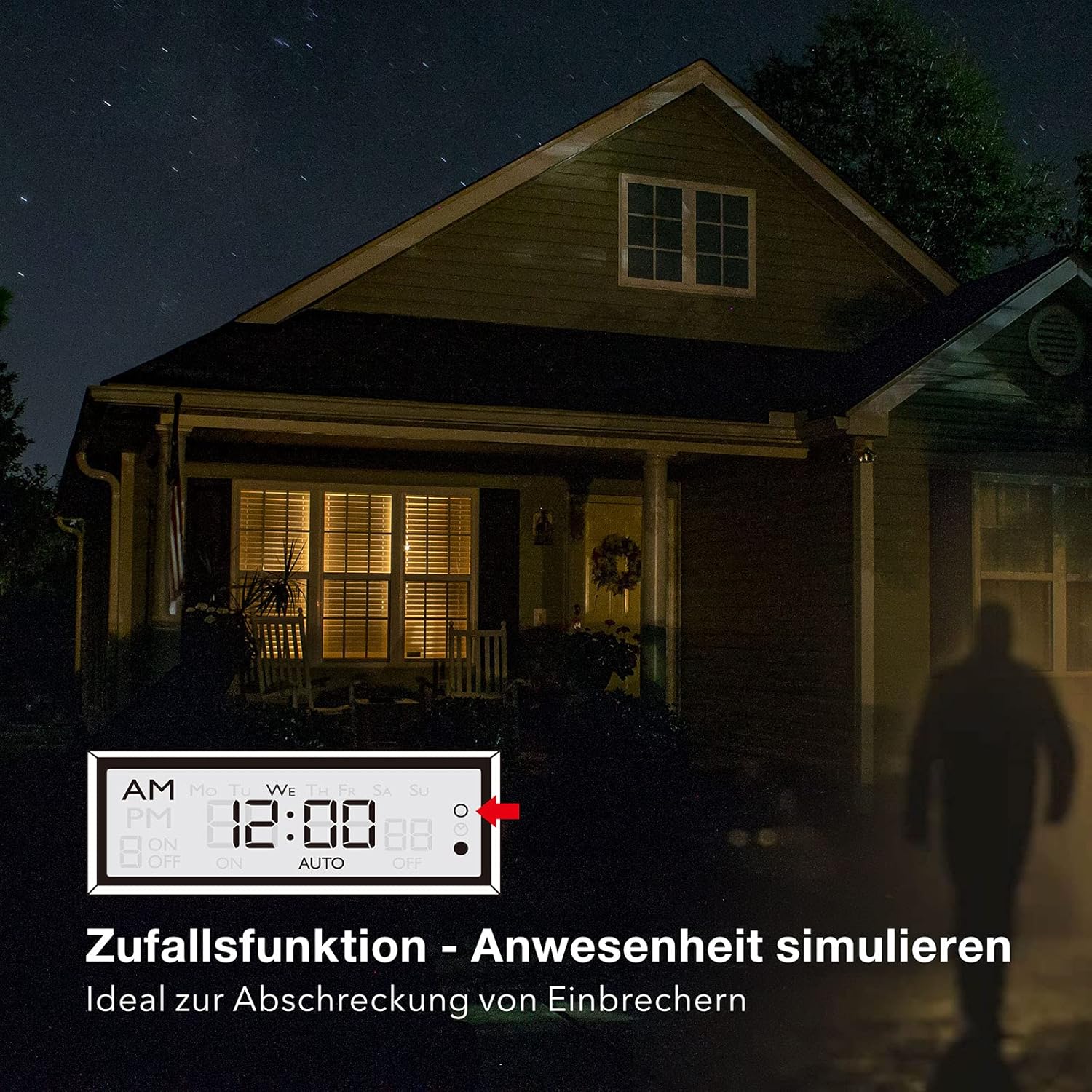
Image 5.1: Random function simulating presence for security.
- To activate the random function, press the R (Random) button. The display will show "R" or a similar indicator.
- നിർജ്ജീവമാക്കാൻ, അമർത്തുക R വീണ്ടും ബട്ടൺ.
6. പരിപാലനം
The HBN Digital Timer Plug requires minimal maintenance.
- Ensure the timer is unplugged from the power outlet before cleaning.
- മൃദുവായതും ഉണങ്ങിയതുമായ തുണി ഉപയോഗിച്ച് പുറംഭാഗം തുടയ്ക്കുക. അബ്രാസീവ് ക്ലീനറുകളോ ലായകങ്ങളോ ഉപയോഗിക്കരുത്.
- ഉപയോഗത്തിലില്ലാത്തപ്പോൾ തണുത്തതും ഉണങ്ങിയതുമായ സ്ഥലത്ത് സൂക്ഷിക്കുക.

Image 6.1: The timer operates silently, suitable for bedrooms.

Image 6.2: Versatile applications for the HBN Digital Timer Plug.
7. പ്രശ്നപരിഹാരം
- പ്രദർശനം ശൂന്യമാണ്: Ensure the timer is plugged into a live socket. If it has been unplugged for a long time, the internal battery might be depleted. Plug it in for 30 minutes to charge.
- Appliance does not turn ON/OFF as programmed:
- Check if the timer is in "AUTO" mode.
- Verify that the ON/OFF programs are set correctly for the desired days and times.
- Ensure the appliance itself is switched ON.
- Check if the random function is accidentally activated.
- Timer is unresponsive: അമർത്തുക പുനഃസജ്ജമാക്കുക button with a pointed object to restore factory settings. You will need to reprogram the time and schedules.
8 സ്പെസിഫിക്കേഷനുകൾ
| സ്പെസിഫിക്കേഷൻ | മൂല്യം |
|---|---|
| മോഡൽ നമ്പർ | 2xBND-50/SG3-VC |
| വാല്യംtage | 230V~50Hz |
| പരമാവധി. നിലവിലുള്ളത് | 16(3)എ |
| പരമാവധി. ശക്തി | 3680W |
| പ്രോഗ്രാമുകളുടെ എണ്ണം | 8 ഓൺ/ഓഫ് പ്രോഗ്രാമുകൾ |
| ഏറ്റവും കുറഞ്ഞ ക്രമീകരണ സമയം | 1 മിനിറ്റ് |
| നിറം | വെള്ള |
| ഉൽപ്പന്ന ഭാരം | 150 ഗ്രാം |
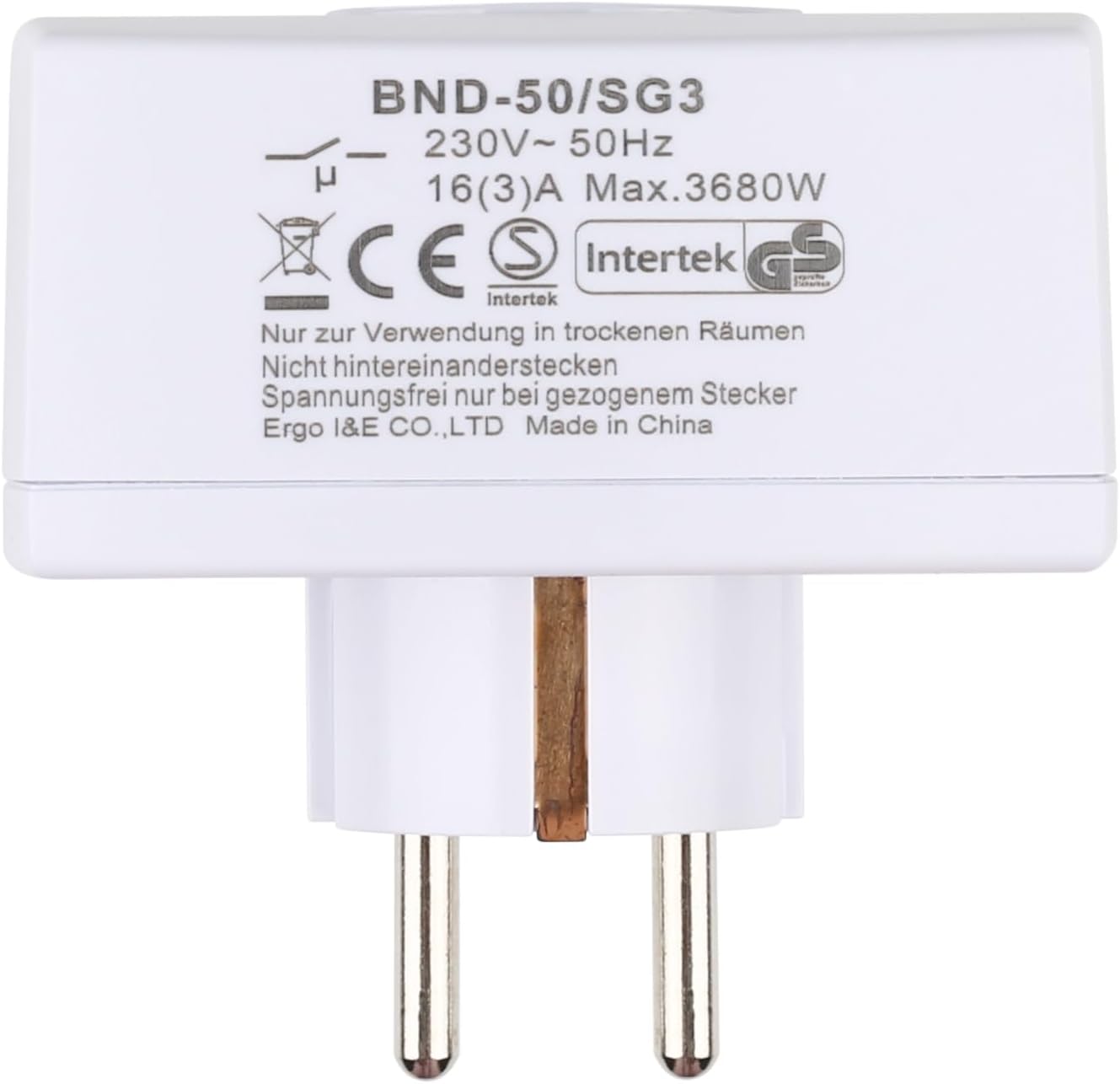
ചിത്രം 8.1: പിൻഭാഗം view of the timer with electrical specifications and certifications.
9. വാറൻ്റിയും പിന്തുണയും
HBN products are designed for reliability and performance. For warranty information or technical support, please refer to the contact details provided with your purchase or visit the official HBN webസൈറ്റ്. വാങ്ങിയതിന്റെ തെളിവായി നിങ്ങളുടെ വാങ്ങൽ രസീത് സൂക്ഷിക്കുക.