
1. ആമുഖം
Thank you for choosing Monster Persona Noise Cancelling Wireless Headphones. These headphones are designed to provide a superior audio experience with advanced noise cancellation, Hi-Fi stereo sound, and deep bass. This manual will guide you through the setup, operation, and maintenance of your new headphones to ensure optimal performance and longevity.

Image: Monster Persona Noise Cancelling Wireless Headphones, showcasing their sleek gray design.
2. ബോക്സിൽ എന്താണുള്ളത്?
Upon unboxing your Monster Persona headphones, please ensure all the following components are present:
- Monster Persona Wireless Headphones
- 3.5 എംഎം ഓക്സ് കേബിൾ
- യുഎസ്ബി-സി കേബിൾ
- ഫ്ലൈറ്റ് അഡാപ്റ്റർ
- സ്റ്റോറേജ് ബാഗ്
Video: A detailed unboxing of the Monster Persona headphones, showing all included accessories and the headphones themselves.
3. ഉൽപ്പന്നം കഴിഞ്ഞുview
3.1. നിയന്ത്രണങ്ങളും സവിശേഷതകളും
The Monster Persona headphones feature intuitive controls for easy management of audio and calls. Key features include:
- സജീവ നോയ്സ് റദ്ദാക്കൽ (ANC): ആഴത്തിലുള്ള ശ്രവണ അനുഭവത്തിനായി ആംബിയന്റ് നോയ്സ് കുറയ്ക്കുന്നു.
- ആംബിയന്റ് സൗണ്ട് മോഡ്: ഓഡിയോ കേൾക്കുമ്പോൾ നിങ്ങളുടെ ചുറ്റുപാടുകൾ കേൾക്കാൻ നിങ്ങളെ അനുവദിക്കുന്നു.
- വോളിയം നിയന്ത്രണം: Adjust audio levels directly from the headphones.
- മൾട്ടി-ഫംഗ്ഷൻ ബട്ടൺ: Manages calls, music playback, and voice assistant activation.
- USB-C ചാർജിംഗ് പോർട്ട്: For fast and convenient charging.
- 3.5mm ഓഡിയോ ജാക്ക്: വയർഡ് കണക്ഷനായി.

Image: A visual representation highlighting the adjustable headband, 90-degree rotatable earcups, and foldable design for portability.
വീഡിയോ: വിശദമായ ഒരു അവലോകനംview of the Monster Persona headphones, showcasing their design and various features.
Video: Demonstrates the foldable design of the Monster Persona Over-Ear Wireless Headphones, highlighting their portability.
4. സജ്ജീകരണം
4.1. ഹെഡ്ഫോണുകൾ ചാർജ് ചെയ്യുന്നു
Before first use, fully charge your headphones. Connect the supplied USB-C cable to the charging port on the headphones and the other end to a USB power source. The LED indicator will show charging status.
- ഒരു പൂർണ്ണ ചാർജ് ഏകദേശം 1 മണിക്കൂർ എടുക്കും.
- അഞ്ച് മിനിറ്റ് ക്വിക്ക് ചാർജ് ചെയ്താൽ 2.5 മണിക്കൂർ വരെ പ്ലേ ടൈം ലഭിക്കും.
- Fully charged, the headphones offer over 30 hours of playtime.
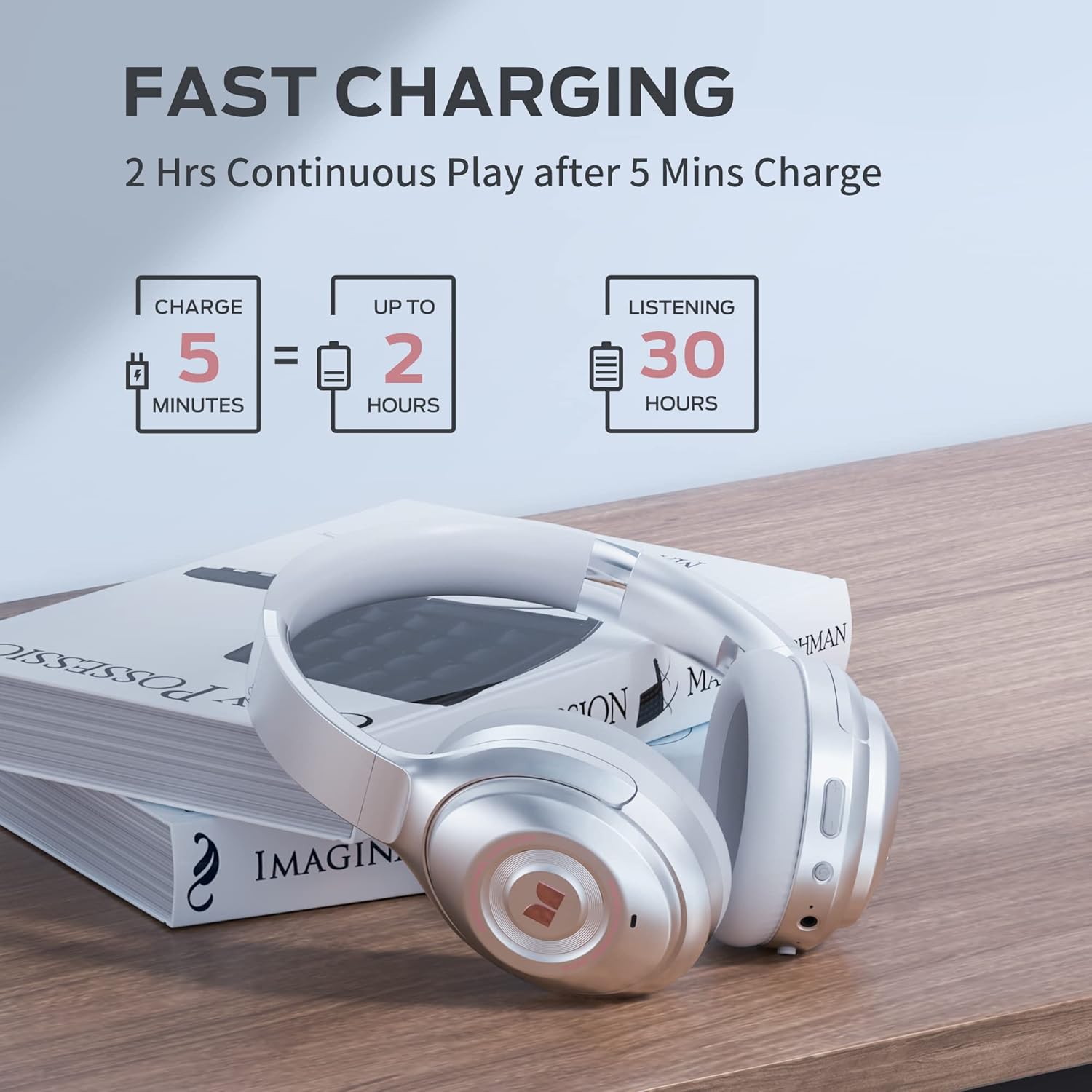
Image: Visual guide to the fast charging feature, showing charge times and playtime.
4.2. പവർ ഓൺ/ഓഫ്
- പവർ ഓണാക്കാൻ: പവർ ബട്ടൺ 2 സെക്കൻഡ് അമർത്തിപ്പിടിക്കുക. LED ഇൻഡിക്കേറ്റർ പ്രകാശിക്കും.
- പവർ ഓഫ് ചെയ്യാൻ: പവർ ബട്ടൺ 3 സെക്കൻഡ് അമർത്തിപ്പിടിക്കുക. LED ഇൻഡിക്കേറ്റർ ഓഫാകും.
4.3. ബ്ലൂടൂത്ത് ജോടിയാക്കൽ
നിങ്ങളുടെ ഹെഡ്ഫോണുകൾ ബ്ലൂടൂത്ത് പ്രവർത്തനക്ഷമമാക്കിയ ഉപകരണവുമായി ബന്ധിപ്പിക്കാൻ:
- ഹെഡ്ഫോണുകൾ ഓഫാണെന്ന് ഉറപ്പാക്കുക.
- ജോടിയാക്കൽ മോഡ് സൂചിപ്പിക്കുന്ന LED ഇൻഡിക്കേറ്റർ നീലയും ചുവപ്പും നിറങ്ങളിൽ മിന്നുന്നതുവരെ പവർ ബട്ടൺ 5 സെക്കൻഡ് അമർത്തിപ്പിടിക്കുക.
- On your device, go to Bluetooth settings and select "Monster Persona" from the list of available devices.
- കണക്റ്റ് ചെയ്തുകഴിഞ്ഞാൽ, എൽഇഡി ഇൻഡിക്കേറ്റർ കടും നീലയായി മാറും.

Image: A visual guide demonstrating how to easily pair your Monster Persona headphones via Bluetooth.
Video: A step-by-step tutorial on how to pair your Monster Persona headphones with a Bluetooth device.
5. ഹെഡ്ഫോണുകൾ പ്രവർത്തിപ്പിക്കൽ
5.1. ആക്ടീവ് നോയ്സ് റദ്ദാക്കൽ (ANC)
The headphones feature advanced active noise cancellation to minimize external distractions.
- ANC സജീവമാക്കാൻ: Press the ANC button located on the earcup. You will hear an audible confirmation.
- ANC നിർജ്ജീവമാക്കാൻ: Press the ANC button again.

Image: Illustration of the Active Noise Cancellation feature, demonstrating how external noise is reduced.
Video: Demonstrates the active noise cancelling feature of the Monster Persona Wireless Headphones.
5.2. ആംബിയന്റ് സൗണ്ട് മോഡ്
This mode allows you to hear important sounds around you without removing your headphones.
- To Activate Ambient Sound Mode: Press the Ambient Sound button (often the same as ANC button, or a dedicated button depending on model).
- To Deactivate Ambient Sound Mode: ബട്ടൺ വീണ്ടും അമർത്തുക.

Image: A visual explanation of the Ambient Sound feature, allowing users to remain aware of their surroundings.
5.3. സംഗീത പ്ലേബാക്ക് നിയന്ത്രണം
- പ്ലേ/താൽക്കാലികമായി നിർത്തുക: മൾട്ടി-ഫംഗ്ഷൻ ബട്ടൺ ഒരിക്കൽ അമർത്തുക.
- അടുത്ത ട്രാക്ക്: വോളിയം അപ്പ് ബട്ടൺ അമർത്തിപ്പിടിക്കുക.
- മുമ്പത്തെ ട്രാക്ക്: വോളിയം ഡൗൺ ബട്ടൺ അമർത്തിപ്പിടിക്കുക.
5.4. കോൾ മാനേജ്മെന്റ്
- ഉത്തരം/അവസാന കോൾ: മൾട്ടി-ഫംഗ്ഷൻ ബട്ടൺ ഒരിക്കൽ അമർത്തുക.
- കോൾ നിരസിക്കുക: മൾട്ടി-ഫംഗ്ഷൻ ബട്ടൺ 2 സെക്കൻഡ് അമർത്തിപ്പിടിക്കുക.
- വോയ്സ് അസിസ്റ്റന്റിനെ സജീവമാക്കുക: മൾട്ടി-ഫംഗ്ഷൻ ബട്ടൺ ഇരട്ട-അമർത്തുക.
6. പരിപാലനം
To ensure the longevity and optimal performance of your Monster Persona headphones, follow these maintenance guidelines:
- വൃത്തിയാക്കൽ: ഇയർകപ്പുകളും ഹെഡ്ബാൻഡും വൃത്തിയാക്കാൻ മൃദുവായതും ഉണങ്ങിയതുമായ തുണി ഉപയോഗിക്കുക. അബ്രാസീവ് ക്ലീനറുകളോ ലായകങ്ങളോ ഉപയോഗിക്കരുത്.
- സംഭരണം: When not in use, store the headphones in the provided storage bag to protect them from dust and scratches. The foldable design makes them compact for storage.
- ഈർപ്പം ഒഴിവാക്കുക: ഹെഡ്ഫോണുകൾ വെള്ളത്തെ പ്രതിരോധിക്കുന്നില്ല. വെള്ളം, മഴ, അമിതമായ ഈർപ്പം എന്നിവയിൽ സമ്പർക്കം പുലർത്തുന്നത് ഒഴിവാക്കുക.
- താപനില: ഹെഡ്ഫോണുകൾ തീവ്രമായ താപനിലയിൽ (ചൂടോ തണുപ്പോ) തുറന്നുകാട്ടരുത്.
7. പ്രശ്നപരിഹാരം
നിങ്ങളുടെ ഹെഡ്ഫോണുകളിൽ എന്തെങ്കിലും പ്രശ്നങ്ങൾ നേരിടുകയാണെങ്കിൽ, ഇനിപ്പറയുന്ന പൊതുവായ പ്രശ്നങ്ങളും പരിഹാരങ്ങളും പരിശോധിക്കുക:
| പ്രശ്നം | സാധ്യമായ കാരണം | പരിഹാരം |
|---|---|---|
| ഹെഡ്ഫോണുകൾ ഓണാകുന്നില്ല | കുറഞ്ഞ ബാറ്ററി | ഹെഡ്ഫോണുകൾ പൂർണ്ണമായും ചാർജ് ചെയ്യുക. |
| ബ്ലൂടൂത്ത് വഴി ജോടിയാക്കാൻ കഴിയില്ല | ഹെഡ്ഫോണുകൾ ജോടിയാക്കൽ മോഡിൽ ഇല്ല / ഉപകരണ ബ്ലൂടൂത്ത് ഓഫാണ് | Ensure headphones are in pairing mode (flashing blue/red LED). Turn Bluetooth on your device. Forget previous pairings and try again. |
| ശബ്ദമില്ല | Volume too low / Not connected / Wired mode issue | Increase volume on headphones and device. Ensure successful Bluetooth connection. If using 3.5mm cable, ensure it's fully inserted. |
| ANC ഫലപ്രദമായി പ്രവർത്തിക്കുന്നില്ല. | ANC സജീവമാക്കിയിട്ടില്ല / അനുയോജ്യമല്ല | സജീവമാക്കാൻ ANC ബട്ടൺ അമർത്തുക. നിങ്ങളുടെ ചെവിയിൽ നന്നായി യോജിക്കുന്ന തരത്തിൽ ഹെഡ്ഫോണുകൾ ക്രമീകരിക്കുക. |
8 സ്പെസിഫിക്കേഷനുകൾ
| ഫീച്ചർ | വിശദാംശങ്ങൾ |
|---|---|
| മോഡലിൻ്റെ പേര് | MH31902 |
| കണക്റ്റിവിറ്റി ടെക്നോളജി | ബ്ലൂടൂത്ത് 5.0 |
| ഹെഡ്ഫോണുകൾ ജാക്ക് | 3.5 mm ജാക്ക് |
| ശബ്ദ നിയന്ത്രണം | സജീവ നോയ്സ് റദ്ദാക്കൽ |
| ബാറ്ററി ലൈഫ് | 30 മണിക്കൂർ |
| ചാർജിംഗ് സമയം | 1 മണിക്കൂർ |
| ഓഡിയോ ഡ്രൈവർ തരം | ഡൈനാമിക് ഡ്രൈവർ |
| ഓഡിയോ ഡ്രൈവർ വലിപ്പം | 40 മില്ലിമീറ്റർ |
| ഫ്രീക്വൻസി റേഞ്ച് | 10 ഹെർട്സ് - 30,000 ഹെർട്സ് |
| ഇയർപീസ് ആകൃതി | ചെവിക്ക് മുകളിൽ |
| ഇനത്തിൻ്റെ ഭാരം | 291 ഗ്രാം (10.3 ഔൺസ്) |
| ഉൽപ്പന്ന അളവുകൾ | 7.87 x 6.3 x 3.15 ഇഞ്ച് |
| ജല പ്രതിരോധ നില | വാട്ടർ റെസിസ്റ്റൻ്റ് അല്ല |
| നിർമ്മാതാവ് | JONTER |
| യു.പി.സി | 810079709892 |
9. വാറൻ്റിയും പിന്തുണയും
വാറന്റി വിവരങ്ങൾക്കും ഉപഭോക്തൃ പിന്തുണയ്ക്കും, ദയവായി നിങ്ങളുടെ വാങ്ങലിനൊപ്പം ഉൾപ്പെടുത്തിയിരിക്കുന്ന ഡോക്യുമെന്റേഷൻ പരിശോധിക്കുക അല്ലെങ്കിൽ ഔദ്യോഗിക മോൺസ്റ്റർ സന്ദർശിക്കുക. website. You may also contact your point of purchase for assistance.
For further inquiries or technical support, please reach out to Monster customer service through their official channels.