
1. ആമുഖം
This manual provides detailed instructions for the setup, operation, and maintenance of your Other Digital Red LED Wall Clock, Model 3615. Please read this manual thoroughly before using the product to ensure proper function and longevity.
2. പാക്കേജ് ഉള്ളടക്കം
അൺപാക്ക് ചെയ്യുമ്പോൾ, താഴെ പട്ടികപ്പെടുത്തിയിരിക്കുന്ന എല്ലാ ഇനങ്ങളും നിലവിലുണ്ടെന്നും നല്ല നിലയിലാണെന്നും ദയവായി പരിശോധിക്കുക:
- Other Digital Red LED Wall Clock Model 3615
- പവർ അഡാപ്റ്റർ (കോർഡഡ് ഇലക്ട്രിക്)
- ഉപയോക്തൃ മാനുവൽ (ഈ പ്രമാണം)
3. ഉൽപ്പന്നം കഴിഞ്ഞുview
The Model 3615 is a digital wall clock featuring a clear red LED display. It provides time, date, day of the week, and temperature information. The clock is designed for wall mounting and operates via a corded electric power source.
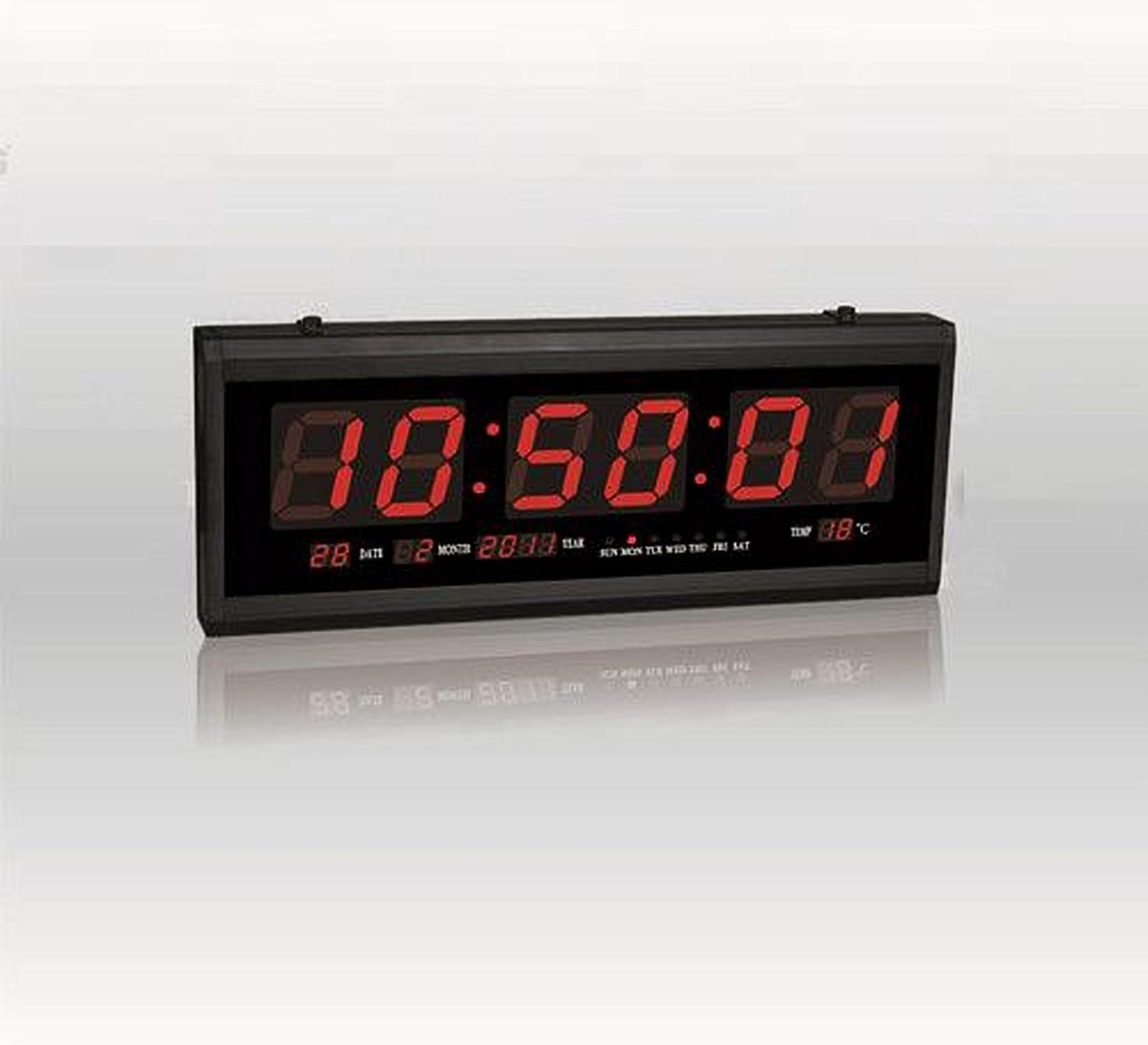
ചിത്രം 1: ഫ്രണ്ട് view of the Digital Red LED Wall Clock Model 3615. The display shows the current time prominently, with smaller indicators for date (day and month), year, day of the week (SUN MON TUE WED THU FRI SAT), and temperature in Celsius.
പ്രദർശന ഘടകങ്ങൾ:
- സമയം: Large red LED digits (HH:MM:SS format).
- തീയതി: Day and Month (e.g., 28 02).
- വർഷം: (ഉദാ, 2088).
- ആഴ്ചയിലെ ദിവസം: Indicators for SUN, MON, TUE, WED, THU, FRI, SAT.
- താപനില: Displays ambient temperature in Celsius (e.g., 88°C).
- അലാറം: Built-in alarm function.
4. സജ്ജീകരണം
4.1 വാൾ മൗണ്ടിംഗ്
- Select a suitable location on a wall, ensuring it is within reach of a power outlet.
- Use appropriate hardware (screws, anchors – not included) to securely mount the clock to the wall. The clock features mounting points on its rear casing.
- Ensure the clock is level before tightening the mounting hardware.
4.2 പവർ കണക്ഷൻ
- Locate the power input port on the clock.
- Connect the provided power adapter to the clock.
- Plug the power adapter into a standard electrical outlet. The clock display should illuminate.
5. പ്രവർത്തന നിർദ്ദേശങ്ങൾ
The clock typically features control buttons on its side or rear for setting time, date, and alarm. Refer to the specific button labels on your device (e.g., SET, UP, DOWN, MODE).
5.1 ക്രമീകരണ സമയം
- അമർത്തുക മോഡ് or സെറ്റ് സമയ അക്കങ്ങൾ മിന്നിത്തുടങ്ങുന്നത് വരെ ബട്ടൺ അമർത്തുക.
- ഉപയോഗിക്കുക UP ഒപ്പം താഴേക്ക് മണിക്കൂർ ക്രമീകരിക്കാനുള്ള ബട്ടണുകൾ.
- അമർത്തുക മോഡ് or സെറ്റ് again to move to the minute setting, then adjust with UP ഒപ്പം താഴേക്ക്.
- Repeat for seconds if applicable.
- അമർത്തുക മോഡ് or സെറ്റ് സമയ ക്രമീകരണ മോഡ് സ്ഥിരീകരിച്ച് പുറത്തുകടക്കാൻ.
5.2 Setting Date and Day of Week
- From normal display, press മോഡ് or സെറ്റ് repeatedly until the date or year digits flash.
- Adjust the year, month, and day using the UP ഒപ്പം താഴേക്ക് buttons, pressing മോഡ് or സെറ്റ് to cycle between them.
- The day of the week should automatically update once the date is set correctly. If not, there may be a separate setting for the day of the week, which can be adjusted similarly.
- അമർത്തുക മോഡ് or സെറ്റ് to confirm and exit date setting mode.
5.3 അലാറം സജ്ജീകരിക്കൽ
- അമർത്തുക അലാറം or മോഡ് അലാറം സമയ അക്കങ്ങൾ മിന്നുന്നത് വരെ ബട്ടൺ അമർത്തുക.
- ഉപയോഗിക്കുക UP ഒപ്പം താഴേക്ക് ആവശ്യമുള്ള അലാറം മണിക്കൂർ സജ്ജമാക്കാൻ ബട്ടണുകൾ.
- അമർത്തുക അലാറം or മോഡ് again to set the alarm minute.
- അമർത്തുക അലാറം or മോഡ് സ്ഥിരീകരിക്കാൻ.
- To activate/deactivate the alarm, there is usually a dedicated switch or a long press function on one of the buttons. A small indicator on the display may show if the alarm is active.
5.4 താപനില ഡിസ്പ്ലേ
The clock automatically displays the ambient temperature. No user adjustment is typically required for this feature.
6. പരിപാലനം
6.1 വൃത്തിയാക്കൽ
ക്ലോക്ക് വൃത്തിയാക്കാൻ, ഡിസ്പ്ലേ സൌമ്യമായി തുടച്ച് സി.asinമൃദുവായ, ഉണങ്ങിയ, അല്ലെങ്കിൽ ചെറുതായി d ഉള്ള gamp cloth. Avoid using abrasive cleaners, solvents, or excessive moisture, as these can damage the display or internal components.
6.2 വൈദ്യുതി ബന്ധം വിച്ഛേദിക്കൽ
If the clock will not be used for an extended period, disconnect it from the power outlet.
7. പ്രശ്നപരിഹാരം
- പ്രദർശനം ശൂന്യമാണ്:
- പവർ അഡാപ്റ്റർ ക്ലോക്കിലേക്കും പ്രവർത്തിക്കുന്ന ഒരു ഇലക്ട്രിക്കൽ ഔട്ട്ലെറ്റിലേക്കും സുരക്ഷിതമായി പ്ലഗ് ചെയ്തിട്ടുണ്ടെന്ന് ഉറപ്പാക്കുക.
- മറ്റൊരു ഉപകരണം പ്ലഗ് ഇൻ ചെയ്ത് പവർ ഔട്ട്ലെറ്റ് പ്രവർത്തനക്ഷമമാണോ എന്ന് പരിശോധിക്കുക.
- തെറ്റായ സമയം/തീയതി:
- Follow the instructions in Section 5.1 and 5.2 to reset the time and date.
- അലാറം മുഴങ്ങുന്നില്ല:
- Ensure the alarm is activated (check for an alarm indicator on the display).
- അലാറം സമയം ശരിയായി സജ്ജീകരിച്ചിട്ടുണ്ടെന്ന് ഉറപ്പാക്കുക.
- താപനില വായന തെറ്റാണെന്ന് തോന്നുന്നു:
- Ensure the clock is not placed near heat sources or in direct sunlight, which can affect sensor readings.
8 സ്പെസിഫിക്കേഷനുകൾ
| ബ്രാൻഡ് | മറ്റുള്ളവ |
| മോഡൽ | 3615 |
| ഡിസ്പ്ലേ തരം | Digital, Red LED |
| മെറ്റീരിയൽ | Plastic & Glass (Frame: Plastic) |
| പവർ ഉറവിടം | കോർഡഡ് ഇലക്ട്രിക് |
| പ്രത്യേക സവിശേഷതകൾ | Alarm, Time, Date, Day of Week, Temperature |
| മൗണ്ടിംഗ് തരം | മതിൽ മൗണ്ട് |
| ഇനത്തിൻ്റെ ഭാരം | 850 ഗ്രാം |
| പാക്കേജ് അളവുകൾ | 34 x 19.2 x 7 സെ.മീ |
| ബാറ്ററികൾ ഉൾപ്പെടുത്തിയിട്ടുണ്ട് | ഇല്ല |
9. വാറൻ്റിയും പിന്തുണയും
വാറന്റി വിവരങ്ങൾക്കോ സാങ്കേതിക പിന്തുണയ്ക്കോ, വാങ്ങുന്ന സമയത്ത് നൽകിയിട്ടുള്ള ഡോക്യുമെന്റേഷൻ പരിശോധിക്കുകയോ വിൽപ്പനക്കാരനെയോ/നിർമ്മാതാവിനെയോ നേരിട്ട് ബന്ധപ്പെടുകയോ ചെയ്യുക. വാങ്ങിയതിന്റെ തെളിവായി നിങ്ങളുടെ വാങ്ങൽ രസീത് സൂക്ഷിക്കുക.