
1. ആമുഖം
വാങ്ങിയതിന് നന്ദി.asing the QFX PBX-8080 Portable Bluetooth Speaker. This manual provides important information regarding the setup, operation, and maintenance of your device. Please read it thoroughly before use and retain it for future reference.
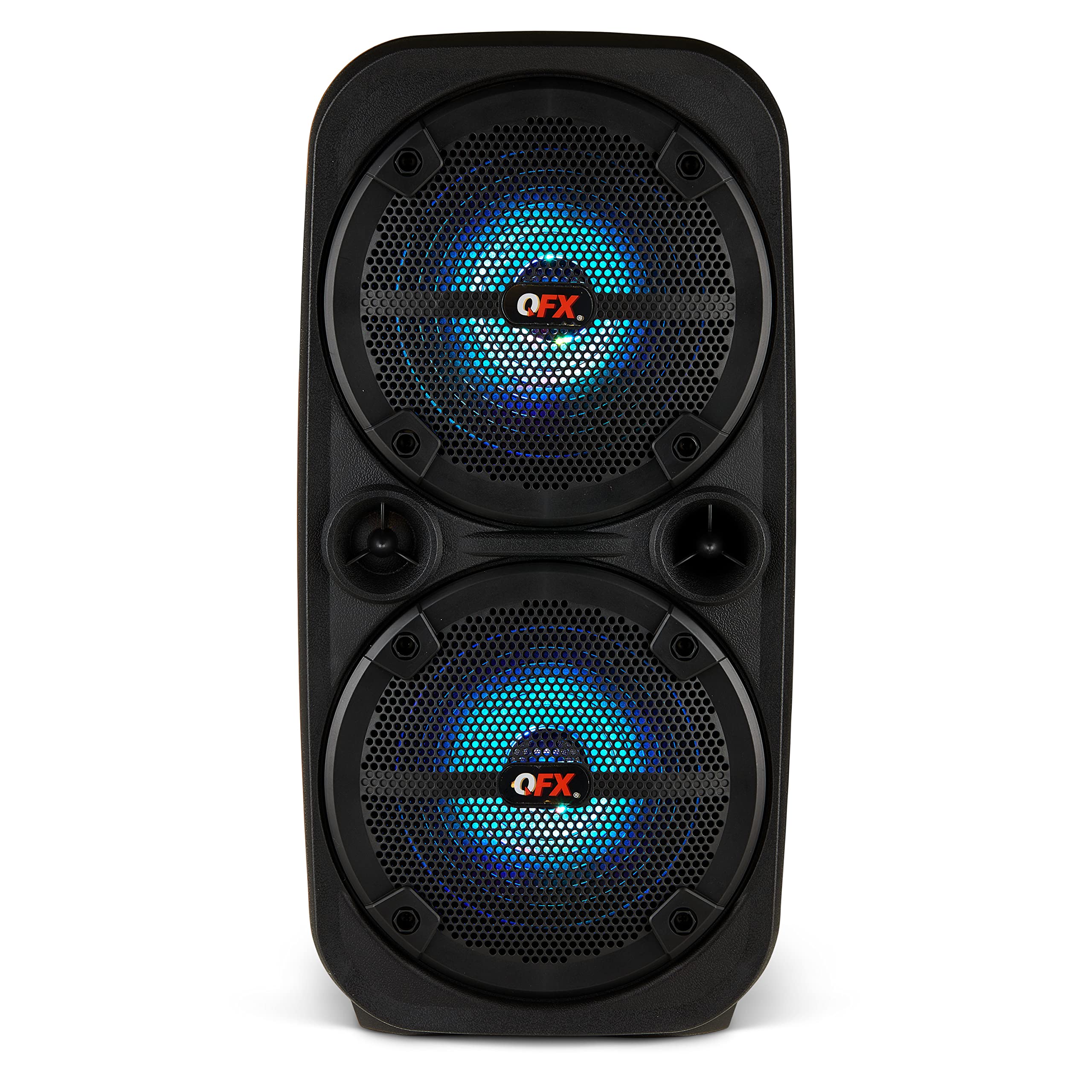
ചിത്രം 1.1: മുൻഭാഗം view of the QFX PBX-8080 Portable Bluetooth Speaker. This image displays the speaker's robust design, featuring two 8-inch woofers, a central control panel, and illuminated LED party lights, indicating its readiness for use.
2. സുരക്ഷാ നിർദ്ദേശങ്ങൾ
- നിർദ്ദേശങ്ങൾ വായിക്കുക: ഉൽപ്പന്നം ഉപയോഗിക്കുന്നതിന് മുമ്പ് എല്ലാ സുരക്ഷാ, പ്രവർത്തന നിർദ്ദേശങ്ങളും വായിക്കുക.
- നിർദ്ദേശങ്ങൾ നിലനിർത്തുക: ഭാവി റഫറൻസിനായി സുരക്ഷയും പ്രവർത്തന നിർദ്ദേശങ്ങളും സൂക്ഷിക്കുക.
- മുന്നറിയിപ്പുകൾ ശ്രദ്ധിക്കുക: ഉൽപ്പന്നത്തിലെയും പ്രവർത്തന നിർദ്ദേശങ്ങളിലെയും എല്ലാ മുന്നറിയിപ്പുകളും പാലിക്കുക.
- നിർദ്ദേശങ്ങൾ പാലിക്കുക: എല്ലാ പ്രവർത്തനങ്ങളും ഉപയോഗ നിർദ്ദേശങ്ങളും പാലിക്കുക.
- ജലവും ഈർപ്പവും: വെള്ളത്തിനടുത്ത് ഈ ഉപകരണം ഉപയോഗിക്കരുത്.
- വൃത്തിയാക്കൽ: ഉണങ്ങിയ തുണി ഉപയോഗിച്ച് മാത്രം വൃത്തിയാക്കുക.
- വെൻ്റിലേഷൻ: വെന്റിലേഷൻ തുറസ്സുകളൊന്നും തടയരുത്. നിർമ്മാതാവിന്റെ നിർദ്ദേശങ്ങൾക്കനുസൃതമായി ഇൻസ്റ്റാൾ ചെയ്യുക.
- ചൂട്: റേഡിയറുകൾ, ഹീറ്റ് രജിസ്റ്ററുകൾ, സ്റ്റൗകൾ, അല്ലെങ്കിൽ മറ്റ് ഉപകരണങ്ങൾ (ഉൾപ്പെടെ) പോലെയുള്ള താപ സ്രോതസ്സുകൾക്ക് സമീപം ഇൻസ്റ്റാൾ ചെയ്യരുത്. ampലൈഫയറുകൾ) ചൂട് ഉത്പാദിപ്പിക്കുന്നത്.
- പവർ കോർഡ് പരിരക്ഷ: പ്രത്യേകിച്ച് പ്ലഗുകൾ, കൺവീനിയൻസ് റെസെപ്റ്റക്കിളുകൾ, ഉപകരണത്തിൽ നിന്ന് പുറത്തുകടക്കുന്ന ഇടം എന്നിവയിൽ നടക്കുകയോ നുള്ളുകയോ ചെയ്യുന്നതിൽ നിന്ന് പവർ കോർഡ് സംരക്ഷിക്കുക.
- അറ്റാച്ചുമെൻ്റുകൾ: നിർമ്മാതാവ് വ്യക്തമാക്കിയ അറ്റാച്ച്മെൻ്റുകൾ/ആക്സസറികൾ മാത്രം ഉപയോഗിക്കുക.
- മിന്നൽ: മിന്നൽ കൊടുങ്കാറ്റുകളുടെ സമയത്തോ ദീർഘനേരം ഉപയോഗിക്കാത്ത സമയത്തോ ഈ ഉപകരണം അൺപ്ലഗ് ചെയ്യുക.
- സേവനം: എല്ലാ സേവനങ്ങളും യോഗ്യതയുള്ള സേവന ഉദ്യോഗസ്ഥർക്ക് റഫർ ചെയ്യുക. പവർ സപ്ലൈ കോർഡ് അല്ലെങ്കിൽ പ്ലഗ് കേടാകുക, ദ്രാവകം ഒഴുകുകയോ ഉപകരണങ്ങൾ ഉപകരണത്തിലേക്ക് വീഴുകയോ ചെയ്യുക, ഉപകരണം മഴയോ ഈർപ്പമോ സമ്പർക്കം പുലർത്തുക, സാധാരണയായി പ്രവർത്തിക്കാത്തത് എന്നിങ്ങനെയുള്ള ഏതെങ്കിലും വിധത്തിൽ ഉപകരണത്തിന് കേടുപാടുകൾ സംഭവിക്കുമ്പോൾ സേവനം ആവശ്യമാണ്. , അല്ലെങ്കിൽ ഉപേക്ഷിച്ചു.
3. പാക്കേജ് ഉള്ളടക്കം
താഴെ പറയുന്ന ഇനങ്ങൾക്കായി ബോക്സ് ചെക്ക് ചെയ്യുക:
- QFX PBX-8080 Portable Bluetooth Speaker
- യുഎസ്ബി ചാർജിംഗ് കേബിൾ
- നിർദ്ദേശ മാനുവൽ (ഈ പ്രമാണം)
4. ഉൽപ്പന്നം കഴിഞ്ഞുview
The QFX PBX-8080 is a versatile portable speaker designed for powerful audio output and various connectivity options. It features dual 8-inch woofers, LED party lights, and multiple input methods.
പ്രധാന ഘടകങ്ങൾ:
- ഡ്യുവൽ 8 ഇഞ്ച് വൂഫറുകൾ: For powerful bass and clear audio.
- നിയന്ത്രണ പാനൽ: Located on the top or front, featuring buttons for power, mode selection, volume, playback control, and LED light control.
- LED പാർട്ടി ലൈറ്റുകൾ: Integrated lights that synchronize with music or can be set to various patterns.
- ഇൻപുട്ട് പോർട്ടുകൾ: USB, Aux-in (3.5mm), Microphone input.
- ചാർജിംഗ് പോർട്ട്: യുഎസ്ബി ചാർജിംഗ് കേബിൾ ബന്ധിപ്പിക്കുന്നതിന്.
- ഹാൻഡിലുകൾ: എളുപ്പമുള്ള പോർട്ടബിലിറ്റിക്ക്.
5. സജ്ജീകരണം
5.1 സ്പീക്കർ ചാർജ് ചെയ്യുന്നു
- സ്പീക്കറിൽ ചാർജിംഗ് പോർട്ട് കണ്ടെത്തുക.
- നൽകിയിരിക്കുന്ന USB ചാർജിംഗ് കേബിൾ സ്പീക്കറിന്റെ ചാർജിംഗ് പോർട്ടുമായി ബന്ധിപ്പിക്കുക.
- USB കേബിളിന്റെ മറ്റേ അറ്റം അനുയോജ്യമായ ഒരു USB പവർ അഡാപ്റ്ററുമായി (ഉൾപ്പെടുത്തിയിട്ടില്ല) അല്ലെങ്കിൽ ഒരു പവർഡ് USB പോർട്ടുമായി ബന്ധിപ്പിക്കുക.
- The charging indicator light (if present) will illuminate, typically red, during charging.
- Once fully charged, the indicator light may change color (e.g., turn off or turn green). A full charge typically takes several hours.
- The speaker supports "Charge & Play," allowing you to use it while it is charging.
5.2 പവർ ഓൺ/ഓഫ്
- To power on the speaker, press and hold the Power button (usually marked with ⏻ or "POWER") for a few seconds until you hear an audible prompt or see the display/LEDs light up.
- പവർ ഓഫ് ചെയ്യാൻ, സ്പീക്കർ ഓഫാകുന്നതുവരെ പവർ ബട്ടൺ വീണ്ടും അമർത്തിപ്പിടിക്കുക.
6. പ്രവർത്തന നിർദ്ദേശങ്ങൾ
6.1 ബ്ലൂടൂത്ത് ജോടിയാക്കൽ
- Ensure the speaker is powered on and in Bluetooth mode. If not, press the "MODE" button until "Bluetooth" or "BT" is displayed/announced. The Bluetooth indicator will typically flash, indicating it's in pairing mode.
- നിങ്ങളുടെ മൊബൈൽ ഉപകരണത്തിൽ (സ്മാർട്ട്ഫോൺ, ടാബ്ലെറ്റ് മുതലായവ), ബ്ലൂടൂത്ത് പ്രവർത്തനക്ഷമമാക്കി ലഭ്യമായ ഉപകരണങ്ങൾക്കായി തിരയുക.
- Select "QFX PBX-8080" from the list of found devices.
- ജോടിയാക്കിക്കഴിഞ്ഞാൽ, സ്പീക്കർ ഒരു കേൾക്കാവുന്ന സ്ഥിരീകരണം പുറപ്പെടുവിക്കും, ബ്ലൂടൂത്ത് ഇൻഡിക്കേറ്റർ ലൈറ്റ് മിന്നുന്നത് നിർത്തി ഉറച്ചതായി തുടരും.
- ഇപ്പോൾ നിങ്ങളുടെ ഉപകരണത്തിൽ നിന്ന് സ്പീക്കറിലൂടെ ഓഡിയോ പ്ലേ ചെയ്യാൻ കഴിയും.
6.2 ട്രൂ വയർലെസ് സ്റ്റീരിയോ (TWS) ഫംഗ്ഷൻ
The TWS function allows you to connect two PBX-8080 speakers wirelessly for a stereo sound experience.
- Ensure both PBX-8080 speakers are powered on and in Bluetooth mode, but അല്ല connected to any device.
- On one of the speakers, press and hold the "TWS" button (or a similar button, refer to speaker markings) for a few seconds.
- The speakers will attempt to connect to each other. Once connected, you will hear a confirmation tone.
- Now, connect your mobile device to one of the paired PBX-8080 speakers via Bluetooth (as described in section 6.1). Both speakers will play audio in stereo.
6.3 LED Party Lights
The PBX-8080 features dynamic LED party lights. Use the "LIGHT" button (or similar) on the control panel to cycle through different light modes or to turn the lights off.
6.4 മൈക്രോഫോൺ ഇൻപുട്ട്
- Connect a wired microphone (not included) to the "MIC IN" jack on the speaker.
- Adjust the microphone volume using the dedicated "MIC VOL" knob or buttons on the control panel.
- You can use the microphone while playing music from other sources.
6.5 ഓക്സ് ഇൻപുട്ട്
- Connect an external audio device (e.g., MP3 player, laptop) to the "AUX IN" jack using a 3.5mm audio cable (not included).
- Press the "MODE" button on the speaker until "AUX" mode is selected.
- Control playback and volume from your connected device or the speaker's main volume control.
6.6 USB ഇൻപുട്ട്
- ഒരു യുഎസ്ബി ഫ്ലാഷ് ഡ്രൈവ് ഇടുക (എംപി 3 ഓഡിയോ അടങ്ങിയിരിക്കുന്നു files) into the "USB" port.
- The speaker will automatically switch to USB mode and begin playing music from the drive. If not, press the "MODE" button to select "USB" mode.
- Use the playback controls (Play/Pause, Next/Previous Track) on the speaker to manage your music.
6.7 എഫ്എം റേഡിയോ
- Press the "MODE" button until "FM" radio mode is selected.
- Press the "PLAY/PAUSE" button (or a dedicated scan button) to automatically scan and save available FM radio stations.
- Use the "NEXT/PREVIOUS" buttons to navigate between saved stations.
- For better reception, ensure the speaker is in an open area.
7. പരിപാലനം
- വൃത്തിയാക്കൽ: സ്പീക്കറിന്റെ പുറംഭാഗം വൃത്തിയാക്കാൻ മൃദുവായതും ഉണങ്ങിയതുമായ തുണി ഉപയോഗിക്കുക. അബ്രസീവ് ക്ലീനറുകൾ, മെഴുക് അല്ലെങ്കിൽ ലായകങ്ങൾ ഉപയോഗിക്കരുത്.
- സംഭരണം: ദീർഘനേരം ഉപയോഗിക്കാത്തപ്പോൾ, സ്പീക്കർ തണുത്തതും വരണ്ടതുമായ സ്ഥലത്ത് സൂക്ഷിക്കുക, നേരിട്ടുള്ള സൂര്യപ്രകാശത്തിൽ നിന്നും കടുത്ത താപനിലയിൽ നിന്നും അകറ്റി നിർത്തുക.
- ബാറ്ററി കെയർ: ബാറ്ററി ലൈഫ് വർദ്ധിപ്പിക്കാൻ, ബാറ്ററി ഇടയ്ക്കിടെ പൂർണ്ണമായും ഡിസ്ചാർജ് ചെയ്യുന്നത് ഒഴിവാക്കുക. ബാറ്ററിയുടെ ആരോഗ്യം നിലനിർത്താൻ, ഉപയോഗത്തിലില്ലെങ്കിൽ പോലും, സ്പീക്കർ പതിവായി ചാർജ് ചെയ്യുക.
- വെള്ളം ഒഴിവാക്കുക: This speaker is not waterproof. Keep it away from water and moisture to prevent damage.
8. പ്രശ്നപരിഹാരം
| പ്രശ്നം | സാധ്യമായ പരിഹാരം |
|---|---|
| സ്പീക്കർ പവർ ഓൺ ചെയ്യുന്നില്ല. |
|
| സ്പീക്കറിൽ നിന്ന് ശബ്ദമൊന്നുമില്ല. |
|
| ബ്ലൂടൂത്ത് ജോടിയാക്കൽ പരാജയപ്പെട്ടു. |
|
| എഫ്എം റേഡിയോ റിസപ്ഷൻ മോശമാണ്. |
|
9 സ്പെസിഫിക്കേഷനുകൾ
| ഫീച്ചർ | വിശദാംശങ്ങൾ |
|---|---|
| മോഡലിൻ്റെ പേര് | പി.ബി.എക്സ് -8080 |
| ബ്രാൻഡ് | ക്യുഎഫ്എക്സ് |
| സ്പീക്കർ തരം | Woofer (2 x 8-inch) |
| കണക്റ്റിവിറ്റി ടെക്നോളജി | ബ്ലൂടൂത്ത് |
| പ്രത്യേക സവിശേഷതകൾ | Bluetooth, True Wireless Stereo (TWS), LED Party Lights, Microphone Input, Aux Input, USB Input, FM Radio, Rechargeable, Handles |
| ഓഡിയോ put ട്ട്പുട്ട് മോഡ് | സ്റ്റീരിയോ |
| പവർ ഉറവിടം | Corded Electric (for charging), Rechargeable Battery |
| ഇനത്തിൻ്റെ ഭാരം | 5.73 പൗണ്ട് (2.6 കി.ഗ്രാം) |
| യൂണിറ്റ് അളവുകൾ (WxDxH) | 9.65 x 7.36 x 19.69 ഇഞ്ച് (ഏകദേശം) |
| യു.പി.സി | 606540039670 |
10. വാറൻ്റിയും പിന്തുണയും
QFX products are designed and manufactured to the highest quality standards. For specific warranty information, please refer to the warranty card included with your purchase or visit the official QFX website. If you encounter any issues or require technical assistance, please contact QFX customer support.
QFX Customer Support:
- ഏറ്റവും കാലികമായ പിന്തുണാ വിവരങ്ങൾക്ക്, ദയവായി സന്ദർശിക്കുക QFX Store on Amazon or the official QFX webസൈറ്റ്.