
1. ഉൽപ്പന്നം കഴിഞ്ഞുview
The EPOS Adapt 130T USB II is a wired, single-sided headset designed for professional communication. It offers superior sound quality and enhanced comfort for extended use. This headset is certified for Microsoft Teams and optimized for Unified Communications (UC), ensuring seamless integration with your business tools.
പ്രധാന സവിശേഷതകൾ:
- Microsoft Teams certified and UC optimized for professional communication.
- Single-sided design allows awareness of surroundings.
- Plug and play USB connectivity for quick setup.
- Integrated call control and microphone for clear communication.
- Lightweight design (4 ounces) with enhanced comfort for long workdays.
2. ബോക്സിൽ എന്താണുള്ളത്?
Upon opening your EPOS Adapt 130T USB II Headset package, you should find the following items:
- EPOS Adapt 130T USB II Headset
- ഉപയോക്തൃ മാനുവൽ (ഈ പ്രമാണം)
- സുരക്ഷാ ഗൈഡ്
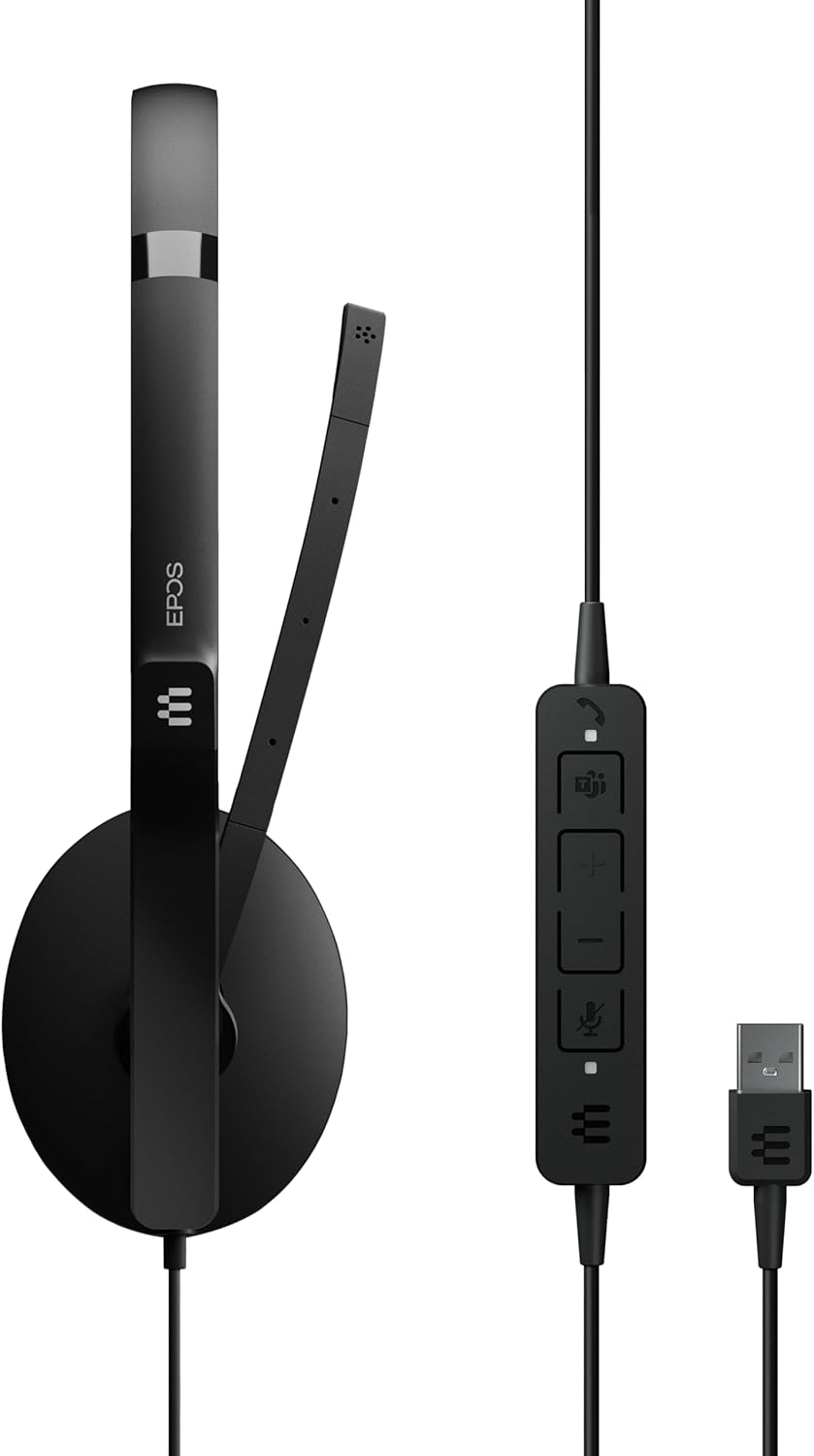
Image: The EPOS Adapt 130T USB II Headset, showcasing the single earcup, adjustable headband, microphone boom, inline call controls, and USB-A connector.
3. സജ്ജീകരണ നിർദ്ദേശങ്ങൾ
The EPOS Adapt 130T USB II Headset features plug-and-play functionality, making setup quick and straightforward.
- ഹെഡ്സെറ്റ് ബന്ധിപ്പിക്കുക: Locate an available USB-A port on your computer (PC or Mac). Insert the USB-A connector of the headset into the USB port.
- സിസ്റ്റം തിരിച്ചറിയൽ: Your operating system should automatically detect and install the necessary drivers for the headset. This may take a few moments.
- ഓഡിയോ ക്രമീകരണങ്ങൾ പരിശോധിക്കുക: Once connected, open your computer's sound settings or the settings within your communication application (e.g., Microsoft Teams, Zoom, Skype). Ensure that the EPOS Adapt 130T USB II is selected as both the input (microphone) and output (speaker) device.
- ഫിറ്റ് ക്രമീകരിക്കുക: Place the headset on your head with the earcup over one ear. Adjust the headband for a comfortable fit. Position the microphone boom approximately two fingers' width from your mouth for optimal voice pickup.

ചിത്രം: മുൻഭാഗം view of the EPOS Adapt 130T USB II Headset, showing the earcup and microphone boom in position.
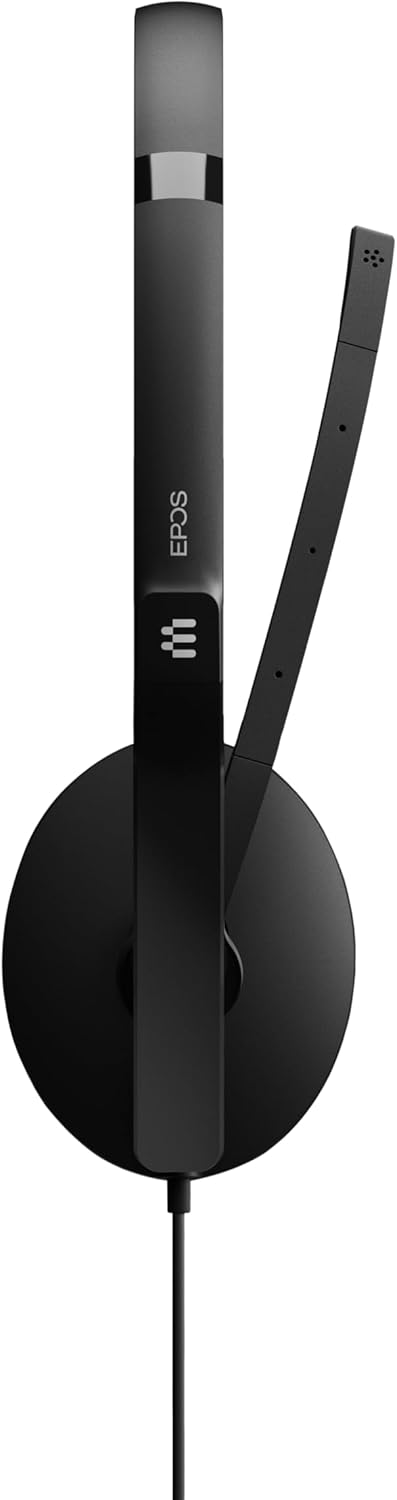
ചിത്രം: വശം view of the EPOS Adapt 130T USB II Headset, highlighting the single earcup and the flexible microphone arm.
4. പ്രവർത്തന നിർദ്ദേശങ്ങൾ
The headset features an inline control unit for easy management of calls and audio settings.
Inline Control Unit Functions:

ചിത്രം: വിശദമായ ഒരു ചിത്രം view of the inline control unit, showing the various buttons for call management and volume adjustment.
- ഉത്തരം/അവസാന കോൾ ബട്ടൺ: Press to answer an incoming call or end an active call. (Typically represented by a phone icon).
- വോളിയം കൂട്ടുക (+): കേൾക്കുന്ന ശബ്ദം കൂട്ടാൻ അമർത്തുക.
- വോളിയം ഡൗൺ (-): കേൾക്കുന്ന ശബ്ദം കുറയ്ക്കാൻ അമർത്തുക.
- മൈക്രോഫോൺ മ്യൂട്ട് ബട്ടൺ: Press to mute or unmute your microphone. An indicator light on the control unit may show the mute status. (Typically represented by a microphone icon).
- മൈക്രോസോഫ്റ്റ് ടീമുകൾ ബട്ടൺ: For MS Teams certified models, this button can be used to launch Teams, bring the Teams window to the foreground, or answer/end Teams calls.
മൈക്രോഫോൺ പൊസിഷനിംഗ്:
For optimal voice clarity, position the microphone boom so that the microphone is approximately 2 cm (0.8 inches) from the corner of your mouth. The boom is flexible and can be adjusted.
5. പരിപാലനം
Proper care and maintenance will extend the life of your headset and ensure optimal performance.
- വൃത്തിയാക്കൽ: Use a soft, dry cloth to wipe the headset. For ear cushions, a slightly damp cloth with mild soap can be used, but ensure they are completely dry before use. Do not use harsh chemicals or abrasive cleaners.
- സംഭരണം: When not in use, store the headset in a clean, dry place, away from extreme temperatures and direct sunlight. Avoid tangling the cable.
- കേബിൾ കെയർ: ഹെഡ്സെറ്റ് വിച്ഛേദിക്കാൻ കേബിൾ വലിക്കരുത്. എപ്പോഴും USB കണക്ടർ മുറുകെ പിടിക്കുക. കേബിളിൽ മൂർച്ചയുള്ള വളവുകളോ വളവുകളോ ഉണ്ടാകുന്നത് ഒഴിവാക്കുക.
- ഈർപ്പം ഒഴിവാക്കുക: The headset is not water-resistant. Keep it away from liquids and high humidity.
6. പ്രശ്നപരിഹാരം
നിങ്ങളുടെ ഹെഡ്സെറ്റിൽ പ്രശ്നങ്ങൾ നേരിടുകയാണെങ്കിൽ, ഇനിപ്പറയുന്ന ട്രബിൾഷൂട്ടിംഗ് ഘട്ടങ്ങൾ പരീക്ഷിക്കുക:
- ശബ്ദമില്ല/മൈക്രോഫോൺ പ്രവർത്തിക്കുന്നില്ല:
- ഹെഡ്സെറ്റ് ഒരു യുഎസ്ബി പോർട്ടിൽ സുരക്ഷിതമായി പ്ലഗിൻ ചെയ്തിട്ടുണ്ടെന്ന് ഉറപ്പാക്കുക.
- Check your computer's sound settings to confirm the EPOS Adapt 130T USB II is selected as the default playback and recording device.
- Verify that the microphone is not muted via the inline control unit or within your communication software.
- Try plugging the headset into a different USB port or another computer to rule out port or system issues.
- മോശം ഓഡിയോ നിലവാരം:
- Adjust the volume using the inline controls and your computer's settings.
- മൈക്രോഫോൺ നിങ്ങളുടെ വായയ്ക്ക് സമീപം ശരിയായി സ്ഥാപിച്ചിട്ടുണ്ടെന്ന് ഉറപ്പാക്കുക.
- നിങ്ങളുടെ ഓപ്പറേറ്റിംഗ് സിസ്റ്റത്തിനോ ആശയവിനിമയ ആപ്ലിക്കേഷനുകൾക്കോ വേണ്ടിയുള്ള ഏതെങ്കിലും സോഫ്റ്റ്വെയർ അപ്ഡേറ്റുകൾക്കായി പരിശോധിക്കുക.
- Inline Controls Not Responding:
- Unplug and re-plug the headset.
- നിങ്ങളുടെ കമ്പ്യൂട്ടർ പുനരാരംഭിക്കുക.
- Ensure your communication software is up-to-date.
7 സ്പെസിഫിക്കേഷനുകൾ
| ഫീച്ചർ | സ്പെസിഫിക്കേഷൻ |
|---|---|
| ബ്രാൻഡ് | EPOS |
| മോഡലിൻ്റെ പേര് | 130T USB II അഡാപ്റ്റ് ചെയ്യുക |
| മോഡൽ നമ്പർ | 1000899 |
| നിറം | കറുപ്പ് |
| കണക്റ്റിവിറ്റി ടെക്നോളജി | വയർഡ് (യുഎസ്ബി) |
| ചെവി പ്ലേസ്മെൻ്റ് | On Ear (Single-sided) |
| ഫോം ഫാക്ടർ | ചെവിയിൽ |
| പ്രതിരോധം | 32 ഓം |
| ഫ്രീക്വൻസി പ്രതികരണം | 8000 Hz |
| ഫ്രീക്വൻസി റേഞ്ച് | 20 ഹെർട്സ് - 20,000 ഹെർട്സ് |
| നിയന്ത്രണ തരം | കോൾ കൺട്രോൾ |
| ശബ്ദ നിയന്ത്രണം | നിഷ്ക്രിയ ശബ്ദം റദ്ദാക്കൽ |
| ഇനത്തിൻ്റെ ഭാരം | 4 ഔൺസ് |
| അനുയോജ്യമായ ഉപകരണങ്ങൾ | Tablets, Mobile Phones, PCs with Softphone Capabilities |
| ജല പ്രതിരോധ നില | വാട്ടർ റെസിസ്റ്റൻ്റ് അല്ല |
8. വാറൻ്റിയും പിന്തുണയും
വാറൻ്റി വിവരങ്ങൾ:
This EPOS Adapt 130T USB II Headset comes with a 2 വർഷത്തെ നിർമ്മാതാവിന്റെ വാറന്റിവാറന്റി ക്ലെയിമുകൾക്കായി നിങ്ങളുടെ വാങ്ങിയതിന്റെ തെളിവ് സൂക്ഷിക്കുക.
ഉപഭോക്തൃ പിന്തുണ:
For further assistance, technical support, or to explore other EPOS products, please visit the official EPOS store or contact their customer service.
Official EPOS Store: ആമസോണിലെ EPOS സ്റ്റോർ
9. ഉൽപ്പന്ന വീഡിയോ
വീഡിയോ: ഒരു ഔദ്യോഗിക ഉൽപ്പന്ന വീഡിയോ പ്രദർശനംasing the EPOS Adapt 130T USB II Headset, highlighting its features and design. Duration: 1 minute 15 seconds.