
ആമുഖം
Thank you for choosing the MEDION MD 10319 Tower Fan. This manual provides essential information for the safe and efficient operation of your new fan. Please read these instructions carefully before use and keep them for future reference.
പ്രധാനപ്പെട്ട സുരക്ഷാ നിർദ്ദേശങ്ങൾ
തീപിടുത്തം, വൈദ്യുതാഘാതം, വ്യക്തികൾക്ക് പരിക്കേൽക്കൽ എന്നിവ കുറയ്ക്കുന്നതിന് വൈദ്യുത ഉപകരണങ്ങൾ ഉപയോഗിക്കുമ്പോൾ എല്ലായ്പ്പോഴും അടിസ്ഥാന സുരക്ഷാ മുൻകരുതലുകൾ പാലിക്കുക.
- വൈദ്യുതി വിതരണം വോളിയം ഉറപ്പാക്കുകtage എന്നത് ഫാനിലെ റേറ്റിംഗ് ലേബലുമായി പൊരുത്തപ്പെടുന്നു.
- കേടായ കോഡോ പ്ലഗോ ഉപയോഗിച്ച് ഫാൻ പ്രവർത്തിപ്പിക്കരുത്. കോഡിന് കേടുപാടുകൾ സംഭവിച്ചിട്ടുണ്ടെങ്കിൽ, അപകടം ഒഴിവാക്കാൻ നിർമ്മാതാവ്, സേവന ഏജന്റ് അല്ലെങ്കിൽ സമാനമായ യോഗ്യതയുള്ള വ്യക്തികൾ അത് മാറ്റിസ്ഥാപിക്കണം.
- Keep the fan away from water or other liquids. Do not immerse the fan in water.
- ഫാൻ പ്രവർത്തിക്കുമ്പോൾ ഗ്രില്ലിനുള്ളിൽ വിരലുകളോ അന്യവസ്തുക്കളോ കടത്തരുത്.
- Unplug the fan from the power outlet when not in use, when moving it from one location to another, and before cleaning.
- ഈ ഉപകരണം, അവരുടെ സുരക്ഷയ്ക്ക് ഉത്തരവാദിയായ ഒരു വ്യക്തി ഉപകരണത്തിൻ്റെ ഉപയോഗത്തെ സംബന്ധിച്ച മേൽനോട്ടമോ നിർദ്ദേശമോ നൽകിയിട്ടില്ലെങ്കിൽ, ശാരീരികമോ ഇന്ദ്രിയപരമോ മാനസികമോ ആയ കഴിവുകൾ കുറഞ്ഞതോ അനുഭവത്തിൻ്റെയും അറിവിൻ്റെയും അഭാവം ഉള്ള വ്യക്തികൾക്ക് (കുട്ടികൾ ഉൾപ്പെടെ) ഉപയോഗിക്കാൻ ഉദ്ദേശിച്ചുള്ളതല്ല.
- കുട്ടികൾ ഉപകരണം ഉപയോഗിച്ച് കളിക്കുന്നില്ലെന്ന് ഉറപ്പാക്കാൻ മേൽനോട്ടം വഹിക്കണം.
- ഫാൻ മറിഞ്ഞു വീഴാതിരിക്കാൻ ഒരു സ്ഥിരതയുള്ളതും പരന്നതുമായ പ്രതലത്തിൽ വയ്ക്കുക.
പാക്കേജ് ഉള്ളടക്കം
പാക്കേജിൽ ഇനിപ്പറയുന്ന ഘടകങ്ങൾ ഉണ്ടോ എന്ന് പരിശോധിക്കുക:
- MEDION MD 10319 Tower Fan
- Base (two halves)
- നട്ട് സുരക്ഷിതമാക്കുന്നു
- 4 Mounting Screws for Base
- Remote Control (with 2 x AAA batteries)
- ഇൻസ്ട്രക്ഷൻ മാനുവൽ
അസംബ്ലിയും സജ്ജീകരണവും
Follow these steps to assemble your tower fan:
- പാക്കേജിംഗിൽ നിന്ന് എല്ലാ ഘടകങ്ങളും ശ്രദ്ധാപൂർവ്വം നീക്കം ചെയ്യുക.
- Assemble the two halves of the base by interlocking them.
- Align the assembled base with the bottom of the fan unit. Ensure the power cord passes through the designated slot in the base.
- Secure the base to the fan unit using the 4 mounting screws provided.
- Tighten the securing nut from underneath the base to firmly attach it to the fan body.
- Insert the 2 AAA batteries into the remote control, observing polarity.
- ഫാൻ ഒരു ഉറച്ച, നിരപ്പായ പ്രതലത്തിൽ വയ്ക്കുക.
- പവർ കോർഡ് അനുയോജ്യമായ ഒരു ഇലക്ട്രിക്കൽ ഔട്ട്ലെറ്റിലേക്ക് (220V) പ്ലഗ് ചെയ്യുക.
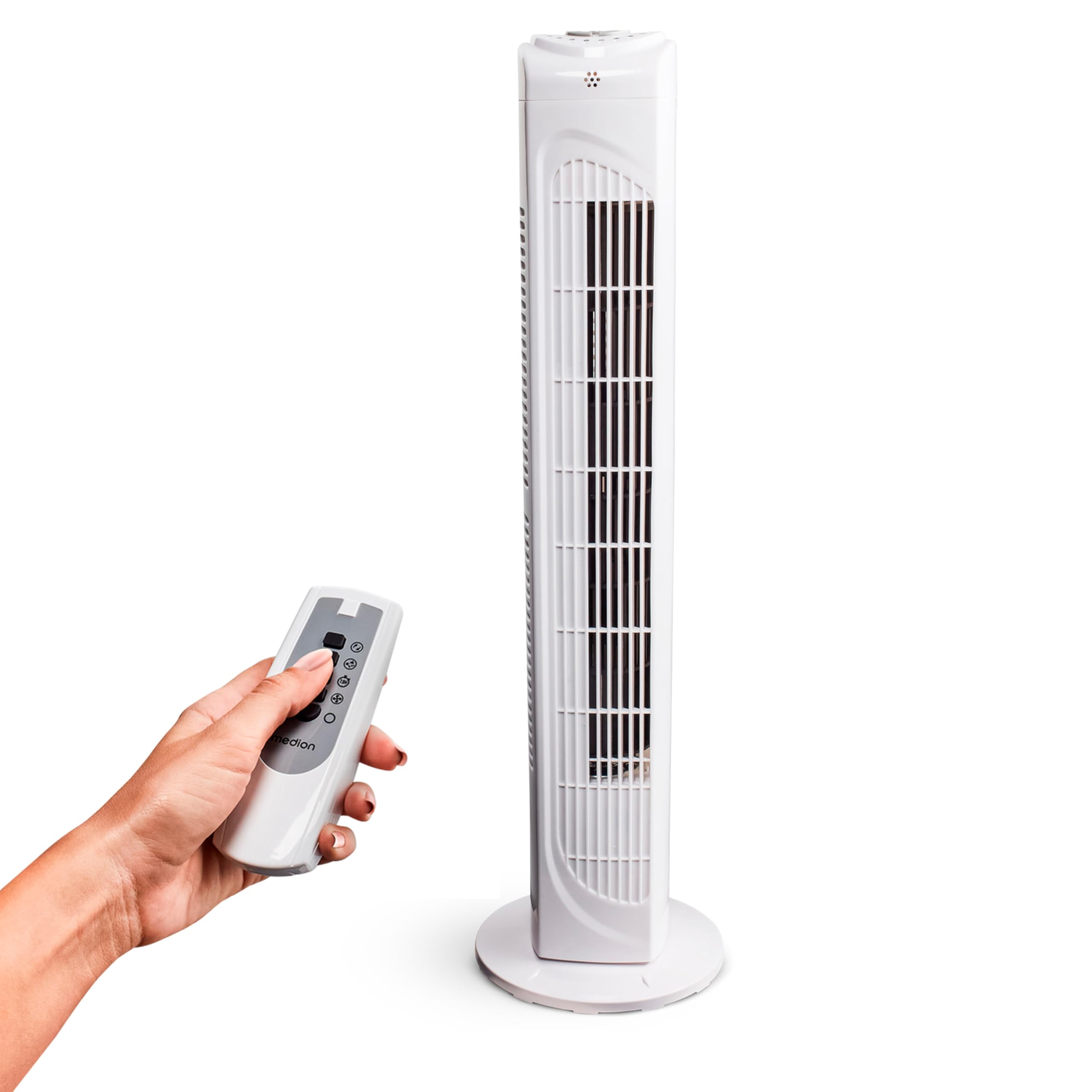
Image: The MEDION MD 10319 Tower Fan, fully assembled with its base, ready for use.

Image: A hand demonstrating the integrated carrying handle on top of the fan for easy portability.
ഉൽപ്പന്നം കഴിഞ്ഞുview
നിയന്ത്രണ പാനൽ
The control panel is located on the top of the fan unit. It features buttons for power, speed, oscillation, and timer functions.

ചിത്രം: വിശദമായത് view of the fan's top control panel, showing buttons for power, speed settings (3 levels), timer, and oscillation.
റിമോട്ട് കൺട്രോൾ
The included remote control allows you to operate all fan functions from a distance.
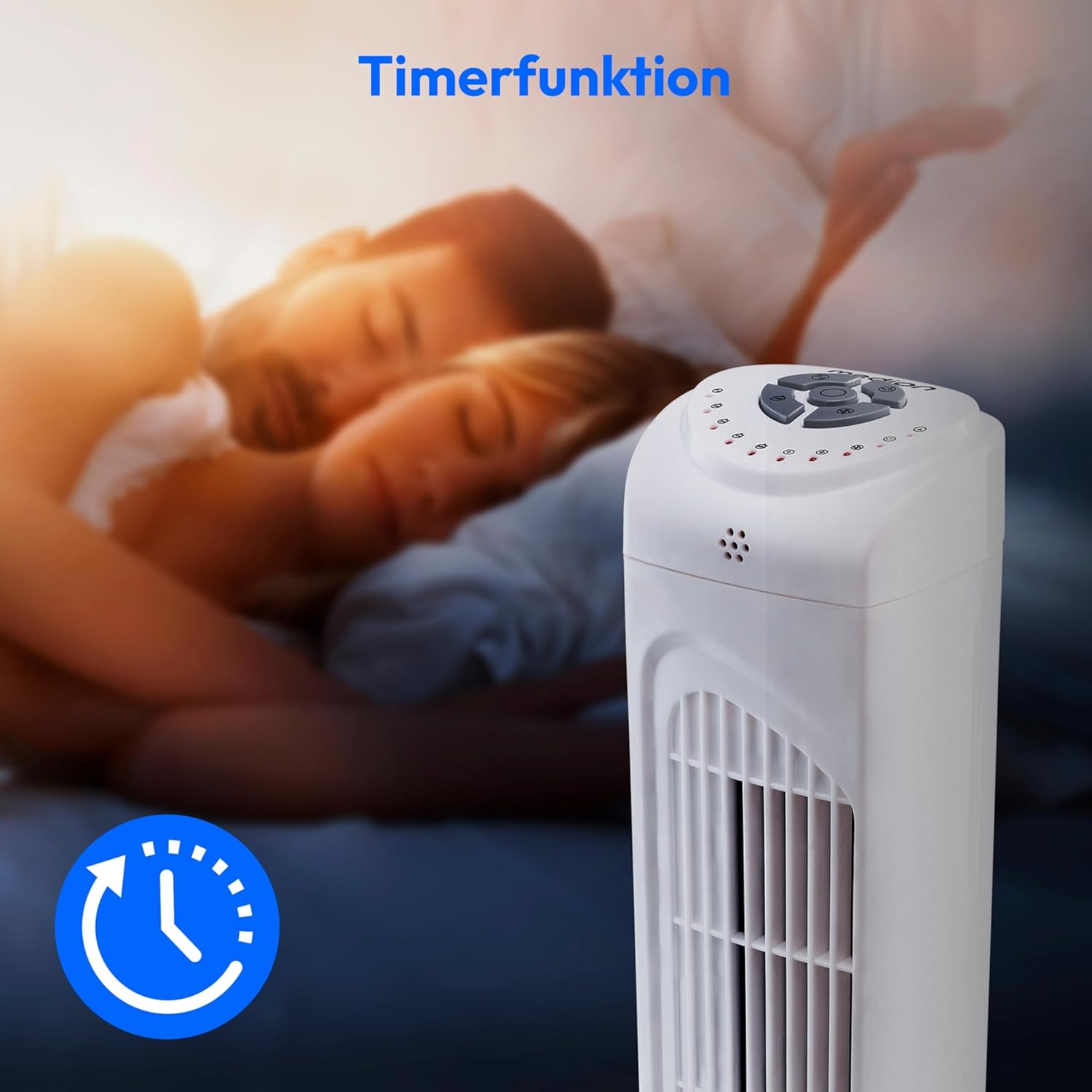
Image: A hand holding the remote control, which features buttons for power, speed, oscillation, and timer, mirroring the main control panel.
പ്രവർത്തന നിർദ്ദേശങ്ങൾ
പവർ ഓൺ/ഓഫ്
- അമർത്തുക പവർ button on the control panel or remote control to turn the fan ON.
- അമർത്തുക പവർ ഫാൻ ഓഫ് ചെയ്യാൻ വീണ്ടും ബട്ടൺ അമർത്തുക.
ഫാൻ സ്പീഡ് ക്രമീകരിക്കുന്നു
ഫാനിൽ 3 സ്പീഡ് ക്രമീകരണങ്ങളുണ്ട്: ലോ, മീഡിയം, ഹൈ.
- അമർത്തുക വേഗത button repeatedly to cycle through the speed settings.
- The current speed level will be indicated by LED lights on the control panel.
ആന്ദോളന പ്രവർത്തനം
The oscillation function allows the fan to rotate horizontally, distributing air over a wider area.
- അമർത്തുക OSC button on the control panel or remote control to activate oscillation. The fan will rotate approximately 60 degrees.
- അമർത്തുക OSC button again to stop oscillation. The fan will stop in its current position.

Image: The tower fan oscillating, indicated by blue arrows showing a 60-degree rotation for wider air distribution.
ടൈമർ പ്രവർത്തനം
The timer function allows you to set the fan to automatically turn off after a specified period, up to 7.5 hours.
- അമർത്തുക ടൈമർ button repeatedly to set the desired operating time (e.g., 0.5h, 1h, 2h, 4h, up to 7.5h).
- The selected timer duration will be indicated by LED lights on the control panel.
- To cancel the timer, cycle through the settings until no timer LEDs are illuminated, or turn the fan off.

Image: The fan with a timer icon, illustrating its use for setting automatic shut-off, ideal for use during sleep.
മെയിൻ്റനൻസ്
Regular cleaning will help maintain the performance and extend the lifespan of your fan.
- വൃത്തിയാക്കുന്നതിന് മുമ്പ് എല്ലായ്പ്പോഴും പവർ ഔട്ട്ലെറ്റിൽ നിന്ന് ഫാൻ ഊരിമാറ്റുക.
- ഒരു സോഫ്റ്റ് ഉപയോഗിക്കുക, ഡിamp ഫാനിന്റെ പുറംഭാഗങ്ങൾ തുടയ്ക്കാൻ തുണി ഉപയോഗിക്കുക. അബ്രാസീവ് ക്ലീനറുകളോ ലായകങ്ങളോ ഉപയോഗിക്കരുത്.
- Use a vacuum cleaner with a brush attachment to gently remove dust from the air intake and outlet grilles.
- ഫാനിന്റെ ഉള്ളിലേക്ക് വെള്ളം വീഴാൻ അനുവദിക്കരുത്.
- ദീർഘനേരം ഉപയോഗിക്കാത്തപ്പോൾ ഫാൻ തണുത്തതും വരണ്ടതുമായ സ്ഥലത്ത് സൂക്ഷിക്കുക.
ട്രബിൾഷൂട്ടിംഗ്
If you encounter any issues with your MEDION MD 10319 Tower Fan, please refer to the following common problems and solutions:
| പ്രശ്നം | സാധ്യമായ കാരണം | പരിഹാരം |
|---|---|---|
| ഫാൻ ഓണാകുന്നില്ല. | വൈദ്യുതി വിതരണം ഇല്ല. പവർ ബട്ടൺ അമർത്തിയിട്ടില്ല. | പ്രവർത്തിക്കുന്ന ഒരു ഔട്ട്ലെറ്റിൽ പവർ കോർഡ് സുരക്ഷിതമായി പ്ലഗ് ചെയ്തിട്ടുണ്ടോയെന്ന് പരിശോധിക്കുക. Press the POWER button on the fan or remote. |
| റിമോട്ട് കൺട്രോൾ പ്രവർത്തിക്കുന്നില്ല. | ബാറ്ററികൾ തീർന്നിരിക്കുന്നു അല്ലെങ്കിൽ തെറ്റായി ചേർത്തിരിക്കുന്നു. റിമോട്ടിനും ഫാനും ഇടയിലുള്ള തടസ്സം. | Replace batteries (2 x AAA) and ensure correct polarity. Remove any objects blocking the signal path. Ensure you are within range. |
| ഫാൻ അസാധാരണമായി ശബ്ദമുണ്ടാക്കുന്നു. | ഫാൻ നിരപ്പായ പ്രതലത്തിലല്ല. Obstruction in the fan grille. | ഫാൻ ഒരു സ്ഥിരതയുള്ളതും പരന്നതുമായ പ്രതലത്തിൽ വയ്ക്കുക. Unplug the fan and carefully check for any foreign objects in the grilles. |
| Oscillation function is not working. | Oscillation button not activated. | Press the OSC button on the control panel or remote control. |
സ്പെസിഫിക്കേഷനുകൾ
| ഫീച്ചർ | വിശദാംശങ്ങൾ |
|---|---|
| ബ്രാൻഡ് | അളവ് |
| മോഡലിൻ്റെ പേര് | എംഡി 10319 |
| ടൈപ്പ് ചെയ്യുക | Tower Fan / Floor Fan |
| നിറം | വെള്ള |
| പവർ ഉറവിടം | കോർഡഡ് ഇലക്ട്രിക് |
| വാട്ട്tage | 45 W |
| വാല്യംtage | 220 വോൾട്ട് |
| വേഗതകളുടെ എണ്ണം | 3 |
| പ്രത്യേക സവിശേഷതകൾ | Oscillating, Timer Function |
| ആന്ദോളന ആംഗിൾ | 60° |
| ടൈമർ പ്രവർത്തനം | 7.5 മണിക്കൂർ വരെ |
| നിയന്ത്രണ രീതി | റിമോട്ട്, ഓൺ-യൂണിറ്റ് ബട്ടണുകൾ |
| ശബ്ദ നില | 50 ഡെസിബെൽ |
| ഉൽപ്പന്ന അളവുകൾ (D x W x H) | 28 സെ.മീ x 28 സെ.മീ x 79 സെ.മീ |
| ഇനത്തിൻ്റെ ഭാരം | 2.5 കിലോഗ്രാം |
| മെറ്റീരിയൽ | പ്ലാസ്റ്റിക് |
| പ്രധാന പവർ കണക്റ്റർ തരം | സിഇഇ 7/7 (ഷുക്കോ) |

Image: The MEDION MD 10319 Tower Fan with its height (79 cm) and base width (28 cm) clearly indicated.
വാറൻ്റിയും പിന്തുണയും
Your MEDION MD 10319 Tower Fan comes with a manufacturer's warranty. Please refer to the warranty card included in your package for detailed terms and conditions, including the warranty period and coverage.
For technical support, service, or spare parts, please contact MEDION customer service. Contact information can typically be found on the MEDION official webസൈറ്റ് അല്ലെങ്കിൽ വാറന്റി ഡോക്യുമെന്റേഷനിൽ.