
1. ഉൽപ്പന്നം കഴിഞ്ഞുview
The ELRO DV477W-M is an additional indoor monitor designed to expand your existing ELRO DV477W or DV477IP series video intercom system. This 7-inch color monitor allows for clear two-way communication with visitors at your door and provides convenient door opening functionality.
പ്രധാന സവിശേഷതകൾ:
- 7-inch (18 cm) color display for clear video.
- High-quality microphone and speaker for two-way audio communication.
- Door opening function for convenient access control.
- Modern design with brushed aluminum finish.
- Compatible with ELRO DV477W and DV477IP series video intercoms.
പാക്കേജ് ഉള്ളടക്കം:
- ELRO DV477W-M 7-inch Indoor Monitor
- മൌണ്ടിംഗ് ബ്രാക്കറ്റ്
- 15m 4-wire Electrical Cable
- പവർ അഡാപ്റ്റർ
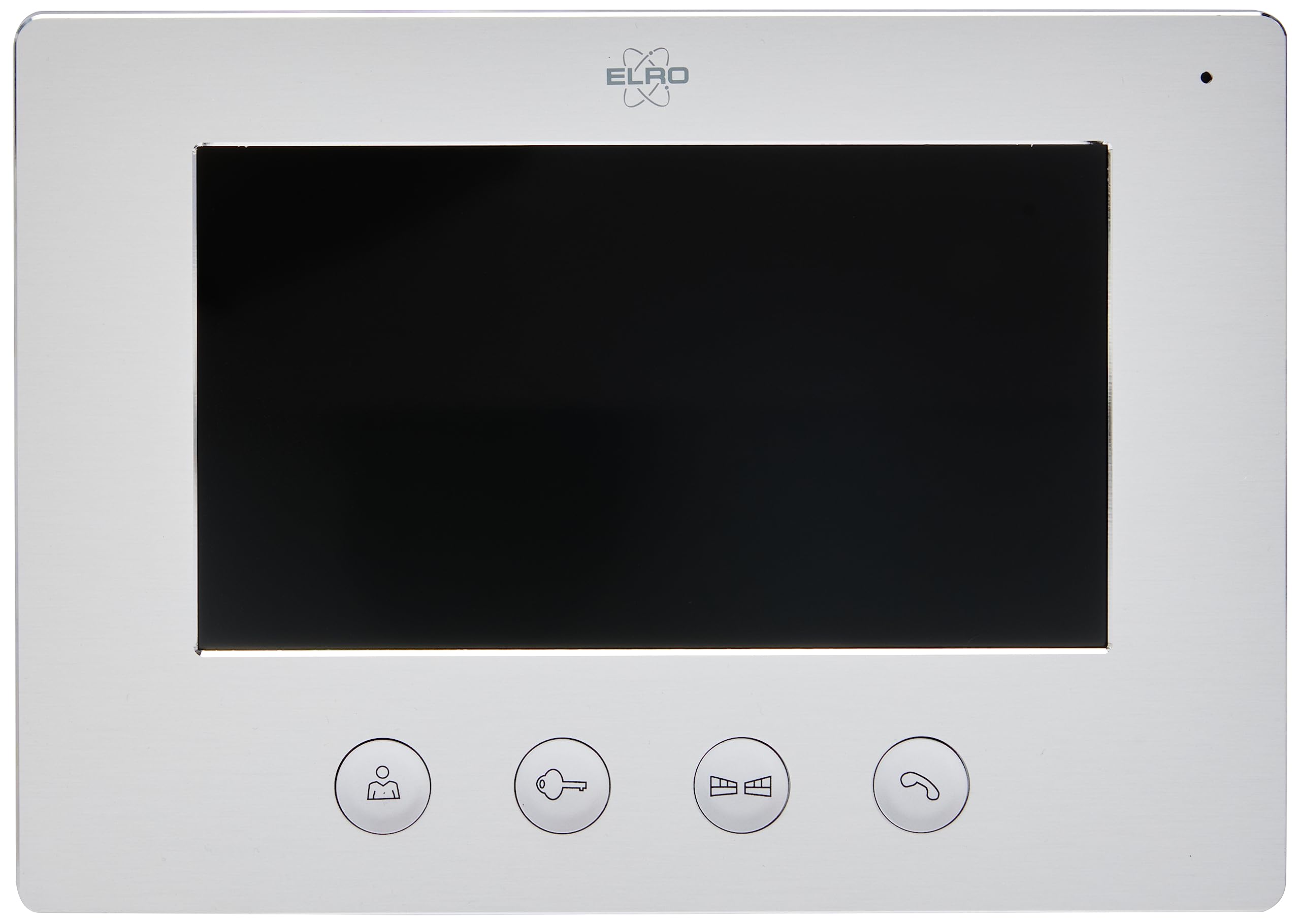
Image 1.1: The ELRO DV477W-M 7-inch indoor monitor, featuring a sleek design and control buttons.
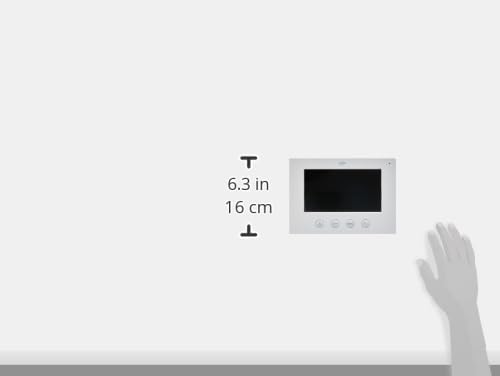
Image 1.2: Diagram showing the dimensions of the ELRO DV477W-M monitor, approximately 6.3 inches (16 cm) in height.
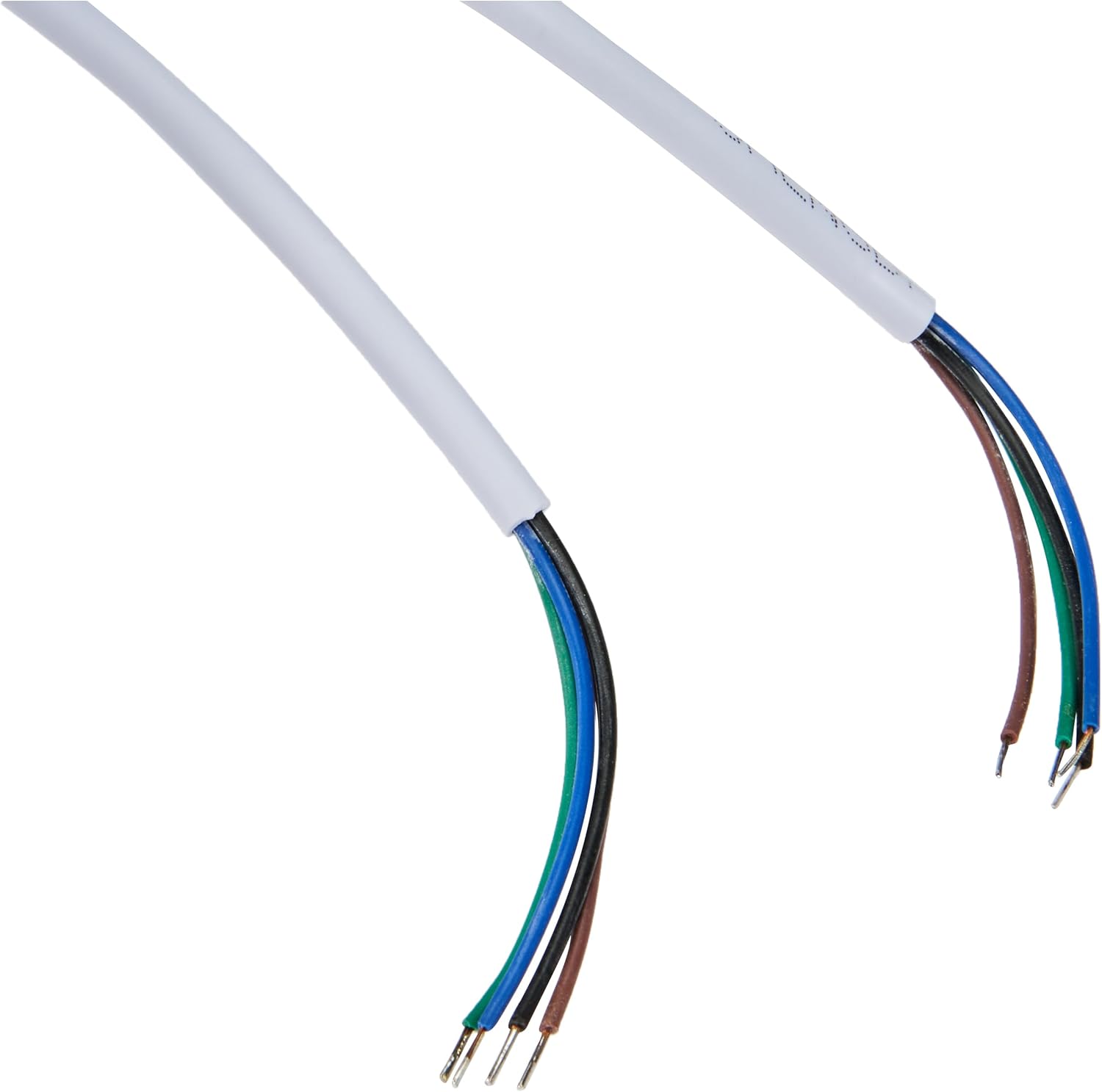
Image 1.3: The included 15-meter 4-wire electrical cable for connecting the monitor to the intercom system.
2. സജ്ജീകരണവും ഇൻസ്റ്റാളേഷനും
This section provides instructions for installing your ELRO DV477W-M additional indoor monitor. Ensure all power is disconnected from your existing intercom system before beginning installation.
2.1 സുരക്ഷാ മുൻകരുതലുകൾ:
- ഇൻസ്റ്റാളേഷൻ അല്ലെങ്കിൽ അറ്റകുറ്റപ്പണിക്ക് മുമ്പ് എല്ലായ്പ്പോഴും വൈദ്യുതി വിച്ഛേദിക്കുക.
- Consult a qualified electrician if you are unsure about any wiring procedures.
- Do not expose the monitor to moisture or extreme temperatures.
2.2 Mounting the Monitor:
- Choose a suitable indoor location for the monitor, ensuring it is within reach of the 15m cable and a power outlet.
- Use the provided mounting bracket as a template to mark drilling points on the wall.
- ആവശ്യമെങ്കിൽ ദ്വാരങ്ങൾ തുരന്ന് വാൾ പ്ലഗുകൾ ഇടുക.
- ഉചിതമായ സ്ക്രൂകൾ ഉപയോഗിച്ച് മതിലിലേക്ക് മൗണ്ടിംഗ് ബ്രാക്കറ്റ് സുരക്ഷിതമാക്കുക.
2.3 വയറിംഗ് കണക്ഷനുകൾ:
- Connect the 4-wire electrical cable from your existing ELRO DV477W or DV477IP outdoor unit/main monitor to the corresponding terminals on the back of the DV477W-M additional monitor. Ensure correct polarity for each wire (e.g., power, ground, audio, video). Refer to your main intercom system's manual for specific wiring diagrams.
- Connect the power adapter to the monitor's power input and then plug it into a wall outlet.
- Carefully attach the monitor to the mounted bracket.
കുറിപ്പ്: The 4-wire cable typically carries power, ground, audio, and video signals. Incorrect wiring can damage the device or prevent proper operation.
3. പ്രവർത്തന നിർദ്ദേശങ്ങൾ
Once installed and powered on, the ELRO DV477W-M monitor is ready for use. It functions as an extension of your main intercom system.
3.1 Receiving a Call:
- When a visitor presses the doorbell button on the outdoor unit, the monitor will ring and display the visitor's image.
- അമർത്തുക ഉത്തരം button (usually indicated by a telephone icon) to initiate two-way audio communication.
- സംഭാഷണം അവസാനിപ്പിക്കാൻ, അമർത്തുക കോൾ അവസാനിപ്പിക്കുക ബട്ടൺ.
3.2 Opening the Door:
- During a call, or when viewing the visitor, press the ഡോർ അൺലോക്ക് button (often depicted as a key or unlock icon) to activate the electronic door lock connected to your main intercom system.
- The door will unlock for a short period, allowing the visitor to enter.
3.3 നിരീക്ഷണം:
- Some systems allow you to manually activate the camera on the outdoor unit to view the entrance area without a visitor pressing the doorbell. Refer to your main intercom system's manual for this feature.
4. പരിപാലനം
Proper maintenance ensures the longevity and optimal performance of your ELRO DV477W-M monitor.
4.1 വൃത്തിയാക്കൽ:
- Wipe the monitor screen and casing with a soft, dry, lint-free cloth.
- കഠിനമായ അടയാളങ്ങൾക്ക്, ചെറുതായി dampതുണിയിൽ വെള്ളം ഒഴിക്കുക. കഠിനമായ രാസവസ്തുക്കൾ, അബ്രാസീവ് ക്ലീനറുകൾ അല്ലെങ്കിൽ ലായകങ്ങൾ ഉപയോഗിക്കുന്നത് ഒഴിവാക്കുക, കാരണം ഇവ ഫിനിഷിന് കേടുവരുത്തും.
- Do not spray cleaning liquids directly onto the monitor.
4.2 പൊതുവായ പരിചരണം:
- Keep the monitor away from direct sunlight, heat sources, and areas with high humidity.
- Ensure ventilation openings (if any) are not blocked.
- മോണിറ്റർ താഴെയിടുകയോ ശക്തമായ ആഘാതങ്ങൾക്ക് വിധേയമാക്കുകയോ ചെയ്യുന്നത് ഒഴിവാക്കുക.
5. പ്രശ്നപരിഹാരം
If you encounter issues with your ELRO DV477W-M monitor, refer to the following common problems and solutions.
| പ്രശ്നം | സാധ്യമായ കാരണം | പരിഹാരം |
|---|---|---|
| No image or sound on the monitor. |
|
|
| Image is distorted or unclear. |
|
|
| ആശയവിനിമയ സമയത്ത് ഓഡിയോ ഇല്ല. |
|
|
| Door unlock function does not work. |
|
|
If these solutions do not resolve the issue, please contact ELRO customer support.
6 സ്പെസിഫിക്കേഷനുകൾ
| ഫീച്ചർ | വിശദാംശങ്ങൾ |
|---|---|
| മോഡൽ നമ്പർ | DV477W-M |
| നിർമ്മാതാവ് | ELRO |
| ഡിസ്പ്ലേ വലിപ്പം | 7 ഇഞ്ച് (18 സെ.മീ) |
| ഉൽപ്പന്ന അളവുകൾ (L x W x H) | 21.5 x 2.5 x 15 സെ.മീ |
| ഭാരം | 386 ഗ്രാം |
| മെറ്റീരിയൽ | അലുമിനിയം |
| ഉൾപ്പെടുത്തിയ ഘടകങ്ങൾ | Monitor, Mounting Bracket, 15m 4-wire Electrical Cable, Power Adapter |
| ബാറ്ററികൾ ആവശ്യമാണ് | ഇല്ല |
| അനുയോജ്യത | ELRO DV477W and DV477IP series video intercom systems |
7. വാറൻ്റിയും പിന്തുണയും
ELRO products are designed for reliability and performance. For specific warranty information, please refer to the documentation included with your original ELRO video intercom system or visit the official ELRO webസൈറ്റ്.
If you require technical assistance, have questions about installation, or need to report a fault, please contact ELRO customer support. Contact details can typically be found on the ELRO webസൈറ്റിലോ നിങ്ങളുടെ ഉൽപ്പന്ന പാക്കേജിംഗിലോ.
കുറിപ്പ്: സ്പെയർ പാർട്സുകളുടെ ലഭ്യതയെക്കുറിച്ചുള്ള വിവരങ്ങൾ നിലവിൽ ലഭ്യമല്ല.