
1. ആമുഖം
Thank you for choosing the CONBOLA Bladeless Desk Fan. This portable and quiet fan is designed to provide a comfortable and serene cooling experience in various settings, including your bedroom, office, or home. Its innovative bladeless design ensures safety and easy maintenance, while the touch control offers convenient operation. Please read this manual thoroughly before using the product to ensure proper function and longevity.
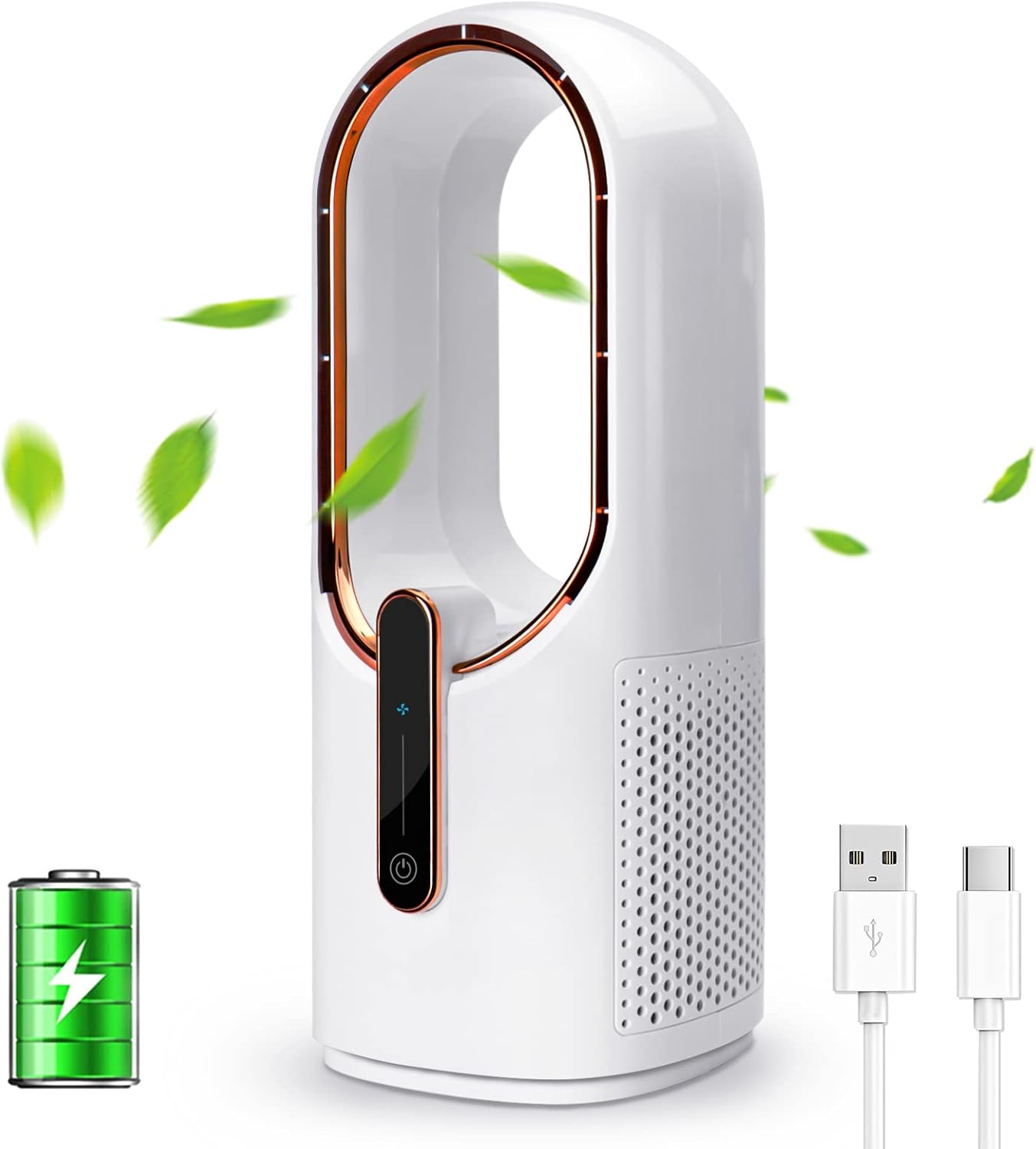
Figure 1: CONBOLA Bladeless Desk Fan and accessories.
2. ഉൽപ്പന്ന സവിശേഷതകൾ
- ബ്ലേഡ്ലെസ് ഡിസൈൻ: Features innovative turbine technology for powerful airflow without exposed blades, ensuring safety for children and pets.
- പോർട്ടബിൾ & റീചാർജ് ചെയ്യാവുന്ന: Equipped with a 4400mAh battery, offering 4.5-12 hours of operation. Charges conveniently via a Type-C USB cord, allowing use anywhere.
- ശാന്തമായ പ്രവർത്തനം: Designed with a high-performance motor and unique air-duct system for minimal noise, ideal for quiet environments like bedrooms and offices.
- Touch Control with 3 Speeds: Easily adjust between low, medium, and high wind speeds with a single smart touch button to suit your cooling needs.
- ഈടുനിൽക്കുന്നതും വൃത്തിയാക്കാൻ എളുപ്പവും: Constructed from ABS + PC material, making it robust and simple to wipe clean.

Figure 2: The fan's portable design allows for comfortable use in various settings, such as a home office.

Figure 3: The fan features a smart touch button for easy control and has a compact design, measuring 11.8 inches in height.

Figure 4: The bladeless design provides a safe environment, especially around children.

Figure 5: Enjoy a serene environment with the fan's low-noise operation.

Figure 6: The fan utilizes TurboSilent technology for strong yet quiet airflow.

Figure 7: The versatile design makes it suitable for various rooms and activities.
3. പാക്കേജ് ഉള്ളടക്കം
പാക്കേജിൽ ഇനിപ്പറയുന്ന ഇനങ്ങൾ ഉണ്ടോ എന്ന് പരിശോധിക്കുക:
- CONBOLA Bladeless Desk Fan
- യുഎസ്ബി ടൈപ്പ്-സി ചാർജിംഗ് കേബിൾ
- ഉപയോക്തൃ മാനുവൽ (ഈ പ്രമാണം)
4. സജ്ജീകരണം
- അൺപാക്ക്: പാക്കേജിംഗിൽ നിന്ന് ഫാനും എല്ലാ അനുബന്ധ ഉപകരണങ്ങളും ശ്രദ്ധാപൂർവ്വം നീക്കം ചെയ്യുക.
- പ്രാരംഭ ചാർജ്: Before first use, fully charge the fan. Connect the provided USB Type-C cable to the fan's charging port and plug the other end into a compatible USB power source (e.g., computer, laptop, power bank, or wall adapter). The indicator light will show charging status.
- പ്ലേസ്മെൻ്റ്: Place the fan on a stable, flat surface. Ensure the four rubber feet on the base are securely in contact with the surface to reduce vibration and prevent slipping.
5. പ്രവർത്തന നിർദ്ദേശങ്ങൾ
The CONBOLA Bladeless Desk Fan features intuitive touch controls.
- പവർ ഓൺ/ഓഫ്: Lightly touch the power button (usually indicated by a power symbol) on the front panel to turn the fan on or off.
- ഫാൻ വേഗത ക്രമീകരിക്കുക: After turning on, repeatedly touch the speed control button (often indicated by a fan icon or '+' symbol) to cycle through the 3 available wind speeds: Low, Medium, and High. The indicator lights will change to reflect the current speed setting.
- ബാറ്ററി ലൈഫ്: The fan's 4400mAh battery provides approximately 4.5 to 12 hours of operation, depending on the selected speed level.
വീഡിയോ 1: ഒരു ഓവർview of the CONBOLA Desk Fan, highlighting its quiet operation and bladeless design.
6. പരിപാലനം
Regular cleaning ensures optimal performance and extends the lifespan of your fan.
- പുറം വൃത്തിയാക്കൽ: Use a soft, dry cloth to wipe the exterior of the fan. For stubborn marks, a slightly damp ഉണങ്ങിയ തുണി ഉപയോഗിച്ച ശേഷം തുടയ്ക്കാം.
- ആന്തരിക ശുചീകരണം: Due to its bladeless design, internal dust accumulation is minimized. If necessary, use a soft brush or compressed air to clear any dust from the air intake vents. Do not attempt to disassemble the fan for cleaning.
- സംഭരണം: ദീർഘനേരം ഉപയോഗിക്കാത്തപ്പോൾ, ഫാൻ തണുത്തതും വരണ്ടതുമായ സ്ഥലത്ത് സൂക്ഷിക്കുക, നേരിട്ടുള്ള സൂര്യപ്രകാശത്തിൽ നിന്നും കടുത്ത താപനിലയിൽ നിന്നും അകറ്റി നിർത്തുക.
7. പ്രശ്നപരിഹാരം
| പ്രശ്നം | സാധ്യമായ കാരണം | പരിഹാരം |
|---|---|---|
| ഫാൻ ഓണാകുന്നില്ല. | ബാറ്ററി കുറവാണ് അല്ലെങ്കിൽ ചാർജ് ചെയ്തിട്ടില്ല. | Connect the fan to a power source using the USB Type-C cable and allow it to charge. |
| Fan stops working unexpectedly. | Battery depleted or power interruption. | Recharge the fan. If plugged in, check the power connection. |
| Fan does not respond to touch controls. | താൽക്കാലിക സോഫ്റ്റ്വെയർ തകരാർ. | Unplug the fan (if charging), wait a few seconds, then plug it back in or attempt to power cycle it. |
| വായുസഞ്ചാരം ദുർബലമാണ്. | Fan speed set to low or vents obstructed. | Increase the fan speed. Ensure air intake and output vents are clear of obstructions. Note that this is a personal desk fan, not designed for large room cooling. |
| ഫാൻ അസാധാരണമായ ശബ്ദമുണ്ടാക്കുന്നു. | Dust accumulation or internal obstruction. | Clean the air intake vents. If the noise persists, contact customer support. |
8 സ്പെസിഫിക്കേഷനുകൾ
| ഫീച്ചർ | വിശദാംശങ്ങൾ |
|---|---|
| ബ്രാൻഡ് | കോൺബോള |
| മോഡലിൻ്റെ പേര് | CONBOLA (BF006) |
| ഉൽപ്പന്ന അളവുകൾ | 5.7"D x 5.9"W x 11.8"H |
| ഇനത്തിൻ്റെ ഭാരം | 1.83 പൗണ്ട് |
| പവർ ഉറവിടം | ബാറ്ററി പവർ |
| ബാറ്ററി തരം | 2 Lithium Polymer batteries required (4400mAh total) |
| വേഗത | 3 ആർപിഎം (കുറഞ്ഞ, ഇടത്തരം, ഉയർന്ന) |
| നിയന്ത്രണ രീതി | സ്പർശിക്കുക |
| കണക്റ്റർ തരം | യുഎസ്ബി ടൈപ്പ് സി |
| മെറ്റീരിയൽ | എബിഎസ് + പിസി പ്ലാസ്റ്റിക് |
| ഇൻഡോർ/ഔട്ട്ഡോർ ഉപയോഗം | ഔട്ട്ഡോർ, ഇൻഡോർ |
| പ്രത്യേക സവിശേഷതകൾ | Battery Operated, Bladeless, Portable, Touch Control |
9. വാറൻ്റിയും പിന്തുണയും
For warranty information and customer support, please refer to the documentation included with your purchase or visit the official CONBOLA website. Protection plans may be available for purchase separately.