
1. ആമുഖം
This manual provides essential information for the safe and efficient use of your TECLAST F7 Plus3 14-inch Laptop. Please read this manual thoroughly before operating the device and retain it for future reference.

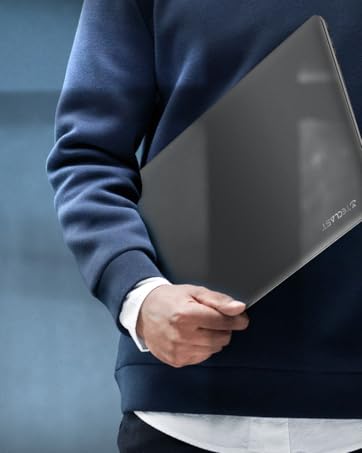
The TECLAST F7 Plus3 14-inch laptop in a closed position, showcasing അതിന്റെ മിനുസമാർന്ന ഡിസൈൻ.

ഒരു ഓവർview of the TECLAST F7 Plus3 laptop's key features, including Intel N4120 processor, 2.4G+5G WiFi, 38000mWh battery, 14-inch FHD IPS display, full-size keyboard, 8GB RAM, and 256GB SSD.
2. സജ്ജീകരണം
2.1 പായ്ക്ക് ചെയ്യലും പ്രാരംഭ ചാർജും
Carefully remove the laptop and all accessories from the packaging. Before first use, connect the power adapter to the laptop and a power outlet. It is recommended to charge the device for at least 30 minutes before powering it on for the first time.
ബോക്സിൽ ഉൾപ്പെടുത്തിയിട്ടുണ്ട്:
- TECLAST F7 Plus3 Laptop
- പവർ അഡാപ്റ്റർ
- കീബോർഡ്
- പവർ കേബിൾ
2.2 പവർ ഓണും പ്രാരംഭ വിൻഡോസ് സജ്ജീകരണവും
- Press and hold the power button located on the top right of the keyboard until the screen illuminates.
- Follow the on-screen instructions to complete the Windows 10 (or Windows 11 if upgraded) initial setup. This includes selecting your region, language, and creating a user account.
- Connect to a Wi-Fi network when prompted to enable internet access and download necessary updates.
3. പ്രവർത്തന നിർദ്ദേശങ്ങൾ
3.1 Laptop Overview

The TECLAST F7 Plus3 14-inch laptop with its screen open, showing a high-resolution display.
3.2 പോർട്ടുകളും കണക്ടറുകളും
The TECLAST F7 Plus3 laptop is equipped with various ports for connectivity. Refer to the image below for port locations.
This image illustrates the various ports on the TECLAST F7 Plus3 laptop, including Micro Card slot, Headphone Jack, USB 2.0, USB 3.0, DC Power input, and Mini-HDMI output.
- Micro Card Slot: മൈക്രോ എസ്ഡി കാർഡ് ഉപയോഗിച്ച് സംഭരണം വികസിപ്പിക്കുന്നതിന്.
- ഹെഡ്ഫോൺ ജാക്ക്: ഹെഡ്ഫോണുകളോ ബാഹ്യ സ്പീക്കറുകളോ ബന്ധിപ്പിക്കുക.
- യുഎസ്ബി 2.0 പോർട്ട്: യുഎസ്ബി ഉപകരണങ്ങൾ ബന്ധിപ്പിക്കുന്നതിന്.
- യുഎസ്ബി 3.0 പോർട്ട്: അതിവേഗ യുഎസ്ബി ഉപകരണങ്ങൾ ബന്ധിപ്പിക്കുന്നതിന്.
- ഡിസി പവർ ഇൻപുട്ട്: Connect the power adapter for charging.
- മിനി-എച്ച്ഡിഎംഐ ഔട്ട്പുട്ട്: ഒരു ബാഹ്യ ഡിസ്പ്ലേയിലേക്കോ പ്രൊജക്ടറിലേക്കോ കണക്റ്റുചെയ്യുക.

The TECLAST F7 Plus3 laptop connected to multiple external monitors via its USB 3.0 and Mini-HDMI ports, demonstrating its expandability.
3.3 കീബോർഡും ടച്ച്പാഡും
The laptop features a full-size keyboard and a large, sensitive touchpad for efficient input.

വിശദമായി view of the full-size keyboard and large touchpad (97mm x 64mm), indicating 20mm key spacing and built-in stereo speakers.
- കീബോർഡ്: Full-size layout with 20mm key spacing for comfortable typing.
- ടച്ച്പാഡ്: Large 97mm x 64mm sensitive touchpad for precise navigation.
3.4 ഡിസ്പ്ലേ
The 14-inch Full HD (1920x1080) IPS display offers clear visuals and wide viewing angles with narrow 6mm bezels.

The laptop screen highlighting its narrow 6mm bezels and IPS display technology for wide viewing angles and 1920x1080 resolution.
3.5 വയർലെസ് കണക്റ്റിവിറ്റി
- വൈഫൈ: Supports 2.4G and 5G dual-band Wi-Fi for stable and fast internet connections.
- ബ്ലൂടൂത്ത് 4.2: ഹെഡ്ഫോണുകൾ, മൗസുകൾ, കീബോർഡുകൾ തുടങ്ങിയ വയർലെസ് പെരിഫെറലുകൾ ബന്ധിപ്പിക്കുന്നതിന്.

An illustration highlighting the laptop's 2.4G+5G Wi-Fi, Bluetooth 4.2, 867Mbps maximum speed, and 45.6Wh battery for reliable wireless connections and long battery life.
3.6 ഓപ്പറേറ്റിംഗ് സിസ്റ്റം
The laptop comes with Windows 10 pre-installed and is upgradeable to Windows 11. Ensure your system is updated regularly for optimal performance and security.
4. പരിപാലനം
4.1 വൃത്തിയാക്കൽ
- സ്ക്രീൻ: മൃദുവായ, ലിൻ്റ് രഹിത തുണി ഉപയോഗിക്കുകampവെള്ളമോ സ്ക്രീൻ ക്ലീനറോ ഉപയോഗിച്ച് നനയ്ക്കുക. കഠിനമായ രാസവസ്തുക്കൾ ഒഴിവാക്കുക.
- കീബോർഡും ചേസിസും: Use a soft, dry cloth. A can of compressed air can help remove dust from between keys.
4.2 ബാറ്ററി കെയർ
The laptop is equipped with a 45600mWh battery. To prolong battery life:
- തീവ്രമായ താപനില ഒഴിവാക്കുക.
- ബാറ്ററി ഇടയ്ക്കിടെ പൂർണ്ണമായും ഡിസ്ചാർജ് ചെയ്യരുത്.
- If storing the laptop for an extended period, charge it to about 50-60%.

The TECLAST F7 Plus3 laptop is designed for a longer work-life balance, featuring Intel 9th UHD Graphics 600 for 4K video playback and a 45600mAh safe design battery.
4.3 സ്റ്റോറേജ് മാനേജ്മെൻ്റ്
The laptop includes a 256GB SSD and supports expansion up to 1TB via an SSD slot or TF Card slot. Regularly manage your files and uninstall unused applications to maintain performance.
5. പ്രശ്നപരിഹാരം
This section addresses common issues you might encounter with your TECLAST F7 Plus3 laptop.
| പ്രശ്നം | സാധ്യമായ പരിഹാരം |
|---|---|
| ലാപ്ടോപ്പ് ഓണാകുന്നില്ല. | Ensure the power adapter is securely connected and the laptop has been charged for at least 30 minutes. Try pressing and holding the power button for 10-15 seconds. |
| Charger is not charging the laptop. | Verify the power adapter and cable are not damaged. Ensure the power outlet is functional. Try a different outlet if available. |
| വൈഫൈ കണക്ഷൻ പ്രശ്നങ്ങൾ. | Restart your router and modem. Check if other devices can connect to the Wi-Fi. Ensure Wi-Fi is enabled on the laptop (often via a function key or Windows settings). |
| മന്ദഗതിയിലുള്ള പ്രകടനം. | ആവശ്യമില്ലാത്ത ആപ്ലിക്കേഷനുകൾ അടയ്ക്കുക. പശ്ചാത്തല പ്രക്രിയകൾക്കായി പരിശോധിക്കുക. SSD-യിൽ മതിയായ ഇടം ഉറപ്പാക്കുക. മാൽവെയറിനായി ഒരു സിസ്റ്റം സ്കാൻ പ്രവർത്തിപ്പിക്കുക. |
ഈ പരിഹാരങ്ങൾ പ്രശ്നം പരിഹരിക്കുന്നില്ലെങ്കിൽ, ദയവായി ഉപഭോക്തൃ പിന്തുണയുമായി ബന്ധപ്പെടുക.
6 സ്പെസിഫിക്കേഷനുകൾ
Below are the technical specifications for the TECLAST F7 Plus3 14-inch Laptop:
| ഫീച്ചർ | വിശദാംശങ്ങൾ |
|---|---|
| മോഡലിൻ്റെ പേര് | F7 Plus3 |
| സ്ക്രീൻ വലിപ്പം | 14 ഇഞ്ച് |
| സ്ക്രീൻ റെസല്യൂഷൻ | 1920 x 1080 പിക്സലുകൾ (FHD IPS) |
| പ്രോസസ്സർ | ഇന്റൽ N4120 (2.6 GHz വരെ) |
| റാം | 8 ജിബി ഡിഡിആർ4 എസ്ഡിആർഎഎം |
| ഹാർഡ് ഡ്രൈവ് | 256 GB SSD (1TB Extensible) |
| ഗ്രാഫിക്സ് കാർഡ് | ഇൻ്റഗ്രേറ്റഡ് ഇൻ്റൽ UHD ഗ്രാഫിക്സ് 600 |
| ഓപ്പറേറ്റിംഗ് സിസ്റ്റം | Windows 10 (Windows 11 Upgradeable) |
| വയർലെസ് തരം | 2.4G+5G WiFi, Bluetooth 4.2 |
| തുറമുഖങ്ങൾ | USB 3.0, USB 2.0, Mini-HDMI, Headphone Jack, Micro Card Slot, DC Power |
| ഇനത്തിൻ്റെ ഭാരം | 2.86 പൗണ്ട് (ഏകദേശം 1.3 കിലോഗ്രാം) |
| ഉൽപ്പന്ന അളവുകൾ | 12.6 x 8.6 x 0.8 ഇഞ്ച് |
| ബാറ്ററി | 45600mWh ലിഥിയം പോളിമർ |
7. വാറൻ്റിയും പിന്തുണയും
7.1 ഉൽപ്പന്ന വാറന്റി
Your TECLAST F7 Plus3 laptop is covered by a 1 വർഷത്തെ വാറൻ്റി from the date of purchase. This warranty includes a 1-year unconditional replacement service for eligible issues.
7.2 ഉപഭോക്തൃ പിന്തുണ
For any questions, concerns, or technical assistance, please contact TECLAST customer service. Our professional staff will respond within 1 working day.

TECLAST offers reliable support before and after purchase, with professional staff available to assist with any issues.
7.3 ഔദ്യോഗിക ഉൽപ്പന്ന വീഡിയോ
ഒരു വിഷ്വൽ ഓവറിനായി ഔദ്യോഗിക ഉൽപ്പന്ന വീഡിയോ കാണുകview of the TECLAST F7 Plus3 laptop's features and design.
ഒരു ഔദ്യോഗിക ഉൽപ്പന്ന വീഡിയോ പ്രദർശനംasing the TECLAST F7 Plus3 14-inch laptop's design, features, and connectivity options.