
1. ആമുഖം
The cellularline Core Pro Bluetooth Earphones are designed to provide a high-quality audio experience with advanced features for communication and entertainment. These earphones incorporate Environmental Noise Cancelling (ENC) technology with four built-in microphones for clear calls, multipoint connectivity for simultaneous device pairing, and an LED display for battery status monitoring. This manual provides instructions for setup, operation, and maintenance of your Core Pro earphones.

Image 1.1: cellularline Core Pro Earphones in their charging case, displaying battery levels.
2. പാക്കേജ് ഉള്ളടക്കം
പാക്കേജിൽ എല്ലാ ഇനങ്ങളും ഉണ്ടെന്ന് ദയവായി പരിശോധിക്കുക:
- cellularline Core Pro Bluetooth Earphones (Left and Right)
- വയർലെസ് ചാർജിംഗ് കേസ്
- യുഎസ്ബി ചാർജിംഗ് കേബിൾ
- ഉപയോക്തൃ മാനുവൽ
3. സജ്ജീകരണം
3.1 പ്രാരംഭ ചാർജിംഗ്
- Before first use, place both earphones into the charging case.
- നൽകിയിരിക്കുന്ന USB കേബിൾ ഉപയോഗിച്ച് ചാർജിംഗ് കേസ് ഒരു USB പവർ സ്രോതസ്സുമായി ബന്ധിപ്പിക്കുക.
- The LED display on the charging case will indicate the charging status. Allow the earphones and case to fully charge.
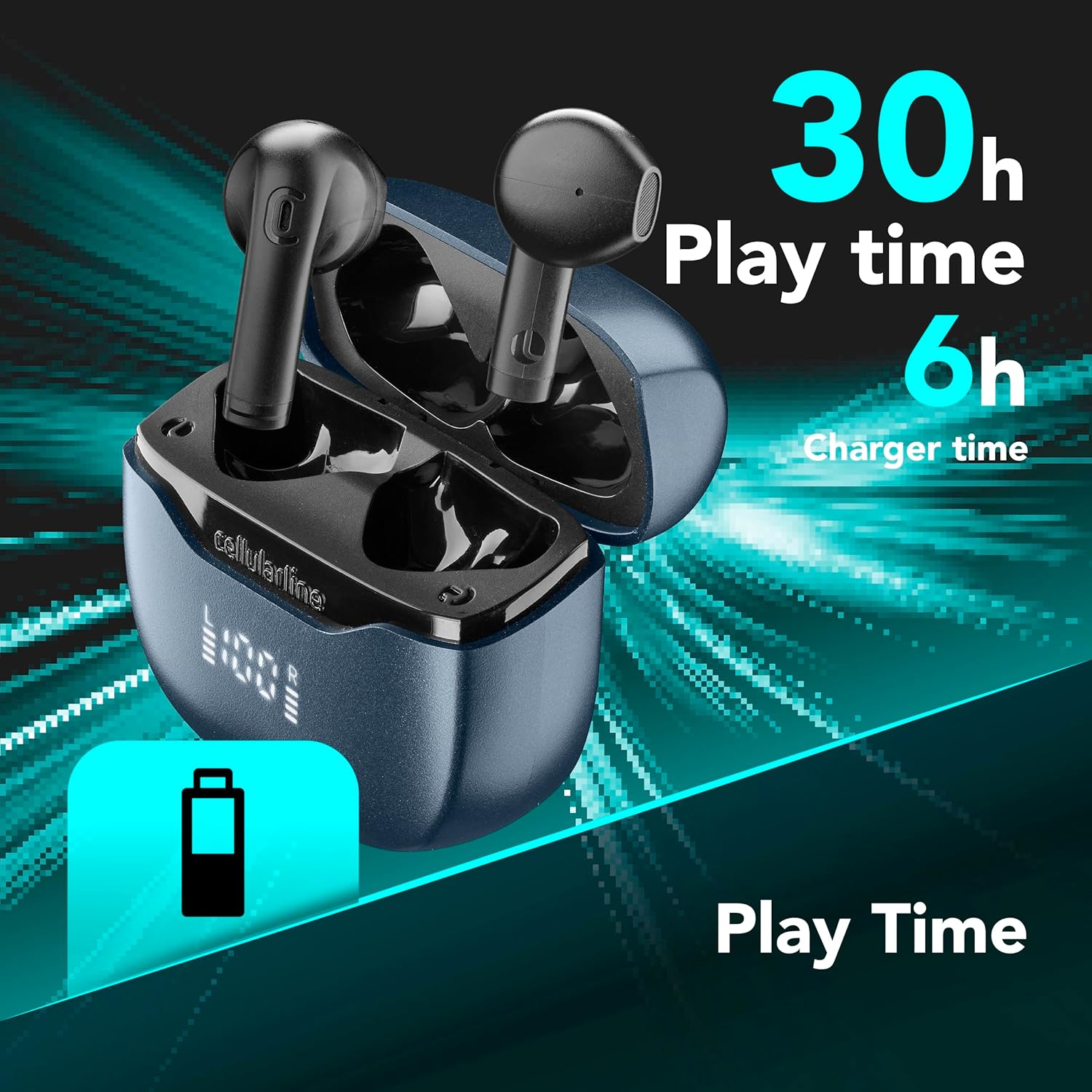
Image 3.1: Earphones and case indicating total play time and charging capacity.
3.2 ഓട്ടോ ജോടിയാക്കൽ
- ഇയർഫോണുകൾ ചാർജ് ചെയ്തിട്ടുണ്ടെന്ന് ഉറപ്പാക്കുക.
- ചാർജിംഗ് കേസ് തുറക്കുക. ഇയർഫോണുകൾ സ്വയമേവ ഓണാകുകയും ജോടിയാക്കൽ മോഡിലേക്ക് പ്രവേശിക്കുകയും ചെയ്യും.
- നിങ്ങളുടെ ഉപകരണത്തിൽ (സ്മാർട്ട്ഫോൺ, ടാബ്ലെറ്റ് മുതലായവ), ബ്ലൂടൂത്ത് പ്രവർത്തനക്ഷമമാക്കി ലഭ്യമായ ഉപകരണങ്ങൾക്കായി തിരയുക.
- Select "cellularline Core Pro" from the list of detected devices to connect.
- കണക്റ്റ് ചെയ്തുകഴിഞ്ഞാൽ, ഒരു സ്ഥിരീകരണ ശബ്ദമോ സന്ദേശമോ കേൾക്കാൻ സാധ്യതയുണ്ട്.
4. പ്രവർത്തന നിർദ്ദേശങ്ങൾ
4.1 പവർ ഓൺ/ഓഫ്
- പവർ ഓൺ: Open the charging case, or press and hold the touch control area on both earphones for 3 seconds.
- പവർ ഓഫ്: Place the earphones back into the charging case and close the lid, or press and hold the touch control area on both earphones for 5 seconds.
4.2 ടച്ച് നിയന്ത്രണങ്ങൾ
The Core Pro earphones feature intuitive touch controls on each earbud. Refer to the following table for common functions:

Image 4.1: Visual representation of touch control functions on an earbud.
| ആക്ഷൻ | ഫംഗ്ഷൻ |
|---|---|
| ഒറ്റ ടാപ്പ് (ഇടത്/വലത്) | സംഗീതം പ്ലേ ചെയ്യുക/താൽക്കാലികമായി നിർത്തുക, കോൾ സ്വീകരിക്കുക/അവസാനിപ്പിക്കുക |
| ഡബിൾ ടാപ്പ് (വലത്) | അടുത്ത ട്രാക്ക് |
| ഡബിൾ ടാപ്പ് (ഇടത്) | മുമ്പത്തെ ട്രാക്ക് |
| ട്രിപ്പിൾ ടാപ്പ് (വലത്) | വോളിയം കൂട്ടുക |
| ട്രിപ്പിൾ ടാപ്പ് (ഇടത്) | വോളിയം ഡൗൺ |
| അമർത്തിപ്പിടിക്കുക (2സെ) | വോയ്സ് അസിസ്റ്റന്റ് (സിരി, ഗൂഗിൾ അസിസ്റ്റന്റ്) സജീവമാക്കുക |
| Press and Hold (2s during call) | ഇൻകമിംഗ് കോൾ നിരസിക്കുക |
4.3 ഇയർഫോണുകളും കേസും ചാർജ് ചെയ്യുന്നു
- ഇയർഫോണുകൾ: Place the earphones into the charging case. They will automatically begin charging. The LED display on the case shows the individual earbud battery levels (L and R).
- ചാർജിംഗ് കേസ്: Connect the USB charging cable to the case's charging port and a power source. The central percentage on the LED display indicates the case's battery level.
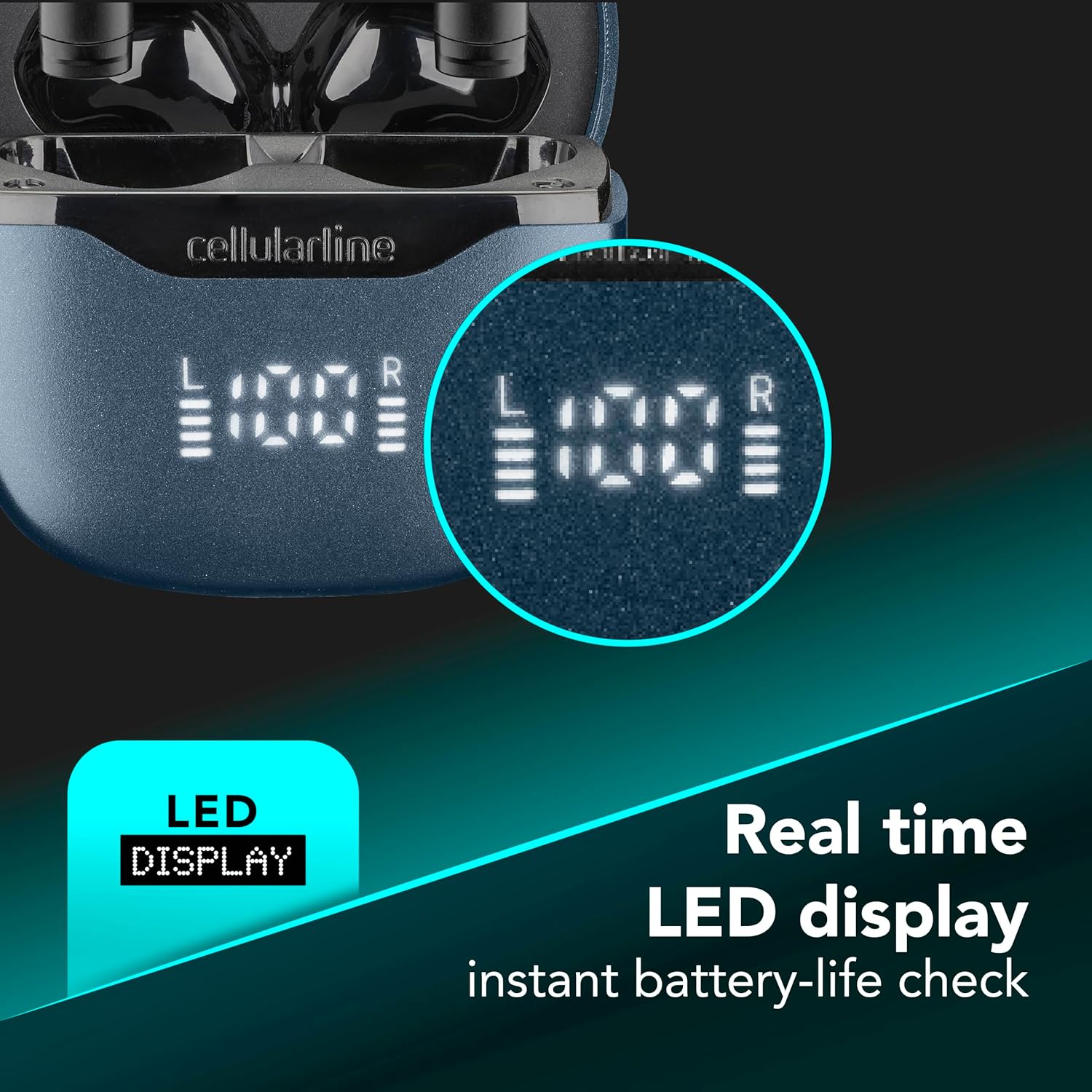
Image 4.2: Real-time LED display for instant battery life check of the case and individual earbuds.
4.4 മൾട്ടിപോയിന്റ് കണക്ഷൻ
The Core Pro earphones support multipoint technology, allowing connection to two Bluetooth devices simultaneously.
- വിഭാഗം 3.2-ൽ വിവരിച്ചിരിക്കുന്നതുപോലെ ഇയർഫോണുകൾ ആദ്യ ഉപകരണവുമായി ജോടിയാക്കുക.
- Disable Bluetooth on the first device temporarily. The earphones will re-enter pairing mode.
- രണ്ടാമത്തെ ഉപകരണവുമായി ഇയർഫോണുകൾ ജോടിയാക്കുക.
- ആദ്യത്തെ ഉപകരണത്തിൽ ബ്ലൂടൂത്ത് വീണ്ടും പ്രവർത്തനക്ഷമമാക്കുക. ഇയർഫോണുകൾ രണ്ട് ഉപകരണങ്ങളിലേക്കും യാന്ത്രികമായി കണക്റ്റ് ചെയ്യണം.
- Audio will switch between devices based on active playback or incoming calls.

Image 4.3: Earphones connected to multiple devices simultaneously.
5. പരിപാലനം
- വൃത്തിയാക്കൽ: ഇയർഫോണുകളും ചാർജിംഗ് കെയ്സും വൃത്തിയാക്കാൻ മൃദുവായതും ഉണങ്ങിയതും ലിന്റ് രഹിതവുമായ തുണി ഉപയോഗിക്കുക. അബ്രാസീവ് ക്ലീനറുകളോ ലായകങ്ങളോ ഉപയോഗിക്കരുത്.
- സംഭരണം: ഉപയോഗത്തിലില്ലാത്തപ്പോൾ, ഇയർഫോണുകൾ സംരക്ഷിക്കുന്നതിനും അവ ചാർജ് ചെയ്തിട്ടുണ്ടെന്ന് ഉറപ്പാക്കുന്നതിനും ചാർജിംഗ് കേസിൽ സൂക്ഷിക്കുക.
- വാട്ടർ എക്സ്പോഷർ: Avoid exposing the earphones or charging case to water or excessive moisture.
- താപനില: ഉപകരണത്തെ അങ്ങേയറ്റത്തെ താപനിലയിൽ തുറന്നുകാട്ടരുത്.
6. പ്രശ്നപരിഹാരം
| പ്രശ്നം | സാധ്യമായ പരിഹാരം |
|---|---|
| ഇയർഫോണുകൾ പവർ ഓൺ ചെയ്യുന്നില്ല. | Ensure earphones and charging case are fully charged. |
| ഉപകരണവുമായി ജോടിയാക്കാൻ കഴിയില്ല. | Make sure Bluetooth is enabled on your device. Place earphones back in case, close, then reopen to re-enter pairing mode. Forget previous pairings on your device and try again. |
| ഇയർഫോണുകളിൽ നിന്ന് ശബ്ദമൊന്നുമില്ല. | Check device volume. Ensure earphones are properly connected. Try re-pairing. |
| Poor call quality / Excessive background noise. | Ensure earphones are properly seated in your ears. Move to a quieter environment if possible. The ENC technology works to reduce environmental noise, but extreme noise may still affect clarity. |
| Charging case LED display is off. | Connect the charging case to a power source. If still off, the case battery may be completely depleted or there may be a charging cable issue. |
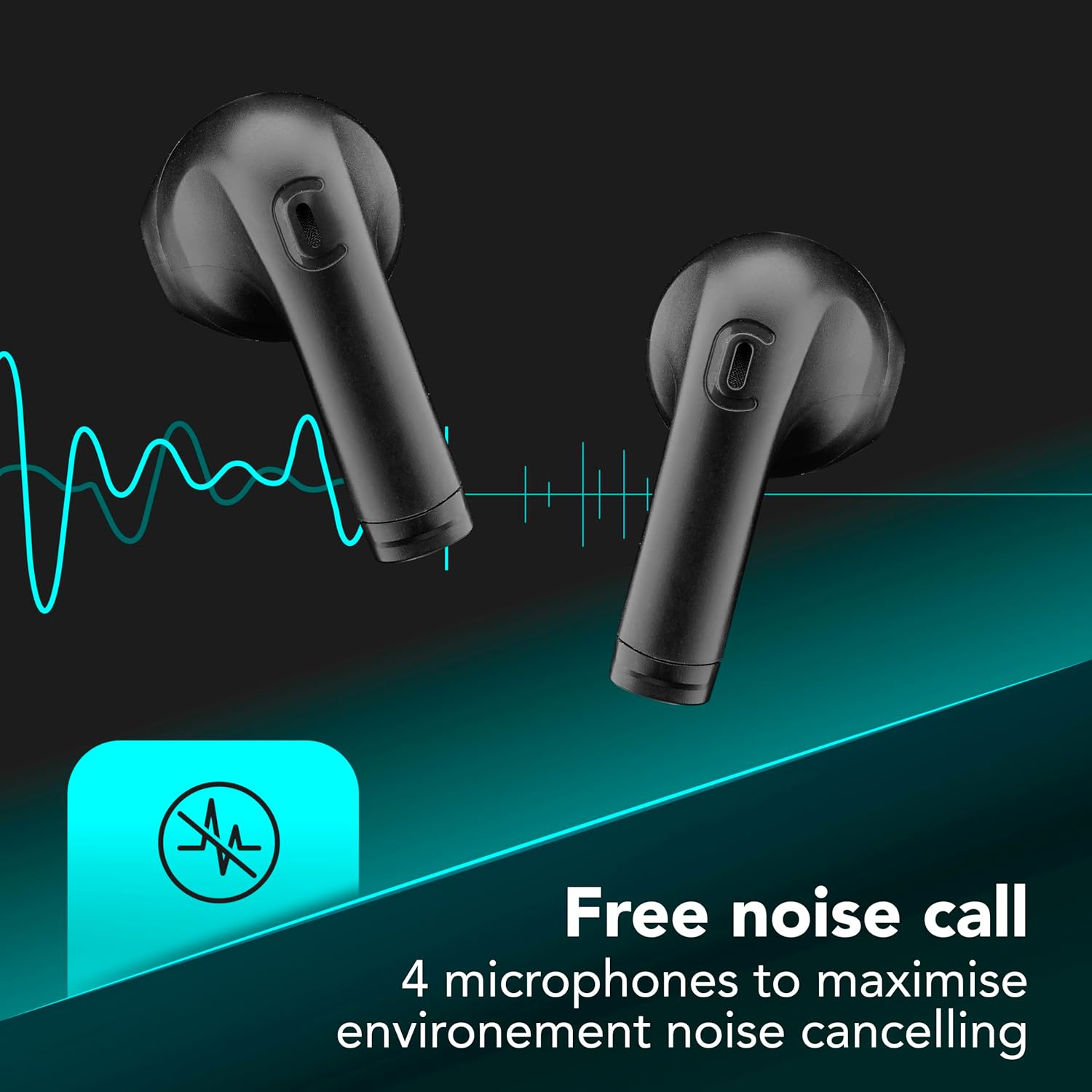
Image 6.1: Illustration of Environmental Noise Cancelling (ENC) technology for clear calls.
7 സ്പെസിഫിക്കേഷനുകൾ
| ഫീച്ചർ | വിശദാംശങ്ങൾ |
|---|---|
| മോഡൽ | ബിടികോർപ്രോട്ട്സ്ക് |
| ബ്രാൻഡ് | സെല്ലുലാർലൈൻ |
| കണക്റ്റിവിറ്റി | ബ്ലൂടൂത്ത് |
| ശബ്ദ നിയന്ത്രണം | പരിസ്ഥിതി ശബ്ദം റദ്ദാക്കൽ (ENC) |
| മൈക്രോഫോണുകൾ | 4 (ഓരോ ഇയർബഡിനും 2 എണ്ണം) |
| നിയന്ത്രണ രീതി | സ്പർശിക്കുക |
| ബാറ്ററി ലൈഫ് (ആകെ) | 30 മണിക്കൂർ വരെ (ചാർജിംഗ് കേസിനൊപ്പം) |
| പ്രത്യേക സവിശേഷതകൾ | Multipoint Pairing, LED Display, Auto Pairing |
| മെറ്റീരിയൽ | പ്ലാസ്റ്റിക് |
| ഇനത്തിൻ്റെ ഭാരം | 0.1 കിലോഗ്രാം |
8. വാറൻ്റിയും പിന്തുണയും
For warranty information and customer support, please refer to the warranty card included in your product packaging or visit the official cellularline webസൈറ്റ്. വാറന്റി ക്ലെയിമുകൾക്കായി നിങ്ങളുടെ വാങ്ങലിന്റെ തെളിവ് സൂക്ഷിക്കുക.
ഉദ്യോഗസ്ഥൻ Webസൈറ്റ്: www.cellularline.com