
Other Y10
Y10 Smart Bluetooth Sports Watch User Manual
മോഡൽ: Y10
1. ഉൽപ്പന്നം കഴിഞ്ഞുview
The Y10 Smart Bluetooth Sports Watch is a versatile wearable device designed to enhance your daily life and fitness routine. It combines essential smartwatch features with comprehensive health and activity tracking capabilities, all accessible through a vibrant full-touch display.
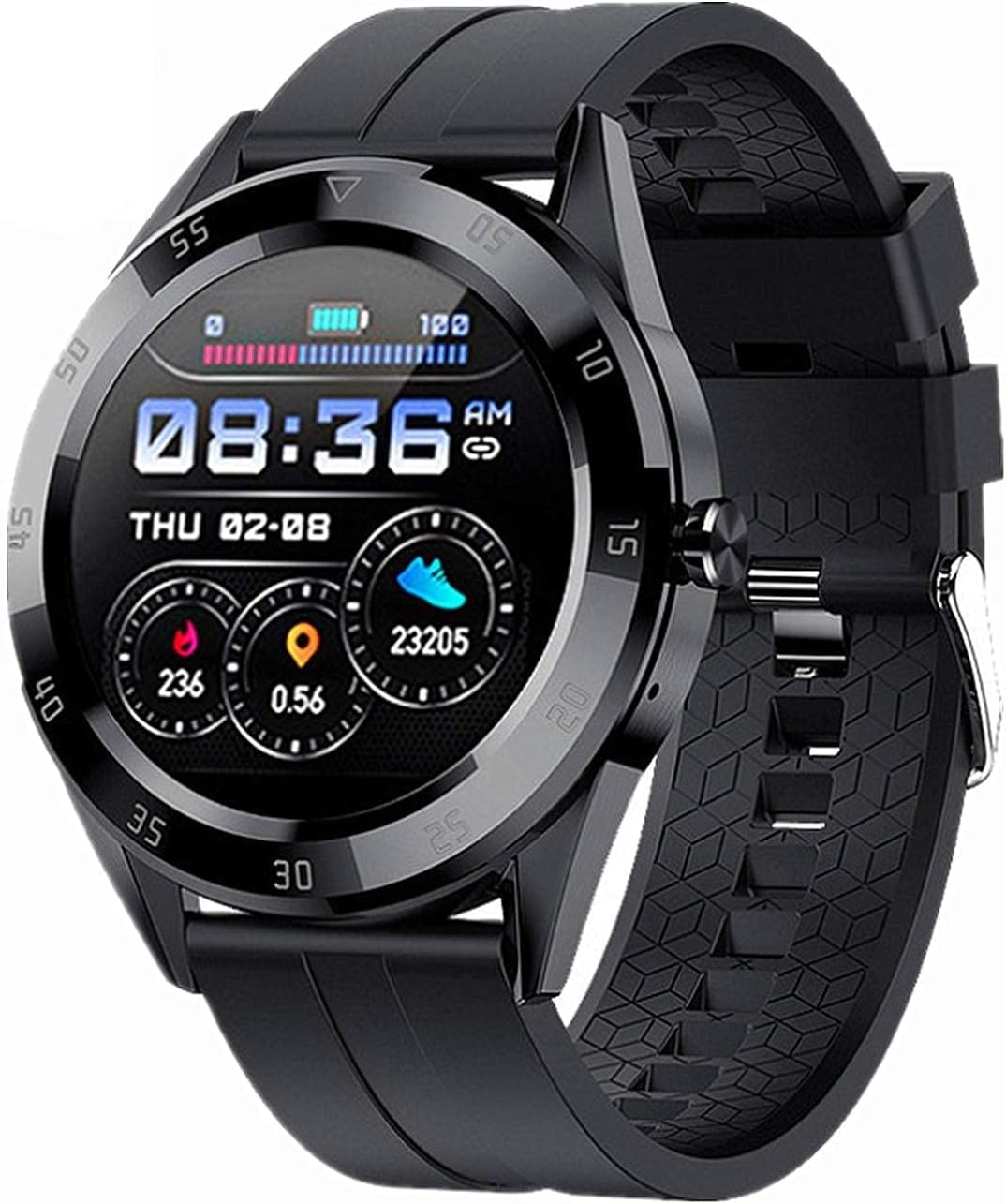
ചിത്രം 1.1: മുൻഭാഗം view of the Y10 Smart Bluetooth Sports Watch, displaying time, battery, and activity metrics.
2. സവിശേഷതകൾ
- ബ്ലൂടൂത്ത് കോൾ പ്രവർത്തനം: Make and receive calls directly from your watch when connected to your mobile phone.
- സംഗീത പ്ലേബാക്ക്: Listen to music through the watch during Bluetooth calls.
- IP68 ജല പ്രതിരോധം: Designed to withstand hand washing, rain, and swimming. Not suitable for hot water showers or saunas.
- 24 മണിക്കൂർ ആരോഗ്യ നിരീക്ഷണം: Continuous tracking of heart rate, blood pressure, and blood oxygen levels.
- ഉറക്ക നിരീക്ഷണം: Tracks sleep patterns to help you understand your sleep quality.
- പ്രവർത്തന ട്രാക്കർ: Calculates steps taken, calories burned, and distance covered.
- ഉദാസീനമായ ഓർമ്മപ്പെടുത്തൽ: നിഷ്ക്രിയത്വ കാലയളവുകൾക്ക് ശേഷം നീങ്ങാൻ നിങ്ങളെ അറിയിക്കുന്നു.
- ഇഷ്ടാനുസൃതമാക്കാവുന്ന ഡിസ്പ്ലേ: Multiple user interface styles and dual switching for time and date display.
- സ്മാർട്ട് അറിയിപ്പുകൾ: Displays call, text message, and SNS notifications (Facebook, Twitter, WhatsApp, Line, KakaoTalk, Messenger, WeChat, QQ) when connected to the FitPro app.
- അലാറം ക്ലോക്ക്: ഓർമ്മപ്പെടുത്തലുകൾക്കായി അലാറങ്ങൾ സജ്ജമാക്കുക.
- സ്റ്റോപ്പ് വാച്ച്: സമയക്രമീകരണ പ്രവർത്തനങ്ങൾക്ക്.
- Find Bracelet Feature: Helps locate your watch if misplaced.
- Raise-to-Wake Screen: നിങ്ങളുടെ കൈത്തണ്ട ഉയർത്തുമ്പോൾ സ്ക്രീൻ യാന്ത്രികമായി പ്രകാശിക്കുന്നു.
- റിമോട്ട് ക്യാമറ കൺട്രോൾ: വാച്ചിൽ നിന്ന് നിങ്ങളുടെ ഫോണിന്റെ ക്യാമറ വിദൂരമായി നിയന്ത്രിക്കുക.
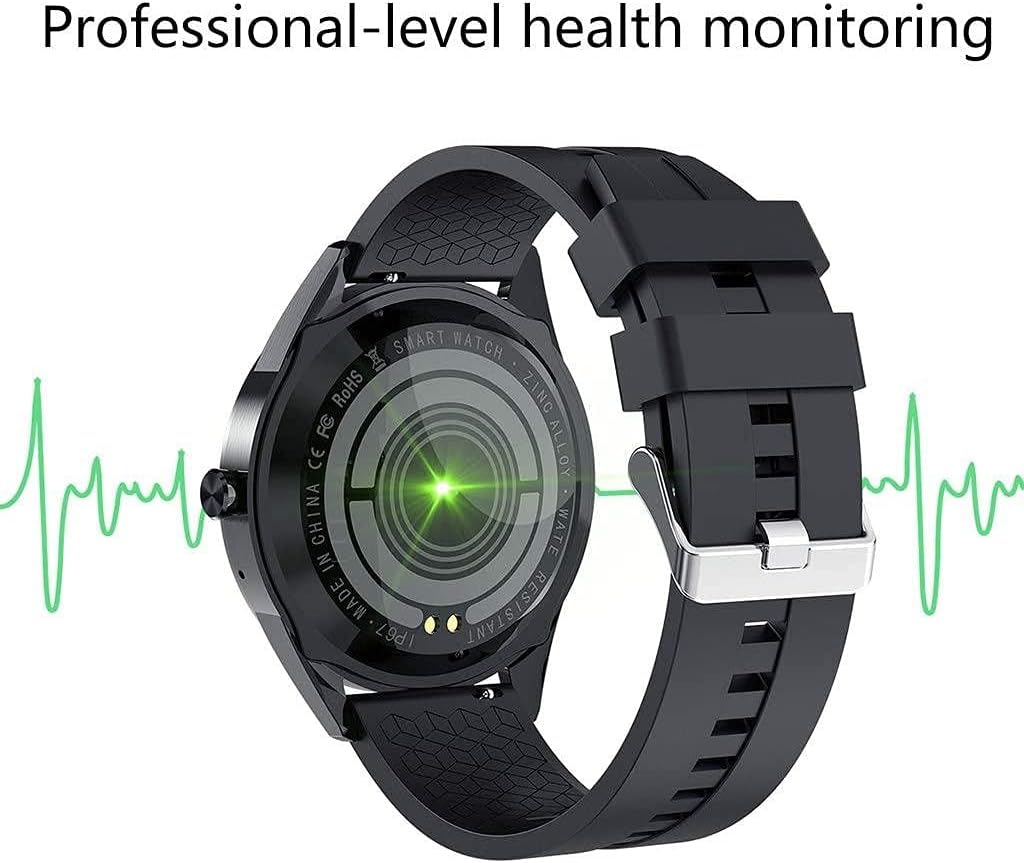
ചിത്രം 2.1: പിൻഭാഗം view of the Y10 Smart Bluetooth Sports Watch, highlighting its professional-level health monitoring sensors.

Figure 2.2: The watch displaying its call dialer interface, allowing users to make calls directly from their wrist.

Figure 2.3: The watch showcasing various custom dial options, allowing personalization of the display.
3 സ്പെസിഫിക്കേഷനുകൾ
| സ്പെസിഫിക്കേഷൻ | വിശദാംശങ്ങൾ |
|---|---|
| മോഡൽ നമ്പർ | Y10 |
| സ്ക്രീൻ വലിപ്പം | 1.54-ഇഞ്ച് IPS കളർ സ്ക്രീൻ |
| സ്ക്രീൻ റെസല്യൂഷൻ | 240 x 240 |
| ശരീര അളവുകൾ | 42 മില്ല്യൺ 12 മില്ലി |
| സ്ട്രാപ്പ് മെറ്റീരിയൽ | സിലിക്കൺ |
| സ്ട്രാപ്പ് വലുപ്പം | 20 മി.മീ |
| ചിപ്സെറ്റ് | HS6620D |
| ബ്ലൂടൂത്ത് പതിപ്പ് | 4.0 |
| ബാറ്ററി ശേഷി | 200mAh |
| ചാർജിംഗ് സമയം | ഏകദേശം 2 മണിക്കൂർ |
| ജോലി സമയം | 1-3 ദിവസം |
| ചാർജിംഗ് മോഡ് | ചാർജ്ജ് ക്ലിപ്പ് |
| ബട്ടൺ പ്രവർത്തനം | പൂർണ്ണ സ്പർശനം |
| കമ്പാനിയൻ ആപ്പ് | ഫിറ്റ്പ്രോ |
| അനുയോജ്യമായ സിസ്റ്റങ്ങൾ | Android 4.4-ഉം അതിനുമുകളിലും, iOS 8.0-ഉം അതിനുമുകളിലും |
| ഉൽപ്പന്ന ഭാരം | 50 ഗ്രാം (ഏകദേശം) |
| App Supported Languages | English, Japanese, Turkish, Spanish, German, Russian, Finnish, French, Malay, Indonesian, Korean, Portuguese, Chinese |
4. പാക്കേജ് ഉള്ളടക്കം
പാക്കേജ് തുറക്കുമ്പോൾ, താഴെ പറയുന്ന എല്ലാ ഇനങ്ങളും ഉണ്ടെന്ന് ഉറപ്പാക്കുക:
- 1 x Y10 Smart Watch
- 1 x സിലിക്കൺ സ്ട്രാപ്പ്
- 1 x Charging Cable (with clip)
- 1 x ഉപയോക്തൃ മാനുവൽ

Figure 4.1: The Y10 Smart Bluetooth Sports Watch, its charging cable, and packaging.
5. സജ്ജീകരണം
5.1 പ്രാരംഭ ചാർജിംഗ്
Before first use, fully charge your Y10 Smart Watch. Connect the charging clip to the charging points on the back of the watch and plug the USB end into a standard USB power adapter (not included) or a computer USB port. Charging typically takes about 2 hours.
5.2 App Installation (FitPro)
To unlock the full functionality of your Y10 Smart Watch, you must download and install the 'FitPro' app on your smartphone. The app is compatible with Android 4.4 and above, and iOS 8.0 and above.
- ഇതിനായി തിരയുക 'FitPro' in your phone's app store (Google Play Store for Android, Apple App Store for iOS).
- ആപ്പ് ഡൗൺലോഡ് ചെയ്ത് ഇൻസ്റ്റാൾ ചെയ്യുക.
5.3 Pairing with Your Mobile Phone
പ്രധാനപ്പെട്ടത്: Always pair your watch through the 'FitPro' app, not directly through your phone's Bluetooth settings. Direct Bluetooth pairing may prevent proper synchronization.
- നിങ്ങളുടെ മൊബൈൽ ഫോണിൽ ബ്ലൂടൂത്ത് പ്രവർത്തനക്ഷമമാക്കിയിട്ടുണ്ടെന്ന് ഉറപ്പാക്കുക.
- Open the 'FitPro' app on your mobile phone.
- Navigate to the device pairing section within the app (usually labeled 'Device', 'Mine', or a similar icon).
- The app will search for available devices. Select 'Y10' or the corresponding device name when it appears.
- ആവശ്യപ്പെടുകയാണെങ്കിൽ, നിങ്ങളുടെ ഫോണിലും വാച്ചിലും ജോടിയാക്കൽ അഭ്യർത്ഥന സ്ഥിരീകരിക്കുക.
6. പ്രവർത്തന നിർദ്ദേശങ്ങൾ
6.1 അടിസ്ഥാന നാവിഗേഷൻ
- ടച്ച് സ്ക്രീൻ: The watch features a full touch screen for navigation. Swipe left/right, up/down, and tap to select options.
- വേക്ക് സ്ക്രീൻ: Raise your wrist to automatically wake the screen, or press the side button.
6.2 ബ്ലൂടൂത്ത് കോൾ ഫംഗ്ഷൻ
Once paired via the FitPro app, ensure the watch's Bluetooth is also connected for calls (sometimes a separate Bluetooth connection appears for audio). You can then:
- കോളുകൾ ചെയ്യുക: Access the dialer on the watch to input numbers or select contacts from your synced phonebook.
- Receive Calls: Answer or reject incoming calls directly from the watch.
6.3 ആരോഗ്യ നിരീക്ഷണം
Access health data by swiping through the watch interface or through the FitPro app.
- ഹൃദയമിടിപ്പ്: Tap to measure your current heart rate.
- Blood Pressure/Oxygen: Tap to initiate a measurement.
- ഉറക്ക ട്രാക്കിംഗ്: ഓട്ടോമാറ്റിക് ഉറക്ക വിശകലനത്തിനായി കിടക്കയിൽ വാച്ച് ധരിക്കുക. View detailed reports in the FitPro app.
6.4 പ്രവർത്തന ട്രാക്കിംഗ്
The watch automatically tracks your daily activity.
- Steps, Calories, Distance: View your daily progress on the watch face or in the app.
- ഉദാസീനമായ ഓർമ്മപ്പെടുത്തൽ: Set intervals in the app for the watch to remind you to move.
6.5 അറിയിപ്പുകൾ
Ensure notification permissions are granted to the FitPro app on your phone.
- Incoming calls, text messages, and app notifications will be displayed on the watch screen.
6.6 മറ്റ് പ്രവർത്തനങ്ങൾ
- അലാറം: Set alarms via the FitPro app.
- സ്റ്റോപ്പ് വാച്ച്: Access from the watch's menu.
- റിമോട്ട് ക്യാമറ: Open the camera function in the FitPro app, then use the watch to trigger your phone's camera shutter.
- ബ്രേസ്ലെറ്റ് കണ്ടെത്തുക: Use the FitPro app to make your watch vibrate, helping you locate it.
7. പരിപാലനം
- വൃത്തിയാക്കൽ: Wipe the watch and strap regularly with a soft, dry cloth. For silicone straps, a damp തുണി ഉപയോഗിക്കാം, പിന്നീട് നന്നായി ഉണക്കാം.
- ജല പ്രതിരോധം: The watch is IP68 water-resistant. This means it can withstand splashes, rain, and brief immersion in shallow water. Do NOT expose it to hot water, steam (e.g., hot showers, saunas), or high-pressure water jets. Do NOT press buttons underwater.
- ചാർജിംഗ്: Use only the provided charging cable. Ensure the charging contacts on the watch and clip are clean and dry before charging.
- സംഭരണം: ഉപയോഗത്തിലില്ലാത്തപ്പോൾ തണുത്തതും വരണ്ടതുമായ സ്ഥലത്ത് വാച്ച് സൂക്ഷിക്കുക. കടുത്ത താപനില ഒഴിവാക്കുക.
- രാസവസ്തുക്കൾ ഒഴിവാക്കുക: Do not expose the watch to strong chemicals, detergents, or solvents, as these can damage the materials.
8. പ്രശ്നപരിഹാരം
| പ്രശ്നം | സാധ്യമായ പരിഹാരം |
|---|---|
| വാച്ച് ഓണാകുന്നില്ല. | Ensure the watch is fully charged. Connect to the charging cable and leave it for at least 30 minutes before attempting to turn it on. |
| Cannot pair with phone / Data not syncing | 1. നിങ്ങളുടെ ഫോണിൽ ബ്ലൂടൂത്ത് പ്രവർത്തനക്ഷമമാക്കിയിട്ടുണ്ടെന്ന് ഉറപ്പാക്കുക. 2. Make sure you are pairing through the 'FitPro' app, not directly via phone's Bluetooth settings. 3. Restart both your phone and the watch. 4. Ensure the 'FitPro' app has all necessary permissions (Bluetooth, location, notifications). 5. Check if the watch battery is low. |
| Inaccurate health data readings | 1. Ensure the watch is worn snugly on your wrist, not too loose or too tight. 2. Keep the sensor clean and free from sweat or dirt. 3. Readings are for reference only and should not be used for medical diagnosis. |
| അറിയിപ്പുകൾ ദൃശ്യമാകുന്നില്ല | 1. Ensure the watch is successfully paired with the FitPro app. 2. Check notification settings within the FitPro app to ensure desired apps are enabled. 3. Verify that your phone's notification settings allow the FitPro app to display notifications. |
| ചെറിയ ബാറ്ററി ലൈഫ് | 1. Reduce screen brightness. 2. Limit frequent screen wake-ups. 3. Turn off continuous health monitoring if not needed 24/7. 4. Ensure no background apps on the watch are consuming excessive power. |
9. Important Notes and Disclaimer
- Wearable devices monitor human activities through electronic sensors. Data collected is for reference only and should not be compared with professional medical equipment.
- This product is NOT a medical device and should not be used for medical diagnosis, treatment, or prevention of disease.
- It is normal for there to be some deviation in readings due to the nature of consumer electronic sensors.
- Users should interpret all data objectively.
10. വാറൻ്റിയും പിന്തുണയും
Specific warranty information for the Y10 Smart Bluetooth Sports Watch is not provided in this manual. Please refer to your point of purchase or the retailer's website for details regarding warranty coverage and return policies.
For technical support or further assistance, please contact the seller or retailer from whom you purchased the product. This manual provides general operating instructions and troubleshooting tips.
Ask a question about this manual
Ask about setup, troubleshooting, compatibility, parts, safety, or missing instructions. Manuals+ will review the question and use this page’s manual context to help answer it.