
Tecmate TM-381
OptiMate 6 12V/24V High Performance Battery Charger & Maintainer User Manual
Brand: Tecmate | Model: TM-381
ആമുഖം
The OptiMate 6 12V/24V is a smart, fully automatic battery charger and maintainer designed to optimize performance and extend the life of 12V and 24V deep cycle batteries in RVs, marine crafts, and also suitable for starter batteries in cars, pickup trucks, ATVs, or motorcycles. It features Ampmatic charge control with built-in temperature compensation, ensuring an optimal charge every time. The automatic 8-step program can save deeply discharged batteries and maintain them long-term.
ബോക്സിൽ എന്താണുള്ളത്
- OptiMate 6 Battery Charger
- ബാറ്ററി ക്ലിപ്പുകൾ
- ബാറ്ററി ലീഡ്

Image: The OptiMate 6 charger unit shown with its included battery clips and permanent battery lead accessories.
സജ്ജീകരണവും കണക്ഷനും
Before connecting, ensure the charger is unplugged from the AC power outlet. Connect the battery clips or permanent battery lead to your battery terminals. The red clip/connector goes to the positive (+) terminal, and the black clip/connector goes to the negative (-) terminal. Once connected, plug the charger into a suitable AC power outlet.
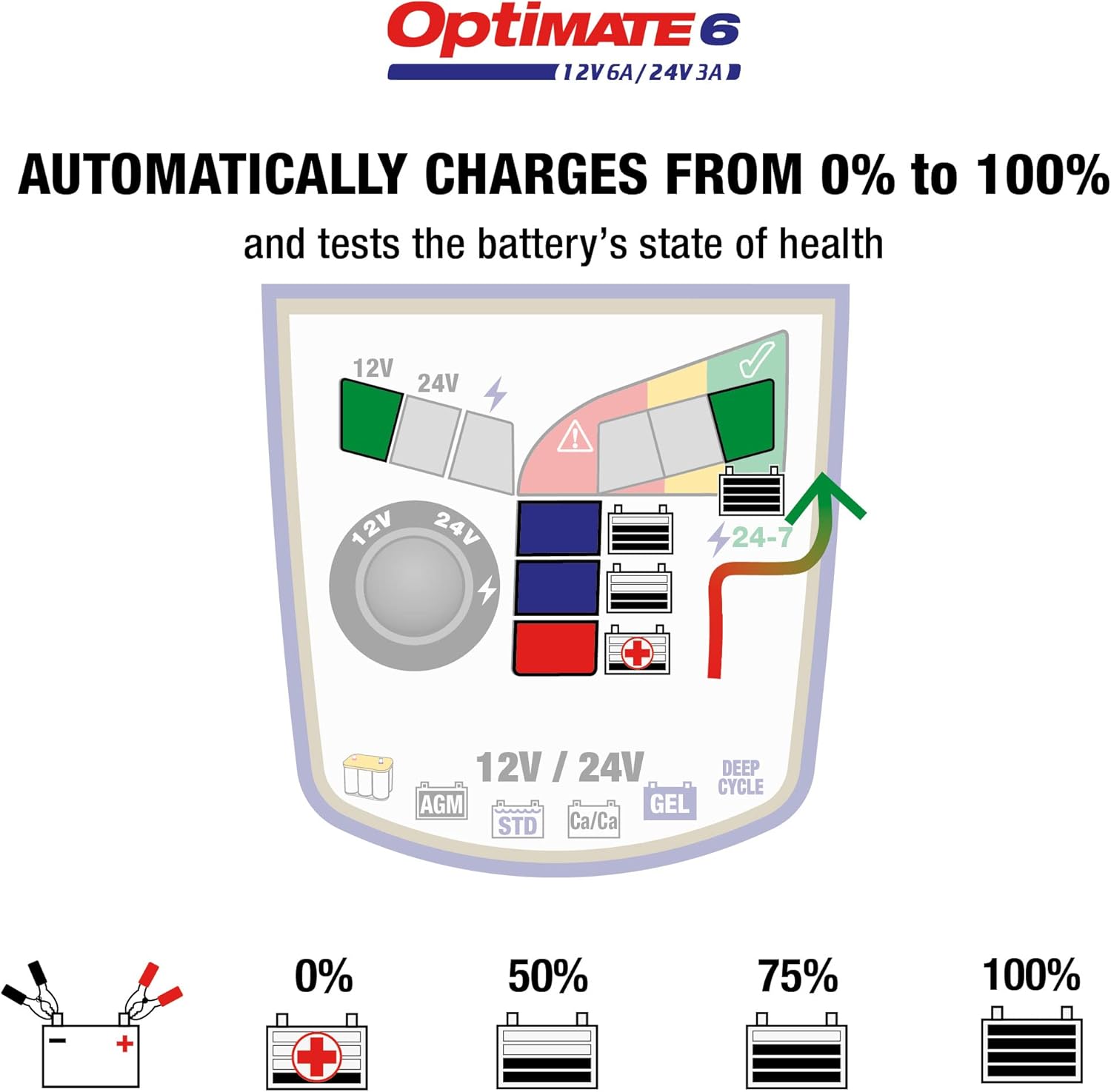
Diagram: Connection methods for the OptiMate 6, illustrating both battery clip and ring terminal connections to a battery.
പ്രവർത്തന നിർദ്ദേശങ്ങൾ
Automatic Charging and Maintenance
The OptiMate 6 is a smart, fully automatic battery charger. It is designed for 24/7 use and can be left connected to the battery without fear of overcharging. The Ampmatic program automatically adjusts the charge current to match the battery size and condition. A larger battery receives more current, while a smaller battery receives less.

Diagram: The Ampmatic system dynamically adjusts charging current based on the battery's size and condition.
താപനില നഷ്ടപരിഹാരം
Charging is also adjusted based on ambient temperature. When hot, the charge voltage is lowered. When cold, the voltage is adjusted higher to help the battery perform better.
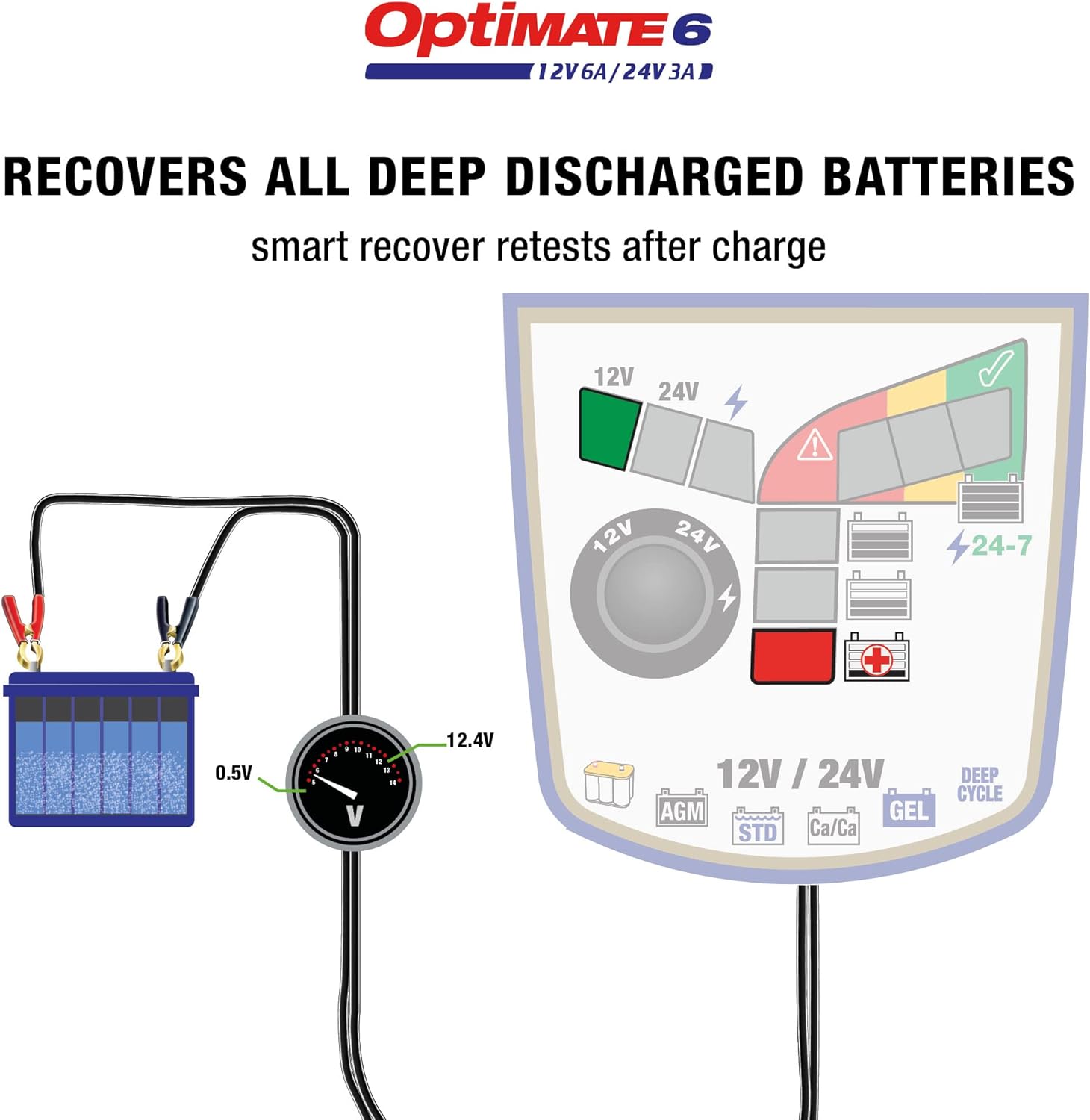
Diagram: The charger adjusts its voltage output based on ambient temperature to optimize charging performance.
വാല്യംtagഇ സെലക്ഷൻ
രണ്ട് ചാർജ് വോള്യംtage selections are available for 12V and 24V lead-acid batteries. The default safe charge voltage is 14.4V for most 12V batteries or 28.8V for most 24V batteries. High-performance AGM or deep cycle batteries may require a higher charge voltage of 14.7V (for 12V) or 29.4V (for 24V). The selected mode remains in memory until a new selection is made.
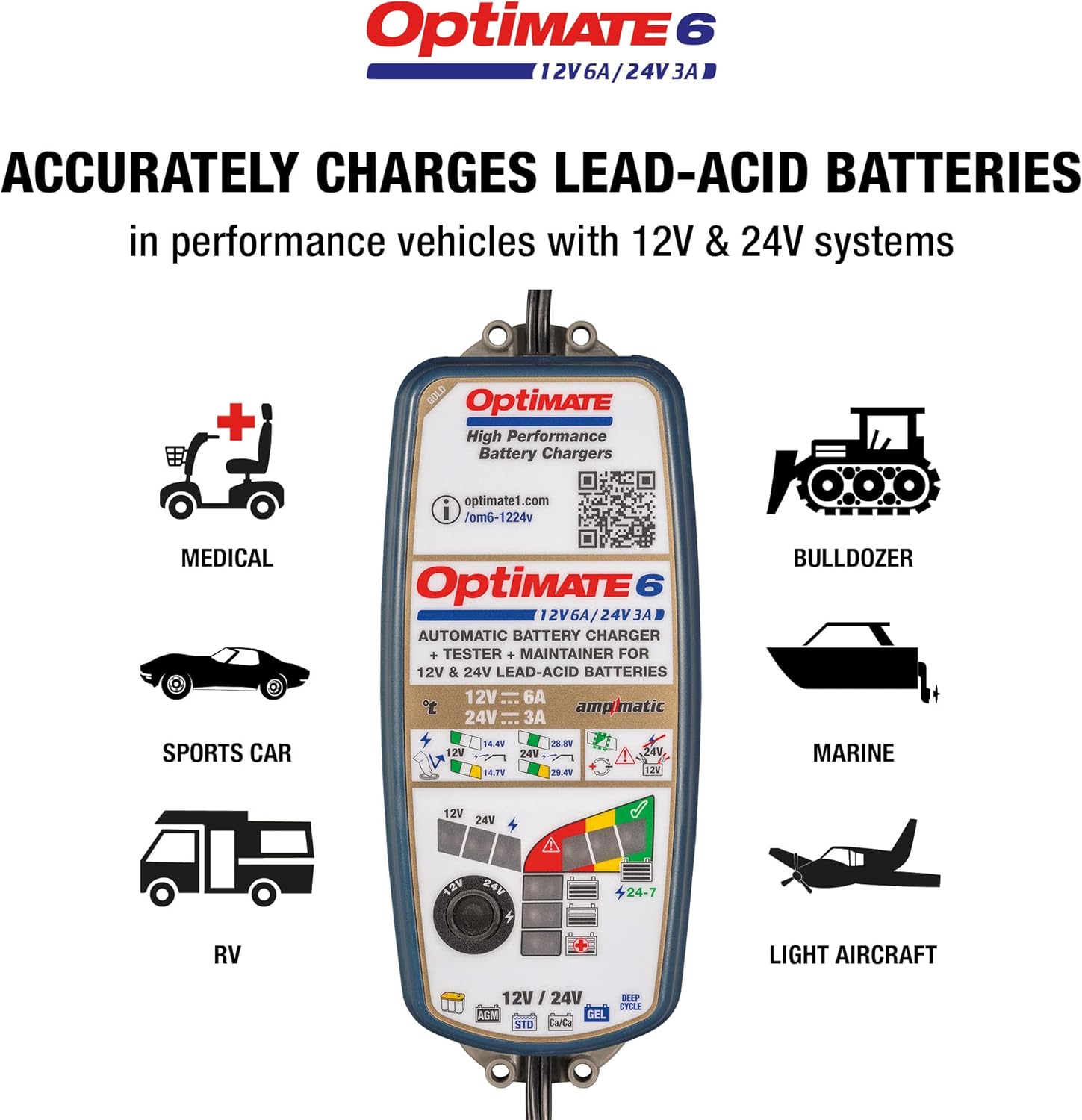
Diagram: The voltage selection dial allows users to choose between 12V and 24V charging modes.

Diagram: Recommended battery types for the OptiMate 6, including standard, AGM, GEL, Calcium-Calcium, and deep cycle batteries.
Charge Progress Indication
The LED panel indicates charge progress. Charging always starts at the 25% or 50% level. A battery with more charge will progress quicker.

Diagram: The LED indicators on the charger display the current charging progress, from 0% to 100%.
ബാറ്ററി വീണ്ടെടുക്കൽ
The automatic 8-step program saves deeply discharged batteries from as low as 0.5 Volts.

Diagram: The 8-step charging process, showing how the charger recovers deeply discharged batteries and optimizes their charge.
മെയിൻ്റനൻസ്
Once charging reaches 100%, the OptiMate stops and tests the battery's ability to retain charge. The automatic 24/7 maintenance program monitors the charge hourly, delivering charge only when necessary. This procedure helps eliminate electrolyte loss through gassing, ensuring the battery is always at its optimal charge level.

Diagram: The 24/7 maintenance mode ensures the battery remains optimally charged without overcharging.
ട്രബിൾഷൂട്ടിംഗ്
If the battery is unable to hold sufficient voltage after charging, it may need to be replaced. However, there might be other reasons for a poor test result, such as a parasitic drain from connected circuitry in a vehicle or craft. In such cases, remove the battery from the vehicle and try charging and testing again.
The LED indicators provide feedback on battery health:
- ചുവന്ന LED: Indicates a battery voltage between 0.5V and 12.4V (for 12V batteries) or 24.8V (for 24V batteries), suggesting a deeply discharged or problematic battery.
- മഞ്ഞ LED: Indicates a battery voltage between 12.4V and 12.7V (for 12V batteries) or 24.8V and 29.0V (for 24V batteries), suggesting a partially charged or aging battery.
- പച്ച LED: Indicates a battery voltage above 12.7V (for 12V batteries) or 29.0V (for 24V batteries), indicating a healthy, fully charged battery.

Diagram: Visual representation of battery voltage ranges and their corresponding health indicators (red, yellow, green LEDs).
സ്പെസിഫിക്കേഷനുകൾ
| ഫീച്ചർ | വിശദാംശങ്ങൾ |
|---|---|
| ബ്രാൻഡ് | Tecmate |
| മോഡൽ | OptiMATE 6 12V/ 24V (TM-381) |
| ഇനത്തിൻ്റെ ഭാരം | 2.72 പൗണ്ട് |
| ഉൽപ്പന്ന അളവുകൾ | 8.74 x 3.5 x 2.48 ഇഞ്ച് |
| Putട്ട്പുട്ട് വോളിയംtage | 24 വോൾട്ട് (DC) |
| സുരക്ഷാ സർട്ടിഫിക്കേഷനുകൾ | CSA, UL, DOE |
വാറൻ്റിയും പിന്തുണയും
For warranty information and technical support, please visit the official Tecmate webസൈറ്റ് അല്ലെങ്കിൽ നിങ്ങളുടെ ഉൽപ്പന്നത്തിൽ ഉൾപ്പെടുത്തിയിരിക്കുന്ന ഡോക്യുമെന്റേഷൻ പരിശോധിക്കുക. നിങ്ങൾക്ക് സന്ദർശിക്കാനും കഴിയും Tecmate Store on Amazon അധിക ഉറവിടങ്ങൾക്കായി.
Protection plans are available for purchase separately to extend coverage beyond the manufacturer's warranty.
Ask a question about this manual
Ask about setup, troubleshooting, compatibility, parts, safety, or missing instructions. Manuals+ will review the question and use this page’s manual context to help answer it.