
1. ആമുഖം
This manual provides detailed instructions for the assembly, operation, and maintenance of your CaDA Remote Control Pickup Truck Building Block Kit, model C51005W. This kit allows you to construct a detailed pickup truck model that can be controlled remotely. It is designed for users aged 6 and above.

Image 1: The CaDA C51005W Remote Control Pickup Truck Building Block Kit, including the assembled truck, remote control, and packaging.
2. ഉൽപ്പന്നം കഴിഞ്ഞുview
The CaDA C51005W is a 549-piece building block kit that assembles into a remote-controlled pickup truck. The finished model measures approximately 32cm x 16cm x 12cm. It features realistic details and functional elements for an engaging building and play experience.
പ്രധാന സവിശേഷതകൾ:
- റിമോട്ട് കൺട്രോൾ പ്രവർത്തനം: Allows forward, backward, and steering control.
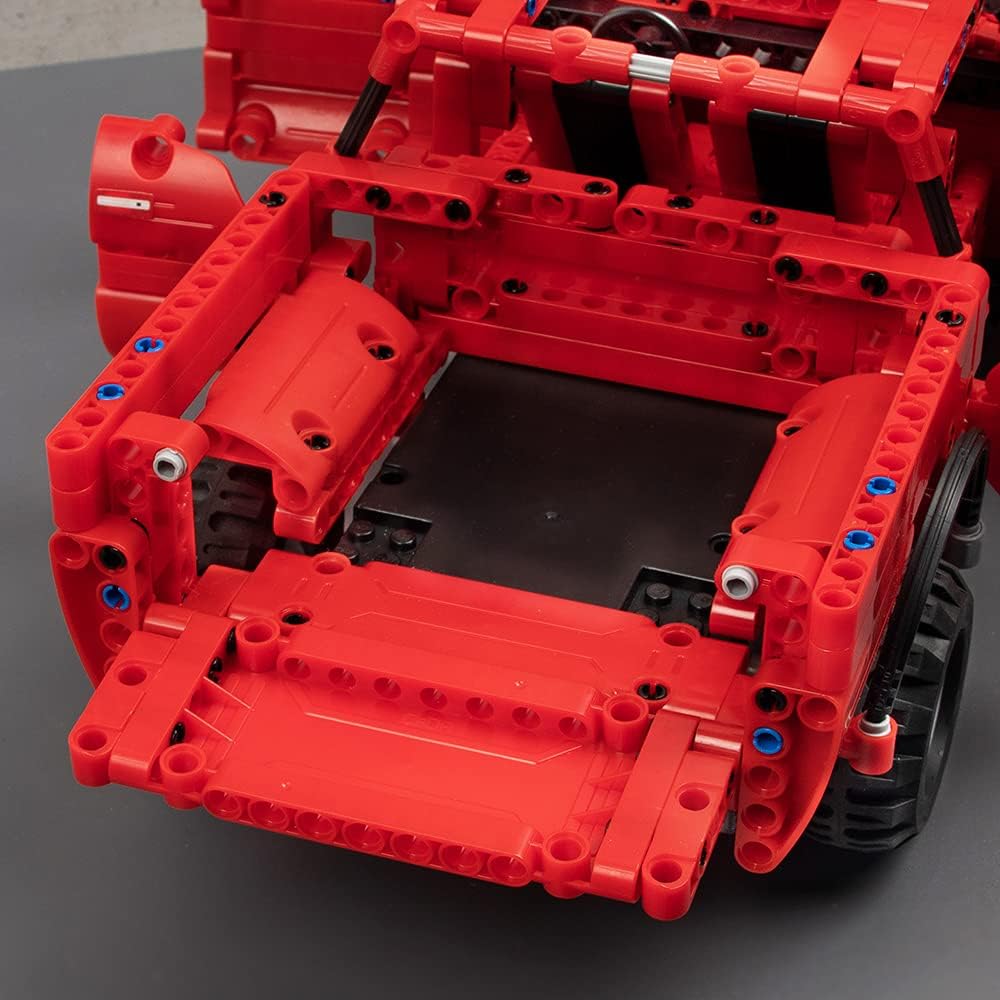
- വിശദമായ ഡിസൈൻ: Includes rubber tires, openable doors, a movable steering wheel, seats, and an openable hood and trunk.
- Chassis Adjustment: Fine-tuning for driving direction is possible via the chassis.
- അനുയോജ്യത: CaDA blocks are compatible with LEGO brand blocks, allowing for customization and expansion.




3. പാക്കേജ് ഉള്ളടക്കം
അസംബ്ലി ആരംഭിക്കുന്നതിന് മുമ്പ് എല്ലാ ഘടകങ്ങളും നിലവിലുണ്ടെന്ന് ദയവായി പരിശോധിക്കുക:
- ബിൽഡിംഗ് ബ്ലോക്കുകൾ (549 കഷണങ്ങൾ)
- റിമോട്ട് കൺട്രോൾ
- റീചാർജ് ചെയ്യാവുന്ന ബാറ്ററി (3.6V 400mAh)
- യുഎസ്ബി ചാർജിംഗ് കേബിൾ
- Motors (x2)
- ഇല്ലസ്ട്രേറ്റഡ് ഇൻസ്ട്രക്ഷൻ മാനുവൽ
Items Not Included (Required for Operation):
- AA Batteries (x2) for the Remote Control

Image 8: The included rechargeable battery and USB charging cable.
4. സജ്ജീകരണവും അസംബ്ലിയും
Follow the step-by-step illustrated instructions provided in the manual included with your kit. The manual uses clear diagrams to guide you through the assembly process.
അസംബ്ലി നുറുങ്ങുകൾ:
- Organize your blocks by type or color before starting to make the process smoother.
- Pay close attention to the illustrations for correct part placement.
- കളിക്കുമ്പോൾ ഭാഗങ്ങൾ വേർപെടുന്നത് തടയാൻ എല്ലാ കണക്ഷനുകളും ദൃഢമാണെന്ന് ഉറപ്പാക്കുക.

ചിത്രം 9: ഒരു മുൻample page from the illustrated instruction manual, showing clear assembly steps.
ബാറ്ററി ഇൻസ്റ്റാളേഷനും ചാർജിംഗും:
- പ്രധാന യൂണിറ്റ് ബാറ്ററി: Connect the included 3.6V 400mAh rechargeable battery to the main unit's power port as indicated in the assembly manual.
- ചാർജിംഗ്: Use the provided USB charging cable to charge the main unit's battery. Connect the USB end to a compatible power adapter (not included) and the other end to the battery. The first charge requires 4-5 hours. Subsequent charges typically take 2-3 hours.
- റിമോട്ട് കൺട്രോൾ ബാറ്ററികൾ: Open the battery compartment on the remote control and insert 2 AA batteries (not included), ensuring correct polarity.
5. പ്രവർത്തന നിർദ്ദേശങ്ങൾ
Once assembled and powered, your CaDA Remote Control Pickup Truck is ready for operation.
വിദൂര നിയന്ത്രണ പ്രവർത്തനങ്ങൾ:
- Use the left joystick for forward and backward movement.
- Use the right joystick to steer the vehicle left and right.
- The remote control operates on a 2.4GHz frequency, providing a stable connection up to 25 meters.

Image 10: The assembled pickup truck in action, controlled by the remote.

Image 11: Illustration of the 2.4G remote control technology for stable operation.
Direction Fine-Tuning:
If the vehicle does not drive straight, you can fine-tune the steering direction using the adjustment mechanism located on the chassis. Refer to the manual for the exact location and method of adjustment.

Image 12: Close-up of the chassis showing the direction fine-tuning mechanism.
6. പരിപാലനം
Proper maintenance will ensure the longevity and optimal performance of your CaDA building block kit.
വൃത്തിയാക്കൽ:
- Wipe the blocks and remote control with a dry, soft cloth.
- Avoid using water or cleaning solutions, as the product is not waterproof.
ബാറ്ററി പരിചരണവും സംഭരണവും:
- Do not leave batteries in high-temperature environments.
- Avoid overcharging the rechargeable battery.
- When not in use for extended periods, remove the rechargeable battery from the main unit and the AA batteries from the remote control.
- Store batteries and the product in a cool, dry place.
7. പ്രശ്നപരിഹാരം
If you encounter issues with your CaDA Remote Control Pickup Truck, please refer to the following common problems and solutions:
| പ്രശ്നം | സാധ്യമായ കാരണം | പരിഹാരം |
|---|---|---|
| വാഹനം നീങ്ങുന്നില്ല. | Low battery in main unit or remote control. Incorrect battery installation. Loose connections. | Charge the main unit battery. Replace AA batteries in the remote control. Ensure batteries are installed with correct polarity. Check all block connections for firmness. |
| Vehicle does not steer correctly. | Steering mechanism obstruction. Need for fine-tuning. | Check for any blocks obstructing the steering. Use the direction fine-tuning function on the chassis. |
| റിമോട്ട് കൺട്രോൾ പ്രതികരിക്കുന്നില്ല. | Out of range. Remote control batteries low. Interference. | Move closer to the vehicle (within 25m). Replace remote control batteries. Avoid operating near other 2.4GHz devices. |
| നഷ്ടപ്പെട്ടതോ കേടായതോ ആയ ഭാഗങ്ങൾ. | Manufacturing defect or loss during assembly. | Refer to the 'Warranty and Support' section for contact information to request replacement parts. |
8 സ്പെസിഫിക്കേഷനുകൾ
| ഫീച്ചർ | വിശദാംശങ്ങൾ |
|---|---|
| മോഡൽ നമ്പർ | C51005W |
| കഷണങ്ങളുടെ എണ്ണം | 549 |
| അസംബിൾ ചെയ്ത ഉൽപ്പന്ന വലുപ്പം | 32.8 x 16.7 x 12.9 സെ.മീ |
| ഭാരം | 1.38 കി.ഗ്രാം |
| പ്രധാന മെറ്റീരിയൽ | അക്രിലോണിട്രൈൽ ബ്യൂട്ടാഡീൻ സ്റ്റൈറൈൻ (എബിഎസ്) |
| ശുപാർശ ചെയ്യുന്ന പ്രായം | 6 വയസ്സും അതിൽ കൂടുതലും |
| Main Unit Battery | 3.6V 400mAh (Rechargeable, included) |
| റിമോട്ട് കൺട്രോൾ ബാറ്ററി | AA batteries x 2 (Not included) |
| ചാർജിംഗ് സമയം | First charge: 4-5 hours; Subsequent charges: 2-3 hours |
| പ്രവർത്തന സമയം | ഒരു ചാർജിന് 15-20 മിനിറ്റ് |
| പരമാവധി വേഗത | മണിക്കൂറിൽ 5 കി.മീ |
| റിമോട്ട് കൺട്രോൾ റേഞ്ച് | 25 മീറ്റർ വരെ |
| വാട്ടർപ്രൂഫ് | ഇല്ല |
9. സുരക്ഷാ മുന്നറിയിപ്പുകൾ
- ശ്വാസംമുട്ടൽ അപകടം: Small parts. Not suitable for children under 4 years due to potential choking hazards. Adult supervision is recommended for all children.
- ബാറ്ററി സുരക്ഷ: Do not leave batteries in high-temperature locations. Avoid overcharging the rechargeable battery. Remove batteries from the product and remote control when not in use for extended periods. Store batteries in a cool, dry place.
- വാട്ടർപ്രൂഫ് അല്ല: This product is not waterproof. Avoid contact with water or moisture to prevent damage to electronic components.
- അനുയോജ്യത: While CaDA blocks are compatible with LEGO brand blocks, this product is not manufactured by LEGO.
10. വാറൻ്റിയും പിന്തുണയും
If you find that parts are missing or defective, please contact CaDA customer support. You will need to provide the part number(s) from the back of the assembly manual, the quantity needed, and your shipping address.
For further assistance or inquiries, please visit the official CaDA store or contact their customer service department. Contact details are typically found on the product packaging or the brand's official webസൈറ്റ്.