
1. ആമുഖം
Thank you for choosing the i-box MiniGlow Alarm Clock Radio. This device combines a large LED display with dimmable brightness, dual alarms, a night light function, a USB charging port, FM radio, and a modern textile finish. Its compact design makes it ideal for bedside tables. This manual provides detailed instructions for setup, operation, and maintenance to ensure optimal performance and longevity of your device.
ഉപയോഗിക്കുന്നതിന് മുമ്പ് ദയവായി ഈ മാനുവൽ ശ്രദ്ധാപൂർവ്വം വായിക്കുകയും ഭാവി റഫറൻസിനായി സൂക്ഷിക്കുകയും ചെയ്യുക.
2. പാക്കേജ് ഉള്ളടക്കം
- i-box MiniGlow Alarm Clock Radio
- പവർ അഡാപ്റ്റർ
- CR2025 Button Cell Battery (pre-installed for backup)
- ഉപയോക്തൃ മാനുവൽ
3. ഡിവൈസ് ഓവർview
Familiarize yourself with the main components and controls of your i-box MiniGlow.

ചിത്രം: ഫ്രണ്ട് view of the i-box MiniGlow Alarm Clock Radio, showing the large LED display and top controls. This image provides a general overview ഉൽപ്പന്നത്തിന്റെ രൂപഭാവം.
നിയന്ത്രണങ്ങളും തുറമുഖങ്ങളും:
- LED ഡിസ്പ്ലേ: സമയം, അലാറം സ്റ്റാറ്റസ്, റേഡിയോ ഫ്രീക്വൻസി എന്നിവ കാണിക്കുന്നു.
- മുകളിലെ ബട്ടണുകൾ: For setting time, alarms, radio, night light, and sound modes.
- Volume/Tuning Knob: Adjusts volume and tunes FM radio frequencies.
- യുഎസ്ബി ചാർജിംഗ് പോർട്ട്: ബാഹ്യ ഉപകരണങ്ങൾ ചാർജ് ചെയ്യുന്നതിനായി വശത്ത്/പിന്നിൽ സ്ഥിതിചെയ്യുന്നു.
- പവർ ഇൻപുട്ട്: പവർ അഡാപ്റ്റർ ബന്ധിപ്പിക്കുന്നതിന്.
4. സജ്ജീകരണം
4.1 പവർ കണക്ഷൻ
- Connect the provided power adapter to the DC input port on the back of the i-box MiniGlow.
- Plug the adapter into a standard wall outlet. The display will light up.
4.2 ബാക്കപ്പ് ബാറ്ററി
The device includes a pre-installed CR2025 button cell battery to maintain time and alarm settings during a power outage. No action is required for initial setup regarding this battery.
4.3 സമയം ക്രമീകരിക്കുന്നു
- അമർത്തിപ്പിടിക്കുക സമയം സെറ്റ് button (usually marked with a clock icon) until the hour digits flash.
- ഉപയോഗിക്കുക +/- buttons or the tuning knob to adjust the hour.
- അമർത്തുക സമയം സെറ്റ് മണിക്കൂർ സ്ഥിരീകരിക്കാൻ വീണ്ടും ബട്ടൺ അമർത്തുക, മിനിറ്റുകളുടെ അക്കങ്ങൾ മിന്നിമറയും.
- ഉപയോഗിക്കുക +/- buttons or the tuning knob to adjust the minutes.
- അമർത്തുക സമയം സെറ്റ് button one last time to save the time.
5. പ്രവർത്തന നിർദ്ദേശങ്ങൾ
5.1 Setting Alarms (Dual Alarm Feature)
The i-box MiniGlow supports two independent alarms.
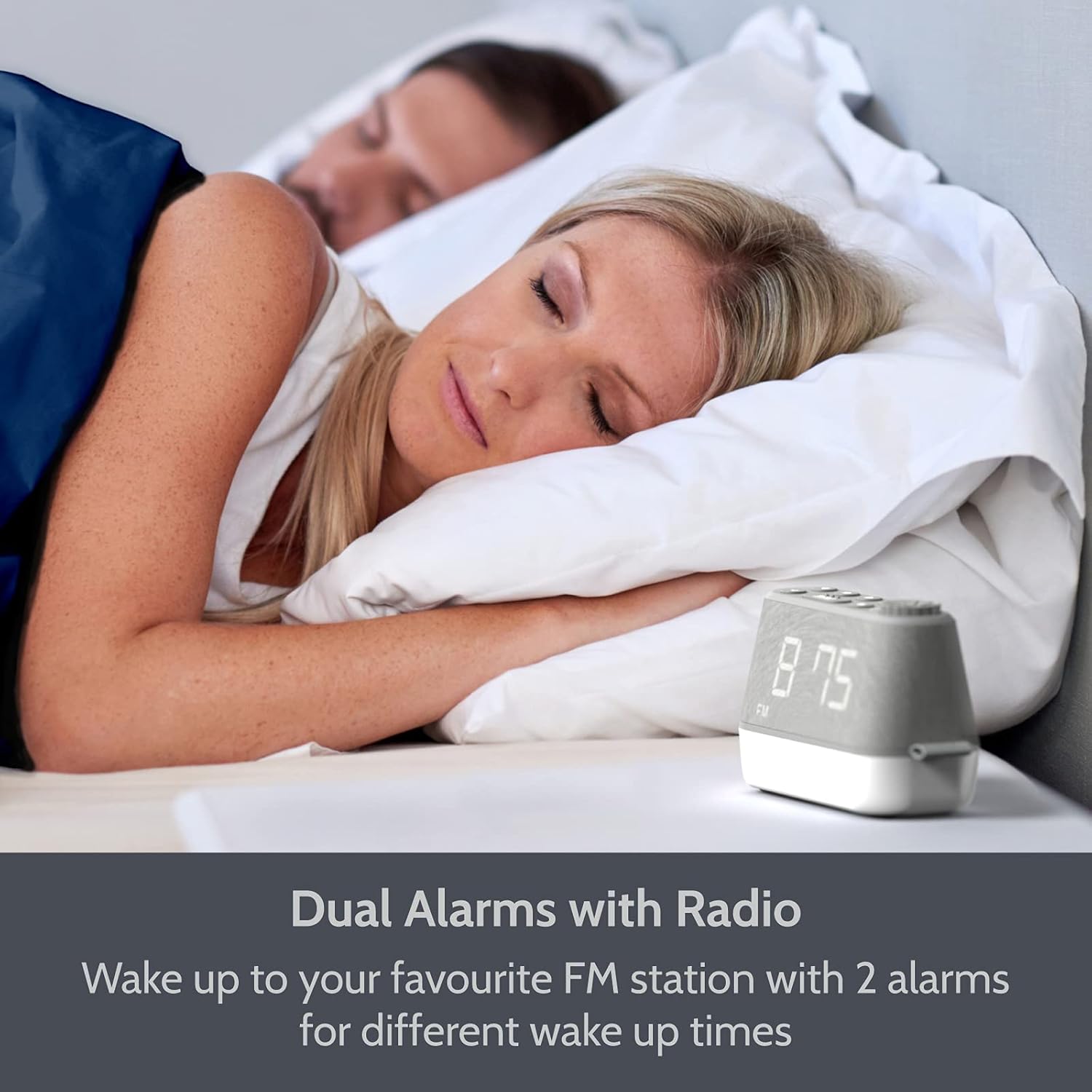
ചിത്രം: The i-box MiniGlow on a bedside table, illustrating its dual alarm capability for different wake-up times. This image highlights the convenience of setting two separate alarms.
- അമർത്തിപ്പിടിക്കുക അലാറം 1 or അലാറം 2 അലാറം സമയം മിന്നുന്നത് വരെ ബട്ടൺ അമർത്തുക.
- ഉപയോഗിക്കുക +/- buttons or the tuning knob to set the desired hour. Press the alarm button again to confirm.
- ഉപയോഗിക്കുക +/- buttons or the tuning knob to set the desired minutes. Press the alarm button again to confirm.
- Select the alarm source (Buzzer, FM Radio, or White Noise/Nature Sound) using the +/- buttons. Press the alarm button again to confirm.
- To activate/deactivate an alarm, short press the corresponding അലാറം 1 or അലാറം 2 ബട്ടൺ. ഡിസ്പ്ലേയിൽ ഒരു അലാറം ഐക്കൺ പ്രത്യക്ഷപ്പെടും/അപ്രത്യക്ഷമാകും.
5.2 എഫ്എം റേഡിയോ പ്രവർത്തനം
Enjoy your favorite FM radio stations with up to 10 presets.

ചിത്രം: The i-box MiniGlow displaying an FM radio frequency, indicating its radio functionality. This image shows the device in a typical bedroom setting.
- അമർത്തുക FM റേഡിയോ ഓണാക്കാനുള്ള ബട്ടൺ.
- ഓട്ടോ സ്കാൻ: അമർത്തിപ്പിടിക്കുക FM ലഭ്യമായ സ്റ്റേഷനുകൾ സ്വയമേവ സ്കാൻ ചെയ്യാനും സംരക്ഷിക്കാനും ബട്ടൺ.
- സ്വമേധയാലുള്ള ട്യൂണിംഗ്: Use the tuning knob to manually adjust the frequency.
- പ്രീസെറ്റുകൾ സംരക്ഷിക്കുന്നു: While listening to a station, press and hold a പ്രീസെറ്റ് button (e.g., P1-P10) until the preset number flashes. Use the +/- buttons to select a preset number, then press the പ്രീസെറ്റ് സേവ് ചെയ്യാൻ വീണ്ടും ബട്ടൺ അമർത്തുക.
- പ്രീസെറ്റുകൾ തിരിച്ചുവിളിക്കുന്നു: ഷോർട്ട് അമർത്തുക പ്രീസെറ്റ് സംരക്ഷിച്ച സ്റ്റേഷനുകളിലൂടെ സൈക്കിൾ ചെയ്യാൻ ബട്ടൺ.
- സ്ലീപ്പ് ടൈമർ: റേഡിയോ പ്ലേ ചെയ്യുമ്പോൾ, അമർത്തുക ഉറങ്ങുക button repeatedly to set a sleep timer (e.g., 15, 30, 60, 90 minutes). The radio will turn off automatically after the set time.
5.3 Night Light and RGB Mood Lighting
The integrated night light offers adjustable brightness and multiple color options.

ചിത്രം: Multiple i-box MiniGlow units displaying different RGB mood lighting colors. This image demonstrates the range of color options available for the night light.
- അമർത്തുക വെളിച്ചം രാത്രി ലൈറ്റ് ഓണാക്കാനുള്ള ബട്ടൺ.
- അമർത്തുക വെളിച്ചം button repeatedly to cycle through 6 different RGB colors or a continuous color cycle.
- To select a static color during the color cycle, press the വെളിച്ചം button when the desired color is displayed.
- To adjust the brightness of the night light, use the ഡിമ്മർ button (if available) or refer to the specific light control buttons.
- To turn off the night light, continue pressing the വെളിച്ചം അത് സ്വിച്ച് ഓഫ് ആകുന്നതുവരെ ബട്ടൺ.
5.4 White Noise and Natural Sounds
Choose from 6 relaxing white noise and natural sound tracks to aid sleep.

ചിത്രം: The i-box MiniGlow on a bedside table with a purple night light, suggesting its white noise and natural sounds feature for peaceful sleep. This image shows the device in a nighttime setting.
- അമർത്തുക ശബ്ദം button (often marked with a musical note or wave icon) to activate the white noise/natural sound mode.
- അമർത്തുക ശബ്ദം button repeatedly to cycle through the 6 available sound tracks.
- ഉപയോഗിച്ച് വോളിയം ക്രമീകരിക്കുക വോളിയം മുട്ട്.
- To turn off the sound, press the ശബ്ദം button until it stops, or use the ശക്തി ബട്ടൺ.
5.5 യുഎസ്ബി ചാർജിംഗ് പോർട്ട്
Charge your smartphone or smartwatch conveniently.

ചിത്രം: The i-box MiniGlow on a bedside table with a smartphone connected to its built-in USB charging port. This image demonstrates the convenience of charging devices directly from the alarm clock.
Connect your device's USB charging cable to the USB output port on the i-box MiniGlow. The device will begin charging automatically. Ensure your i-box MiniGlow is connected to a power source for this function to work.
5.6 ഡിസ്പ്ലേ ഡിമ്മർ
Adjust the brightness of the LED time display for comfortable viewഏത് ലൈറ്റിംഗ് അവസ്ഥയിലും.
- അമർത്തുക ഡിമ്മർ button (often marked with a sun icon) repeatedly to cycle through different brightness levels (e.g., High, Medium, Low, Off).
- Select the desired brightness level.
6. പരിപാലനം
6.1 വൃത്തിയാക്കൽ
- വൃത്തിയാക്കുന്നതിന് മുമ്പ് എല്ലായ്പ്പോഴും പവർ ഔട്ട്ലെറ്റിൽ നിന്ന് ഉപകരണം അൺപ്ലഗ് ചെയ്യുക.
- പുറംഭാഗങ്ങൾ തുടയ്ക്കാൻ മൃദുവായതും ഉണങ്ങിയതുമായ തുണി ഉപയോഗിക്കുക.
- ലിക്വിഡ് ക്ലീനറുകളോ, അബ്രാസീവ് ക്ലീനറുകളോ, സ്പ്രേകളോ ഉപയോഗിക്കരുത്, കാരണം ഇവ ഫിനിഷിനോ ആന്തരിക ഘടകങ്ങൾക്കോ കേടുവരുത്തും.
6.2 Battery Replacement (Backup Battery)
The CR2025 backup battery typically lasts for several years. If you notice that time and alarm settings are lost after a power outage, the backup battery may need replacement.
- Unplug the device from the main power supply.
- യൂണിറ്റിന്റെ അടിയിൽ ബാറ്ററി കമ്പാർട്ട്മെന്റ് കണ്ടെത്തുക.
- Open the compartment and carefully remove the old CR2025 battery.
- Insert a new CR2025 battery with the correct polarity (+ side up).
- Close the battery compartment and reconnect the device to power.
7. പ്രശ്നപരിഹാരം
| പ്രശ്നം | സാധ്യമായ കാരണം | പരിഹാരം |
|---|---|---|
| ഉപകരണം പവർ ഓണാക്കുന്നില്ല. | പവർ അഡാപ്റ്റർ ബന്ധിപ്പിച്ചിട്ടില്ല അല്ലെങ്കിൽ തകരാറുണ്ട്. | Ensure the power adapter is securely connected to the device and a working wall outlet. Try a different outlet. |
| അലാറം മുഴങ്ങുന്നില്ല. | അലാറം സജീവമാക്കിയിട്ടില്ല അല്ലെങ്കിൽ ശബ്ദം വളരെ കുറവാണ്. | Check if the alarm icon is displayed. Increase alarm volume. Verify alarm time is set correctly. |
| മോശം എഫ്എം റേഡിയോ സ്വീകരണം. | ദുർബലമായ സിഗ്നൽ അല്ലെങ്കിൽ ആന്റിന നീട്ടിയിട്ടില്ല. | Extend the FM antenna fully. Reposition the device for better reception. Perform an auto-scan again. |
| യുഎസ്ബി ചാർജിംഗ് പ്രവർത്തിക്കുന്നില്ല. | Device not powered or cable faulty. | Ensure the i-box MiniGlow is connected to main power. Try a different USB cable or device. |
| പവർ OU ന് ശേഷം നഷ്ടപ്പെട്ട സമയം/ക്രമീകരണങ്ങൾtage. | ബാക്കപ്പ് ബാറ്ററി തീർന്നു. | Replace the CR2025 backup battery as described in Section 6.2. |
8 സ്പെസിഫിക്കേഷനുകൾ
| ഫീച്ചർ | വിശദാംശങ്ങൾ |
|---|---|
| ബ്രാൻഡ് | ഐ-ബോക്സ് |
| മോഡൽ നമ്പർ | 79287PI/18 |
| നിറം | ചാരനിറം |
| ഡിസ്പ്ലേ തരം | ഡിജിറ്റൽ LED |
| പ്രത്യേക സവിശേഷതകൾ | Dual Alarm, Large Dimmable Display, FM Radio, Night Light, White Noise/Nature Sounds, USB Charging Port |
| പവർ ഉറവിടം | കോർഡഡ് ഇലക്ട്രിക് |
| ബാക്കപ്പ് ബാറ്ററി | 1 x CR2025 (ഉൾപ്പെടുത്തിയിരിക്കുന്നു) |
| മൗണ്ടിംഗ് തരം | ടേബിൾടോപ്പ് |
| ഫ്രെയിം മെറ്റീരിയൽ | അക്രിലോണിട്രൈൽ ബ്യൂട്ടാഡീൻ സ്റ്റൈറൈൻ (എബിഎസ്) |
| നിർമ്മാതാവ് | ഫിലെക്സ് ഇലക്ട്രോണിക് ലിമിറ്റഡ് |
9. വാറൻ്റിയും പിന്തുണയും
The i-box MiniGlow Alarm Clock Radio comes with a 12-month limited warranty. Please retain your proof of purchase for warranty claims.
For technical support, troubleshooting assistance, or warranty inquiries, please refer to the contact information provided in your product packaging or visit the official i-box webസൈറ്റ്.
ഓൺലൈൻ ഉറവിടങ്ങൾ: കൂടുതൽ പിന്തുണയ്ക്കും പതിവുചോദ്യങ്ങൾക്കും, ദയവായി സന്ദർശിക്കുക i-box Brand Store.