
ആമുഖം
This manual provides essential instructions for the safe and effective use, setup, operation, and maintenance of your YESWELDER LYG-17800F Series Auto Darkening Welding Helmet. Please read this manual thoroughly before using the helmet to ensure proper function and personal safety.

Figure 1: YESWELDER LYG-17800F Series Auto Darkening Welding Helmet
സുരക്ഷാ വിവരങ്ങൾ
Welding and grinding operations present various hazards. Always follow safety precautions to prevent injury. This helmet provides eye and face protection against sparks, spatter, and harmful radiation under normal welding conditions. It does not protect against severe impact hazards, explosive devices, or corrosive liquids.
- Always wear appropriate safety glasses under the welding helmet.
- Ensure the helmet is correctly adjusted and fits securely before starting any work.
- Do not use the helmet if any part is damaged or appears faulty.
- Avoid direct exposure to welding arc without proper eye protection.
- Keep the helmet clean and free from debris to maintain optical clarity.
- Replace the front cover lens regularly to ensure clear vision and protection.
ഉൽപ്പന്നം കഴിഞ്ഞുview ഫീച്ചറുകളും
The YESWELDER LYG-17800F Series Auto Darkening Welding Helmet is designed to provide superior protection and comfort for various welding and grinding applications. Key features include:
- വലിയ Viewപ്രദേശം: A generous 3.93" x 3.66" (100mm x 93mm) viewing size for enhanced visibility.
- True Color Technology: 1/1/1/1 optical clarity rating provides a clear and natural view of the weld puddle.
- Fast Darkening: Responds to arc strike in 1/30,000 seconds for immediate eye protection.
- Four Arc Sensors: Ensures reliable arc detection and consistent darkening.
- മോടിയുള്ള മെറ്റീരിയൽ: Constructed from strong Polypropylene (PP) for longevity.
- Anti-Blue Ray Protection: Reduces eye strain from harmful blue light.
- മാറ്റിസ്ഥാപിക്കാവുന്ന ബാറ്ററി: Extends the lifespan of the auto-darkening filter.
- Pivot Style Headgear: Offers superior comfort and adjustability.
- Integrated USB Charging Light: Features two switchable lighting modes for improved visibility in low-light conditions.

ചിത്രം 2: കീ അഡ്വാൻസ്tages of the LYG-17800F Series helmet, including True Color, fast darkening, durable material, anti-blue ray, and replaceable battery.

ചിത്രം 3: വിശദമായി view of the auto-darkening lens, showing dimensions, arc sensors, UV/IR filter, and control knobs for Shade, Mode, Delay, and Sensitivity.

Figure 4: Illustration of the helmet's advanced high-speed sensors, enabling a rapid 1/30,000 second response time from light to dark.

Figure 5: Comparison demonstrating the superior True Color view provided by the YESWELDER helmet's 1/1/1/1 optical clarity versus standard lenses.
സജ്ജമാക്കുക
- ഹെഡ്ഗിയർ ക്രമീകരണം:
Adjust the pivot style headgear to ensure a comfortable and secure fit. The top strap and rear headband should be adjusted so the helmet sits firmly on your head without being too tight, allowing for easy flipping up and down.
- ബാറ്ററി ഇൻസ്റ്റാളേഷൻ/പരിശോധന:
The helmet uses a replaceable battery (typically CR2450). Ensure it is correctly installed. The helmet also features solar charging to extend battery life. Check the low battery indicator on the lens if available.
- Protective Film Removal:
Remove any protective films from both sides of the auto-darkening filter lens and the outer cover lens before first use.
- പ്രവർത്തന പരിശോധന:
Press the "TEST" button on the auto-darkening filter to ensure it darkens correctly. The lens should momentarily darken and then return to its light state.
പ്രവർത്തന നിർദ്ദേശങ്ങൾ
The LYG-17800F helmet is suitable for TIG, MIG, MMA, Plasma welding, and grinding applications.
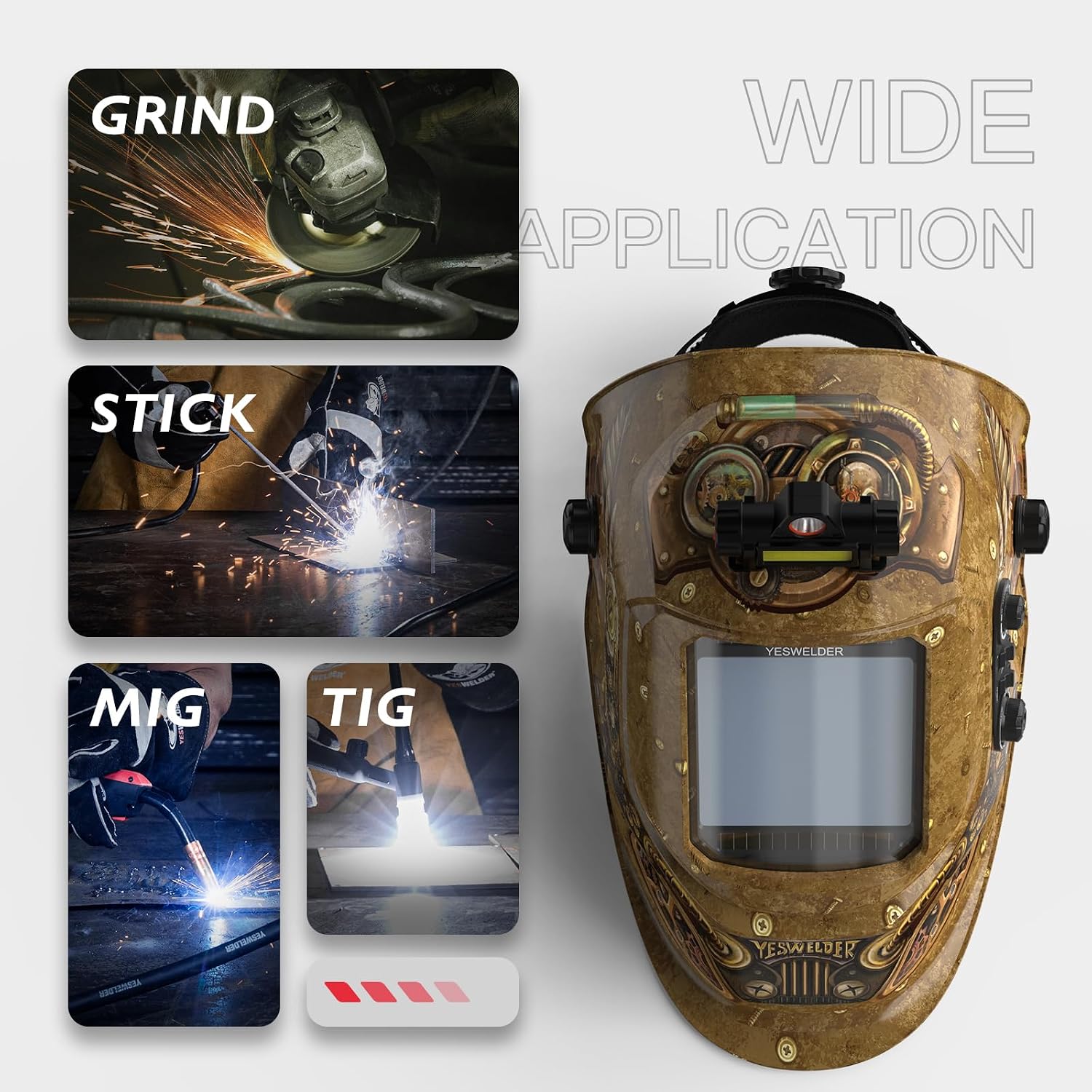
Figure 6: The helmet supports various applications including Grinding, Stick, MIG, and TIG welding.
Controls and Adjustments:

Figure 7: Controls for Delay, Shade, and Sensitivity settings.
- നിഴൽ നിയന്ത്രണം:
Adjust the shade level according to your welding process and amperage. The helmet offers Grind Mode Shade 4, Cut Mode Shades 5-9, and Weld Mode Shades 9-13. Refer to welding safety standards for appropriate shade levels.
- കാലതാമസം നിയന്ത്രണം:
This control adjusts the time it takes for the lens to return from dark to light state after the arc stops. Settings range from 0.1 to 0.8 seconds. A longer delay is recommended for high amperage welding to prevent eye fatigue from afterglow.
- സംവേദനക്ഷമത നിയന്ത്രണം:
Adjust the sensitivity to detect the welding arc. Higher sensitivity is suitable for low amperage TIG welding, while lower sensitivity helps prevent false triggering from ambient light or other welders nearby.
- ഗ്രൈൻഡ് മോഡ്:
Select "Grind" mode for grinding operations. In this mode, the auto-darkening function is deactivated, and the lens remains at a light shade (typically Shade 4) to provide eye protection from grinding debris without darkening. Remember to switch back to welding mode before welding.
- USB Charging Light:
The integrated light can be charged via USB. It features two lighting modes: a wider area light and a concentrated spot light. Switch between modes as needed for improved visibility of your work area.

Figure 8: USB charging port and switchable lighting modes (larger area and concentrated) for the integrated work light.
മെയിൻ്റനൻസ്
- Cleaning the Helmet:
Clean the helmet shell with mild soap and water. Avoid harsh solvents. Wipe the auto-darkening filter and cover lenses with a soft, clean cloth. Do not use abrasive cleaners or solvents on the lenses.
- Replacing Cover Lenses:
Regularly inspect and replace scratched, pitted, or damaged inner and outer cover lenses to maintain optical clarity and protection.
- ബാറ്ററി മാറ്റിസ്ഥാപിക്കൽ:
If the low battery indicator illuminates or the auto-darkening function becomes inconsistent, replace the CR2450 battery. Refer to the battery compartment for specific instructions.
- സംഭരണം:
Store the helmet in a dry, clean environment away from direct sunlight and extreme temperatures. Protect the auto-darkening filter from impact.
ട്രബിൾഷൂട്ടിംഗ്
| പ്രശ്നം | സാധ്യമായ കാരണം | പരിഹാരം |
|---|---|---|
| Lens does not darken when arc is struck. |
|
|
| Poor visibility / blurry view. |
|
|
| Lens flickers during welding. |
|
|
സ്പെസിഫിക്കേഷനുകൾ
| ഫീച്ചർ | വിശദാംശങ്ങൾ |
|---|---|
| ബ്രാൻഡ് | യെസ്വെൽഡർ |
| മോഡൽ നമ്പർ | LYG-17800F-ST LED-2 |
| Viewing ഏരിയ | 3.93" x 3.66" (100 മിമി x 93 മിമി) |
| ഒപ്റ്റിക്കൽ ക്ലാരിറ്റി | 1/1/1/1 |
| ആർക്ക് സെൻസറുകൾ | 4 |
| ലൈറ്റ് സ്റ്റേറ്റ് ഷേഡ് | DIN 4 |
| Dark State Shade | Adjustable DIN 9-13 (Welding), DIN 5-9 (Cutting) |
| മാറുന്ന സമയം | 1/30,000 സെക്കൻഡ് |
| കാലതാമസം സമയം | ക്രമീകരിക്കാവുന്ന 0.1 - 0.8 സെക്കൻഡ് |
| സംവേദനക്ഷമത | Adjustable (Stepless) |
| വൈദ്യുതി വിതരണം | Solar Cell with Replaceable Lithium Battery (CR2450) |
| മെറ്റീരിയൽ | പോളിപ്രൊഫൈലിൻ (PP) |
| ഇനത്തിൻ്റെ ഭാരം | 2.31 പൗണ്ട് (ഏകദേശം 1.05 കിലോഗ്രാം) |
| മാതൃരാജ്യം | യുഎസ്എ |
വാറൻ്റിയും പിന്തുണയും
Specific warranty details for the YESWELDER LYG-17800F Series Auto Darkening Welding Helmet are typically provided with the product packaging or can be found on the official YESWELDER website. For technical support, replacement parts, or warranty claims, please contact YESWELDER customer service through their official channels.