
ആമുഖം
This manual provides detailed instructions for the setup, operation, and maintenance of your Inandon Capacitive Touch Screen Karaoke Machine (Model B0991VZR89). This system features a 22-inch capacitive touch screen, a dual operating system (Android and KTV), wireless microphones, and access to a vast cloud-based song library. Please read this manual thoroughly to ensure proper use and to maximize your karaoke experience.
പാക്കേജ് ഉള്ളടക്കം
അൺബോക്സ് ചെയ്യുമ്പോൾ, എല്ലാ ഘടകങ്ങളും ഉണ്ടെന്ന് ദയവായി പരിശോധിക്കുക:
- Inandon Karaoke Machine (Main Unit with 22" Touch Screen)
- Wireless Microphones (Quantity: 2)
- പവർ അഡാപ്റ്റർ
- ഉപയോക്തൃ മാനുവൽ (ഈ പ്രമാണം)
- Other accessories (e.g., cables, remote control - if included, check packaging)

Image: The Inandon Karaoke Machine main unit with its 22-inch touch screen and two wireless microphones.
സജ്ജീകരണ നിർദ്ദേശങ്ങൾ
1. പ്ലേസ്മെന്റ്
Place the karaoke machine on a stable, flat surface. Ensure adequate ventilation around the unit. Avoid placing it near heat sources or in direct sunlight.
2 ശക്തിയിലേക്ക് ബന്ധിപ്പിക്കുന്നു
Connect the power adapter to the DC input port on the back of the karaoke machine, then plug the adapter into a standard electrical outlet.
3. ഓഡിയോ കണക്ഷനുകൾ
The Inandon Karaoke Machine requires an external amplifier and speakers for audio output.
- ആർസിഎ putട്ട്പുട്ട്: Connect the RCA stereo audio output from the karaoke machine to the audio input of your ampജീവൻ.
- HDMI ഔട്ട്പുട്ട്: For video and audio, connect an HDMI cable from the karaoke machine's HDMI output to your TV or display.
- മൈക്രോഫോൺ ഇൻപുട്ട്: The unit has two 1/4" input jacks for microphones. The included wireless microphones connect wirelessly to the receiver unit, which then connects to the karaoke machine.
4. നെറ്റ്വർക്ക് കണക്ഷൻ
The machine supports both wired and wireless network connections for cloud song downloads and online features.
- വൈഫൈ: Navigate to the system settings on the touch screen, select "Wi-Fi," and connect to your preferred wireless network.
- ഇഥർനെറ്റ്: Connect an Ethernet cable from your router to the RJ45 port on the back of the karaoke machine.
പ്രവർത്തന നിർദ്ദേശങ്ങൾ
1. പവർ ഓൺ/ഓഫ്
Press the power button located on the unit to turn the machine on or off. The touch screen will illuminate upon startup.
2. സിസ്റ്റം ഓവർview (Dual System)
The Inandon Karaoke Machine operates on a dual system: a dedicated KTV system for karaoke functions and an Android system for general entertainment. You can switch between these systems from the main interface.

Image: The panoramic home entertainment mode, displaying the Android system interface with various applications like YouTube, music apps, and live TV.
3. Song Selection Methods
The machine offers multiple convenient ways to select songs:
- ടച്ച് സ്ക്രീൻ: Directly browse and select songs using the 22-inch capacitive touch screen.
- മൊബൈൽ ആപ്പ്: Download the dedicated Inandon mobile application to control the machine from your smartphone.
- WeChat Scan Code: Use WeChat to scan a QR code displayed on the screen for song ordering. (Troubleshooting WeChat connection)
- Intelligent Voice Assistant: Utilize the built-in voice assistant to order songs by speaking commands. This feature supports Mandarin and Cantonese languages.
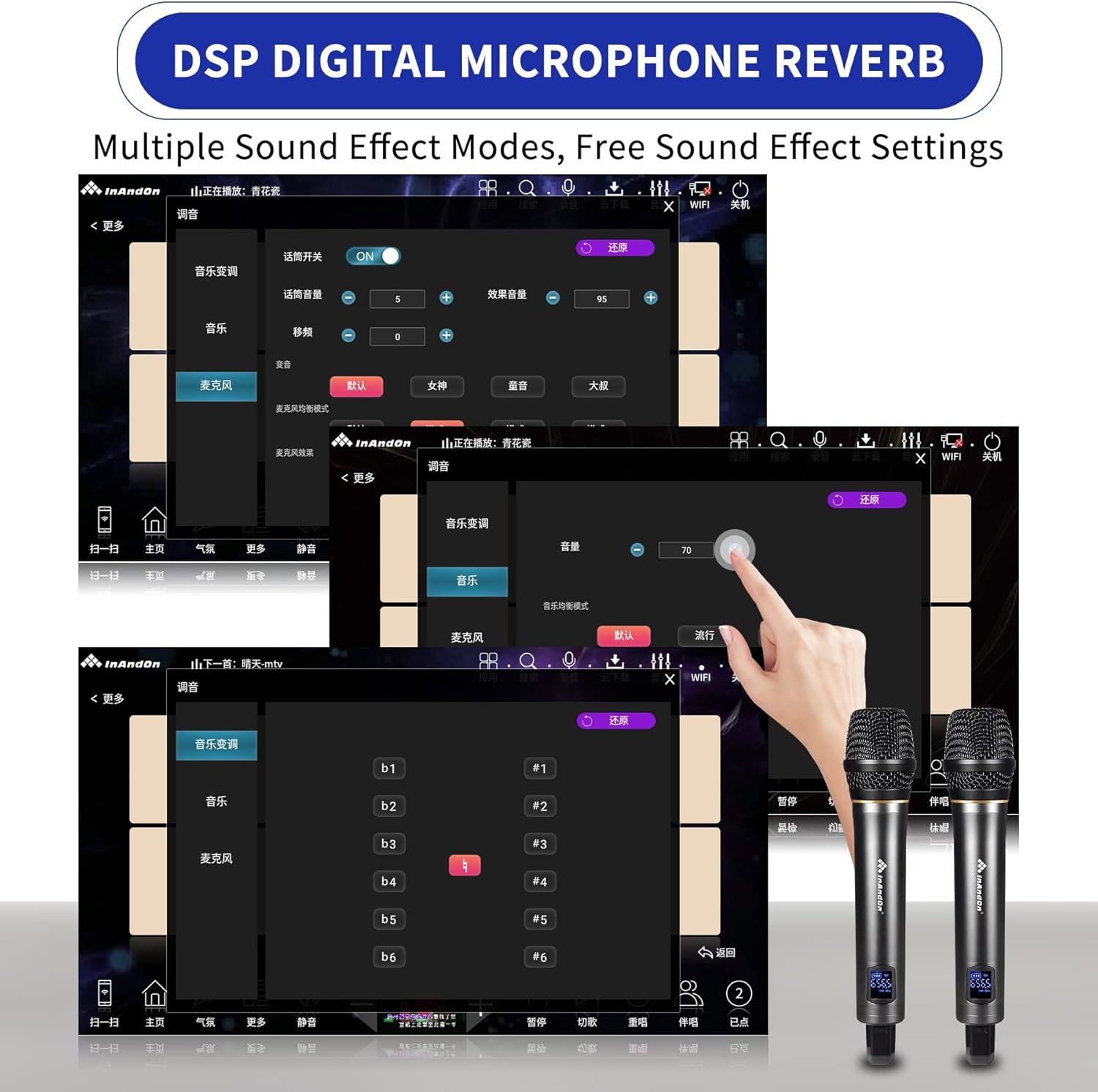
Image: Illustration of the four song ordering methods: touch screen, mobile app, WeChat scan code, and intelligent voice assistant.
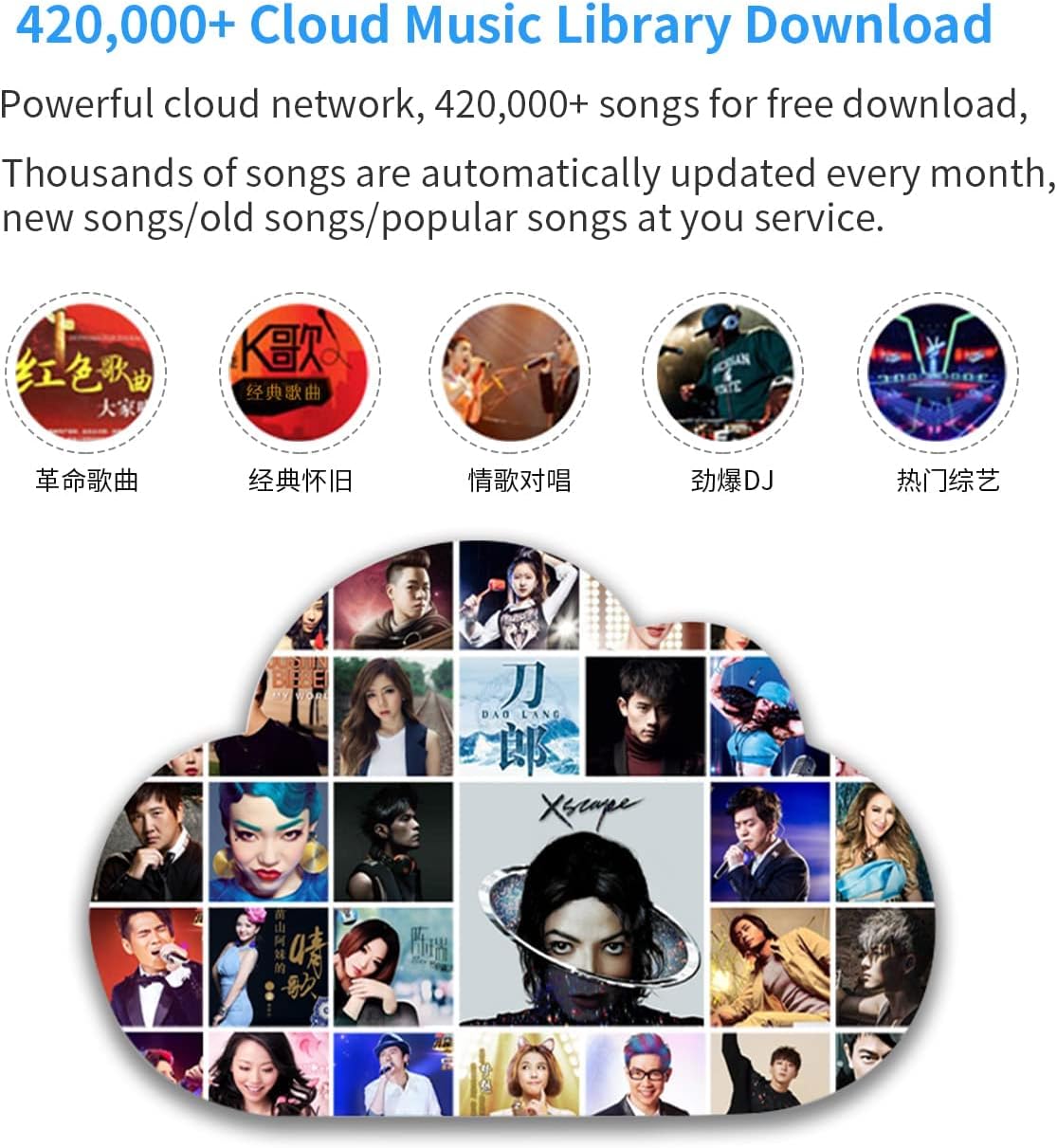
Image: A visual representation of the intelligent AI voice assistant feature, demonstrating song ordering by voice commands in Mandarin and Cantonese.
4. Cloud Music Library
Access a vast library of over 420,000 songs available for free download. The cloud library is updated weekly with new songs. Once downloaded, songs can be played offline.

Image: Visual representation of the extensive cloud music library, highlighting the availability of over 420,000 songs for download.
5. Real-time Scoring System
Engage with the KTV intelligent scoring system that provides real-time feedback on your singing performance. This feature helps you improve your rhythm and vocal accuracy.

Image: A visual of the KTV intelligent scoring system displaying real-time performance feedback during a song.
6. Microphone Settings (DSP Digital Reverb)
Adjust microphone settings, including tone (high and low key), singing mode, and various DSP digital reverb effects, to customize your vocal output.

Image: The user interface for adjusting DSP digital microphone reverb and other sound effect settings.
7. General Entertainment Features
Beyond karaoke, the Android system allows for:
- Online video streaming (e.g., YouTube).
- തത്സമയ സംപ്രേക്ഷണം viewing.
- Access to various apps from the app market (e.g., office, games).
- Online movie watching.
മെയിൻ്റനൻസ്
1. വൃത്തിയാക്കൽ
Regularly clean the touch screen with a soft, lint-free cloth. For stubborn marks, use a screen-safe cleaning solution. Do not use abrasive cleaners or solvents. Wipe the exterior of the machine with a dry or slightly damp തുണി.
2. സോഫ്റ്റ്വെയർ അപ്ഡേറ്റുകൾ
Ensure your system software is up-to-date to benefit from the latest features and performance improvements. Check for updates periodically through the system settings menu. Cloud song updates occur automatically every two weeks.
3. ഹാർഡ് ഡ്രൈവ് മാനേജ്മെന്റ്
The system features intelligent song deletion to maintain hard drive capacity. It automatically removes long-term unclicked songs based on the configured storage limit. You can also manually manage downloaded songs.
Image: The intelligent song deletion interface, illustrating how the system manages hard drive capacity by removing infrequently played songs.
ട്രബിൾഷൂട്ടിംഗ്
| പ്രശ്നം | സാധ്യമായ കാരണം | പരിഹാരം |
|---|---|---|
| ശക്തിയില്ല | Power cable disconnected; Power outlet fault | പവർ കേബിൾ സുരക്ഷിതമായി ബന്ധിപ്പിച്ചിട്ടുണ്ടെന്ന് ഉറപ്പാക്കുക. മറ്റൊരു ഉപകരണം ഉപയോഗിച്ച് ഔട്ട്ലെറ്റ് പരിശോധിക്കുക. |
| ശബ്ദ ഔട്ട്പുട്ട് ഇല്ല | Amplifier/speakers off or disconnected; Volume too low; Incorrect audio output settings | പരിശോധിക്കുക amplifier and speaker connections and power. Increase volume. Verify audio output settings on the karaoke machine. |
| മൈക്രോഫോണുകൾ പ്രവർത്തിക്കുന്നില്ല | Microphone batteries low; Wireless receiver off; Microphone volume low | Replace microphone batteries. Ensure wireless receiver is powered on and connected. Adjust microphone volume on the machine. |
| Wi-Fi-യിലേക്ക് കണക്റ്റുചെയ്യാൻ കഴിയില്ല | Incorrect password; Router issue; Out of range | Double-check Wi-Fi password. Restart your router. Move the machine closer to the router or use an Ethernet cable. |
| Songs not downloading | No internet connection; Cloud server issues; Insufficient storage | Verify internet connection. Try again later. Check hard drive space and enable intelligent song deletion. |
സ്പെസിഫിക്കേഷനുകൾ
| ഫീച്ചർ | വിശദാംശങ്ങൾ |
|---|---|
| ബ്രാൻഡ് | ഇനാൻഡൻ |
| മോഡൽ | B0991VZR89 |
| പ്രത്യേക ഫീച്ചർ | വയർലെസ് മൈക്രോഫോണുകൾ |
| നിറം | കറുപ്പ് |
| ഉൾപ്പെടുത്തിയ ഘടകങ്ങൾ | Karaoke Machine, Microphones |
| പവർ ഉറവിടം | Battery Powered (Microphones), AC Adapter (Main Unit) |
| സ്പീക്കറുകളുടെ എണ്ണം | 1 (Internal, for system sounds; external speakers required for karaoke) |
| കണക്റ്റർ തരം | USB, RCA, 3.5mm Jack, HDMI, RJ45 (Ethernet) |
| കണക്റ്റിവിറ്റി ടെക്നോളജി | വൈ-ഫൈ, ബ്ലൂടൂത്ത് |
| മീഡിയ തരം | വൈ-ഫൈ, ബ്ലൂടൂത്ത് |
| അനുയോജ്യമായ ഉപകരണങ്ങൾ | Amplifier, External Speakers, TV/Display |
| ബിൽറ്റ്-ഇൻ മീഡിയ | Microphone (receiver) |
| ഇനത്തിൻ്റെ ഭാരം | 31.4 പൗണ്ട് |
| ഓപ്പറേറ്റിംഗ് സിസ്റ്റം | Dual system (Android and KTV) |
| സ്ക്രീൻ വലിപ്പം | 22 inches (Capacitive Touch Screen) |
| പാട്ട് ലൈബ്രറി | 420,000+ cloud songs, weekly updates |
| ഹാർഡ് ഡ്രൈവ് | 3TB (holds approx. 70,000 songs) |
| പിന്തുണയ്ക്കുന്ന ഭാഷകൾ | Chinese, English, Cantonese, Japanese, Korean, and others (16 national languages) |
വാറൻ്റി വിവരങ്ങൾ
Please refer to the warranty card included in your product packaging for specific warranty terms and conditions. Typically, Inandon products come with a limited manufacturer's warranty covering defects in materials and workmanship for a specified period from the date of purchase. Keep your proof of purchase for warranty claims.
Extended protection plans may be available for purchase separately. For details on these plans, please consult your retailer or the plan provider.
ഉപഭോക്തൃ പിന്തുണ
If you encounter any issues not covered in the troubleshooting section or require further assistance, please contact Inandon customer support.
- ഓൺലൈൻ പിന്തുണ: Visit the official Inandon webപതിവുചോദ്യങ്ങൾ, പിന്തുണാ ഉറവിടങ്ങൾ, കോൺടാക്റ്റ് ഫോമുകൾ എന്നിവയ്ക്കുള്ള സൈറ്റ്.
- ഇമെയിൽ പിന്തുണ: Refer to your product documentation for the customer support email address.
- ഫോൺ പിന്തുണ: Refer to your product documentation for customer service phone numbers.
When contacting support, please have your product model number (B0991VZR89) and purchase information ready.