1. ആമുഖം
This manual provides comprehensive instructions for the Generic Early Learning Poster, designed to enhance children's knowledge and create an engaging learning environment. This poster features Maths Counting and Number Names from 1 to 100, making it an ideal educational tool for various settings.
പ്രധാന സവിശേഷതകൾ:
- Knowledge Enhancement: Improves attention span, focus, and conversation skills, fostering curiosity in students.
- വിവിധോദ്ദേശ്യ ഉപയോഗം: Suitable for toddlers, preschool children, home schools, and daycare centers. Can also be used for decorating kids' rooms, classrooms, kindergartens, nurseries, playschools, and study rooms.
- Aid for Educators: A valuable resource for teachers and parents to teach numbers, alphabets, animals, birds, shapes, and more.
- സംവേദനാത്മക പഠനം: Eye-catching pictures facilitate faster information absorption and make learning interactive and interesting.
- ഉൽപ്പന്ന നിലവാരം: Digitally printed on 240 GSM thick paper with attractive designs and bright colors.
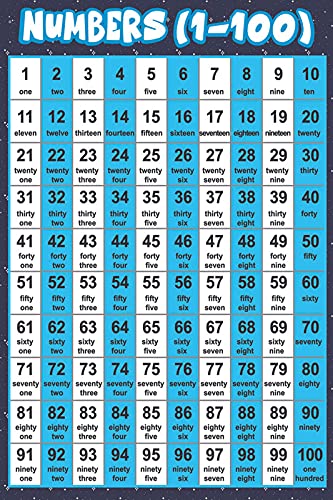
ചിത്രം 1.1: മുൻഭാഗം view of the Early Learning Poster displaying numbers from 1 to 100.
2. സജ്ജീകരണവും ഇൻസ്റ്റാളേഷനും
Follow these steps to properly install your Early Learning Poster:

Figure 2.1: Visual guide for poster pasting instructions.
- Pull Out the Sticker: Carefully remove the sticker poster from its safety mailing tube.
- Clean Your Wall Surface: Ensure the wall surface where the poster will be applied is clean, dry, and free of dust or debris. A clean cloth and mild cleaner can be used if necessary.
- Peel Off Backing Paper: Peel about 2-3 inches of the backing paper from the top edge of the sticker.
- Position and Apply Top: Carefully position the exposed adhesive top of the sticker onto the desired surface. Ensure it is level and aligned before pressing down.
- Smooth Down: Using a card (such as an ATM card or credit card), slowly smooth the sticker downwards, working from the top to the bottom. Start from the hinge (where you first applied it) and move towards the opposite corner, pushing out any air bubbles.
- Firmly Stick: Once the entire sticker is applied, rub over the entire surface with the card to ensure the sticker is firmly adhered to the wall and all air bubbles are removed.
3. പ്രവർത്തനവും ഉപയോഗവും
The Early Learning Poster is designed for interactive and visual learning. Once installed, it serves as a constant educational reference.
- Daily Reference: Encourage children to refer to the poster daily to reinforce number recognition and counting skills from 1 to 100.
- സംവേദനാത്മക പഠനം: Use the poster for games, quizzes, and interactive sessions. Ask children to point to specific numbers or read out number names.
- Classroom Aid: Teachers can integrate the poster into lesson plans for mathematics and language development.
- ഹോം ലേണിംഗ്: Parents can use it as a tool for homeschooling or supplementary learning activities.
- വിഷ്വൽ സ്റ്റിമുലേഷൻ: The bold fonts and pop colors are designed to capture attention and make learning engaging.
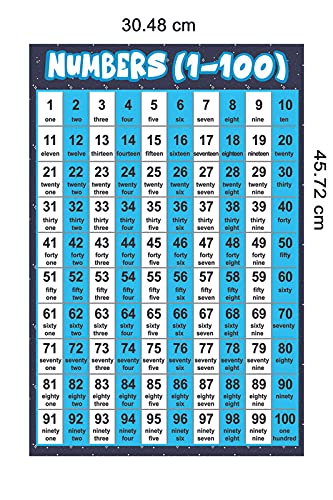
Figure 3.1: The Early Learning Poster with its approximate dimensions of 45.72 cm (height) and 30.48 cm (width).
4. പരിപാലനവും പരിചരണവും
To ensure the longevity and appearance of your Early Learning Poster, follow these maintenance guidelines:
- വൃത്തിയാക്കൽ: Gently wipe the surface with a soft, dry cloth to remove dust. Avoid using abrasive cleaners or wet cloths, which may damage the print or adhesive.
- പ്ലേസ്മെൻ്റ്: Avoid placing the poster in direct sunlight for extended periods, as this may cause colors to fade over time.
- ഈർപ്പം: Keep the poster in an environment with stable humidity to prevent warping or peeling.
- കൈകാര്യം ചെയ്യൽ: When handling, avoid creasing or tearing the poster. If repositioning is necessary, do so carefully to prevent damage to the adhesive or the wall surface.
5. പ്രശ്നപരിഹാരം
If you encounter any issues with your Early Learning Poster, refer to the following common problems and solutions:
| പ്രശ്നം | സാധ്യമായ കാരണം | പരിഹാരം |
|---|---|---|
| Poster is peeling off the wall. | Wall surface was not clean or dry; insufficient pressure during application; high humidity. | Ensure the surface is clean and dry before application. Re-apply pressure with a card to re-adhere. For persistent peeling, consider using a stronger adhesive suitable for wall posters. |
| Air bubbles under the poster. | Not smoothed properly during application. | Carefully lift the nearest edge of the poster and re-apply, smoothing firmly with a card from the center outwards to push out air. For small bubbles, you can try to gently push them to the edge. |
| Colors appear faded. | നേരിട്ടുള്ള സൂര്യപ്രകാശം ദീർഘനേരം ഏൽക്കുന്നത്. | Relocate the poster to an area not exposed to direct sunlight. Fading due to sun exposure is generally irreversible. |
6 സ്പെസിഫിക്കേഷനുകൾ
| ആട്രിബ്യൂട്ട് | വിശദാംശങ്ങൾ |
|---|---|
| ഉൽപ്പന്ന അളവുകൾ | 45.7L x 30.5W Centimeters (18 x 12 inches) |
| ഇനത്തിൻ്റെ ഭാരം | 30 ഗ്രാം |
| മെറ്റീരിയൽ | 240 GSM Thick Paper |
| മോഡൽ നമ്പർ | SAS 7464 |
| നിർമ്മാതാവ് | Go Green Tale, New Delhi, India |
| ഉൾപ്പെടുത്തിയ ഘടകങ്ങൾ | 1 Self Adhesive Sticker Poster |
| ഓറിയൻ്റേഷൻ | ഛായാചിത്രം |
| ആകൃതി | ദീർഘചതുരം |
| ഫ്രെയിം തരം | ഫ്രെയിം ചെയ്യാത്തത് |
7. വാറൻ്റിയും പിന്തുണയും
Go Green Tale is committed to providing high-quality products and ensuring customer satisfaction.
Figure 7.1: Go Green Tale's commitment to quality and customer satisfaction.
- ഗുണമേന്മ: The manufacturer, Go Green Tale, ensures that products are of superior print quality and are eco-friendly.
- ഉപഭോക്തൃ സംതൃപ്തി: A 100% Customer Satisfaction Guarantee is provided, reflecting the commitment to customer-oriented service.
- റിട്ടേണുകൾ: This product is eligible for a 10-day returnable policy as per Amazon's terms.
- പിന്തുണയുമായി ബന്ധപ്പെടുക: For any queries, concerns, or support regarding the product, please refer to the seller's contact information provided at the point of purchase or through the platform where the product was acquired.


