
1. ആമുഖം
The Ring Spotlight Cam Pro Plug-In is an advanced security camera designed to provide comprehensive surveillance for your home or business. It features 2K HDR video, color night vision, two-way talk with Audio+, and advanced 3D Motion Detection. This manual provides instructions for setting up, operating, and maintaining your device.
2. ബോക്സിൽ എന്താണുള്ളത്?
ഇൻസ്റ്റാളേഷൻ ആരംഭിക്കുന്നതിന് മുമ്പ് എല്ലാ ഘടകങ്ങളും നിലവിലുണ്ടെന്ന് ഉറപ്പാക്കുക:
- സ്പോട്ട്ലൈറ്റ് കാം പ്രോ
- മൌണ്ടിംഗ് ബ്രാക്കറ്റ്
- Installation Tools and Screws
- USB-C Power Adapter (19.7 feet long)
- ഉപയോക്തൃ മാനുവൽ (ഈ പ്രമാണം)
- സുരക്ഷാ സ്റ്റിക്കർ
3. സജ്ജീകരണവും ഇൻസ്റ്റാളേഷനും
The average installation time for the Spotlight Cam Pro is 5-10 minutes. A vertical or horizontal surface is required for mounting.
- റിംഗ് ആപ്പ് ഡൗൺലോഡ് ചെയ്യുക: Download the Ring app from your device's app store. Create an account or log in if you already have one.
- ഉപകരണം ചേർക്കുക: In the Ring app, tap 'Set Up a Device' and follow the on-screen instructions to add your Spotlight Cam Pro.
- മൗണ്ടിംഗ്: Secure the mounting bracket to your desired location using the provided tools and screws. Ensure the location provides a clear view and access to a standard power outlet.
- ക്യാമറ ഘടിപ്പിക്കുക: Attach the Spotlight Cam Pro to the mounting bracket.
- പവർ ബന്ധിപ്പിക്കുക: Plug the USB-C Power Adapter into the camera and then into a standard power outlet.
- ക്രമീകരിക്കുക View: Adjust the camera's angle to cover your desired area.

Figure 3.1: Easy DIY Installation of the Ring Spotlight Cam Pro.
4. പ്രവർത്തന നിർദ്ദേശങ്ങൾ
The Ring Spotlight Cam Pro offers several features to enhance your security.
4.1 വീഡിയോ നിരീക്ഷണം
The camera provides 2K HDR video with a 140° horizontal and 80° vertical field of view. It also features Color Night Vision, allowing you to see clear, full-color video even in low-light conditions.

Figure 4.1: Retinal 2K Video with Color Night Vision displayed on a mobile device.
4.2 മോഷൻ ഡിറ്റക്ഷൻ
Utilize 3D Motion Detection with Bird's Eye Zones and Bird's Eye View for precise motion alerts. You can customize motion zones within the Ring app to focus on specific areas and reduce unwanted notifications.

Figure 4.2: Visual representation of 3D Motion Detection.

Figure 4.3: Customizing Motion Zones in the Ring App.
4.3 Two-Way Talk with Audio+
Communicate with visitors or deter intruders using the built-in microphone and speaker. Audio+ provides advanced noise cancellation for clearer communication.
4.4 Integrated Spotlights and Siren
The camera features two 3000° Kelvin spotlights that can be activated manually or automatically upon motion detection. A remote-activated security siren is also included to alert others and deter unwanted activity.
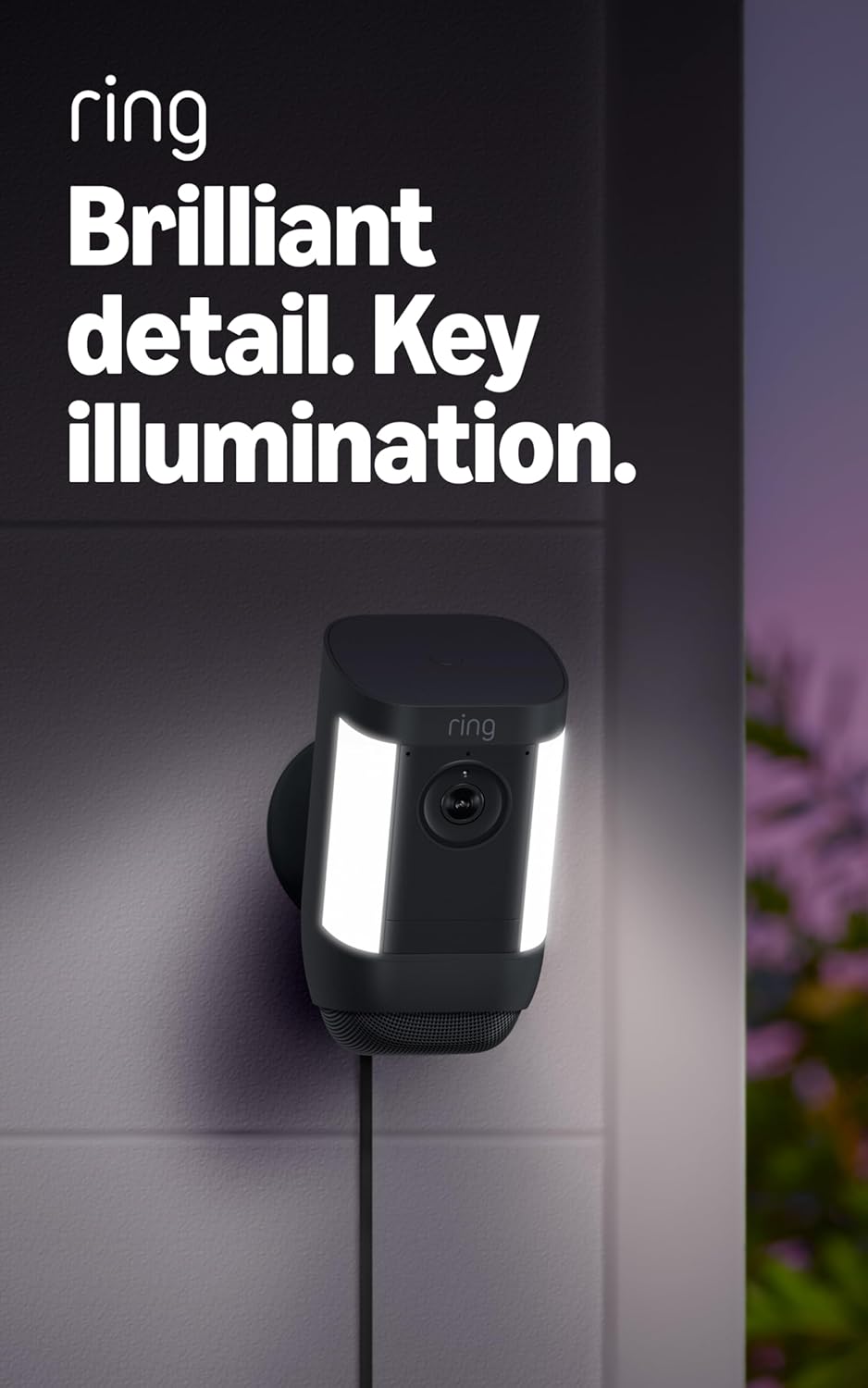
Figure 4.4: Spotlight Cam Pro with activated illumination.
4.5 അലക്സാ ഇന്റഗ്രേഷൻ
The Spotlight Cam Pro works with Alexa. You can receive announcements on Echo devices when motion is detected and use select Echo and Fire TV devices to see, hear, and speak to people on camera.
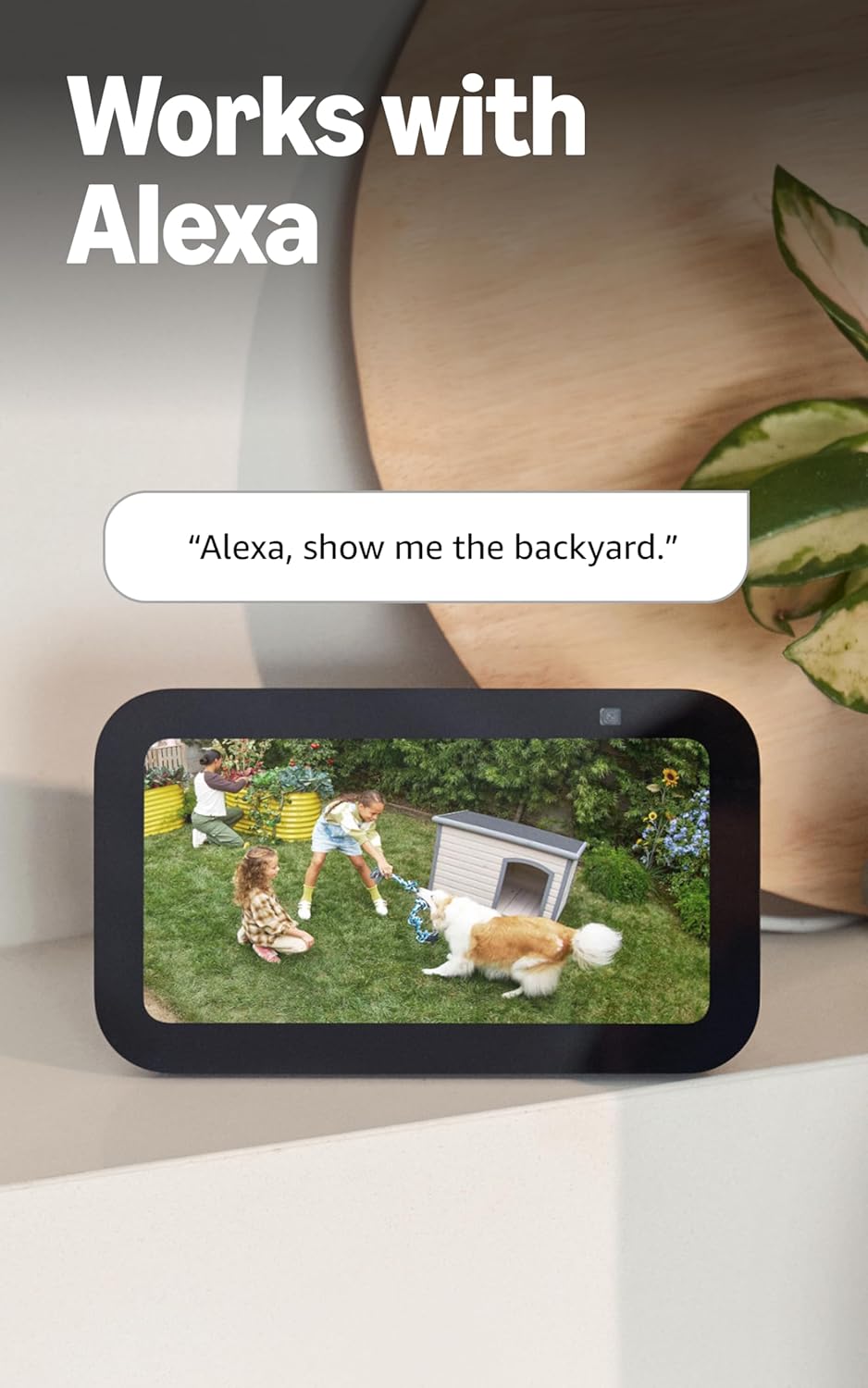
Figure 4.5: Ring Spotlight Cam Pro integration with Alexa.
5. പരിപാലനം
To ensure optimal performance and longevity of your Ring Spotlight Cam Pro, follow these maintenance guidelines:
- വൃത്തിയാക്കൽ: Periodically wipe the camera lens and housing with a soft, damp പൊടിയും അഴുക്കും നീക്കം ചെയ്യാനുള്ള തുണി. കഠിനമായ രാസവസ്തുക്കളോ ഉരച്ചിലുകളോ ഉപയോഗിക്കുന്നത് ഒഴിവാക്കുക.
- ഫേംവെയർ അപ്ഡേറ്റുകൾ: Ensure your device's firmware is always up to date through the Ring app to benefit from the latest features and security enhancements.
- പവർ കണക്ഷൻ: Regularly check the USB-C power adapter and cable for any signs of damage.
6. പ്രശ്നപരിഹാരം
If you encounter issues with your Ring Spotlight Cam Pro, consider the following common solutions:
- ശക്തിയില്ല: Ensure the USB-C power adapter is securely plugged into both the camera and a working power outlet.
- മോശം വീഡിയോ നിലവാരം: Check your internet connection. A recommended minimum upload speed of 4.5 Mbps is required for optimal performance. Video resolution may vary with bandwidth.
- മോഷൻ ഡിറ്റക്ഷൻ പ്രശ്നങ്ങൾ: Verify that motion zones are correctly configured in the Ring app. Ensure there are no obstructions blocking the camera's view.
- കണക്റ്റിവിറ്റി പ്രശ്നങ്ങൾ: Confirm your Wi-Fi network is operational. The camera supports 802.11 b/g/n/ac Wi-Fi @2.4GHz and 5.0GHz. Try restarting your router.
- ആപ്പ് പ്രതികരിക്കുന്നില്ല: Close and reopen the Ring app. If the issue persists, try reinstalling the app.
For further assistance, refer to the support section or contact Ring customer service.
7 സ്പെസിഫിക്കേഷനുകൾ
| ശരാശരി ഇൻസ്റ്റാളേഷൻ സമയം | 5-10 മിനിറ്റ് |
| വീഡിയോ | 2K, HDR, Live View, കളർ നൈറ്റ് വിഷൻ |
| ഫീൽഡ് View | 140 ° തിരശ്ചീനമായി, 80 ° ലംബമായി |
| മോഷൻ ഡിറ്റക്ഷൻ | 3D Motion Detection with Bird's Eye Zones and Bird's Eye View |
| ഓഡിയോ | Two-Way Talk with Audio+ and advanced noise cancellation |
| സൈറൺ | റിമോട്ട് ഉപയോഗിച്ച് പ്രവർത്തിപ്പിക്കാവുന്ന സുരക്ഷാ സൈറൺ |
| വിളക്കുകൾ | Two 3000° Kelvin spotlights |
| അലക്സയ്ക്കൊപ്പം പ്രവർത്തിക്കുന്നു | Illuminates and sends announcements to Echo devices whenever motion is detected, and lets you see, hear and speak to people on camera with select Echo and Fire TV devices. |
| ശക്തി | Plug-In USB-C Power Adapter (19.7 feet long) |
| ഡ്യുവൽ പവർ മോഡ് | Dynamic switching between plug-in and battery power modes (requires purchase of Quick Release Battery Pack) |
| ഇൻ്റർനെറ്റ് ആവശ്യകതകൾ | Recommended minimum upload speed of 4.5 Mbps for optimal performance. Video resolution may vary depending on internet bandwidth. |
| കണക്റ്റിവിറ്റി | 802.11 b/g/n/ac Wi-Fi connection @2.4GHz and 5.0GHz |
| പ്രവർത്തന വ്യവസ്ഥകൾ | -4°F മുതൽ 120°F വരെ (-20°C മുതൽ 48.5°C വരെ), കാലാവസ്ഥ പ്രതിരോധം |
| ലഭ്യമായ നിറങ്ങൾ | വെള്ള, കറുപ്പ് |
| സജ്ജീകരണ ആവശ്യകതകൾ | Vertical or horizontal surface for mounting. |
| അളവുകൾ | 3.1 ഇഞ്ച്. X 3.2 ഇഞ്ച്. X 5.7 ഇഞ്ച്. (77.8 എംഎം x 81.5 എംഎം x 144.63 എംഎം) |
8. വാറൻ്റിയും പിന്തുണയും
Your Ring Spotlight Cam Pro comes with a one-year limited warranty. Purchase and use of the product are subject to terms and conditions.
For additional information, troubleshooting guides, and customer service, please visit the official Ring support page. You can also find information regarding software security updates in the Ring Control Center.
Important Disclaimers:
- Limited to 10 devices at one location. Not compatible with select features.
- Recordings are temporarily stored in the cloud, up to 14 days. This feature is dependent upon network connectivity and other factors.
- Your Ring videos in the cloud are stored temporarily, up to 180 days of Video Event History. Changing your video storage time will only affect videos that are recorded after you adjust your storage time setting. Check Ring Subscription Plans for more information.
- Ring Home Premium subscription required, sold separately. For customers in Illinois & Texas: Ring Smart Video Search is not available on Ring devices due to specific state legislation. Feature only available in English.