
1. ഓവർview
The TECLAST Mini PC N10 is a compact and portable desktop computer designed for various applications, including office work, home theater, and educational use. It features an Intel Celeron N4000 processor, 6GB DDR4 RAM, and a 128GB M.2 SSD, offering efficient performance for daily tasks. Its small form factor and comprehensive connectivity options make it a versatile solution for users seeking a powerful yet space-saving computing device.

Image 1.1: The TECLAST Mini PC N10, showcasing its compact design and various ports, including the VGA port on the side.
2. ഉൽപ്പന്ന സവിശേഷതകൾ
2.1 പ്രകടനം
The N10 Mini PC is equipped with an Intel Celeron N4000 processor (up to 2.6GHz), 6GB of LPDDR4 memory, and a 128GB M.2 SSD. This configuration provides efficient multitasking capabilities and quick access to files, suitable for light office work, web ബ്രൗസിംഗ്, മീഡിയ പ്ലേബാക്ക്.
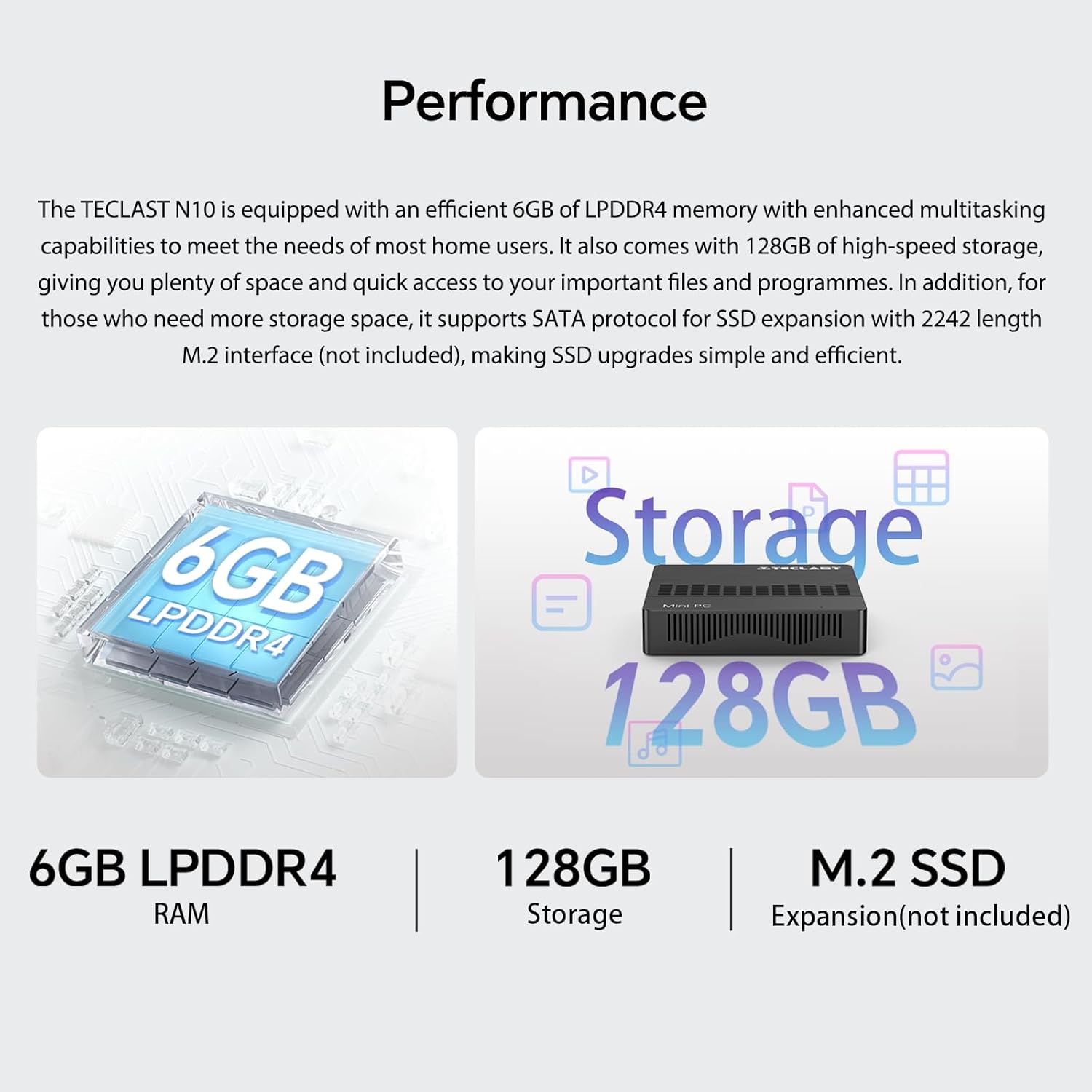
Image 2.1: Visual representation of the TECLAST N10's performance specifications, highlighting 6GB LPDDR4 RAM, 128GB internal storage, and support for M.2 SSD expansion.
2.2 കണക്റ്റിവിറ്റി
The device offers a wide range of integrated ports and wireless options for versatile connectivity:
- വീഡിയോ ഔട്ട്പുട്ട്: HDMI x 1, VGA x 1, supporting dual display output and 4K@60Hz resolution via HDMI.
- USB പോർട്ടുകൾ: 3 x USB 3.2 GEN1 (5Gbps) for high-speed data transfer.
- നെറ്റ്വർക്ക്: 1 x 1000Mbps RJ45 Ethernet port for stable wired internet.
- വയർലെസ്: Dual-band WiFi (2.4G/5G) for fast wireless internet and Bluetooth 5.0 for peripheral connections.
- ഓഡിയോ: 3.5mm ഹെഡ്ഫോൺ ഔട്ട്പുട്ട്.
- സംഭരണ വിപുലീകരണം: TF (MicroSD) port for memory cards.

ചിത്രം 2.2: കഴിഞ്ഞുview of the TECLAST N10's connectivity features, including wireless standards and wired ports.

Image 2.3: Illustration of the TECLAST N10's dual display capability using both HDMI and VGA ports simultaneously.
2.3 കോംപാക്റ്റ് ഡിസൈൻ
Measuring 11.9 x 0.24 x 11.9 cm and weighing 641 g, the N10 is highly portable. Its compact size allows for easy placement in various environments, and it supports VESA mounting for a clean desktop setup.
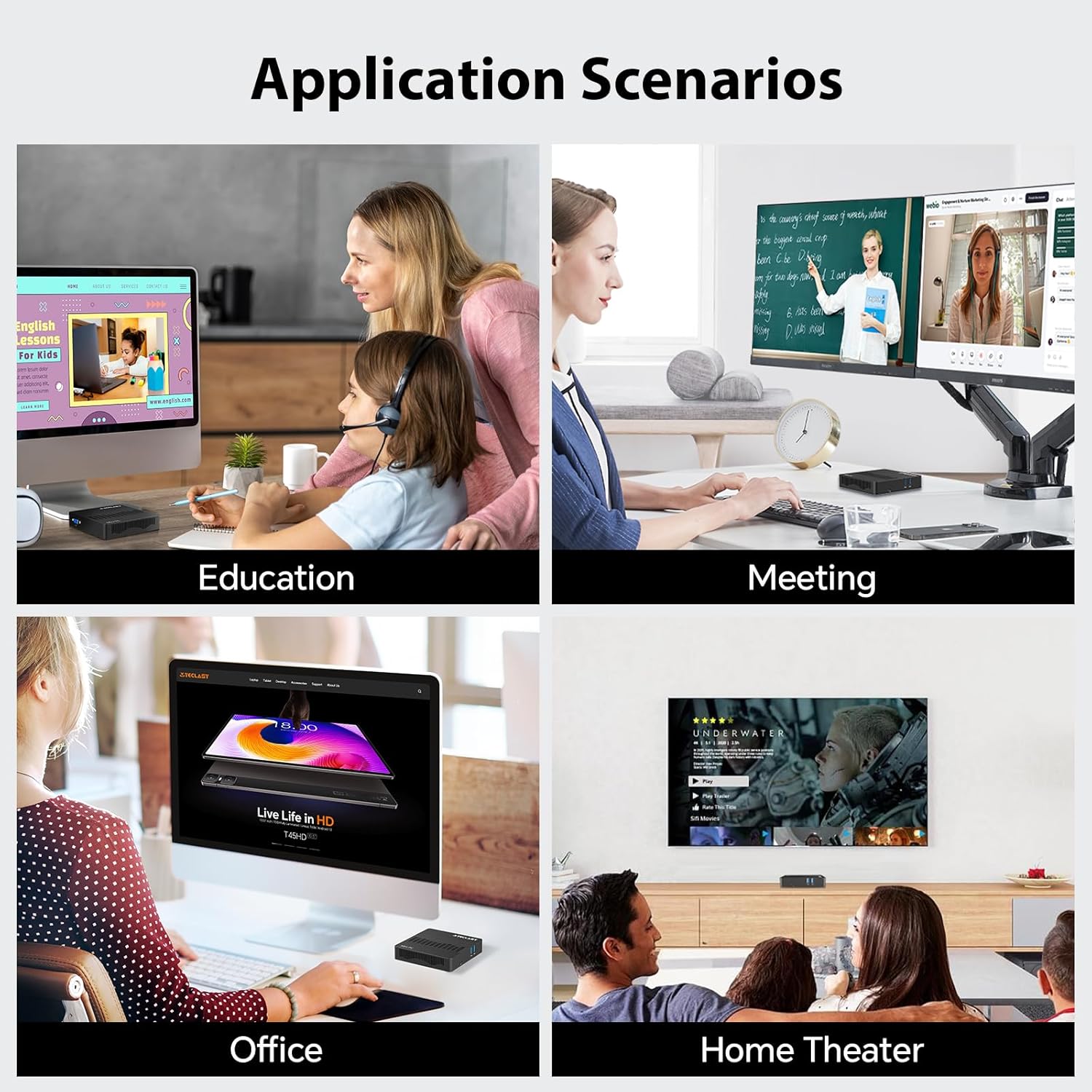
Image 2.4: Visual representation of the TECLAST N10's compact dimensions and lightweight design.
2.4 Effortless Expansion
The N10 includes a TF (MicroSD) expansion port for convenient access to photos and videos, eliminating the need for an external card reader. It also supports SSD replacement for increased storage capacity.
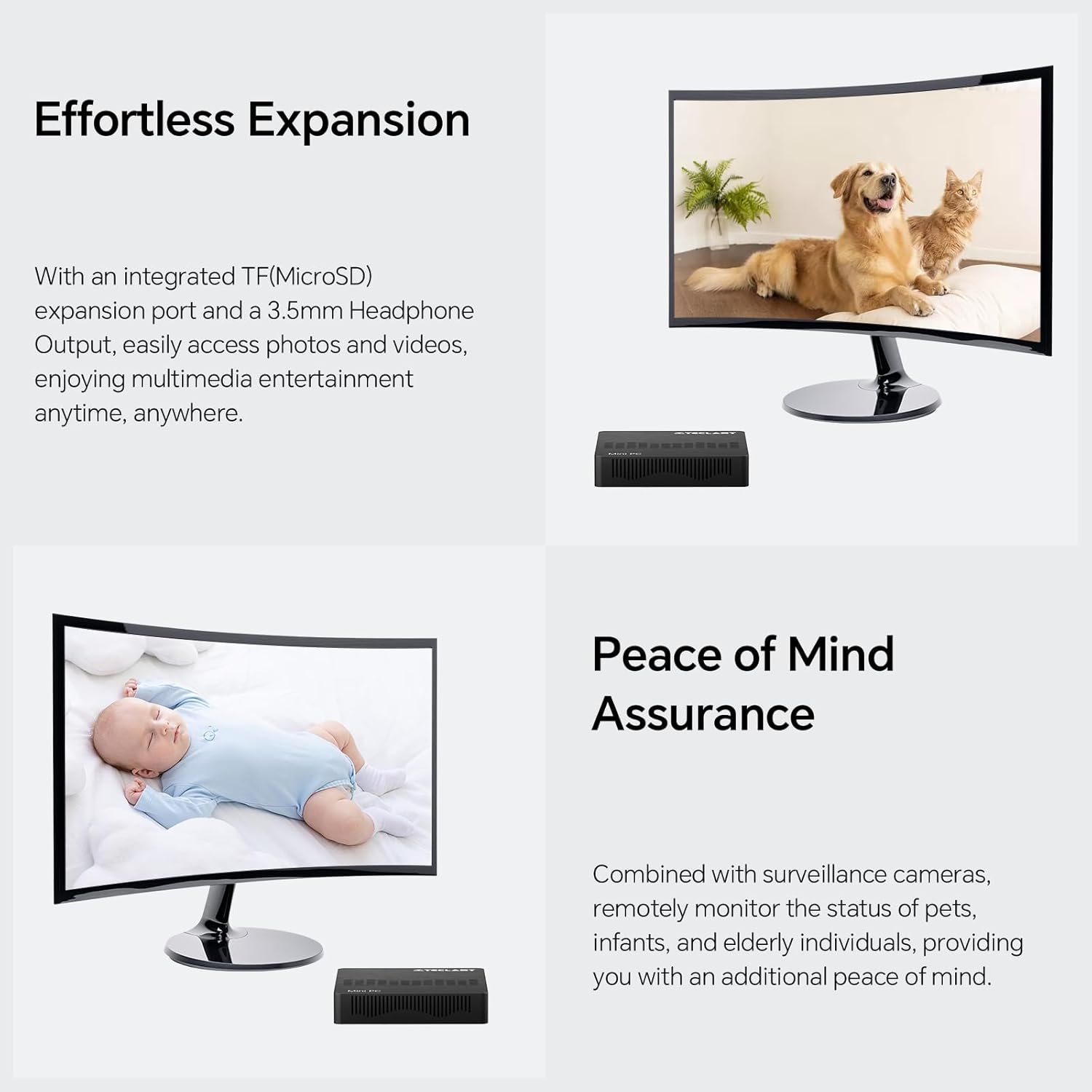
Image 2.5: The TECLAST N10 Mini PC demonstrating its expansion capabilities, including the TF(MicroSD) slot and headphone output.
3. സജ്ജീകരണ ഗൈഡ്
3.1 അൺപാക്കിംഗ്
- പാക്കേജിംഗിൽ നിന്ന് മിനി പിസിയും എല്ലാ അനുബന്ധ ഉപകരണങ്ങളും ശ്രദ്ധാപൂർവ്വം നീക്കം ചെയ്യുക.
- Verify that all components are present: TECLAST N10 Mini PC, Power Adapter, User Manual.
3.2 പെരിഫറലുകൾ ബന്ധിപ്പിക്കുന്നു
പവർ ഓൺ ചെയ്യുന്നതിനുമുമ്പ്, നിങ്ങളുടെ അവശ്യ പെരിഫെറലുകൾ ബന്ധിപ്പിക്കുക:
- നിരീക്ഷിക്കുക: Connect your monitor to the Mini PC using either the HDMI or VGA port. For dual display, connect two monitors to both ports.
- കീബോർഡും മൗസും: Connect your USB keyboard and mouse to the available USB 3.2 ports.
- നെറ്റ്വർക്ക് (ഓപ്ഷണൽ): For a wired internet connection, connect an Ethernet cable from your router/modem to the RJ45 LAN port on the Mini PC.
- ഓഡിയോ (ഓപ്ഷണൽ): Connect headphones or speakers to the 3.5mm audio output jack.
Image 3.1: The TECLAST N10 Mini PC's top and side views, illustrating the location of USB ports, power button, VGA port, and other connections.
3.3 പവർ ചെയ്യുന്നു
- Connect the power adapter to the DC-in port on the Mini PC.
- ഒരു മതിൽ ഔട്ട്ലെറ്റിലേക്ക് പവർ അഡാപ്റ്റർ പ്ലഗ് ചെയ്യുക.
- Press the power button located on the top right side of the Mini PC. The power indicator light will illuminate.
- The system will boot up, and you will see the operating system (Windows 11 Pro) loading on your connected display.
4. പ്രവർത്തന നിർദ്ദേശങ്ങൾ
4.1 ഓപ്പറേറ്റിംഗ് സിസ്റ്റം
The TECLAST N10 Mini PC comes pre-installed with Windows 11 Pro. Follow the on-screen instructions for initial setup, including language selection, network connection, and user account creation.
4.2 Dual Display Configuration
To utilize the dual display feature:
- Connect your primary monitor to the HDMI port and your secondary monitor to the VGA port.
- Once both monitors are connected and powered on, Windows should automatically detect them.
- To configure display settings (extend, duplicate, or show only on one display), right-click on the desktop, select "Display settings," and adjust as needed.
Image 4.1: Diagram illustrating how to connect two monitors to the TECLAST N10 using HDMI and VGA for a dual display setup.
4.3 സ്റ്റോറേജ് മാനേജ്മെൻ്റ്
The Mini PC includes a 128GB M.2 SSD for primary storage. For additional storage, you can:
- Insert a TF (MicroSD) card into the dedicated slot.
- Connect external USB storage devices to the USB 3.2 ports.
- The M.2 interface supports SSD replacement for creating more storage space. Refer to the official TECLAST support for detailed upgrade instructions.
4.4 Wireless and Wired Network Setup
വയർലെസ് (വൈ-ഫൈ):
- സിസ്റ്റം ട്രേയിലെ (സ്ക്രീനിന്റെ താഴെ വലത് കോണിലുള്ള) Wi-Fi ഐക്കണിൽ ക്ലിക്ക് ചെയ്യുക.
- ലിസ്റ്റിൽ നിന്ന് നിങ്ങൾക്ക് ആവശ്യമുള്ള വൈഫൈ നെറ്റ്വർക്ക് തിരഞ്ഞെടുക്കുക.
- Enter the network password and click "Connect."
വയർഡ് (ഇഥർനെറ്റ്):
- Connect an Ethernet cable from your router/modem to the RJ45 LAN port on the Mini PC.
- The system will automatically detect the wired connection and establish internet access.
ബ്ലൂടൂത്ത്:
- വിൻഡോസ് ക്രമീകരണങ്ങൾ > ബ്ലൂടൂത്ത് & ഉപകരണങ്ങൾ എന്നതിലേക്ക് പോകുക.
- ബ്ലൂടൂത്ത് ഓണാണെന്ന് ഉറപ്പാക്കുക.
- Click "Add device" and select "Bluetooth" to pair with your Bluetooth peripherals.
Image 4.2: The TECLAST N10 Mini PC demonstrating its support for 2.4G+5G AC wireless, 1000Mbps RJ45 Ethernet, and Bluetooth 4.2 for various connectivity needs.
5. പരിപാലനം
5.1 വൃത്തിയാക്കൽ
- Regularly clean the exterior of the Mini PC with a soft, dry, lint-free cloth.
- ലിക്വിഡ് ക്ലീനറുകളോ എയറോസോൾ സ്പ്രേകളോ ഉപകരണത്തിൽ നേരിട്ട് ഉപയോഗിക്കരുത്.
- Use compressed air to gently clear dust from ventilation openings.
5.2 വെന്റിലേഷൻ
- Ensure the Mini PC is placed in a well-ventilated area.
- ഉപകരണത്തിലെ വെന്റിലേഷൻ ദ്വാരങ്ങൾ തടയരുത്.
- Avoid placing the Mini PC on soft surfaces like carpets or blankets that can obstruct airflow.
5.3 സോഫ്റ്റ്വെയർ അപ്ഡേറ്റുകൾ
- സിസ്റ്റം സ്ഥിരതയും സുരക്ഷയും ഉറപ്പാക്കാൻ വിൻഡോസ് അപ്ഡേറ്റുകൾ പതിവായി പരിശോധിച്ച് ഇൻസ്റ്റാൾ ചെയ്യുക.
- Keep device drivers updated for optimal performance.
6. പ്രശ്നപരിഹാരം
| പ്രശ്നം | സാധ്യമായ കാരണം | പരിഹാരം |
|---|---|---|
| മോണിറ്ററിൽ ഡിസ്പ്ലേ ഇല്ല. | Monitor not connected or powered on; incorrect input source; faulty cable. | Ensure monitor is connected and powered. Check monitor's input source. Try a different HDMI/VGA cable. |
| Mini PC does not power on. | പവർ അഡാപ്റ്റർ ബന്ധിപ്പിച്ചിട്ടില്ല; പവർ ഔട്ട്ലെറ്റ് പ്രശ്നം. | Ensure power adapter is securely connected to the Mini PC and a working power outlet. |
| വൈഫൈ കണക്ഷനൊന്നുമില്ല. | വൈഫൈ പ്രവർത്തനരഹിതമാക്കി; തെറ്റായ പാസ്വേഡ്; റൂട്ടർ പ്രശ്നം. | Check Wi-Fi settings in Windows. Re-enter password. Restart your router. |
| മന്ദഗതിയിലുള്ള പ്രകടനം. | Too many applications running; insufficient storage; outdated drivers. | ആവശ്യമില്ലാത്ത ആപ്ലിക്കേഷനുകൾ അടയ്ക്കുക. ഡിസ്ക് സ്ഥലം ശൂന്യമാക്കുക. വിൻഡോസും ഡ്രൈവറുകളും അപ്ഡേറ്റ് ചെയ്യുക. |
| ബ്ലൂടൂത്ത് ഉപകരണം ജോടിയാക്കുന്നില്ല. | Bluetooth disabled; device out of range; device not in pairing mode. | Ensure Bluetooth is enabled on Mini PC. Move device closer. Put device in pairing mode. |
7 സാങ്കേതിക സവിശേഷതകൾ
| ഫീച്ചർ | സ്പെസിഫിക്കേഷൻ |
|---|---|
| ബ്രാൻഡ് | ടെക്ലാസ്റ്റ് |
| മോഡൽ നമ്പർ | N10 |
| ഉൽപ്പന്ന അളവുകൾ | 11.9 x 0.24 x 11.9 സെ.മീ |
| ഇനത്തിൻ്റെ ഭാരം | 641 ഗ്രാം |
| പ്രോസസ്സർ ബ്രാൻഡ് | ഇൻ്റൽ |
| പ്രോസസ്സർ തരം | സെലറോൺ N4000 |
| പ്രോസസ്സർ വേഗത | 2.6 GHz (Max Turbo Frequency) |
| പ്രോസസ്സർ എണ്ണം | 1 |
| റാം വലിപ്പം | 6 ജിബി |
| മെമ്മറി ടെക്നോളജി | DDR4 |
| പരമാവധി മെമ്മറി പിന്തുണയ്ക്കുന്നു | 6 ജിബി |
| ഹാർഡ് ഡിസ്ക് വിവരണം | എസ്എസ്ഡി |
| മെമ്മറി സ്റ്റോറേജ് കപ്പാസിറ്റി | 128 ജിബി |
| ഹാർഡ് ഡ്രൈവ് ഇൻ്റർഫേസ് | PCIE x 4 (M.2) |
| ഗ്രാഫിക്സ് കോപ്രൊസസർ | സംയോജിത ഗ്രാഫിക്സ് |
| ഗ്രാഫിക്സ് ചിപ്സെറ്റ് ബ്രാൻഡ് | ഇൻ്റൽ |
| ഗ്രാഫിക്സ് കാർഡ് വിവരണം | സംയോജിപ്പിച്ചത് |
| ഗ്രാഫിക്സ് റാം തരം | GDDR4 |
| ഗ്രാഫിക്സ് കാർഡ് റാം വലിപ്പം | 6 ജിബി (പങ്കിട്ടത്) |
| സ്ക്രീൻ റെസല്യൂഷൻ | 3840 x 2160 (4K) |
| വയർലെസ് തരം | ബ്ലൂടൂത്ത്, വൈ-ഫൈ (2.4G/5G) |
| USB 3.0 പോർട്ടുകളുടെ എണ്ണം | 3 (USB 3.2 GEN1) |
| HDMI പോർട്ടുകളുടെ എണ്ണം | 1 |
| വിജിഎ പോർട്ട് | 1 |
| ഇഥർനെറ്റ് പോർട്ട് | 1 (1000Mbps RJ45) |
| TF (MicroSD) Port | 1 |
| ഹെഡ്ഫോൺ ഔട്ട്പുട്ട് | (1 മില്ലി) |
| ഓപ്പറേറ്റിംഗ് സിസ്റ്റം | വിൻഡോസ് 11 പ്രോ |
| ഫോം ഫാക്ടർ | Stick / Mini PC |
| ഉൽപ്പന്നത്തിന്റെ പ്രത്യേക ഉപയോഗങ്ങൾ | Business, Home Theater, Office, Education |
8. വാറൻ്റി വിവരങ്ങൾ
TECLAST products typically come with a standard manufacturer's warranty. Please refer to the warranty card included with your product or visit the official TECLAST webനിങ്ങളുടെ പ്രദേശത്തിന് പ്രത്യേകമായുള്ള വിശദമായ വാറന്റി നിബന്ധനകൾക്കും വ്യവസ്ഥകൾക്കും സൈറ്റ് സന്ദർശിക്കുക. വാറന്റി ക്ലെയിമുകൾക്കായി നിങ്ങളുടെ വാങ്ങിയതിന്റെ തെളിവ് സൂക്ഷിക്കുക.
9. ഉപഭോക്തൃ പിന്തുണ
For technical assistance, product inquiries, or support, please visit the official TECLAST support website or contact their customer service. You may find FAQs, driver downloads, and contact information on their official channels.
Note: Specific contact details and support channels may vary by region.