
1. ആമുഖം
The Tenda 5G06 AX3000 Wi-Fi 6 5G NR Router provides high-speed 5G cellular network access and Wi-Fi 6 connectivity for your home or office. This manual will guide you through the installation, operation, and troubleshooting of your device, ensuring optimal performance and a stable internet connection.
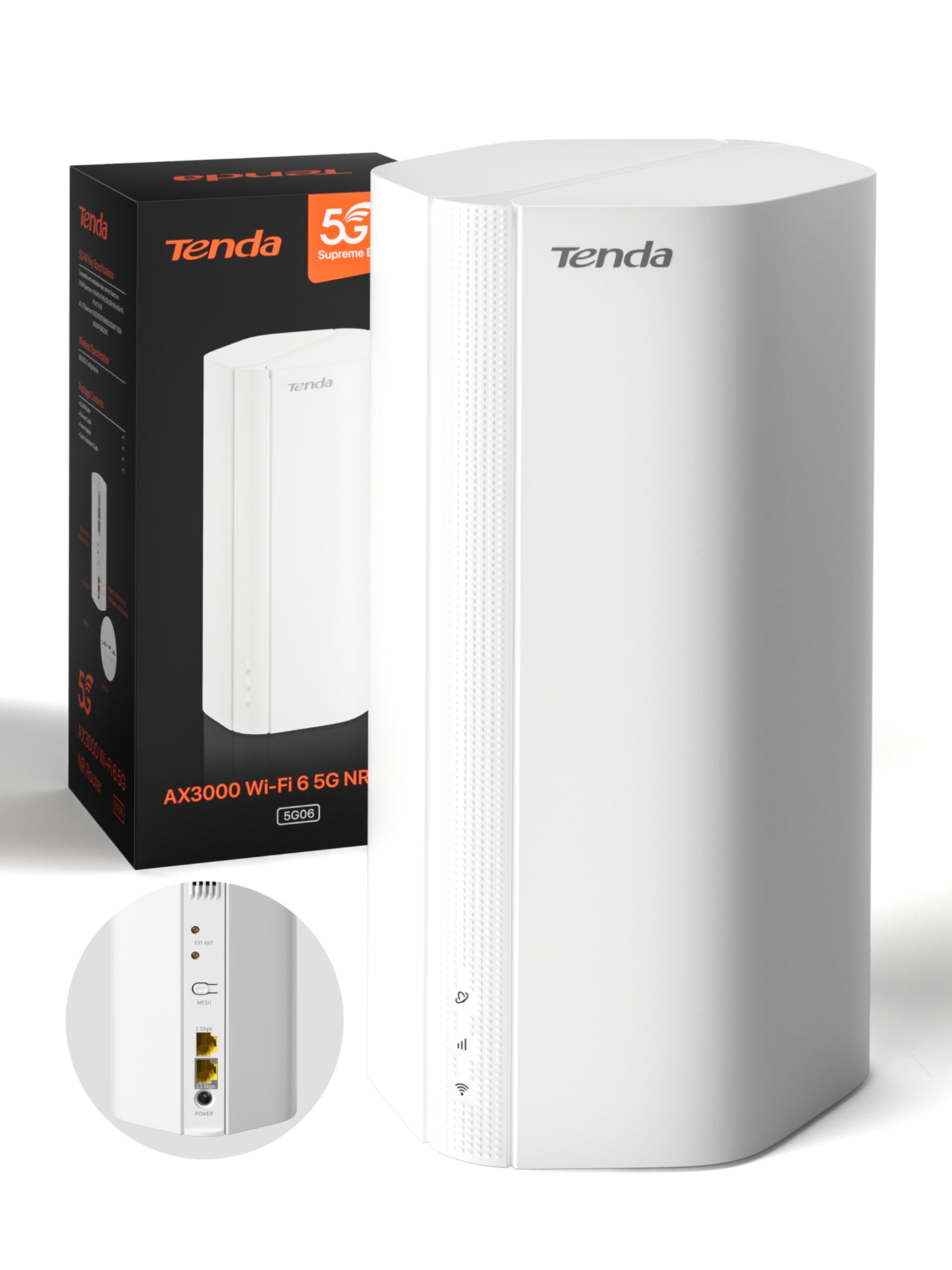
Image: Tenda 5G06 AX3000 Wi-Fi 6 5G NR Router, front view.
2. പാക്കേജ് ഉള്ളടക്കം
പാക്കേജിലെ ഉള്ളടക്കങ്ങൾ ശ്രദ്ധാപൂർവ്വം പരിശോധിക്കുക. ഏതെങ്കിലും ഇനം നഷ്ടപ്പെട്ടാലോ കേടായാലോ, നിങ്ങളുടെ റീട്ടെയിലറെ ബന്ധപ്പെടുക.
- 1 x Tenda 5G06 AX3000 Wi-Fi 6 5G NR Router
- 1 x പവർ അഡാപ്റ്റർ
- 1 x ഇഥർനെറ്റ് കേബിൾ
- 1 x ഉപയോക്തൃ ഗൈഡ്

Image: Contents of the Tenda 5G06 package, including the router, power adapter, Ethernet cable, and user guide.
3. ഉൽപ്പന്നം കഴിഞ്ഞുview
3.1. പോർട്ടുകളും ബട്ടണുകളും
Familiarize yourself with the ports and buttons on your Tenda 5G06 router.
ചിത്രം: പിൻഭാഗം view of the Tenda 5G06 router, highlighting the EXT ANT ports, Mesh button, Gigabit Port, Advanced 2.5 Gbps Port, and Power input.
- EXT ANT (TS-9 Ports): Connect external 4G/5G antennas to enhance mobile signal reception.
- MESH Button: Used for setting up a Mesh WiFi+ network with other compatible Tenda devices.
- ഗിഗാബൈറ്റ് പോർട്ട്: Standard Ethernet port for wired connections.
- Advanced 2.5 Gbps Port: High-speed Ethernet port for devices requiring faster wired connections, such as gaming consoles, NAS, or 8K TVs.
- ശക്തി: ഉൾപ്പെടുത്തിയ പവർ അഡാപ്റ്റർ ഇവിടെ ബന്ധിപ്പിക്കുക.
3.2. എൽഇഡി സൂചകങ്ങൾ
The LED indicators on the front of the router provide status information:
- പവർ എൽഇഡി: പവർ സ്റ്റാറ്റസ് സൂചിപ്പിക്കുന്നു.
- ഇന്റർനെറ്റ് LED: ഇന്റർനെറ്റ് കണക്ഷൻ നില സൂചിപ്പിക്കുന്നു.
- Wi-Fi LED: Indicates Wi-Fi network status.
- 5G/4G Signal Strength LEDs: സെല്ലുലാർ സിഗ്നലിന്റെ ശക്തി സൂചിപ്പിക്കുക.
4. സജ്ജീകരണം
4.1. സിം കാർഡ് ഇൻസ്റ്റാളേഷൻ
The Tenda 5G06 supports two Nano SIM cards for network redundancy. Ensure your SIM card is active and has sufficient balance. If your SIM has a PIN lock, deactivate it using a smartphone or enter the PIN in the router's web ഇൻ്റർഫേസ്.
- Locate the SIM card slots on the bottom of the router.
- Insert your Nano SIM card into the slot with the chip facing down and the cut corner facing left. You will hear a click when the SIM is fully inserted.
- To remove the SIM, gently press it until it springs out.

Image: Diagram showing the correct orientation for inserting a Nano SIM card into the router's bottom slot.
4.2. പവർ ഓൺ
Connect the included power adapter to the router's power port and then to a power outlet. Wait for a moment while the router starts up. Your router will be connected when the internet indicator LED remains steadily lit.
4.3. ഇന്റർനെറ്റിലേക്ക് കണക്റ്റുചെയ്യുക
You can connect your devices to the router via wired Ethernet or wirelessly via Wi-Fi.
വയർഡ് കണക്ഷൻ:
Connect your computer or other wired devices to the router's Ethernet ports using an Ethernet cable.
വയർലെസ് കണക്ഷൻ:
- On your smartphone or computer, go to Wi-Fi settings.
- Enable WLAN (Wi-Fi).
- Find and select your router's Wi-Fi network name (SSID). The Wi-Fi name is located on the bottom label of the router. By default, there is no Wi-Fi password.
- Once connected, you can enjoy your internet!
Video: Quick Installation Guide for Tenda 5G06 AX3000 Wi-Fi 6 5G NR Router. This video demonstrates SIM card insertion, powering on the device, and connecting to the Wi-Fi network.
5. പ്രവർത്തന നിർദ്ദേശങ്ങൾ
5.1. Web ഇന്റർഫേസ് ആക്സസ്
To manage advanced settings, access the router's web ഇൻ്റർഫേസ്:
- Connect your device to the router's Wi-Fi network or via an Ethernet cable.
- എ തുറക്കുക web ബ്രൗസർ ചെയ്ത് ഡിഫോൾട്ട് ഐപി വിലാസം നൽകുക (സാധാരണയായി
192.168.0.1ortendawifi.com) വിലാസ ബാറിൽ. - Log in using the default username and password (found on the router's label or in the user guide).
5.2. Mesh WiFi+ Expansion
Connect your 5G06 router with other Tenda Mesh WiFi+ routers to create a unified network with strong and stable Wi-Fi coverage throughout your home or large office. Refer to the Mesh WiFi+ specific instructions for detailed setup.

Image: Diagram illustrating how Mesh WiFi+ extends network coverage across multiple floors or large areas.
5.3. WPA3 Security
The Tenda 5G06 supports WPA3 encryption, offering enhanced security for your network. It is recommended to enable WPA3 for stronger protection against unauthorized access and online threats. Configure this setting via the router's web ഇൻ്റർഫേസ്.
6 പ്രധാന സവിശേഷതകൾ
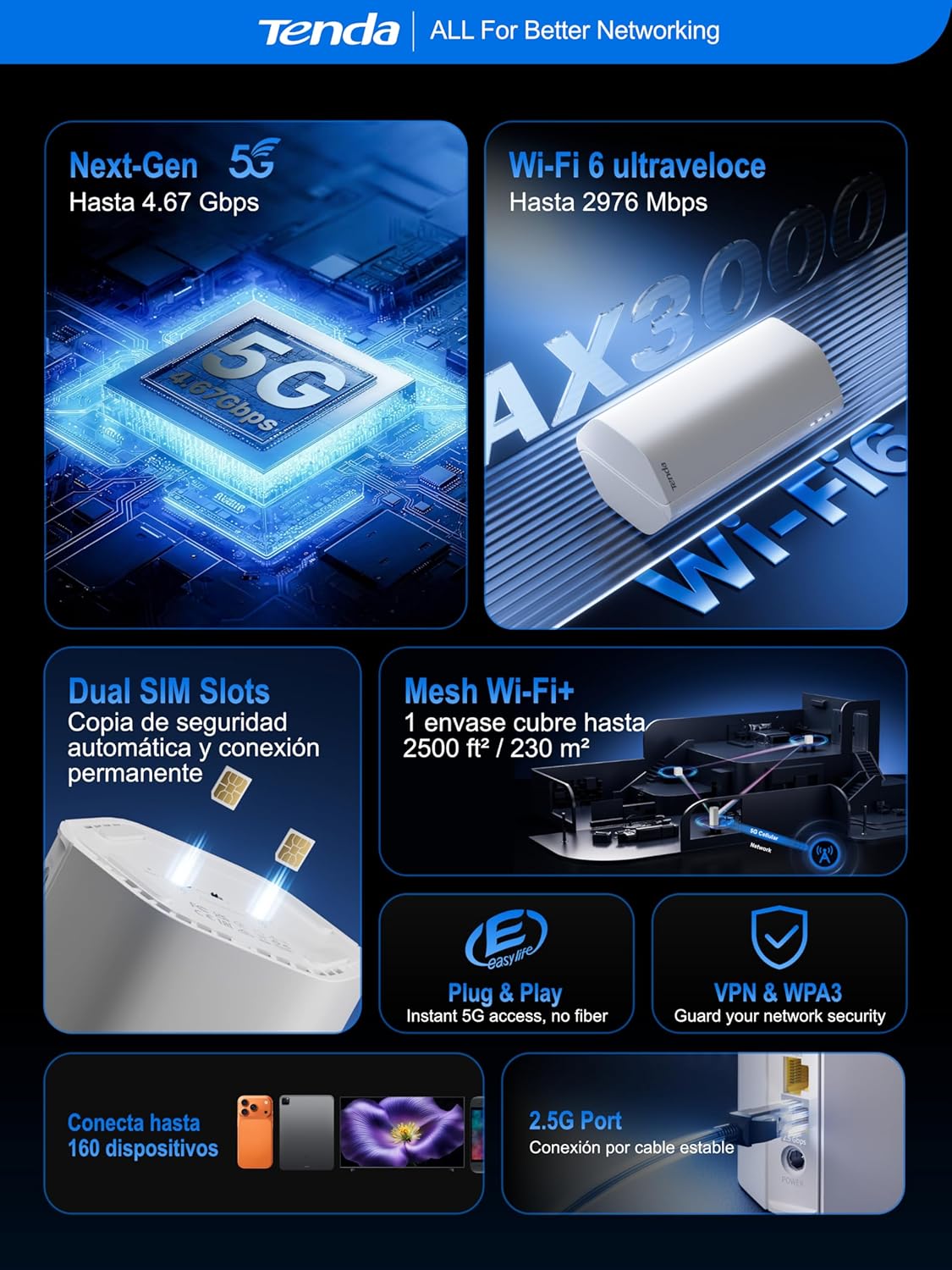
- Ultra-Fast 5G Speeds: Experience 5G speeds up to 4.67 Gbps (5G) and 2976 Mbps (Wi-Fi 6), significantly faster than 4G. Ideal for 4K/8K streaming, AR/VR gaming, and remote work with minimal lag.
- വിപുലമായ കവറേജ്: Equipped with 11 internal antennas (8 x 5G/4G + 3 x Wi-Fi), the router provides Wi-Fi coverage up to 230m², ensuring a stable connection throughout your home. TS-9 interfaces support external 4G/5G antennas for improved mobile signal reception.
- പ്ലഗ് & പ്ലേ: No complex configuration needed. Simply insert a 5G/4G Nano SIM card for instant internet access. Perfect for suburban areas, rentals, RVs, or quick home network setups.
- 2.5GE Port and Wi-Fi 6: The 2.5G port offers 2.5 times the speed of standard Gigabit Ethernet, suitable for high-bandwidth devices. Wi-Fi 6 supports up to 160 devices, ensuring a smooth experience for the entire family.
- Dual SIM for Reliability: Features dual SIM slots for network backup. If SIM1 loses connection, it automatically switches to SIM2, maintaining continuous internet access.
- Global 5G/4G Compatibility: Works with major operators worldwide, making it an ideal solution for international travelers and cross-border business users.

Image: Map illustrating global 5G/4G network compatibility with various operators.
7. പ്രശ്നപരിഹാരം
If you encounter issues with your Tenda 5G06 router, consider the following:
- ഇൻ്റർനെറ്റ് കണക്ഷൻ ഇല്ല:
- സിം കാർഡ് ശരിയായി ചേർത്തിട്ടുണ്ടോ എന്നും സജീവമാണോ എന്നും പരിശോധിക്കുക.
- Verify that the Internet LED is steadily lit.
- Ensure your SIM plan has data available.
- റൂട്ടറും നിങ്ങളുടെ ബന്ധിപ്പിച്ച ഉപകരണങ്ങളും പുനരാരംഭിക്കുക.
- ദുർബലമായ വൈ-ഫൈ സിഗ്നൽ:
- Relocate the router to a central location, away from obstructions and interference sources.
- Consider using external TS-9 antennas for improved 5G/4G signal.
- If you have a large area, consider adding a Tenda Mesh WiFi+ device.
- ആക്സസ് ചെയ്യാൻ കഴിയില്ല Web ഇൻ്റർഫേസ്:
- നിങ്ങളുടെ ഉപകരണം റൂട്ടറിന്റെ നെറ്റ്വർക്കിലേക്ക് കണക്റ്റുചെയ്തിട്ടുണ്ടെന്ന് ഉറപ്പാക്കുക.
- Verify the IP address or domain name entered in the browser is correct.
- നിങ്ങളുടെ ബ്രൗസറിന്റെ കാഷെ മായ്ക്കുക അല്ലെങ്കിൽ മറ്റൊരു ബ്രൗസർ പരീക്ഷിക്കുക.
8 സ്പെസിഫിക്കേഷനുകൾ
| ഫീച്ചർ | വിവരണം |
|---|---|
| മോഡൽ നമ്പർ | 5G06 |
| അളവുകൾ (L x W x H) | 11.9 x 9.2 x 19.6 സെ.മീ |
| ഭാരം | 500 ഗ്രാം |
| Wi-Fi ജനറേഷൻ | Wi-Fi 6 (802.11a/b/n/ac/ax) |
| ഡാറ്റ കൈമാറ്റ നിരക്ക് | 3000 Mbps വരെ (5GHz-ൽ 2402 Mbps, 2.4GHz-ൽ 574 Mbps) |
| 5G/4G കണക്റ്റിവിറ്റി | 5G, LTE |
| സിം കാർഡ് സ്ലോട്ടുകൾ | 2 x Nano SIM (Dual SIM) |
| ഇഥർനെറ്റ് പോർട്ടുകൾ | 1 x Gigabit, 1 x 2.5 Gigabit |
| ആൻ്റിന തരം | Internal (11 antennas: 8x 5G/4G, 3x Wi-Fi) |
| വയർലെസ് സുരക്ഷ | WPA3 |
| പ്രത്യേക സവിശേഷതകൾ | Remote Access, Beamforming, Parental Control, Guest Mode |
| അനുയോജ്യമായ ഉപകരണങ്ങൾ | PC, Gaming Console, Smartphone, Smart TV, AR/VR Device |
| ശുപാർശ ചെയ്യുന്ന ഉപയോഗം | Home, Business, Gaming |
9. വാറൻ്റിയും പിന്തുണയും
The Tenda 5G06 AX3000 Wi-Fi 6 5G NR Router comes with a 3 വർഷത്തെ വാറൻ്റി. For any technical issues or support inquiries, please contact our technical team via email at support.es@tenda.cn. We are committed to providing prompt and professional assistance.