
Sauder 430444
Sauder Craft and Sewing Armoire (Model 430444) Instruction Manual
Brand: Sauder | Model: 430444 | Finish: Mystic Oak
1. ആമുഖം
The Sauder Craft and Sewing Armoire in Mystic Oak finish is a versatile furniture piece designed to maximize space and provide a functional area for crafting, sewing, or home office tasks. It features an expandable work surface, integrated power, and customizable storage options to keep your supplies organized and accessible.
പ്രധാന സവിശേഷതകൾ:
- മൾട്ടി പർപ്പസ് ഫങ്ഷണാലിറ്റി: Serves as a sewing cabinet, craft station, or home office desk.
- Expandable Work Surface: Includes a slide-out shelf with full extension slides and a drop-leaf extension for increased workspace.
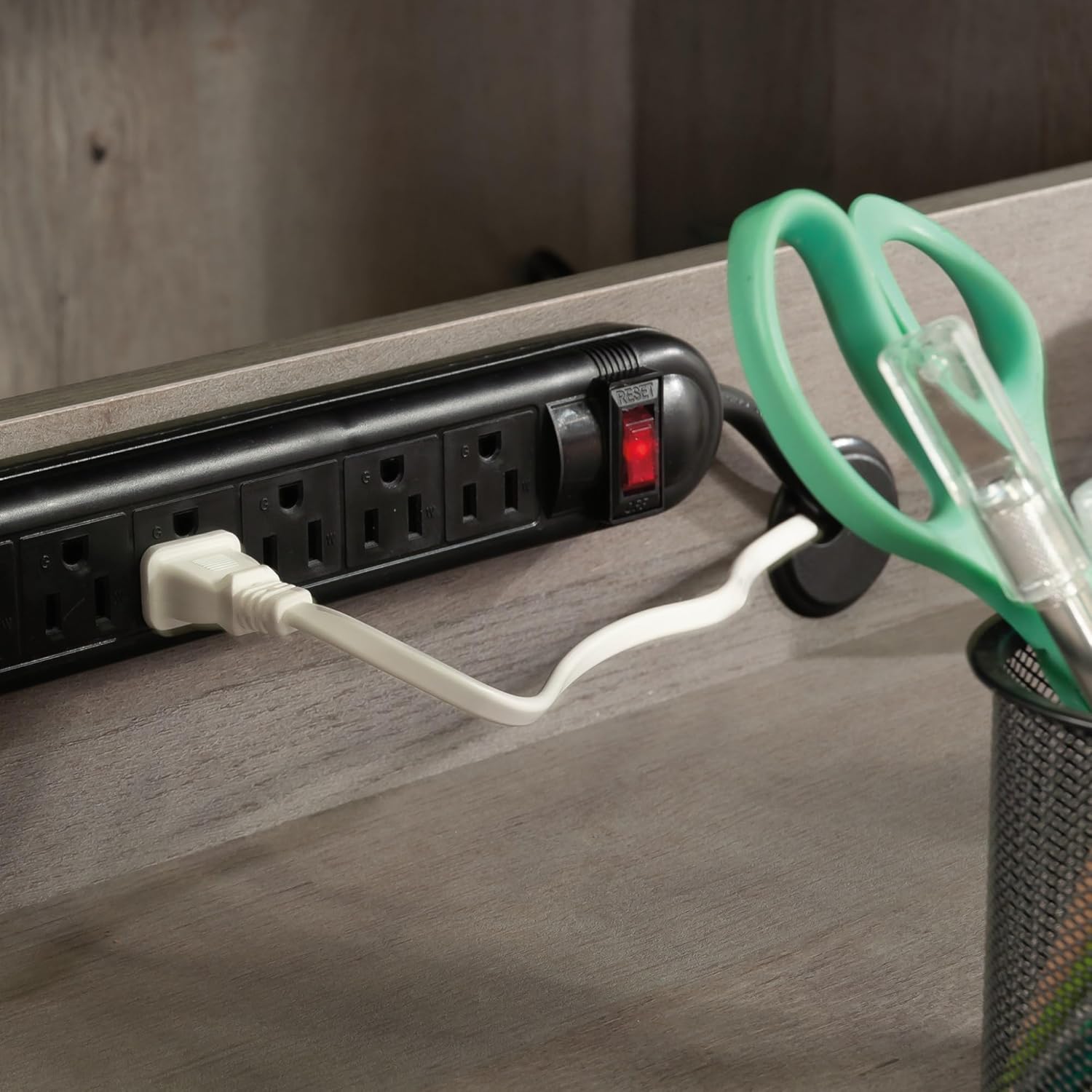
- സംയോജിത പവർ: Features a built-in power strip with six outlets to keep devices charged and cords organized.
- ഇഷ്ടാനുസൃതമാക്കാവുന്ന സംഭരണം: Six adjustable shelves allow for flexible organization of various items.
- എളുപ്പത്തിലുള്ള ആക്സസ്: A lower slide-out shelf with metal runners and safety stops provides convenient access to storage bins and supplies.

2. സജ്ജീകരണവും അസംബ്ലിയും
The Sauder Craft and Sewing Armoire requires assembly. Please ensure all parts are present before beginning. Refer to the included assembly instructions for detailed step-by-step guidance. The following videos provide additional visual assistance for specific assembly components.
അസംബ്ലി നുറുങ്ങുകൾ:
- Review all instructions and diagrams carefully before starting.
- മാനുവലിൽ വ്യക്തമാക്കിയിരിക്കുന്നതുപോലെ ശരിയായ ഉപകരണങ്ങൾ ഉപയോഗിക്കുക.
- പോറലുകൾ ഉണ്ടാകാതിരിക്കാൻ മൃദുവും വൃത്തിയുള്ളതുമായ ഒരു പ്രതലത്തിൽ കൂട്ടിച്ചേർക്കുക.
Identifying Drawer Rails:
Proper identification of drawer rails is crucial for correct assembly. This video demonstrates how to distinguish between different rail types.
Separating Slides from Extension Rails:
This video provides instructions on how to correctly separate the slides from the extension rails, and how to insert and remove drawers, which is a common step in furniture assembly.
Attaching Twist-Lock Fasteners:
Learn how to securely attach the Sauder Twist-Lock fasteners, an essential component for stable construction.
3. Operating the Armoire
The Sauder Craft and Sewing Armoire is designed for ease of use and adaptability. Follow these guidelines to utilize its features effectively.
Expanding the Work Surface:
- Open both cabinet doors fully to access the interior.
- Locate the slide-out shelf and gently pull it forward until it is fully extended.
- Unfold the drop-leaf extension to create a larger, stable work area.

Utilizing the Power Strip:
A built-in power strip with six outlets is located within the armoire. Plug the armoire's main power cord into a wall outlet. You can then plug in your sewing machine, laptop, printer, or other electronic devices directly into the integrated power strip.
ഷെൽഫുകൾ ക്രമീകരിക്കുന്നു:
The armoire features six adjustable shelves. To reposition a shelf, remove all items from the shelf, lift the shelf from its supports, and reinsert the supports into the desired holes. Place the shelf back onto the supports, ensuring it is level and secure.

ഉൽപ്പന്നം കഴിഞ്ഞുview and Functionality:
ഈ വീഡിയോ ഒരു സമഗ്രമായ ഓവർ നൽകുന്നുview of the Sauder Storage Craft Armoire, demonstrating its features and how it functions as a versatile workspace.
4. പരിപാലനം
To ensure the longevity and appearance of your Sauder Craft and Sewing Armoire, regular maintenance is recommended.
- വൃത്തിയാക്കൽ: മൃദുവായ, ഡി ഉപയോഗിച്ച് ഉപരിതലങ്ങൾ തുടയ്ക്കുകamp തുണി. കഠിനമായ രാസവസ്തുക്കളോ അബ്രാസീവ് ക്ലീനറുകളോ ഒഴിവാക്കുക, കാരണം ഇവ ഫിനിഷിന് കേടുവരുത്തും.
- ഹാർഡ്വെയർ: എല്ലാ ഫാസ്റ്റനറുകളും കണക്ഷനുകളും ഇറുകിയതായി ഉറപ്പാക്കാൻ ഇടയ്ക്കിടെ പരിശോധിക്കുക. ആവശ്യാനുസരണം അയഞ്ഞ സ്ക്രൂകൾ മുറുക്കുക.
- നീക്കുന്നു: When moving the armoire, always empty it first and lift it carefully. Do not drag the unit, as this can damage the base and floor.
5. പ്രശ്നപരിഹാരം
If you encounter any issues with your Sauder Craft and Sewing Armoire, please refer to the original assembly manual for specific troubleshooting steps or contact Sauder customer support for assistance.
6 സ്പെസിഫിക്കേഷനുകൾ
| ഫീച്ചർ | വിശദാംശങ്ങൾ |
|---|---|
| ബ്രാൻഡ് | Sauder |
| മോഡലിൻ്റെ പേര് | Miscellaneous Storage |
| ഇനം മോഡൽ നമ്പർ | 430444 |
| നിറം | Mystic Oak |
| ഉൽപ്പന്ന അളവുകൾ (D x W x H) | 21.81"D x 35.12"W x 61.58"H |
| മെറ്റീരിയൽ | എഞ്ചിനീയറിംഗ് വുഡ് |
| ഷെൽഫുകളുടെ എണ്ണം | 6 (അഡ്ജസ്റ്റബിൾ) |
| പ്രത്യേക ഫീച്ചർ | Drop Leaf Extension, Slide-Out Shelf with Metal Runners and Safety Stops, Built-in Power Strip |
| അസംബ്ലി ആവശ്യമാണ് | അതെ |
| ഇനത്തിൻ്റെ ഭാരം | 90.2 പൗണ്ട് (41 കിലോഗ്രാം) |
7. വാറൻ്റിയും പിന്തുണയും
For warranty information, replacement parts, or further assistance, please refer to the documentation included with your product or visit the official Sauder website. You may also contact Sauder customer support directly.
Sauder Customer Support:
- Live Chat: On-demand support available.
- Assembly Tip Videos: Helpful insights for assembly.
- Replacement Parts: Quick shipping for needed components.
- Domestic Call Center: Ready to assist with inquiries.
Ask a question about this manual
Ask about setup, troubleshooting, compatibility, parts, safety, or missing instructions. Manuals+ will review the question and use this page’s manual context to help answer it.