
1. ആമുഖം
Thank you for choosing the KZ SK10Pro True Wireless Earbuds. These earbuds are designed to provide a high-quality audio experience with advanced features and comfortable wear. This manual will guide you through the setup, operation, and maintenance of your new earbuds.
2. ഉൽപ്പന്നം കഴിഞ്ഞുview
പ്രധാന സവിശേഷതകൾ
- Hybrid Driver Technology: Features a 30019 High Frequency Balanced Armature and a 10mm PET molecular diaphragm dynamic unit for detailed sound across all frequencies.
- Qualcomm QCC3040 Bluetooth Chip: Equipped with Bluetooth 5.2 for improved performance, lower power consumption, faster transmission, and stable connection.
- ഓഡിയോ കോഡെക് പിന്തുണ: Supports APTX HD Audio, AAC, and SBC protocols for versatile high-quality audio streaming.
- സ്മാർട്ട് ടച്ച് നിയന്ത്രണം: Intuitive touch controls for managing music, calls, and activating voice assistants.
- Quick Gaming Mode: Tap 3 times to enter high-performance gaming mode with a low delay of 40ms.
- Dual Host Earphone Switching: Both left and right earbuds can act as the host, allowing for seamless switching and balanced power consumption.
- വിപുലീകരിച്ച ബാറ്ററി ലൈഫ്: Up to 6 hours of continuous playback per charge, extending to 30 hours with the charging case.
- ടൈപ്പ്-സി ചാർജിംഗ്: Modern and convenient Type-C charging interface for the case.
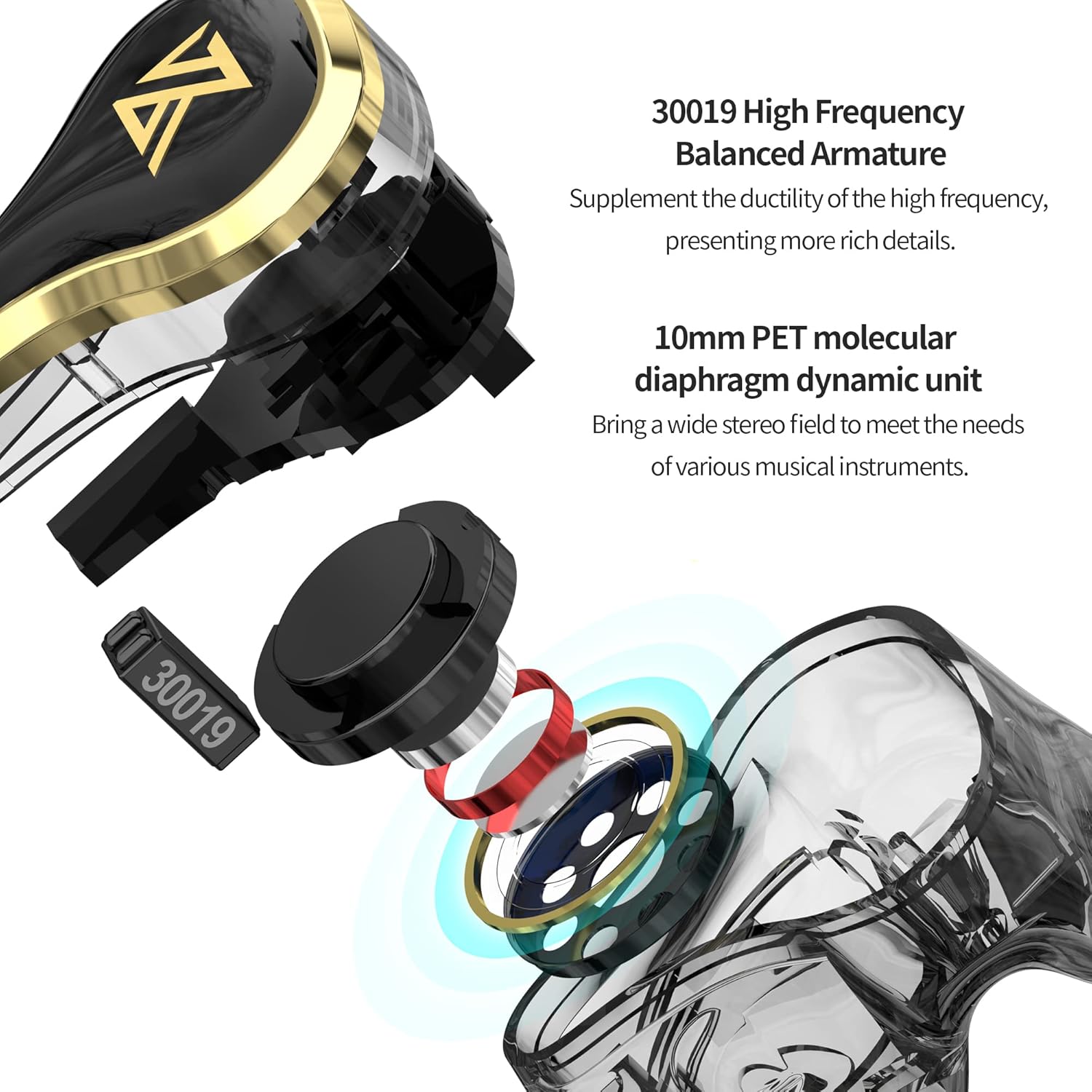
Image: Internal structure of the KZ SK10Pro earbuds, highlighting the 30019 High Frequency Balanced Armature and 10mm PET molecular diaphragm dynamic unit.
ബോക്സിൽ എന്താണുള്ളത്
- KZ SK10Pro True Wireless Earbuds (Left and Right)
- വയർലെസ് ചാർജിംഗ് കേസ്
- USB Type-C Charging Cable (not explicitly listed but implied for Type-C port)
- ഉപയോക്തൃ മാനുവൽ
- Eartips (various sizes, typically included)
3. സജ്ജീകരണം
3.1 ഇയർബഡുകളും കേസും ചാർജ് ചെയ്യുന്നു
Before first use, fully charge the earbuds and the charging case. Place the earbuds into the charging case. Connect the Type-C charging cable to the charging port on the case and plug the other end into a USB power source. The indicator light on the case will show the charging status.
- Earbuds battery capacity: 48mAh (each)
- ചാർജിംഗ് കേസ് ബാറ്ററി ശേഷി: 400mAh
- Charging time: Approximately 1 hour for full charge.
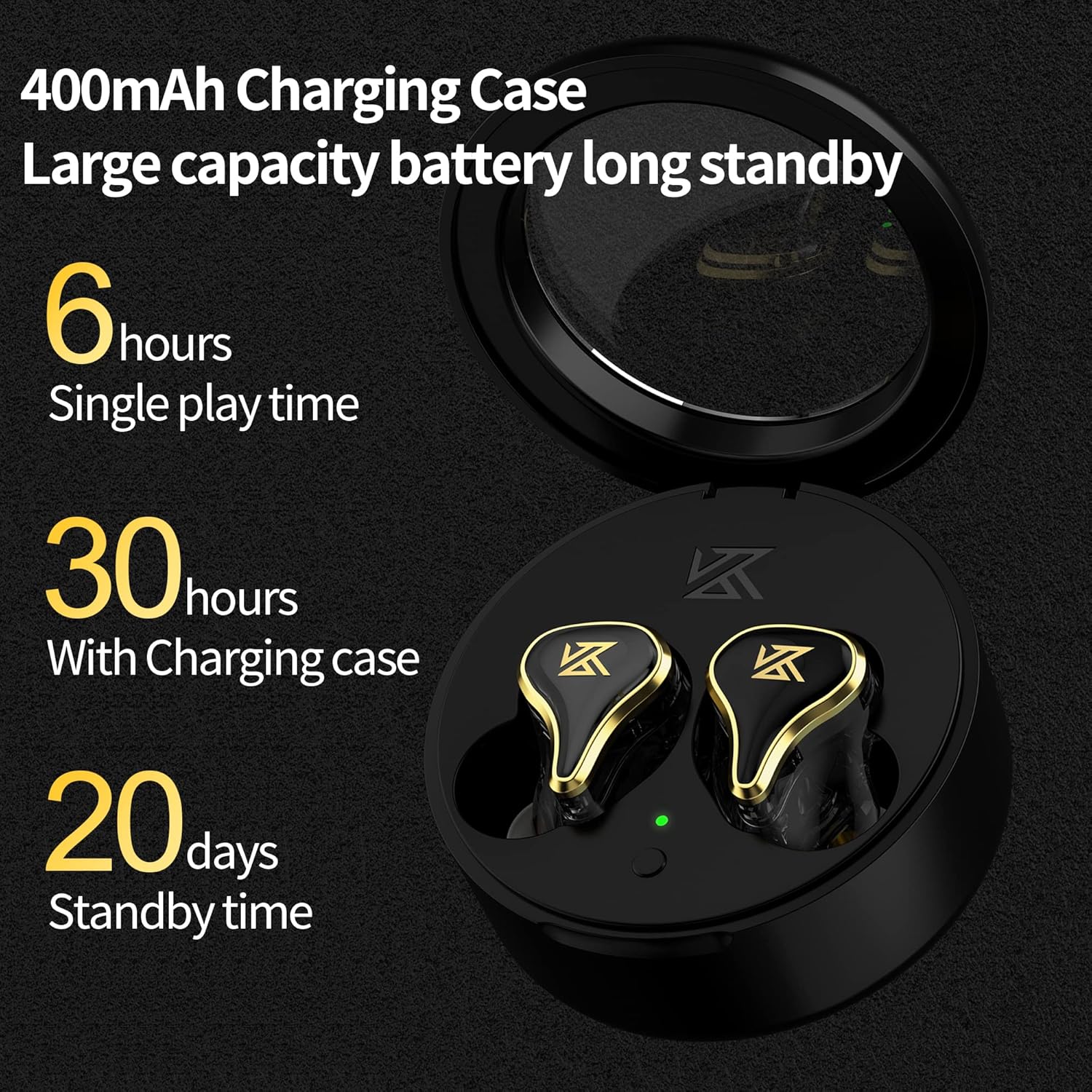
Image: The KZ SK10Pro charging case, illustrating its 400mAh capacity and the earbuds' 6-hour single play time, extending to 30 hours with the case.
3.2 നിങ്ങളുടെ ഉപകരണവുമായി ജോടിയാക്കൽ
- ഇയർബഡുകൾ ചാർജ് ചെയ്തിട്ടുണ്ടെന്നും ചാർജിംഗ് കെയ്സിൽ വച്ചിട്ടുണ്ടെന്നും ഉറപ്പാക്കുക.
- ചാർജിംഗ് കേസ് തുറക്കുക. ഇയർബഡുകൾ സ്വയമേവ ജോടിയാക്കൽ മോഡിലേക്ക് പ്രവേശിക്കും.
- നിങ്ങളുടെ ഉപകരണത്തിൽ (സ്മാർട്ട്ഫോൺ, ടാബ്ലെറ്റ് മുതലായവ), ബ്ലൂടൂത്ത് പ്രവർത്തനക്ഷമമാക്കുക.
- ഇതിനായി തിരയുക available Bluetooth devices and select "KZ SK10Pro" from the list.
- കണക്റ്റ് ചെയ്തുകഴിഞ്ഞാൽ, നിങ്ങൾക്ക് ഒരു ഓഡിയോ പ്രോംപ്റ്റ് കേൾക്കാൻ കഴിയും, ഇയർബഡുകളിലെ ഇൻഡിക്കേറ്റർ ലൈറ്റുകൾ മാറുകയും ചെയ്യും.
The KZ SK10Pro features Bluetooth 5.2 and a Qualcomm QCC3040 chip for stable and efficient wireless connectivity up to 15 meters.
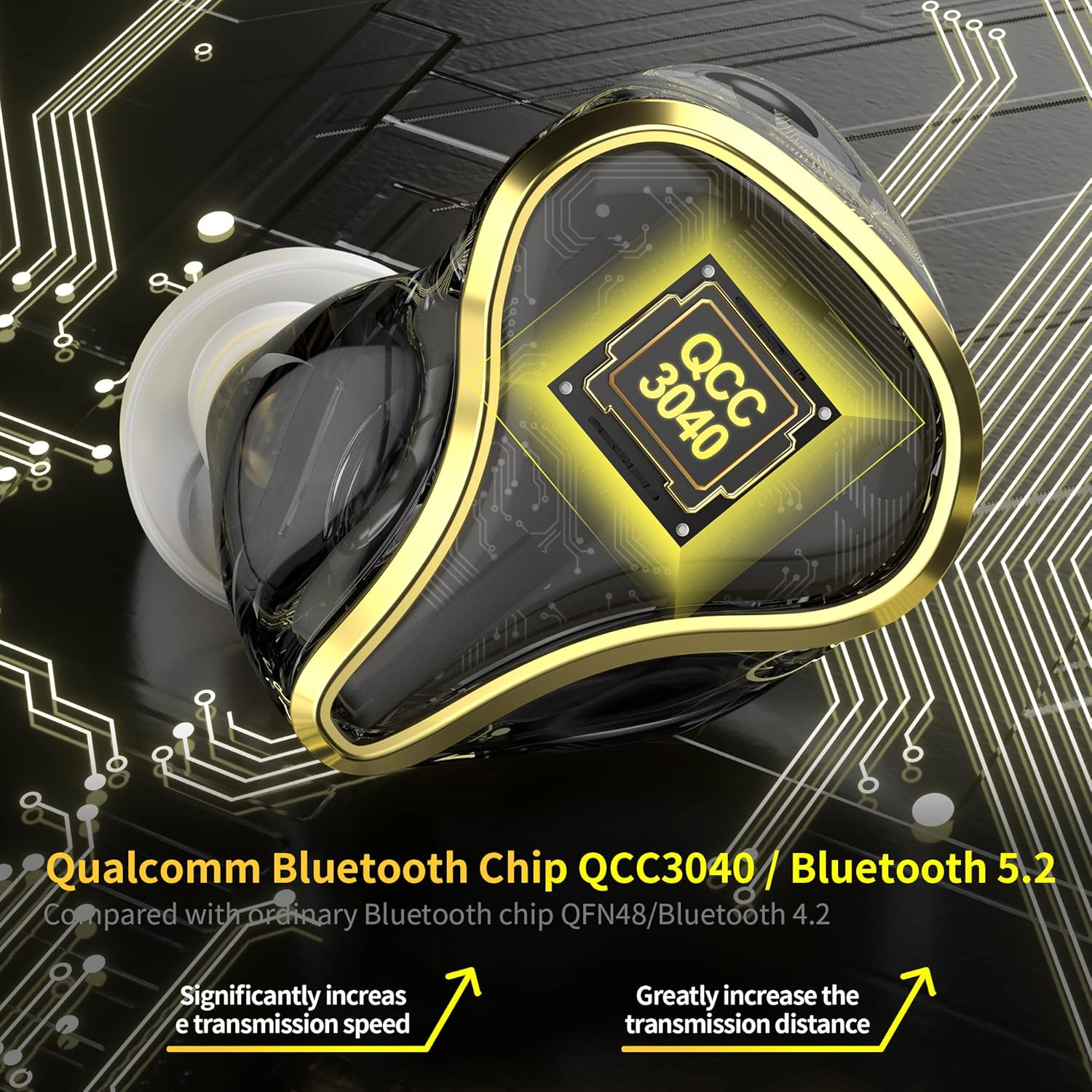
ചിത്രം: വിശദമായ ഒരു ചിത്രം view of the KZ SK10Pro earbud, emphasizing the Qualcomm QCC3040 Bluetooth 5.2 chip for enhanced connectivity.
4. പ്രവർത്തന നിർദ്ദേശങ്ങൾ
4.1 സ്മാർട്ട് ടച്ച് നിയന്ത്രണങ്ങൾ
The KZ SK10Pro earbuds feature smart touch controls on each earbud for easy management of various functions:
- പ്ലേ/താൽക്കാലികമായി നിർത്തുക: ഇയർബഡുകളിൽ ഏതെങ്കിലുമൊന്നിൽ ഒറ്റ ടാപ്പ് ചെയ്യുക.
- അടുത്ത ട്രാക്ക്: വലതുവശത്തെ ഇയർബഡിൽ രണ്ടുതവണ ടാപ്പ് ചെയ്യുക.
- മുമ്പത്തെ ട്രാക്ക്: ഇടതുവശത്തെ ഇയർബഡിൽ രണ്ടുതവണ ടാപ്പ് ചെയ്യുക.
- ഉത്തരം/അവസാന കോൾ: ഇയർബഡുകളിൽ ഏതെങ്കിലുമൊന്നിൽ ഒറ്റ ടാപ്പ് ചെയ്യുക.
- കോൾ നിരസിക്കുക: ഇയർബഡുകളിൽ ഏതെങ്കിലുമൊന്നിൽ ദീർഘനേരം അമർത്തുക.
- Activate Voice Assistant (Siri, Google Assistant): ഇയർബഡുകളിൽ ഏതെങ്കിലുമൊന്നിൽ മൂന്ന് തവണ ടാപ്പ് ചെയ്യുക.
4.2 ഗെയിമിംഗ് മോഡ്
To enhance your gaming experience, the KZ SK10Pro earbuds offer a dedicated gaming mode:
- ഗെയിമിംഗ് മോഡ് സജീവമാക്കുക: Triple tap on either earbud (if not already assigned to voice assistant, or refer to specific product documentation for exact gesture). This mode reduces audio latency to as low as 40ms.
- ഗെയിമിംഗ് മോഡ് നിർജ്ജീവമാക്കുക: Triple tap again to return to normal mode.
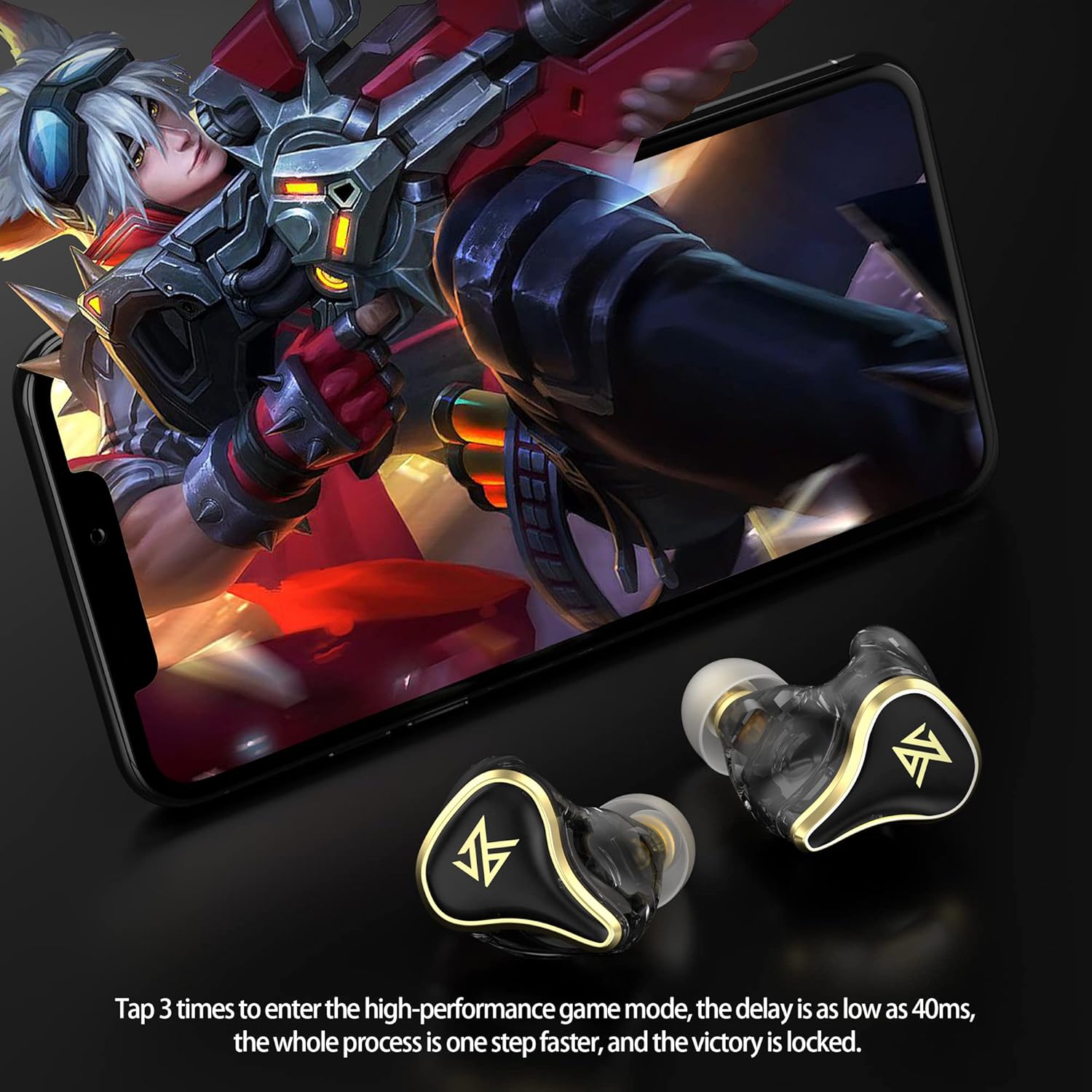
Image: A user engaged in mobile gaming while wearing the KZ SK10Pro earbuds, demonstrating the quick activation of high-performance gaming mode.
5 സ്പെസിഫിക്കേഷനുകൾ
| ഫീച്ചർ | സ്പെസിഫിക്കേഷൻ |
|---|---|
| ബ്രാൻഡ് | KZ |
| മോഡലിൻ്റെ പേര് | SK10Pro |
| ചെവി പ്ലേസ്മെൻ്റ് | ചെവിയിൽ |
| ഫോം ഫാക്ടർ | ചെവിയിൽ |
| ശബ്ദ നിയന്ത്രണം | ഒന്നുമില്ല |
| ബ്ലൂടൂത്ത് പതിപ്പ് | 5.2 |
| ബ്ലൂടൂത്ത് ചിപ്പ് | ക്വാൽകോം QCC3040 |
| ട്രാൻസ്മിഷൻ ദൂരം | 15 മീറ്റർ |
| പിന്തുണയ്ക്കുന്ന പ്രോട്ടോക്കോളുകൾ | APTX HD Audio, AAC, SBC |
| ഇയർഫോൺ ബാറ്ററി ശേഷി | 48mAh (ഓരോന്നും) |
| ചാർജിംഗ് കെയ്സ് ബാറ്ററി കപ്പാസിറ്റി | 400mAh |
| Earphone Battery Life (Single Play) | 6 മണിക്കൂർ |
| മൊത്തം ബാറ്ററി ലൈഫ് (ചാർജിംഗ് കെയ്സിനൊപ്പം) | 30 മണിക്കൂർ |
| ചാർജിംഗ് പോർട്ട് | ടൈപ്പ്-സി |
| നിയന്ത്രണ തരം | ടച്ച് നിയന്ത്രണം |
| ഓഡിയോ ഡ്രൈവർ തരം | Hybrid Driver (30019 BA + 10mm PET Dynamic) |
| ഫ്രീക്വൻസി റേഞ്ച് | 20Hz - 40,000Hz |
| ജല പ്രതിരോധ നില | വാട്ടർ റെസിസ്റ്റൻ്റ് അല്ല |
Note: The above data are KZ acoustical laboratory measurements, and actual use may vary slightly depending on the circumstances.
6. പ്രശ്നപരിഹാരം
If you encounter issues with your KZ SK10Pro earbuds, please refer to the following common solutions:
- ശബ്ദമില്ല/ശബ്ദ നിലവാരം മോശമാണ്:
- ഇയർബഡുകൾ ശരിയായി ജോടിയാക്കിയിട്ടുണ്ടെന്നും നിങ്ങളുടെ ഉപകരണവുമായി ബന്ധിപ്പിച്ചിട്ടുണ്ടെന്നും ഉറപ്പാക്കുക.
- നിങ്ങളുടെ ഉപകരണത്തിലെയും ഇയർബഡുകളിലെയും വോളിയം ലെവൽ പരിശോധിക്കുക.
- Make sure the earbuds are clean and free from debris.
- Try resetting the earbuds (refer to manufacturer's specific reset procedure if available, otherwise, unpair and re-pair).
- ഇയർബഡുകൾ ജോടിയാക്കുന്നില്ല:
- രണ്ട് ഇയർബഡുകളും ചാർജ്ജ് ചെയ്തിട്ടുണ്ടെന്ന് ഉറപ്പാക്കുക.
- നിങ്ങളുടെ ഉപകരണത്തിന്റെ Bluetooth ഓഫാക്കി ഓണാക്കുക.
- Delete "KZ SK10Pro" from your device's Bluetooth list and attempt to pair again.
- മറ്റ് ഉപകരണങ്ങളൊന്നും ഇയർബഡുകളുമായി സജീവമായി ബന്ധിപ്പിച്ചിട്ടില്ലെന്ന് ഉറപ്പാക്കുക.
- ചാർജിംഗ് പ്രശ്നങ്ങൾ:
- ചാർജിംഗ് കേബിളും പവർ അഡാപ്റ്ററും ശരിയായി പ്രവർത്തിക്കുന്നുണ്ടെന്ന് ഉറപ്പാക്കുക.
- ഇയർബഡുകളിലെയും കേസിനുള്ളിലെയും ചാർജിംഗ് കോൺടാക്റ്റുകൾ വൃത്തിയുള്ളതാണെന്ന് ഉറപ്പാക്കുക.
- Make sure the earbuds are seated correctly in the charging case.
- ടച്ച് നിയന്ത്രണങ്ങൾ പ്രതികരിക്കുന്നില്ല:
- ടച്ച് കൺട്രോളുകൾ ഉപയോഗിക്കുമ്പോൾ നിങ്ങളുടെ വിരലുകൾ വൃത്തിയുള്ളതും വരണ്ടതുമാണെന്ന് ഉറപ്പാക്കുക.
- Try restarting the earbuds by placing them in the case and closing it, then reopening.
7. പരിപാലനം
Proper maintenance will extend the lifespan of your earbuds:
- വൃത്തിയാക്കൽ: ഇയർബഡുകൾ, ഇയർടിപ്പുകൾ, ചാർജിംഗ് കോൺടാക്റ്റുകൾ എന്നിവ മൃദുവായതും ഉണങ്ങിയതും ലിന്റ് രഹിതവുമായ തുണി ഉപയോഗിച്ച് പതിവായി വൃത്തിയാക്കുക. കഠിനമായ രാസവസ്തുക്കളോ ഉരച്ചിലുകളോ ഉള്ള വസ്തുക്കൾ ഉപയോഗിക്കരുത്.
- സംഭരണം: ഉപയോഗത്തിലില്ലാത്തപ്പോൾ, പൊടിയിൽ നിന്നും കേടുപാടുകളിൽ നിന്നും സംരക്ഷിക്കാൻ ഇയർബഡുകൾ അവയുടെ ചാർജിംഗ് കേസിൽ സൂക്ഷിക്കുക.
- വെള്ളം ഒഴിവാക്കുക: The earbuds are not water-resistant. Avoid exposure to water, moisture, or excessive humidity.
- താപനില: ഇയർബഡുകൾ ഉയർന്ന താപനിലയിൽ (ചൂടോ തണുപ്പോ) തുറന്നുകാട്ടരുത്.
8. വാറൻ്റിയും പിന്തുണയും
For warranty information and customer support, please refer to the documentation provided with your purchase or visit the official KZ webസൈറ്റ്. വാറന്റി ക്ലെയിമുകൾക്കായി നിങ്ങളുടെ വാങ്ങലിന്റെ തെളിവ് സൂക്ഷിക്കുക.
9. ഉൽപ്പന്ന വീഡിയോ
Video: Official product video demonstrating the features and design of the KZ SK10Pro True Wireless Earbuds.