
ആമുഖം
Thank you for choosing the Edifier Hecate GT4 Gaming Earbuds. These true wireless earbuds are designed to provide a low-latency audio experience for gaming across multiple platforms, including PS5, PS4, Nintendo Switch, mobile phones, and PCs. Featuring Bluetooth 5.2 connectivity, an IP55 rating for dust and splash resistance, and customizable RGB lighting, the GT4 earbuds offer both performance and convenience. Please read this manual thoroughly to ensure proper use and optimal performance of your new earbuds.
പാക്കേജ് ഉള്ളടക്കം
താഴെ കൊടുത്തിരിക്കുന്ന എല്ലാ ഇനങ്ങളും നിങ്ങളുടെ പാക്കേജിൽ ഉണ്ടെന്ന് ഉറപ്പാക്കുക:
- Edifier Hecate GT4 Gaming Earbuds (Left and Right)
- ചാർജിംഗ് കേസ്
- USB-C ചാർജിംഗ് കേബിൾ
- ഒന്നിലധികം വലിപ്പത്തിലുള്ള ഇയർടിപ്പുകൾ (ചെറുത്, ഇടത്തരം, വലുത്)
- ഉപയോക്തൃ മാനുവൽ

Image: The Edifier Hecate GT4 earbuds, charging case, USB-C cable, and extra eartips are shown, representing the package contents.
സജ്ജമാക്കുക
1. ഇയർബഡുകളും കേസും ചാർജ് ചെയ്യുന്നു
Before first use, fully charge the earbuds and charging case. Place the earbuds into the charging case. Connect the USB-C charging cable to the charging port on the case and the other end to a USB power adapter (not included) or a computer's USB port. The indicator lights on the case will show charging status.
- ചാർജിംഗ് സമയം: ഫുൾ ചാർജിനായി ഏകദേശം 1.5 മണിക്കൂർ.
- ബാറ്ററി ലൈഫ്: Up to 7 hours of playback on a single charge, with an additional 21 hours provided by the charging case.
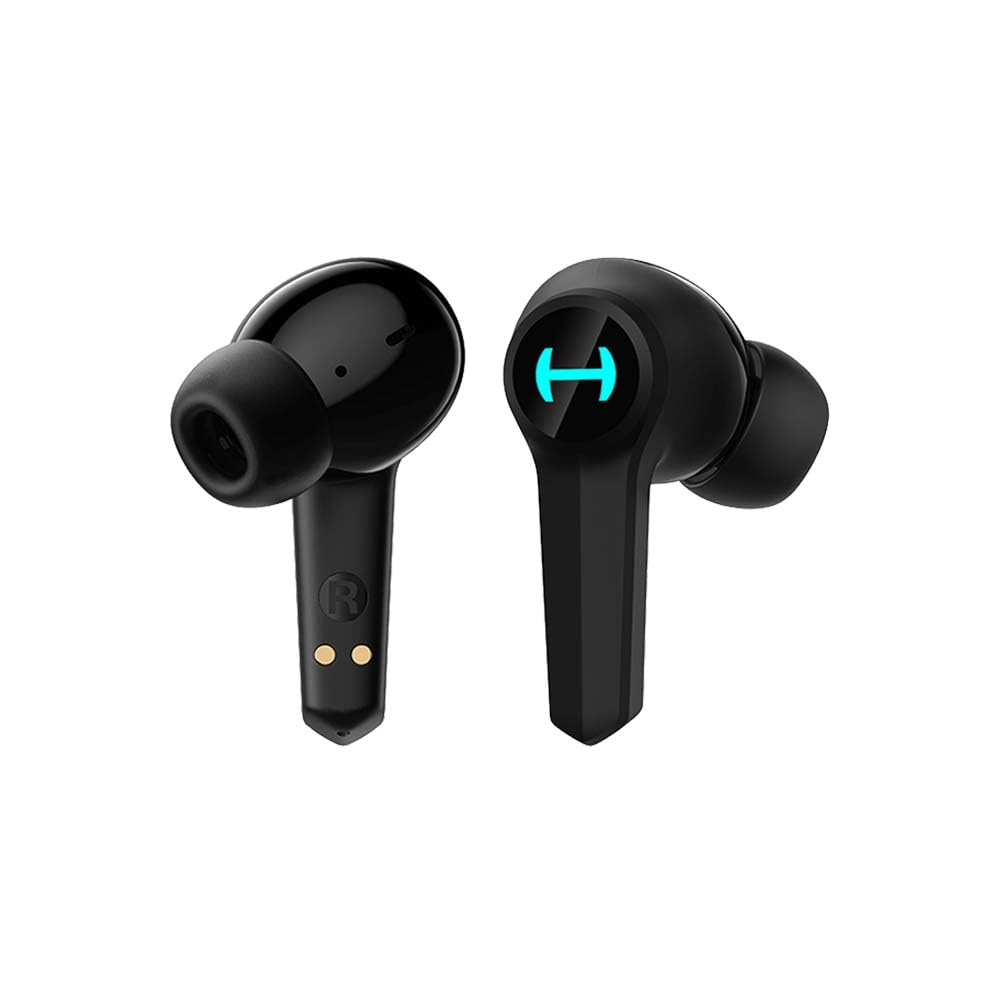
Image: The Edifier Hecate GT4 earbuds are shown inside their open charging case, with the case's RGB lights illuminated.
2. ബ്ലൂടൂത്ത് ജോടിയാക്കൽ
- ഇയർബഡുകൾ ചാർജ്ജ് ചെയ്തിട്ടുണ്ടെന്ന് ഉറപ്പാക്കുക.
- ചാർജിംഗ് കേസ് തുറക്കുക. ഇയർബഡുകൾ സ്വയമേവ ജോടിയാക്കൽ മോഡിലേക്ക് പ്രവേശിക്കും, ലൈറ്റുകൾ മിന്നുന്നത് ഇത് സൂചിപ്പിക്കുന്നു.
- On your device (phone, PC, console), enable Bluetooth and search for new devices.
- Select "EDIFIER HECATE GT4" from the list of available devices to connect.
- Once connected, the earbud lights will stop flashing or show a steady light.
സ്ഥിരവും കാര്യക്ഷമവുമായ കണക്ഷനായി ഇയർബഡുകൾ ബ്ലൂടൂത്ത് 5.2 പിന്തുണയ്ക്കുന്നു.
പ്രവർത്തന നിർദ്ദേശങ്ങൾ
1. പവർ ഓൺ/ഓഫ്
- പവർ ഓൺ: ചാർജിംഗ് കെയ്സ് തുറക്കുക, അല്ലെങ്കിൽ ഇയർബഡുകൾ കെയ്സിൽ നിന്ന് പുറത്തെടുക്കുക. അവ സ്വയമേവ പവർ ചെയ്യും.
- പവർ ഓഫ്: ഇയർബഡുകൾ ചാർജിംഗ് കെയ്സിലേക്ക് തിരികെ വയ്ക്കുക, ലിഡ് അടയ്ക്കുക. അവ സ്വയമേവ ഓഫാകും.
2. ടച്ച് നിയന്ത്രണങ്ങൾ
The Edifier Hecate GT4 earbuds feature touch-sensitive controls on each earbud. Refer to the diagram below for touch panel location.

Image: A finger is shown touching the outer surface of an earbud, indicating the smart touch control area.
| ആക്ഷൻ | ഇടത് ഇയർബഡ് (എൽ) | വലത് ഇയർബഡ് (R) |
|---|---|---|
| പ്ലേ/താൽക്കാലികമായി നിർത്തുക | രണ്ടുതവണ ടാപ്പ് ചെയ്യുക | രണ്ടുതവണ ടാപ്പ് ചെയ്യുക |
| അടുത്ത ട്രാക്ക് | ട്രിപ്പിൾ ടാപ്പ് | ട്രിപ്പിൾ ടാപ്പ് |
| ഉത്തരം / കോൾ അവസാനിപ്പിക്കുക | രണ്ടുതവണ ടാപ്പ് ചെയ്യുക | രണ്ടുതവണ ടാപ്പ് ചെയ്യുക |
| കോൾ നിരസിക്കുക | ദീർഘനേരം അമർത്തുക (2സെ) | ദീർഘനേരം അമർത്തുക (2സെ) |
| ഗെയിം മോഡ് സജീവമാക്കുക | ദീർഘനേരം അമർത്തുക (2സെ) | ദീർഘനേരം അമർത്തുക (2സെ) |
| Deactivate Game Mode | ദീർഘനേരം അമർത്തുക (2സെ) | ദീർഘനേരം അമർത്തുക (2സെ) |
കുറിപ്പ്: നിങ്ങളുടെ ബന്ധിപ്പിച്ച ഉപകരണത്തിൽ നേരിട്ട് വോളിയം നിയന്ത്രണം ക്രമീകരിക്കേണ്ടി വന്നേക്കാം.
3. Game Mode (45ms Low-Latency)
The Edifier Hecate GT4 features a dedicated Game Mode to reduce audio latency to as low as 45ms, providing a synchronized audio-visual experience crucial for gaming. To activate or deactivate Game Mode, long press either earbud for 2 seconds. You will hear an audio prompt indicating the mode change.

Image: An illustration depicting the low latency feature of the earbuds, highlighting the 45ms response time.
വീഡിയോ: ഒരു ഔദ്യോഗിക ഉൽപ്പന്ന വീഡിയോ പ്രദർശനംasing the features of the EDIFIER HECATE GT4 Gaming Earbuds, including low latency and ergonomic design.
4. ആർജിബി ലൈറ്റിംഗ്
The charging case and earbuds feature RGB lighting. The lighting indicates various statuses such as charging, pairing, and game mode activation. The specific patterns and colors are pre-set and provide visual feedback on the earbuds' operational status.

Image: The Edifier Hecate GT4 charging case is shown with its red RGB lighting illuminated, indicating its gaming aesthetic.
മെയിൻ്റനൻസ്
- വൃത്തിയാക്കൽ: Use a soft, dry cloth to clean the earbuds and charging case. Do not use liquid cleaners or abrasive materials.
- ജല പ്രതിരോധം: The earbuds have an IP55 rating, meaning they are protected against dust and low-pressure water jets. Avoid submerging them in water or exposing them to heavy rain. Dry them thoroughly if they get wet.
- സംഭരണം: ഉപയോഗത്തിലില്ലാത്തപ്പോൾ, ഇയർബഡുകൾ ചാർജിംഗ് കേസിൽ സൂക്ഷിക്കുക, അതുവഴി അവയെ സംരക്ഷിക്കുകയും ചാർജ്ജ് ആയി നിലനിർത്തുകയും ചെയ്യുക. ഉയർന്ന താപനിലയിൽ നിന്ന് മാറി തണുത്തതും വരണ്ടതുമായ സ്ഥലത്ത് സൂക്ഷിക്കുക.

Image: An Edifier Hecate GT4 earbud is shown with water splashing around it, illustrating its water-resistant feature.
ട്രബിൾഷൂട്ടിംഗ്
| പ്രശ്നം | സാധ്യമായ കാരണം | പരിഹാരം |
|---|---|---|
| ഇയർബഡുകൾ പവർ ഓൺ ആകുന്നില്ല. | കുറഞ്ഞ ബാറ്ററി. | Charge the earbuds and charging case fully. |
| ഉപകരണവുമായി ജോടിയാക്കാൻ കഴിയില്ല. | Bluetooth not enabled, earbuds not in pairing mode, or device too far. | Ensure Bluetooth is enabled on your device. Place earbuds in case, close, then open to re-enter pairing mode. Keep devices within 10 meters. |
| ശബ്ദമില്ല അല്ലെങ്കിൽ ഇടയ്ക്കിടെയുള്ള ശബ്ദമില്ല. | Earbuds not properly connected, low battery, or interference. | Check Bluetooth connection. Recharge earbuds. Move away from sources of interference (e.g., Wi-Fi routers). |
| ഒരു ഇയർബഡിൽ ശബ്ദമില്ല. | Individual earbud connection issue. | Place both earbuds back into the charging case, close the lid, then open it again to reset the connection. Re-pair if necessary. |
| Low latency mode not working. | Game Mode not activated. | Long press either earbud for 2 seconds to activate Game Mode. Listen for the audio prompt. |
| Cannot connect to PS4/PS5/Switch. | Console limitations or specific pairing requirements. | Some consoles may require a separate Bluetooth adapter for full compatibility or specific pairing steps. Refer to your console's manual for Bluetooth audio device connection instructions. |
സ്പെസിഫിക്കേഷനുകൾ
| ഫീച്ചർ | വിശദാംശങ്ങൾ |
|---|---|
| മോഡൽ നമ്പർ | GT4-BK |
| ബ്രാൻഡ് | എഡിഫയർ |
| കണക്റ്റിവിറ്റി ടെക്നോളജി | വയർലെസ് (ബ്ലൂടൂത്ത്) |
| ബ്ലൂടൂത്ത് പതിപ്പ് | 5.2 |
| ചെവി പ്ലേസ്മെൻ്റ് | ചെവിയിൽ |
| ഓഡിയോ ഡ്രൈവർ തരം | Dynamic Driver (10mm Composite Diaphragm Unit) |
| ഫ്രീക്വൻസി റേഞ്ച് | 20Hz-20kHz |
| കുറഞ്ഞ ലേറ്റൻസി | 45ms (ഗെയിം മോഡ്) |
| ബാറ്ററി ലൈഫ് (ഇയർബഡുകൾ) | 7 മണിക്കൂർ വരെ |
| മൊത്തം ബാറ്ററി ലൈഫ് (കേസിനൊപ്പം) | Up to 28 hours (7 + 21 hours) |
| ബാറ്ററി ചാർജ് സമയം | ഏകദേശം 1.5 മണിക്കൂർ |
| നിയന്ത്രണ രീതി | സ്പർശിക്കുക |
| ജല പ്രതിരോധ നില | IP55 (പൊടി, സ്പ്ലാഷ് പ്രതിരോധം) |
| അനുയോജ്യമായ ഉപകരണങ്ങൾ | PS5, PS4, Nintendo Switch, Phone (Android, iOS), PC |
| മെറ്റീരിയൽ | പ്ലാസ്റ്റിക് |
| ഇനത്തിൻ്റെ ഭാരം | 0.12 കിലോഗ്രാം |
വാറൻ്റിയും പിന്തുണയും
Edifier products are designed and manufactured to the highest quality standards. For information regarding warranty coverage, please refer to the warranty card included in your product packaging or visit the official Edifier website. If you encounter any issues or have questions about your Edifier Hecate GT4 Gaming Earbuds, please contact Edifier customer support through their official channels for assistance.
ഔദ്യോഗിക എഡിറ്റർ Webസൈറ്റ്: www.edifier.com