
ആമുഖം
This manual provides essential information for the safe and efficient operation of your Audiolab Omnia All-in-One Music System. Please read these instructions carefully before use and retain them for future reference. The Audiolab Omnia is designed to deliver high-fidelity audio performance from various sources, including CD, streaming, and external devices.
പ്രധാനപ്പെട്ട സുരക്ഷാ വിവരങ്ങൾ
- വൈദ്യുതി വിതരണം: Connect the unit only to an AC power source of the type marked on the rear panel. Ensure the power cord is securely plugged into the unit and the wall outlet.
- വെൻ്റിലേഷൻ: വെന്റിലേഷൻ തുറസ്സുകൾ തടയരുത്. അമിതമായി ചൂടാകുന്നത് തടയാൻ യൂണിറ്റിന് ചുറ്റും മതിയായ വായുസഞ്ചാരം ഉറപ്പാക്കുക.
- ജലവും ഈർപ്പവും: യൂണിറ്റിൽ മഴ, ഈർപ്പം, അമിതമായ ഈർപ്പം എന്നിവ ഏൽക്കരുത്. പാത്രങ്ങൾ പോലുള്ള ദ്രാവകങ്ങൾ നിറച്ച വസ്തുക്കൾ യൂണിറ്റിൽ വയ്ക്കരുത്.
- താപ സ്രോതസ്സുകൾ: റേഡിയേറ്ററുകൾ, ഹീറ്റ് രജിസ്റ്ററുകൾ, സ്റ്റൗകൾ അല്ലെങ്കിൽ താപം ഉൽപ്പാദിപ്പിക്കുന്ന മറ്റ് ഉപകരണങ്ങൾ പോലുള്ള താപ സ്രോതസ്സുകളിൽ നിന്ന് യൂണിറ്റ് അകറ്റി നിർത്തുക.
- സേവനം: ഈ ഉൽപ്പന്നം സ്വയം സേവിക്കാൻ ശ്രമിക്കരുത്. യോഗ്യതയുള്ള സേവന ഉദ്യോഗസ്ഥർക്ക് എല്ലാ സേവനങ്ങളും റഫർ ചെയ്യുക.
- വൃത്തിയാക്കൽ: Unplug the unit from the wall outlet before cleaning. Use a soft, dry cloth for cleaning. Do not use liquid cleaners or aerosol cleaners.
പാക്കേജ് ഉള്ളടക്കം
പാക്കേജിൽ എല്ലാ ഇനങ്ങളും ഉണ്ടെന്ന് ഉറപ്പാക്കുക:
- Audiolab Omnia All-in-One Music System
- പവർ കേബിൾ
- റിമോട്ട് കൺട്രോൾ
- Wi-Fi Antennas (x2)
- ഉപയോക്തൃ മാനുവൽ (ഈ പ്രമാണം)
സജ്ജമാക്കുക
1. പായ്ക്ക് ചെയ്യലും പ്ലേസ്മെന്റും
Carefully remove the Audiolab Omnia from its packaging. Place the unit on a stable, level surface with adequate ventilation. Avoid placing it near strong magnetic fields or direct sunlight.
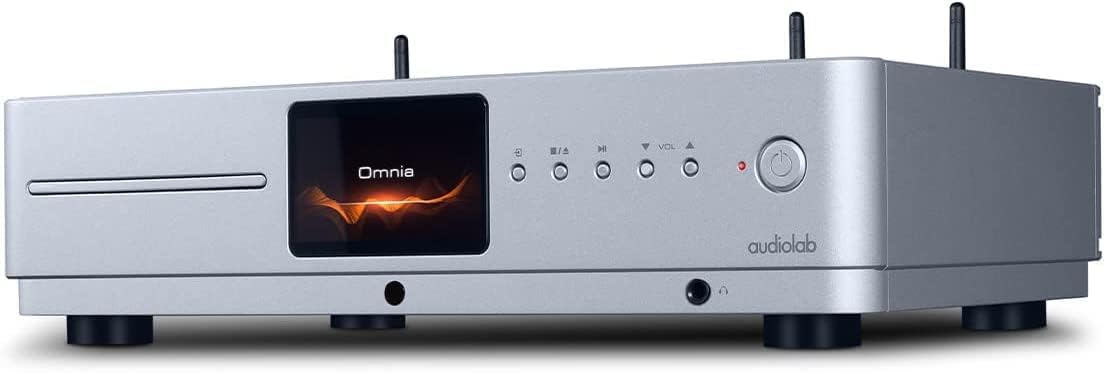
ഫ്രണ്ട് view of the Audiolab Omnia All-in-One Music System, showcasing its silver finish, central display, CD slot, and control buttons.
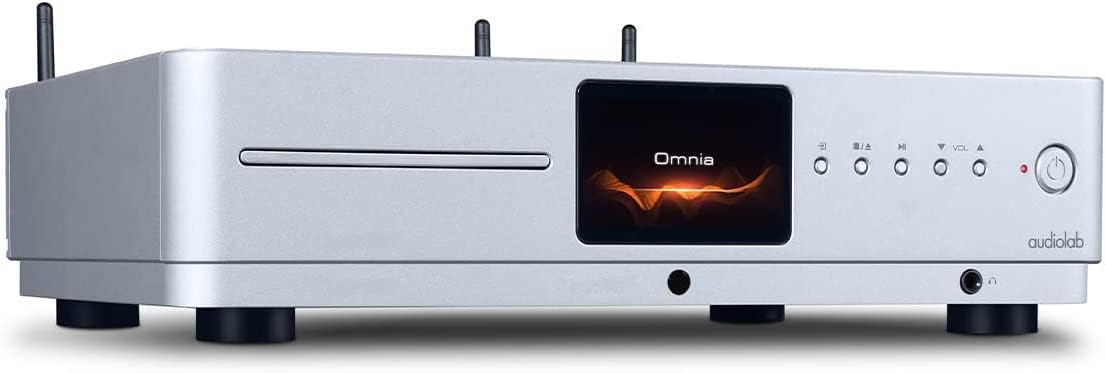
കോണാകൃതിയിലുള്ള മുൻഭാഗം view of the Audiolab Omnia, highlighting its sleek design and integrated display.
2. സ്പീക്കറുകൾ ബന്ധിപ്പിക്കുന്നു
Connect your passive speakers to the speaker terminals on the rear panel of the Omnia. Ensure correct polarity (+ to + and - to -) for optimal sound quality. Use high-quality speaker cables.

The rear panel of the Audiolab Omnia, displaying speaker terminals, digital and analog inputs, network ports, and power input.
3. നെറ്റ്വർക്ക് കണക്ഷൻ
For network streaming features, connect the supplied Wi-Fi antennas to the rear panel. Alternatively, connect an Ethernet cable from your router to the LAN port on the Omnia for a wired connection.
Detail of the rear panel, indicating the locations for Wi-Fi antenna attachment and the Ethernet port for network connectivity.
4. പവർ കണക്ഷൻ
Connect the power cable to the AC inlet on the rear panel and then to a suitable wall outlet. Ensure the power switch is in the OFF position before connecting.
പ്രവർത്തന നിർദ്ദേശങ്ങൾ
1. പവർ ഓൺ/ഓഫ്
Press the power button on the front panel or the remote control to turn the unit on or off. The display will illuminate upon power-on.
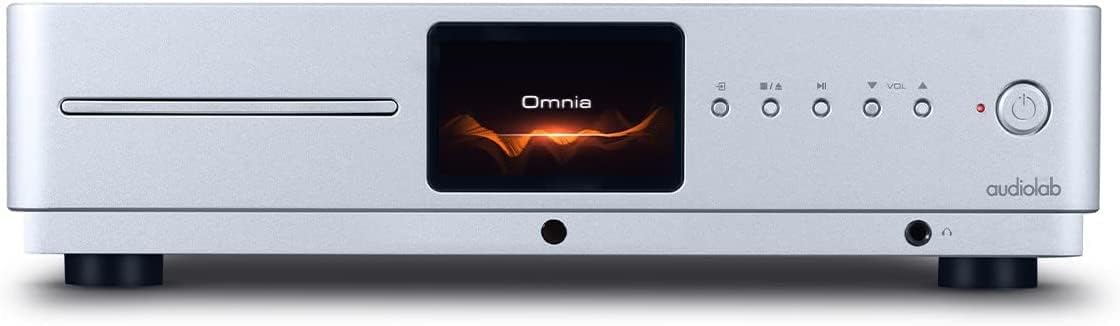
Front panel of the Omnia, showing the power button on the right and the central display.
2. ഉറവിടം തിരഞ്ഞെടുക്കൽ
Use the 'Input' button on the front panel or the remote control to cycle through available input sources (e.g., CD, Optical, Coaxial, USB, Network, Bluetooth, Analog).
3. സിഡി പ്ലേബാക്ക്
Insert a CD into the slot on the front panel. The unit will automatically detect the CD and begin playback. Use the play/pause, stop, and track skip buttons on the front panel or remote control.
The CD slot on the front left of the Audiolab Omnia, ready for disc insertion.
4. Network Streaming
Once connected to your network, use the dedicated Audiolab app (available for iOS and Android) to control streaming services, internet radio, and local network music files. Follow the in-app instructions for setup and control.
5. ബ്ലൂടൂത്ത് കണക്റ്റിവിറ്റി
Select Bluetooth as the input source. On your mobile device, search for "Audiolab Omnia" in the Bluetooth settings and pair. The unit supports aptX Bluetooth for high-quality wireless audio.
മെയിൻ്റനൻസ്
- വൃത്തിയാക്കൽ: Use a soft, dry, lint-free cloth to clean the unit's exterior. Do not use abrasive cleaners, waxes, or solvents.
- വെൻ്റിലേഷൻ: Regularly check that the ventilation openings are clear of dust and debris to ensure proper airflow.
- സിഡി ട്രേ: Keep the CD slot clean and free from foreign objects.
ട്രബിൾഷൂട്ടിംഗ്
| പ്രശ്നം | സാധ്യമായ കാരണം | പരിഹാരം |
|---|---|---|
| ശക്തിയില്ല | Power cable not connected; Power switch off; Wall outlet faulty. | Ensure power cable is securely connected; Turn power switch on; Test wall outlet with another device. |
| ശബ്ദ ഔട്ട്പുട്ട് ഇല്ല | Speakers not connected; Incorrect input source selected; Volume too low; Mute activated. | Check speaker connections; Select correct input source; Increase volume; Deactivate mute. |
| സിഡി പ്ലേ ചെയ്യുന്നില്ല | CD inserted incorrectly; CD dirty or scratched; Incorrect source selected. | Re-insert CD correctly; Clean or replace CD; Select CD input source. |
| നെറ്റ്വർക്ക് കണക്ഷൻ പ്രശ്നങ്ങൾ | Wi-Fi antennas not connected; Router issues; Incorrect network settings. | Ensure antennas are connected; Restart router; Check network settings via the app. |
സ്പെസിഫിക്കേഷനുകൾ
- മോഡൽ: ഒമ്നിയ
- ബ്രാൻഡ്: ഓഡിയോലാബ്
- കണക്റ്റിവിറ്റി ടെക്നോളജി: വൈ-ഫൈ, ബ്ലൂടൂത്ത്, ഇഥർനെറ്റ്
- നിറം: വെള്ളി
- സ്പീക്കർ തരം: Stereo (Integrated Ampജീവപര്യന്തം)
- ഊർജ്ജ സ്രോതസ്സ്: കോർഡഡ് ഇലക്ട്രിക്
- ഇനത്തിൻ്റെ ഭാരം: 26.1 പൗണ്ട് (ഏകദേശം 11.84 കിലോഗ്രാം)
- പാക്കേജ് അളവുകൾ: 21 x 16.7 x 8.3 ഇഞ്ച് (ഏകദേശം 53.34 x 42.42 x 21.08 സെ.മീ)
- ആദ്യം ലഭ്യമായ തീയതി: ഒക്ടോബർ 21, 2021
വാറൻ്റി വിവരങ്ങൾ
Audiolab products are manufactured to the highest standards and undergo rigorous quality control. This product is covered by a limited warranty against manufacturing defects. The specific terms and duration of the warranty may vary by region. Please retain your proof of purchase for warranty claims. For detailed warranty information, please refer to the warranty card included with your product or visit the official Audiolab webസൈറ്റ്.
ഉപഭോക്തൃ പിന്തുണ
If you encounter any issues not covered in the troubleshooting section or require further assistance, please contact Audiolab customer support. You can find contact details on the official Audiolab website or through your local dealer. Please have your product model and serial number ready when contacting support.
ഓൺലൈൻ ഉറവിടങ്ങൾ: സന്ദർശിക്കുക www.audiolab.co.uk for product registration, FAQs, and additional support materials.