
ആമുഖം
This manual provides instructions for the Flutesan Portable Bluetooth Item Finder. Please read this manual carefully before using the device to ensure proper operation and to maximize its functionality. This device utilizes Bluetooth technology for proximity tracking, not satellite-based GPS.
ഉൽപ്പന്നം കഴിഞ്ഞുview
The Flutesan Portable Bluetooth Item Finder is a compact device designed to help locate misplaced items such as keys, wallets, pets, and luggage. It connects to your smartphone via Bluetooth, allowing you to track items within a certain range and trigger an alarm.
പ്രധാന സവിശേഷതകൾ:
- ബ്ലൂടൂത്ത് കണക്റ്റിവിറ്റി: Connects wirelessly to your smartphone for proximity tracking.
- കോംപാക്റ്റ് ഡിസൈൻ: Small size (approximately 1.5 x 1.5 x 0.3 inches) with an integrated keychain loop for easy attachment.
- അലാറം പ്രവർത്തനം: Triggers an audible alarm on the device to help locate items.
- റിമോട്ട് ക്യാമറ ഷട്ടർ: Can function as a remote button for your smartphone camera.

Image: A collection of eight Flutesan Bluetooth item finders, black in color, with one attached to a gold keychain. These devices are designed to be compact and easily attachable to various items.
പാക്കേജ് ഉള്ളടക്കം
- Flutesan Portable Bluetooth Item Finder (8 units)
- ഉപയോക്തൃ മാനുവൽ (ഈ പ്രമാണം)
സ്പെസിഫിക്കേഷനുകൾ
| ഫീച്ചർ | വിശദാംശങ്ങൾ |
|---|---|
| അളവുകൾ | ഏകദേശം 1.5 x 1.5 x 0.3 ഇഞ്ച് (3.8 x 3.8 x 0.76 സെ.മീ) |
| ഭാരം | Approximately 2.89 ounces (82 grams) per unit |
| കണക്റ്റിവിറ്റി | ബ്ലൂടൂത്ത് |
| അനുയോജ്യമായ ഉപകരണങ്ങൾ | സ്മാർട്ട്ഫോണുകൾ (iOS, Android) |
| മെറ്റീരിയൽ | റബ്ബർ |
| പവർ ഉറവിടം | Button Cell Battery (CR2032, not included) |

Image: A diagram illustrating the dimensions of the item finder (5.2 cm length, 3.1 cm width, 1.1 cm thickness) and a visual guide on how to open the case to replace the CR2032 battery.
സജ്ജീകരണ നിർദ്ദേശങ്ങൾ
- ബാറ്ററി ഇൻസ്റ്റാൾ ചെയ്യുക: Open the device casing (refer to the diagram in the Specifications section) and insert a CR2032 button cell battery. Ensure correct polarity. Close the casinഗ്രാം സുരക്ഷിതമായി.
- ആപ്പ് ഡൗൺലോഡ് ചെയ്യുക: ഇതിനായി തിരയുക the recommended companion application on your smartphone's app store (e.g., "iSearching" or similar, as implied by common Bluetooth trackers). Follow the on-screen instructions to download and install the app.
- ബ്ലൂടൂത്ത് പ്രവർത്തനക്ഷമമാക്കുക: നിങ്ങളുടെ സ്മാർട്ട്ഫോണിൽ ബ്ലൂടൂത്ത് പ്രവർത്തനക്ഷമമാക്കിയിട്ടുണ്ടെന്ന് ഉറപ്പാക്കുക.
- ഉപകരണം ജോടിയാക്കുക: Open the installed app. Follow the in-app instructions to add a new device. Typically, you will need to press and hold the button on the item finder until it beeps or a light flashes, indicating it's in pairing mode. Select the device from the list in the app to complete pairing.
- ക്രമീകരണങ്ങൾ ഇഷ്ടാനുസൃതമാക്കുക: Within the app, you can rename your device (e.g., "Keys," "Wallet," "Pet Collar") and adjust alert settings.

Image: A visual guide showing the six main steps for using the item finder: downloading the app, ensuring Bluetooth compatibility, binding the device, clicking the alarm in the app, the device beeping, and finally locating the item.
പ്രവർത്തന നിർദ്ദേശങ്ങൾ
Locating an Item:
- Ensure your smartphone's Bluetooth is active and the item finder is within range.
- നിങ്ങളുടെ സ്മാർട്ട്ഫോണിൽ കമ്പാനിയൻ ആപ്പ് തുറക്കുക.
- Select the desired item finder from your list of paired devices.
- Tap the "Alarm" or "Find" button within the app. The item finder will emit an audible beep, helping you pinpoint its location.
- To stop the alarm, tap the "Stop" button in the app or press the button on the item finder.
Anti-Loss Alert:
The app can be configured to alert you if the item finder moves out of Bluetooth range from your smartphone. This feature helps prevent items from being left behind.
- Enable the "Anti-Loss" or "Disconnection Alert" feature in the app settings for each device.
- If the connection is lost, both your phone and the item finder may emit an alert.

Image: A small dog with a Flutesan item finder attached to its collar, demonstrating a common use case for pet tracking. The device is discreetly placed on the collar.
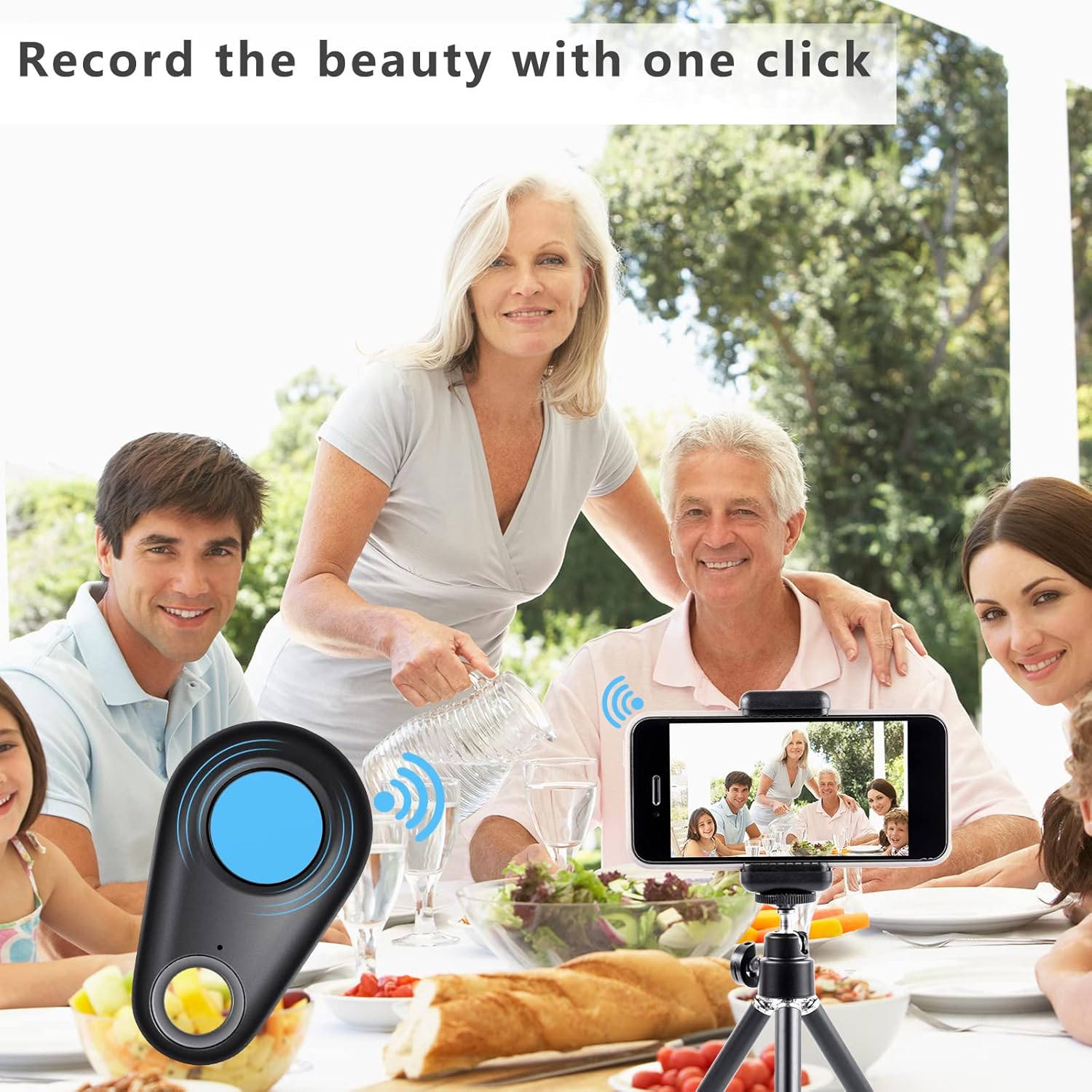
Image: A collage showing multiple applications of the item finder: placed inside a wallet, attached to a set of keys, hanging from a handbag, and positioned near a camera, illustrating its versatility.
റിമോട്ട് ക്യാമറ ഫംഗ്ഷൻ
The item finder can also serve as a remote shutter button for your smartphone's camera.
- നിങ്ങളുടെ സ്മാർട്ട്ഫോണിന്റെ ക്യാമറ ആപ്പ് തുറക്കുക.
- Ensure the item finder is connected via Bluetooth.
- Press the button on the item finder. This will trigger your phone's camera to take a photo.
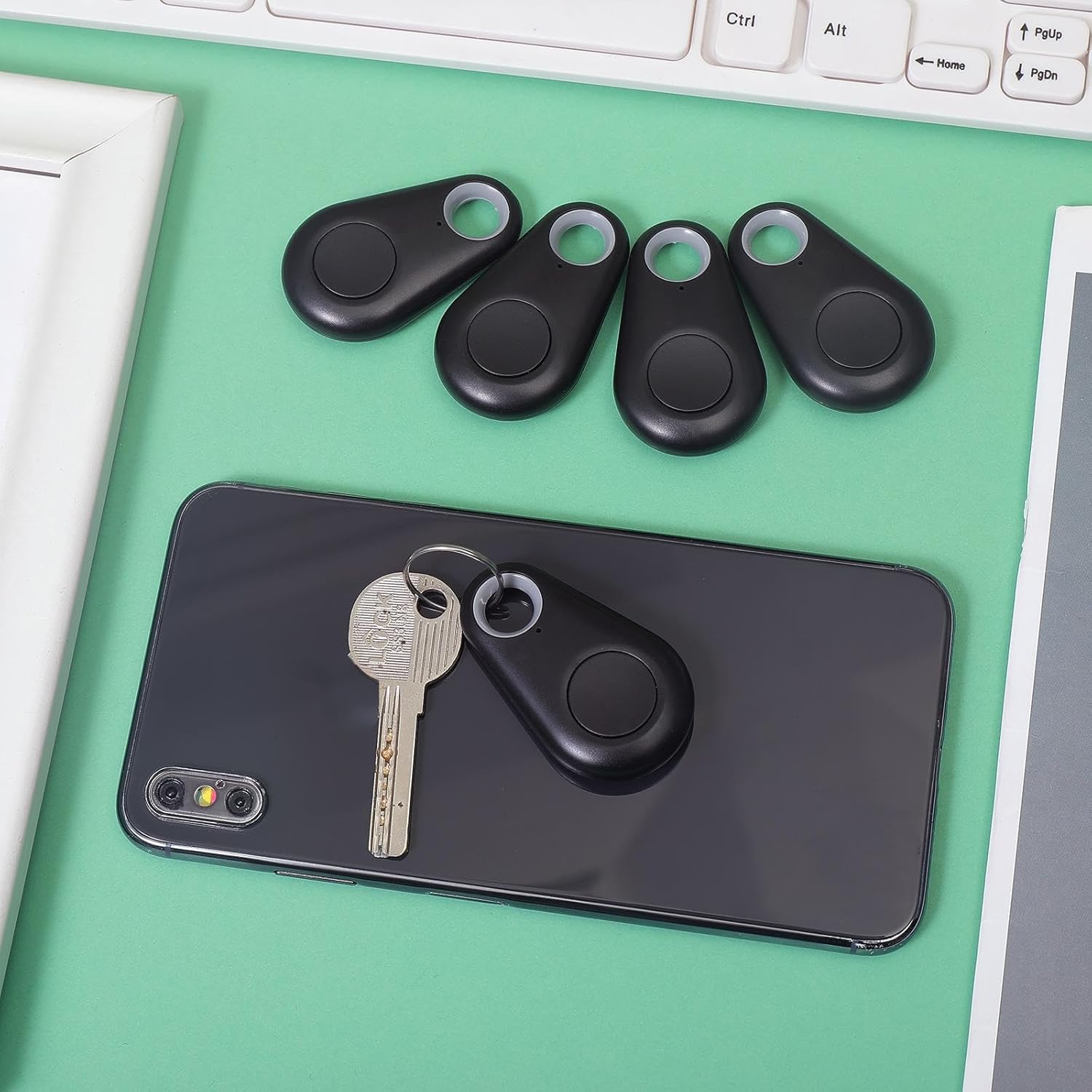
Image: A family enjoying a meal, with a smartphone set up on a tripod, capturing a group photo using the item finder as a remote shutter, highlighting its convenience for selfies and group shots.
മെയിൻ്റനൻസ്
ബാറ്ററി മാറ്റിസ്ഥാപിക്കൽ:
The device uses a CR2032 button cell battery. When the alarm sound becomes weak or the device fails to connect, it's time to replace the battery.
- ഉപകരണം ശ്രദ്ധാപൂർവ്വം തുറക്കുക casing. Refer to the diagram in the Specifications section for guidance.
- പഴയ CR2032 ബാറ്ററി നീക്കം ചെയ്യുക.
- Insert a new CR2032 battery, ensuring the positive (+) side faces up.
- സി അടയ്ക്കുകasinഗ്രാം സുരക്ഷിതമായി.
വൃത്തിയാക്കൽ:
മൃദുവായതും ഉണങ്ങിയതുമായ തുണി ഉപയോഗിച്ച് ഉപകരണം തുടയ്ക്കുക. കഠിനമായ രാസവസ്തുക്കളോ ഉരച്ചിലുകളുള്ള ക്ലീനറുകളോ ഉപയോഗിക്കുന്നത് ഒഴിവാക്കുക.
സംഭരണം:
ഉപയോഗത്തിലില്ലാത്തപ്പോൾ ഉപകരണം തണുത്തതും വരണ്ടതുമായ സ്ഥലത്ത് സൂക്ഷിക്കുക. ചോർച്ച തടയാൻ ദീർഘനേരം സൂക്ഷിച്ചാൽ ബാറ്ററികൾ നീക്കം ചെയ്യുക.
ട്രബിൾഷൂട്ടിംഗ്
- Device not connecting to smartphone:
- നിങ്ങളുടെ സ്മാർട്ട്ഫോണിൽ ബ്ലൂടൂത്ത് പ്രവർത്തനക്ഷമമാക്കിയിട്ടുണ്ടെന്ന് ഉറപ്പാക്കുക.
- Make sure the item finder has a fresh battery and is powered on.
- Bring the item finder closer to your smartphone.
- ആപ്പ് പുനരാരംഭിച്ച് വീണ്ടും ജോടിയാക്കാൻ ശ്രമിക്കുക.
- If issues persist, try restarting your smartphone.
- അലാറം വളരെ നിശബ്ദമാണ് അല്ലെങ്കിൽ ശബ്ദിക്കുന്നില്ല:
- Replace the battery in the item finder.
- Check the volume settings within the companion app.
- Device frequently disconnects:
- Ensure the device is within the effective Bluetooth range (typically up to 75 feet/23 meters in open areas, less indoors).
- Minimize obstructions between the device and your smartphone.
- മറ്റ് വയർലെസ് ഉപകരണങ്ങളിൽ നിന്നുള്ള ഇടപെടൽ പരിശോധിക്കുക.
- Ensure your smartphone's operating system and the companion app are up to date.
- Remote camera function not working:
- Ensure the item finder is connected via Bluetooth.
- Some camera apps may not fully support external Bluetooth shutters. Try using your phone's default camera app.
വാറൻ്റിയും പിന്തുണയും
For warranty information or technical support, please refer to the contact details provided with your purchase or visit the official Flutesan webസൈറ്റ്. വാറന്റി ക്ലെയിമുകൾക്കായി നിങ്ങളുടെ വാങ്ങലിന്റെ തെളിവ് സൂക്ഷിക്കുക.