
1. ആമുഖം
Thank you for choosing the Trisa T0070 Cordless Handheld Vacuum Cleaner. This manual provides essential information for the safe and efficient use, maintenance, and troubleshooting of your new appliance. Please read these instructions carefully before first use and keep them for future reference.
2. സുരക്ഷാ നിർദ്ദേശങ്ങൾ
തീ, വൈദ്യുതാഘാതം അല്ലെങ്കിൽ പരിക്കുകൾ എന്നിവ കുറയ്ക്കുന്നതിന് വൈദ്യുത ഉപകരണങ്ങൾ ഉപയോഗിക്കുമ്പോൾ എല്ലായ്പ്പോഴും അടിസ്ഥാന സുരക്ഷാ മുൻകരുതലുകൾ പാലിക്കുക.
- ഉപകരണം ഉപയോഗിക്കുന്നതിന് മുമ്പ് എല്ലാ നിർദ്ദേശങ്ങളും വായിക്കുക.
- പുറത്തോ നനഞ്ഞ പ്രതലങ്ങളിലോ വാക്വം ക്ലീനർ ഉപയോഗിക്കരുത്.
- കുട്ടികളെ വാക്വം ക്ലീനർ പ്രവർത്തിപ്പിക്കാൻ അനുവദിക്കരുത്. കുട്ടികളുടെ അടുത്ത് ഉപയോഗിക്കുമ്പോൾ അടുത്ത മേൽനോട്ടം ആവശ്യമാണ്.
- ഗ്യാസോലിൻ പോലുള്ള കത്തുന്നതോ കത്തുന്നതോ ആയ ദ്രാവകങ്ങൾ എടുക്കരുത്, അല്ലെങ്കിൽ അവ ഉള്ള സ്ഥലങ്ങളിൽ ഉപയോഗിക്കരുത്.
- കത്തുന്നതോ പുകവലിക്കുന്നതോ ആയ സിഗരറ്റ്, തീപ്പെട്ടി, ചൂടുള്ള ചാരം എന്നിവയൊന്നും എടുക്കരുത്.
- ഡസ്റ്റ് കപ്പും ഫിൽട്ടറും ഇല്ലാതെ ഉപയോഗിക്കരുത്.
- Turn off the appliance before connecting or disconnecting the charger.
- നിർമ്മാതാവ് നൽകുന്ന ചാർജർ മാത്രം ഉപയോഗിക്കുക.
- നനഞ്ഞ കൈകളാൽ ചാർജറോ ഉപകരണമോ കൈകാര്യം ചെയ്യരുത്.
- ഉപകരണം വീടിനുള്ളിൽ തണുത്തതും വരണ്ടതുമായ സ്ഥലത്ത് സൂക്ഷിക്കുക.
3. പാക്കേജ് ഉള്ളടക്കം
Carefully unpack your Trisa T0070 and check that all items are present and in good condition.
- Trisa T0070 Cordless Handheld Vacuum Cleaner
- ചാർജിംഗ് കേബിൾ (1.8 മീറ്റർ)
- വിള്ളൽ ഉപകരണം
- ബ്രഷ് നോസൽ
- വാൾ മൗണ്ട് ബ്രാക്കറ്റ്
- ഉപയോക്തൃ മാനുവൽ

Image: The Trisa T0070 vacuum cleaner shown with its included crevice tool and brush nozzle attachments, ready for various cleaning tasks.
4. ഉൽപ്പന്നം കഴിഞ്ഞുview
Familiarize yourself with the main components of your Trisa T0070 vacuum cleaner.
- പവർ ബട്ടൺ: Activates and deactivates the vacuum, and switches between power levels.
- പൊടി കണ്ടെയ്നർ: പൊടിയും അവശിഷ്ടങ്ങളും ശേഖരിക്കുന്നതിനുള്ള സുതാര്യമായ പാത്രം.
- HEPA ഫിൽട്ടർ: Located inside the dust container, filters fine particles.
- ചാർജിംഗ് പോർട്ട്: ചാർജിംഗ് കേബിൾ ബന്ധിപ്പിക്കുന്നതിന്.
- നോസൽ റിലീസ് ബട്ടൺ: To detach the dust container or attachments.

ചിത്രം: ഒരു ക്ലോസ്-അപ്പ് view of the Trisa T0070 cordless handheld vacuum cleaner, highlighting its sleek white and black design and the prominent power button.
5. സജ്ജീകരണം
5.1 ബാറ്ററി ചാർജ് ചെയ്യുന്നു
Before first use, fully charge the vacuum cleaner's battery. The integrated Lithium-Ion battery requires approximately 4 hours for a full charge.
- വാക്വം ക്ലീനറിലെ ചാർജിംഗ് പോർട്ടിലേക്ക് ചാർജിംഗ് കേബിൾ ബന്ധിപ്പിക്കുക.
- ചാർജിംഗ് കേബിളിന്റെ മറ്റേ അറ്റം അനുയോജ്യമായ ഒരു പവർ ഔട്ട്ലെറ്റിലേക്ക് പ്ലഗ് ചെയ്യുക.
- The charging indicator light will illuminate (refer to product for specific light behavior).
- പൂർണ്ണമായി ചാർജ് ചെയ്തുകഴിഞ്ഞാൽ, ചാർജർ വിച്ഛേദിക്കുക.
5.2. ആക്സസറികൾ ഘടിപ്പിക്കൽ
The Trisa T0070 comes with various attachments for different cleaning needs.
- To attach a nozzle (crevice tool or brush nozzle), align it with the vacuum's suction opening and push firmly until it clicks into place.
- To remove, press the nozzle release button and pull the attachment off.
5.3. വാൾ മൗണ്ടിംഗ് (ഓപ്ഷണൽ)
The vacuum cleaner can be conveniently stored using the included wall mount bracket.
- Choose a suitable location on a wall, ensuring it is near a power outlet for easy charging.
- വാൾ മൌണ്ട് ബ്രാക്കറ്റിനുള്ള ഡ്രില്ലിംഗ് പോയിന്റുകൾ അടയാളപ്പെടുത്തുക.
- ദ്വാരങ്ങൾ തുരന്ന് വാൾ പ്ലഗുകൾ തിരുകുക (ആവശ്യമെങ്കിൽ).
- സ്ക്രൂകൾ ഉപയോഗിച്ച് വാൾ മൌണ്ട് ബ്രാക്കറ്റ് ഭിത്തിയിൽ ഉറപ്പിക്കുക.
- Hang the vacuum cleaner on the bracket for storage and charging.
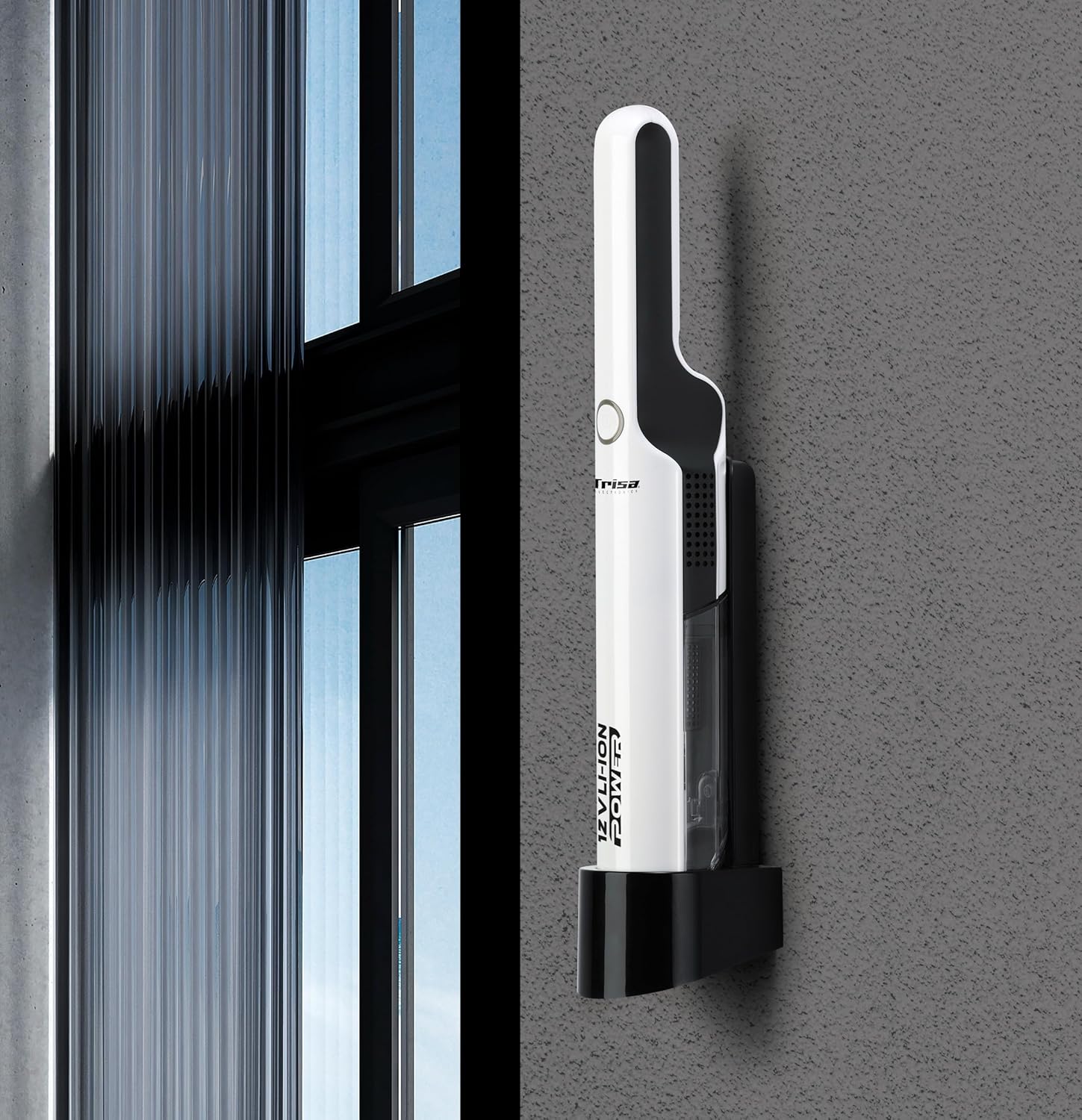
Image: The Trisa T0070 vacuum cleaner securely placed on its wall-mounted charging and storage bracket, demonstrating its compact storage solution.
6. പ്രവർത്തന നിർദ്ദേശങ്ങൾ
6.1. പവർ ഓൺ/ഓഫ്, സക്ഷൻ ലെവലുകൾ
The Trisa T0070 features two power levels for versatile cleaning.
- Press the power button once to turn on the vacuum cleaner at the standard suction level.
- Press the power button a second time to switch to the higher suction level.
- വാക്വം ക്ലീനർ ഓഫാക്കാൻ പവർ ബട്ടൺ മൂന്നാം തവണയും അമർത്തുക.
6.2. പൊതുവായ ഉപയോഗം
This handheld vacuum is ideal for quick clean-ups and hard-to-reach areas, such as upholstery and car interiors.
- Select the appropriate attachment for the surface you are cleaning.
- Move the vacuum nozzle slowly over the surface to effectively pick up dust and debris.
- For stubborn dirt, use the higher suction level.
- The maximum run time on a full charge is approximately 30 minutes, depending on the power level used.

Image: A hand demonstrates using the Trisa T0070 handheld vacuum cleaner to efficiently clean small crumbs from a wooden table surface.
7. പരിപാലനം
പതിവ് അറ്റകുറ്റപ്പണികൾ മികച്ച പ്രകടനം ഉറപ്പാക്കുകയും നിങ്ങളുടെ വാക്വം ക്ലീനറിന്റെ ആയുസ്സ് വർദ്ധിപ്പിക്കുകയും ചെയ്യുന്നു.
7.1. പൊടി പാത്രം ശൂന്യമാക്കൽ
Empty the dust container regularly, especially when it reaches its maximum capacity of 0.22 L, to maintain strong suction.
- വാക്വം ക്ലീനർ ഓഫ് ചെയ്തിട്ടുണ്ടെന്ന് ഉറപ്പാക്കുക.
- Locate the dust container release button (usually near the nozzle).
- Press the release button and detach the dust container from the main unit.
- Hold the dust container over a waste bin and open its lid or flap to empty the contents.
- Close the dust container and reattach it to the vacuum cleaner, ensuring it clicks securely into place.

Image: A hand demonstrates the process of emptying the transparent dust container of the Trisa T0070 vacuum cleaner directly into a trash receptacle.
7.2. HEPA ഫിൽട്ടർ വൃത്തിയാക്കൽ
The HEPA filter should be cleaned periodically to prevent clogging and maintain suction efficiency.
- After emptying the dust container, remove the HEPA filter.
- Tap the filter gently over a waste bin to dislodge dust and debris.
- If heavily soiled, the filter can be rinsed under cold running water. Ensure it is completely dry before reinserting it into the vacuum cleaner. Do not use detergents or hot water.
- Reinsert the dry HEPA filter into the dust container, then reattach the dust container to the vacuum.
7.3 ജനറൽ ക്ലീനിംഗ്
വാക്വം ക്ലീനറിന്റെ പുറംഭാഗം മൃദുവായ, ഡി ക്ലീനർ ഉപയോഗിച്ച് തുടയ്ക്കുക.amp തുണി. ഉരച്ചിലുകളുള്ള ക്ലീനറുകളോ ലായകങ്ങളോ ഉപയോഗിക്കരുത്.
8. പ്രശ്നപരിഹാരം
If you encounter issues with your Trisa T0070, refer to the following table for common problems and solutions.
| പ്രശ്നം | സാധ്യമായ കാരണം | പരിഹാരം |
|---|---|---|
| വാക്വം ഓണാക്കുന്നില്ല | ബാറ്ററി ഡിസ്ചാർജ് ചെയ്തു പവർ ബട്ടൺ ശരിയായി അമർത്തിയില്ല | ബാറ്ററി പൂർണ്ണമായും ചാർജ് ചെയ്യുക പവർ ബട്ടൺ ശക്തമായി അമർത്തുക |
| കുറഞ്ഞ സക്ഷൻ പവർ | പൊടി കണ്ടെയ്നർ നിറഞ്ഞിരിക്കുന്നു ഫിൽട്ടർ അടഞ്ഞുപോയി നോസൽ തടഞ്ഞിരിക്കുന്നു | പൊടി കണ്ടെയ്നർ ശൂന്യമാക്കുക HEPA ഫിൽട്ടർ വൃത്തിയാക്കുകയോ മാറ്റിസ്ഥാപിക്കുകയോ ചെയ്യുക Remove any obstructions from the nozzle |
| ബാറ്ററി ചാർജ് ചെയ്യുന്നില്ല | ചാർജർ ശരിയായി ബന്ധിപ്പിച്ചിട്ടില്ല പവർ ഔട്ട്ലെറ്റ് പ്രവർത്തിക്കുന്നില്ല തെറ്റായ ചാർജർ അല്ലെങ്കിൽ ബാറ്ററി | Ensure charger is securely connected Test the outlet with another appliance പ്രശ്നം നിലനിൽക്കുകയാണെങ്കിൽ ഉപഭോക്തൃ പിന്തുണയുമായി ബന്ധപ്പെടുക. |
| അസാധാരണമായ ശബ്ദം | Obstruction in the nozzle or hose ഫിൽട്ടർ തെറ്റായി ഇൻസ്റ്റാൾ ചെയ്തു | എന്തെങ്കിലും തടസ്സങ്ങൾ പരിശോധിച്ച് നീക്കം ചെയ്യുക Ensure filter is correctly seated |
9 സ്പെസിഫിക്കേഷനുകൾ
Detailed technical specifications for the Trisa T0070 Cordless Handheld Vacuum Cleaner.
| ഫീച്ചർ | സ്പെസിഫിക്കേഷൻ |
|---|---|
| മോഡൽ നമ്പർ | T0070 (9500701) |
| ക്ലീനിംഗ് തരം | ഉണക്കുക |
| എയർ ഫിൽട്ടർ തരം | HEPA |
| ശബ്ദ നില | 84 ഡി.ബി |
| Dust Container Type | ബാഗില്ലാത്തത് |
| പൊടി കപ്പാസിറ്റി | 0.22 എൽ |
| ഉൽപ്പന്ന നിറം | വെള്ള |
| പവർ ഉറവിടം | Battery (Cordless) |
| ബാറ്ററി സാങ്കേതികവിദ്യ | ലിഥിയം-അയൺ (ലി-അയൺ) |
| ബാറ്ററി വോളിയംtage | 12 V (11.1 Volts) |
| ബാറ്ററി ശേഷി | 2 ആഹ് |
| ബാറ്ററി തരം | സംയോജിപ്പിച്ചത് |
| പരമാവധി പവർ | 75 W |
| പവർ ലെവലുകളുടെ എണ്ണം | 2 |
| റൺ ടൈം | 30 മിനിറ്റ് വരെ |
| ചാർജ്ജ് സമയം | 4 മണിക്കൂർ |
| ചാർജിംഗ് കേബിൾ നീളം | 1.8 മീ |
| ഭാരം | 1.6 കി.ഗ്രാം |
| അളവുകൾ (L x W x H) | 15 x 8 x 17 സെ.മീ |
| പ്രത്യേക സവിശേഷതകൾ | Compact, Low noise, Wall mountable |
| ശുപാർശ ചെയ്യുന്ന ഉപയോഗങ്ങൾ | Upholstery, Car interior |
10. വാറൻ്റി വിവരങ്ങൾ
Trisa products are manufactured to high-quality standards. For specific warranty terms and conditions, please refer to the warranty card included with your purchase or visit the official Trisa webസൈറ്റ്. ഏതെങ്കിലും വാറന്റി ക്ലെയിമുകൾക്ക് നിങ്ങളുടെ വാങ്ങലിന്റെ തെളിവ് സൂക്ഷിക്കുക.
11. ഉപഭോക്തൃ പിന്തുണ
If you have any questions, require assistance, or need to report a problem with your Trisa T0070, please contact Trisa customer support. Contact details can typically be found on the product packaging, the official Trisa webസൈറ്റ്, അല്ലെങ്കിൽ നിങ്ങളുടെ വാങ്ങൽ ഡോക്യുമെന്റേഷൻ.