
1. ആമുഖം
Thank you for choosing the farexon Electric Standing Desk. This adjustable height sit-stand desk is designed to enhance your workspace with ergonomic flexibility and convenience. Featuring a 48 x 24 inch desktop, 4 memory height presets, and a lifting range of 27.9 to 46.8 inches, it offers a versatile solution for your home or office.
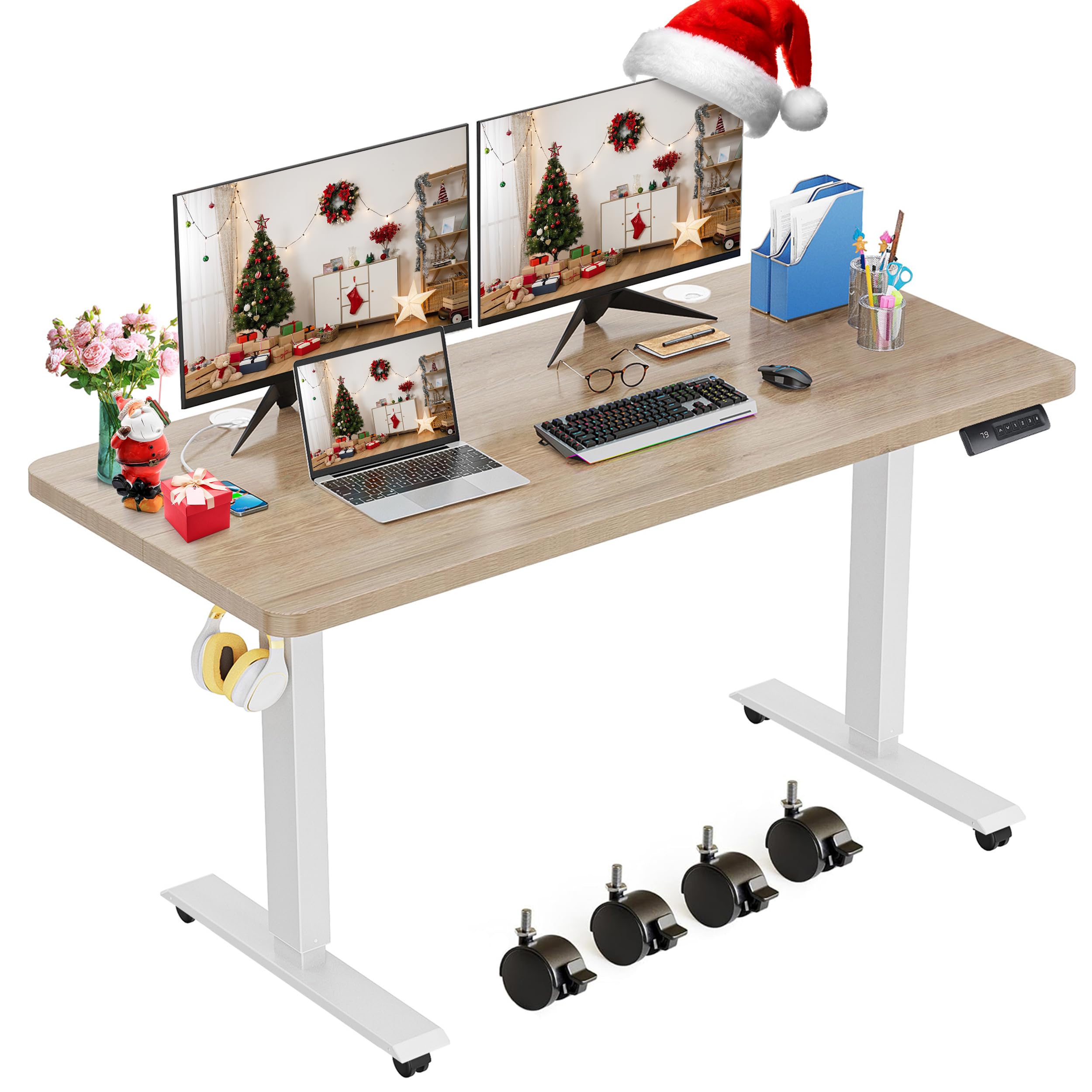
The farexon Electric Standing Desk in Oak Grey, showcasing അതിന്റെ വിശാലമായ ഡെസ്ക്ടോപ്പും ആധുനിക രൂപകൽപ്പനയും.
2 സുരക്ഷാ വിവരങ്ങൾ
മുന്നറിയിപ്പ്: Ensure the desk is not overloaded with more than 178 pounds to prevent instability or damage. Improper use may result in injury.
- ജോലി സമയത്ത് കുട്ടികളെയും വളർത്തുമൃഗങ്ങളെയും മേശയിൽ നിന്ന് അകറ്റി നിർത്തുക.
- മേശയുടെ ചലനത്തിന്റെ പാതയിൽ (മുകളിലേക്കോ താഴേക്കോ) തടസ്സങ്ങളൊന്നുമില്ലെന്ന് ഉറപ്പാക്കുക.
- മേശപ്പുറത്ത് ഇരിക്കുകയോ നിൽക്കുകയോ ചെയ്യരുത്.
- നൽകിയിരിക്കുന്ന പവർ അഡാപ്റ്ററും കേബിളുകളും മാത്രം ഉപയോഗിക്കുക.
- If the desk encounters obstacles during movement, its anti-collision technology will cause it to move 2cm in the opposite direction to prevent damage.
3. പാക്കേജ് ഉള്ളടക്കം
Please check that all the following components are included in your package before beginning assembly:
- Desktop (48 x 24 inches, Oak Grey)
- Desk Frame (White)
- 4 Lockable Casters
- 4 കാൽ പാഡുകൾ
- 2 Metal Hooks
- 3 കേബിൾ ക്ലിപ്പുകൾ
- 2 Cable Take-ups
- 1 Enclosed Shelf
- 1 കാബിനറ്റ്
- 1 Built-in Wireless Charger (Note: 48-inch desk does not provide a mouse pad)
- Assembly Tools (Screwdriver, Allen wrench)
- ഇൻസ്ട്രക്ഷൻ മാനുവൽ

വീഡിയോ: അൺബോക്സിംഗ്, പിന്നെയുംview of all components included with the farexon Electric Standing Desk.
4. അസംബ്ലി നിർദ്ദേശങ്ങൾ
The farexon Electric Standing Desk is designed for easy assembly with fewer steps. A detailed installation video is available to guide you through the process.
4.1. അസംബ്ലി വീഡിയോ ഗൈഡ്
Video: A comprehensive guide demonstrating the step-by-step assembly process for the farexon Electric Standing Desk.
4.2. പ്രധാന അസംബ്ലി ഘട്ടങ്ങൾ
- Desktop Assembly: The 48-inch desktop is made of two boards. Connect them securely using the provided hardware.
- ഫ്രെയിം അസംബ്ലി: Assemble the metal frame components, including the legs and crossbeam.
- ഫ്രെയിമിലേക്ക് ഡെസ്ക്ടോപ്പ് ഘടിപ്പിക്കുക: Carefully align the desktop with the assembled frame and secure it with screws.
- ആക്സസറികൾ ഇൻസ്റ്റാൾ ചെയ്യുക: Attach the casters or foot pads, cable clips, and metal hooks as desired.
- കേബിളുകൾ ബന്ധിപ്പിക്കുക: Connect all motor and control panel cables. Use the cable take-ups and clips for organized cable management.

ചിത്രം: പൊട്ടിത്തെറിച്ചു view of the desk frame components, illustrating how they fit together during assembly.

Image: Visual guide for connecting the two desktop panels to form the complete work surface.
5. പ്രവർത്തന നിർദ്ദേശങ്ങൾ
The farexon Electric Standing Desk offers intuitive controls for seamless height adjustment and personalized settings.
5.1 ഉയരം ക്രമീകരിക്കൽ
- The desk can be adjusted electrically between 27.9 inches and 46.8 inches.
- ഉപയോഗിക്കുക ^ (മുകളിലേക്ക്) ഒപ്പം v (down) buttons on the control panel to raise or lower the desk to your desired height.
5.2. മെമ്മറി പ്രീസെറ്റുകൾ
The control panel features four memory buttons (1, 2, 3, 4) to store your preferred heights.
- Adjust the desk to your desired height using the up/down buttons.
- Press and hold one of the memory buttons (1, 2, 3, or 4) for 2 seconds until the display flashes. This saves the current height to that button.
- To recall a saved height, simply press the corresponding memory button. The desk will automatically move to the stored position.

Image: The multifunctional smart LED controller, showing the up/down arrows, memory buttons, and current height display.
6 പ്രധാന സവിശേഷതകൾ
- ഇലക്ട്രിക് ഉയരം ക്രമീകരിക്കൽ: Smooth and quiet lifting motor with a range of 27.9''-46.8''.
- 4 Memory Presets: Easily save and recall your preferred sitting and standing heights.
- ആൻറി കൊളിഷൻ ടെക്നോളജി: Automatically reverses 2cm if an obstacle is detected during movement, ensuring safety.
- വിശാലമായ ഡെസ്ക്ടോപ്പ്: Large 48" x 24" surface provides ample space for multiple monitors and accessories. The tabletop is water and wear-resistant.
- കേബിൾ മാനേജുമെന്റ്: Includes a wire collection hole, cable clips, and cable take-ups to keep your workspace tidy.
- ചലനശേഷിയും സ്ഥിരതയും: Comes with 4 lockable casters for easy movement and 4 foot pads for stationary stability.
- സൗകര്യപ്രദമായ കൊളുത്തുകൾ: Two additional metal hooks are provided for hanging headphones, bags, or other items.

Image: Close-up of various desk features, including the protective edge, 360° rotation wheels, cable management clips, and waterproof desktop material.

Image: Visual explanation of the anti-collision feature, showing the desk reversing upon encountering an obstacle.
7 സ്പെസിഫിക്കേഷനുകൾ
| ഫീച്ചർ | വിശദാംശങ്ങൾ |
|---|---|
| ബ്രാൻഡ് | farexon |
| മോഡൽ നമ്പർ | 1 |
| ഡെസ്ക് ഡിസൈൻ | കമ്പ്യൂട്ടർ ഡെസ്ക് |
| ഉൽപ്പന്ന അളവുകൾ | 24"D x 48"W x 46"H |
| നിറം | Oak Grey (Desktop), White (Base) |
| കുറഞ്ഞ ഉയരം | 27.9 ഇഞ്ച് |
| പരമാവധി ഉയരം | 46.8 ഇഞ്ച് |
| ലിഫ്റ്റിംഗ് മെക്കാനിസം | ഇലക്ട്രിക് |
| മെറ്റീരിയൽ തരം | അലോയ് സ്റ്റീൽ, മരം |
| പരമാവധി ഭാരം ശുപാർശ | 178 പൗണ്ട് |
| പ്രത്യേക സവിശേഷതകൾ | Adjustable Height, Electric, Ergonomic, 4 Memory Presets, Anti-Collision, Wheels |
| ആവശ്യമായ അസംബ്ലി | അതെ |
| ഉൾപ്പെടുത്തിയ ഘടകങ്ങൾ | 4 Lockable casters, 4 Foot pads, 2 Metal hooks, 3 cable clips, 2 Cable take-ups, 1 Enclosed shelf, 1 Cabinet, 1 Built-in wireless charger |
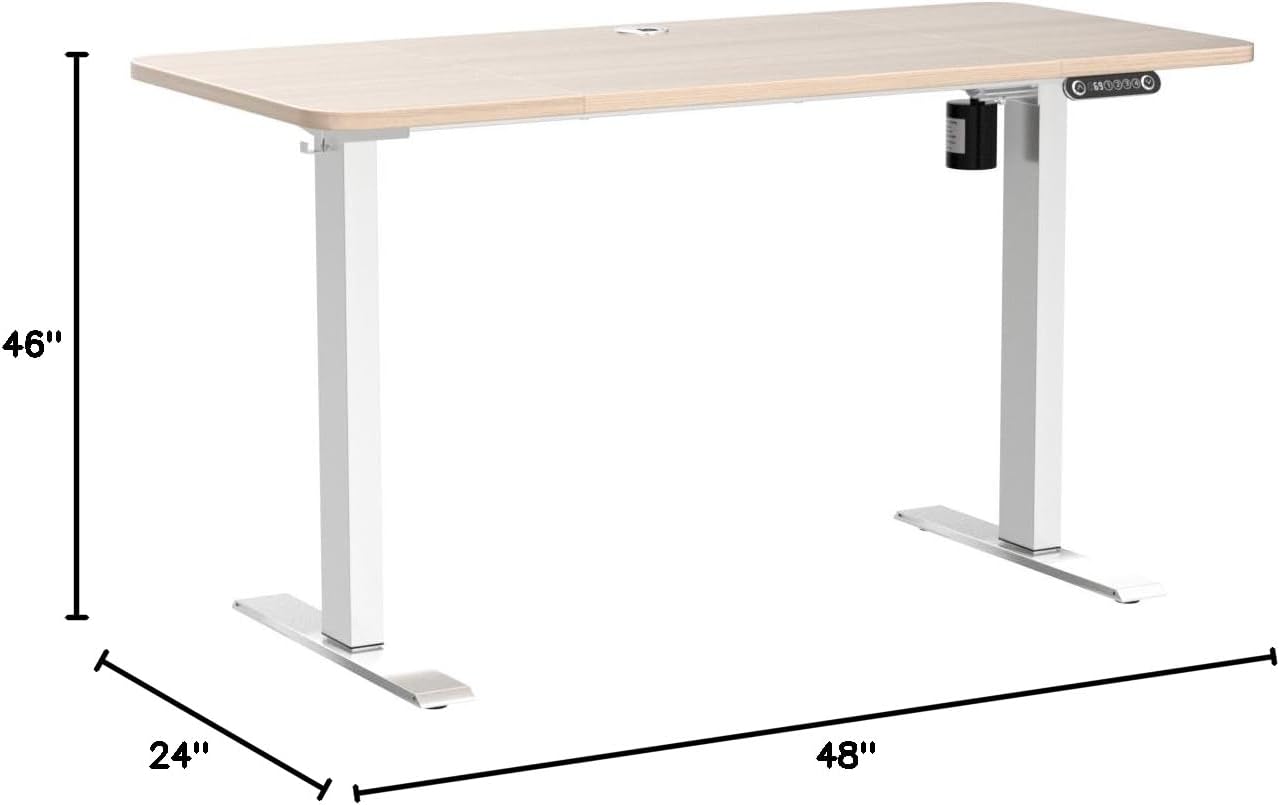
Image: Dimensional drawing of the farexon Electric Standing Desk, indicating its height, width, and depth.
8. പ്രശ്നപരിഹാരം
ചില പൊതുവായ പ്രശ്നങ്ങളും അവയുടെ പരിഹാരങ്ങളും ഇതാ:
- Controller Displays "RST", "E07", or "E08" / Desk is Not Working: To reset the desk, press and hold the v (down) button twice. The desk will move to its lowest position and then reset.
- Desk Not Moving Smoothly: Ensure all connections are secure and there are no obstructions.
- Desk Not Reaching Desired Height: Check the power connection and ensure the desk is not overloaded.
8.1. How to Reset the Standing Desk (Video Guide)
Video: A short instructional video demonstrating the process of resetting the farexon Electric Standing Desk.
9. പരിപാലനം
- വൃത്തിയാക്കൽ: ഡെസ്ക്ടോപ്പും ഫ്രെയിമും ഒരു സോഫ്റ്റ്, ഡി ക്ലീനർ ഉപയോഗിച്ച് തുടയ്ക്കുക.amp തുണി. കഠിനമായ രാസവസ്തുക്കൾ ഒഴിവാക്കുക.
- കേബിൾ മാനേജുമെന്റ്: Periodically check cable connections and ensure they are neatly organized to prevent snagging or damage.
- മോട്ടോർ കെയർ: The motor is designed for durability. Avoid excessive or continuous operation without breaks.
10. വാറണ്ടിയും പിന്തുണയും
10.1. വാറൻ്റി വിവരങ്ങൾ
This farexon Electric Standing Desk comes with a പരിമിത വാറൻ്റി. നിർദ്ദിഷ്ട നിബന്ധനകൾക്കും വ്യവസ്ഥകൾക്കും നിങ്ങളുടെ പാക്കേജിൽ ഉൾപ്പെടുത്തിയിരിക്കുന്ന വാറന്റി കാർഡ് പരിശോധിക്കുക.
10.2. ഉപഭോക്തൃ പിന്തുണ
For any product problems, questions, or assistance, please contact farexon customer support. We are committed to helping you resolve any issues.
സന്ദർശിക്കുക farexon Store on Amazon കൂടുതൽ വിവരങ്ങൾക്കും ബന്ധപ്പെടാനുള്ള ഓപ്ഷനുകൾക്കും.