
1. ആമുഖം
വാങ്ങിയതിന് നന്ദി.asing the Muse M-308 BT Bluetooth Speaker. This manual provides essential information for the safe and correct use of your device. Please read it thoroughly before use and keep it for future reference.
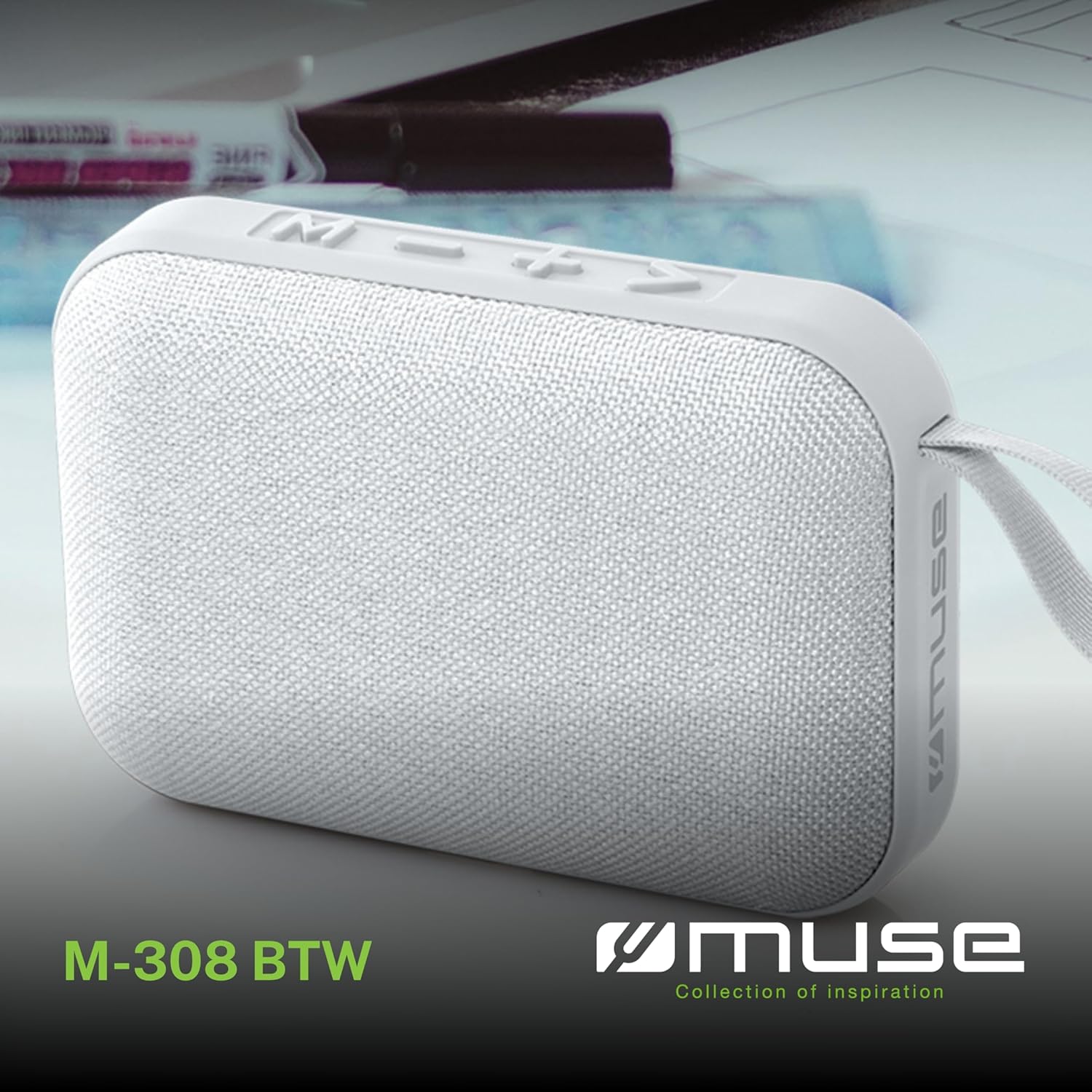
ചിത്രം 1.1: മുൻഭാഗം view of the Muse M-308 BT Bluetooth Speaker.
2. ഉൽപ്പന്ന സവിശേഷതകൾ
- ബ്ലൂടൂത്ത് കണക്റ്റിവിറ്റി: അനുയോജ്യമായ ഉപകരണങ്ങളിൽ നിന്ന് വയർലെസ് ആയി ഓഡിയോ സ്ട്രീം ചെയ്യുക.
- ഹാൻഡ്സ് ഫ്രീ ഫംഗ്ഷൻ: Integrated microphone for taking calls.
- മീഡിയ പ്ലേബാക്ക്: Supports music playback from USB and MicroSD (TF) cards.
- സ്റ്റീരിയോ ജോടിയാക്കൽ: Connect two M-308 BT speakers for enhanced stereo sound.
- LED സൂചകം: Provides visual feedback for Bluetooth pairing and charging status.
- ഒതുക്കമുള്ളതും ഭാരം കുറഞ്ഞതും: Designed for portability, weighing approximately 200g.
- ബിൽറ്റ്-ഇൻ റീചാർജ് ചെയ്യാവുന്ന ബാറ്ററി: 1200mAh capacity for up to 10 hours of playback.
- ഔട്ട്പുട്ട് പവർ: 5 Watts for clear audio.

Image 2.1: Key features of the Muse M-308 BT speaker.

Image 2.2: Additional functionalities of the Muse M-308 BT speaker.
3. പാക്കേജ് ഉള്ളടക്കം
പായ്ക്ക് അഴിക്കുമ്പോൾ എല്ലാ ഇനങ്ങളും ഉണ്ടെന്ന് ഉറപ്പാക്കുക:
- Muse M-308 BT Bluetooth Speaker
- യുഎസ്ബി ചാർജിംഗ് കേബിൾ
- ഉപയോക്തൃ മാനുവൽ (ഈ പ്രമാണം)
4. നിയന്ത്രണങ്ങളും കണക്ഷനുകളും
Familiarize yourself with the speaker's controls and connection ports:

Image 4.1: Top panel with various connections.
- USB പോർട്ട്: ഒരു യുഎസ്ബി ഫ്ലാഷ് ഡ്രൈവിൽ നിന്ന് സംഗീതം പ്ലേ ചെയ്യുന്നതിന്.
- മൈക്രോ-യുഎസ്ബി പോർട്ട്: സ്പീക്കർ ചാർജ് ചെയ്തതിന്.
- മൈക്രോ എസ്ഡി (ടിഎഫ്) കാർഡ് സ്ലോട്ട്: മൈക്രോ എസ്ഡി കാർഡിൽ നിന്ന് സംഗീതം പ്ലേ ചെയ്യുന്നതിന്.
- ഓൺ/ഓഫ് സ്വിച്ച്: To power the speaker on or off.

Image 4.2: Side panel with control buttons.
- M Button (Mode): Press to switch between Bluetooth, USB, and Micro SD modes.
- - Button (Volume Down / Previous Track):
- ഷോർട്ട് പ്രസ്സ്: വോളിയം കുറയ്ക്കുക.
- ദീർഘനേരം അമർത്തുക: മുമ്പത്തെ ട്രാക്കിലേക്ക് പോകുക.
- + Button (Volume Up / Next Track):
- ഷോർട്ട് പ്രസ്സ്: വോളിയം വർദ്ധിപ്പിക്കുക.
- Long press: Go to the next track.
- > Button (Play / Pause / Call):
- Short press: Play or pause music.
- (ഇൻകമിംഗ് കോളിനിടെ) ഹ്രസ്വമായി അമർത്തുക: കോളിന് മറുപടി നൽകുക.
- Long press (during incoming call): Reject call.
- (കോൾ സമയത്ത്) ഷോർട്ട് പ്രസ്സ് ചെയ്യുക: കോൾ അവസാനിപ്പിക്കുക.
5. സജ്ജീകരണം
5.1 സ്പീക്കർ ചാർജ് ചെയ്യുന്നു
- Connect the supplied USB charging cable to the Micro-USB port on the speaker.
- USB കേബിളിന്റെ മറ്റേ അറ്റം ഒരു USB പവർ അഡാപ്റ്ററുമായി (ഉൾപ്പെടുത്തിയിട്ടില്ല) അല്ലെങ്കിൽ ഒരു കമ്പ്യൂട്ടറിന്റെ USB പോർട്ടുമായി ബന്ധിപ്പിക്കുക.
- ചാർജിംഗ് സ്റ്റാറ്റസ് കാണിക്കുന്നതിനായി LED ഇൻഡിക്കേറ്റർ പ്രകാശിക്കും. പൂർണ്ണമായി ചാർജ് ചെയ്യുമ്പോൾ അത് ഓഫാകും അല്ലെങ്കിൽ നിറം മാറും.
5.2 പവർ ഓൺ/ഓഫ്
- To power on, slide the ON/OFF switch to the 'ON' position. You will hear an audible prompt.
- പവർ ഓഫ് ചെയ്യാൻ, ഓൺ/ഓഫ് സ്വിച്ച് 'ഓഫ്' സ്ഥാനത്തേക്ക് സ്ലൈഡ് ചെയ്യുക.
5.3 ബ്ലൂടൂത്ത് ജോടിയാക്കൽ
- Ensure the speaker is powered on and in Bluetooth mode (indicated by a flashing LED). If not, press the 'M' button to switch to Bluetooth mode.
- നിങ്ങളുടെ സ്മാർട്ട്ഫോണിലോ, ടാബ്ലെറ്റിലോ, അല്ലെങ്കിൽ മറ്റ് അനുയോജ്യമായ ഉപകരണത്തിലോ ബ്ലൂടൂത്ത് പ്രവർത്തനക്ഷമമാക്കുക.
- ഇതിനായി തിരയുക available Bluetooth devices and select "M-308 BT" from the list.
- ജോടിയാക്കിക്കഴിഞ്ഞാൽ, LED ഇൻഡിക്കേറ്റർ മിന്നുന്നത് നിർത്തുകയും ദൃഢമായി തുടരുകയും ചെയ്യും, കൂടാതെ നിങ്ങൾ ഒരു സ്ഥിരീകരണ ടോൺ കേൾക്കുകയും ചെയ്യും.
- The speaker will automatically connect to the last paired device when powered on, if it is within range.
5.4 സ്റ്റീരിയോ പെയറിംഗ് (TWS ഫംഗ്ഷൻ)
To pair two M-308 BT speakers for true wireless stereo sound:
- Ensure both speakers are powered on and in Bluetooth pairing mode (LED flashing).
- On one of the speakers (this will be the primary speaker), double-press the 'M' button. The speaker will search for another M-308 BT speaker.
- Once connected, both speakers will emit a confirmation tone, and the LED on the primary speaker will flash slowly, while the LED on the secondary speaker will remain solid.
- Now, connect your device to the primary speaker via Bluetooth as described in section 5.3.
6. പ്രവർത്തന നിർദ്ദേശങ്ങൾ
6.1 സംഗീതം പ്ലേ ചെയ്യുന്നു
- ബ്ലൂടൂത്ത് മോഡ്: After successful pairing, start playing music on your connected device. The audio will stream through the speaker.
- USB/Micro SD മോഡ്: Insert a USB flash drive or Micro SD card into the respective port. The speaker will automatically switch to the corresponding mode and begin playing music. If it doesn't, press the 'M' button to cycle through modes.
6.2 വോളിയം നിയന്ത്രണം
- ശബ്ദം കൂട്ടാൻ '+' ബട്ടൺ അമർത്തുക.
- ശബ്ദം കുറയ്ക്കാൻ '-' ബട്ടൺ അമർത്തുക.
6.3 ട്രാക്ക് നാവിഗേഷൻ
- അടുത്ത ട്രാക്കിലേക്ക് പോകാൻ '+' ബട്ടൺ ദീർഘനേരം അമർത്തുക.
- Long press the '-' button to go back to the previous track.
6.4 ഹാൻഡ്സ് ഫ്രീ കോളിംഗ്
- When a call comes in, the music will pause. Press the '>' button to answer the call.
- To end a call, press the '>' button again.
- To reject an incoming call, long press the '>' button.
7. പരിപാലനം
- ഉയർന്ന താപനില, നേരിട്ടുള്ള സൂര്യപ്രകാശം, ഈർപ്പം എന്നിവയിൽ നിന്ന് സ്പീക്കറിനെ അകറ്റി നിർത്തുക.
- Do not expose the speaker to water or other liquids. This model is not water-resistant.
- മൃദുവായതും ഉണങ്ങിയതുമായ തുണി ഉപയോഗിച്ച് സ്പീക്കർ വൃത്തിയാക്കുക. അബ്രസീവ് ക്ലീനറുകളോ ലായകങ്ങളോ ഉപയോഗിക്കരുത്.
- സ്പീക്കർ സ്വയം ഡിസ്അസംബ്ലിംഗ് ചെയ്യാനോ നന്നാക്കാനോ ശ്രമിക്കരുത്. ഇത് വാറന്റി അസാധുവാക്കും.
- ദീർഘനേരം ഉപയോഗിക്കാത്തപ്പോൾ, ബാറ്ററിയുടെ ആരോഗ്യം നിലനിർത്താൻ കുറഞ്ഞത് മൂന്ന് മാസത്തിലൊരിക്കലെങ്കിലും ബാറ്ററി ചാർജ് ചെയ്യുക.
8. പ്രശ്നപരിഹാരം
| പ്രശ്നം | സാധ്യമായ കാരണം | പരിഹാരം |
|---|---|---|
| സ്പീക്കർ പവർ ഓൺ ചെയ്യുന്നില്ല. | ബാറ്ററി തീർന്നു. | നൽകിയിരിക്കുന്ന USB കേബിൾ ഉപയോഗിച്ച് സ്പീക്കർ ചാർജ് ചെയ്യുക. |
| ബ്ലൂടൂത്ത് വഴി ജോടിയാക്കാൻ കഴിയില്ല. | Bluetooth is not enabled on your device or speaker is not in pairing mode. Speaker is too far from the device. | Ensure Bluetooth is active on both devices. Make sure the speaker is in Bluetooth pairing mode (flashing LED). Move the speaker closer to your device (within 10 meters). |
| ശബ്ദമില്ല. | Volume is too low. Speaker is not connected. Incorrect mode selected. | Increase the volume on both the speaker and your connected device. Re-pair the Bluetooth connection. Press the 'M' button to cycle through modes (Bluetooth, USB, Micro SD). |
| Music playback from Micro SD card is erratic or "screaming". | ദുഷിച്ചു files on Micro SD card. Incompatible file ഫോർമാറ്റ്. | ഓഡിയോ ഉറപ്പാക്കുക files are in a compatible format (e.g., MP3). Try using a different Micro SD card or reformatting the current one and reloading files. |
| Speaker switches between modes (e.g., SD and BT) unexpectedly. | Interference or a temporary software glitch. | Power off the speaker, wait a few seconds, then power it back on. Ensure no other devices are causing interference. If the issue persists, try removing the Micro SD card if it's inserted. |
9 സ്പെസിഫിക്കേഷനുകൾ
| മോഡലിൻ്റെ പേര് | എം-308 ബി.ടി |
| ബ്രാൻഡ് | മ്യൂസ് |
| കണക്റ്റിവിറ്റി ടെക്നോളജി | ബ്ലൂടൂത്ത്, വയർഡ് |
| വയർലെസ് കമ്മ്യൂണിക്കേഷൻ ടെക്നോളജി | ബ്ലൂടൂത്ത് |
| സ്പീക്കർ പരമാവധി ഔട്ട്പുട്ട് പവർ | 5 വാട്ട്സ് |
| ഓഡിയോ put ട്ട്പുട്ട് മോഡ് | സ്റ്റീരിയോ |
| സ്പീക്കർ തരം | പോർട്ടബിൾ ബ്ലൂടൂത്ത് സ്പീക്കർ |
| പ്രത്യേക സവിശേഷതകൾ | ബ്ലൂടൂത്ത് |
| അനുയോജ്യമായ ഉപകരണങ്ങൾ | സ്മാർട്ട്ഫോൺ, ടാബ്ലെറ്റ് |
| പവർ ഉറവിടം | ബാറ്ററി |
| ബാറ്ററി ലൈഫ് | 10 മണിക്കൂർ |
| ബാറ്ററി ശേഷി | 1200 മില്ലിampere- മണിക്കൂർ |
| ഉൽപ്പന്ന അളവുകൾ (D x W x H) | 118D x 30B x 76H millimeters (11.8 x 3 x 7.6 cm) |
| ഇനത്തിൻ്റെ ഭാരം | 200 ഗ്രാം |
| മെറ്റീരിയൽ | Plastic rubber material |
| Is Water Resistant | ഇല്ല |
| ഉൾപ്പെടുത്തിയ ഘടകങ്ങൾ | യുഎസ്ബി ചാർജിംഗ് കേബിൾ |
Image 9.1: Dimensions of the Muse M-308 BT speaker.
10. വാറൻ്റിയും പിന്തുണയും
The Muse M-308 BT Bluetooth Speaker comes with a 2 വർഷത്തെ വാറൻ്റി വാങ്ങിയ തീയതി മുതൽ.
For technical support, warranty claims, or further assistance, please contact your retailer or visit the official MUSE webബന്ധപ്പെടാനുള്ള വിവരങ്ങൾക്കുള്ള സൈറ്റ്.